
Cobblemon Better Pokedex Scanner
Expands the functionality of the Pokedex scanner in Cobblemon
Screenshots


About this Mod
Overview
Better Pokédex Scanner expands Cobblemon’s Pokédex scanner in numerous ways to present useful information about entities and the environment to assist you on your Pokémon journey.
It keeps the core Cobblemon feel, but adds clearer scan presentation, richer information, better variant handling, environmental reads, non-Pokémon scans, and compatibility for scanning special block/entity cases.
What It Adds
•
Improved Pokémon scans
•
Proper handling for presenting forms, regional variants, aspects and shiny tags
•
Type-aware labelling and colour-coded type displays
•
Level threat colouring based on your current party range
•
Consistent behaviour between live Pokémon scans and contained/block-based Pokémon scans
•
Richer styling for many Cobblemon form/aspect labels
•
Environment feature scanning
•
Beehive scanning
•
Non-Pokémon entity scanning
•
Resource-pack driven label customisation for Cobblemon aspects/forms and custom entity accessors
Pokémon Scanner Features
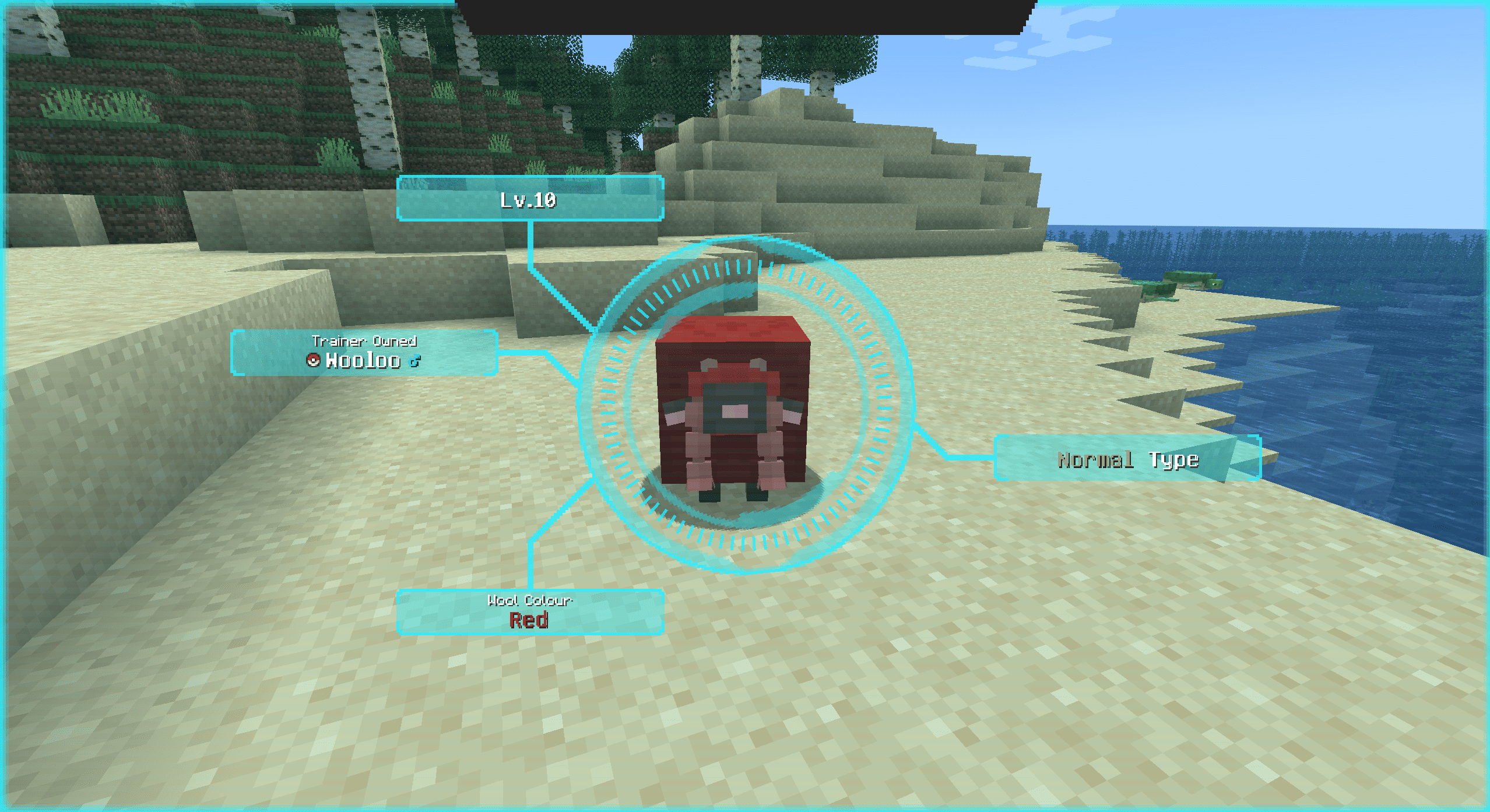
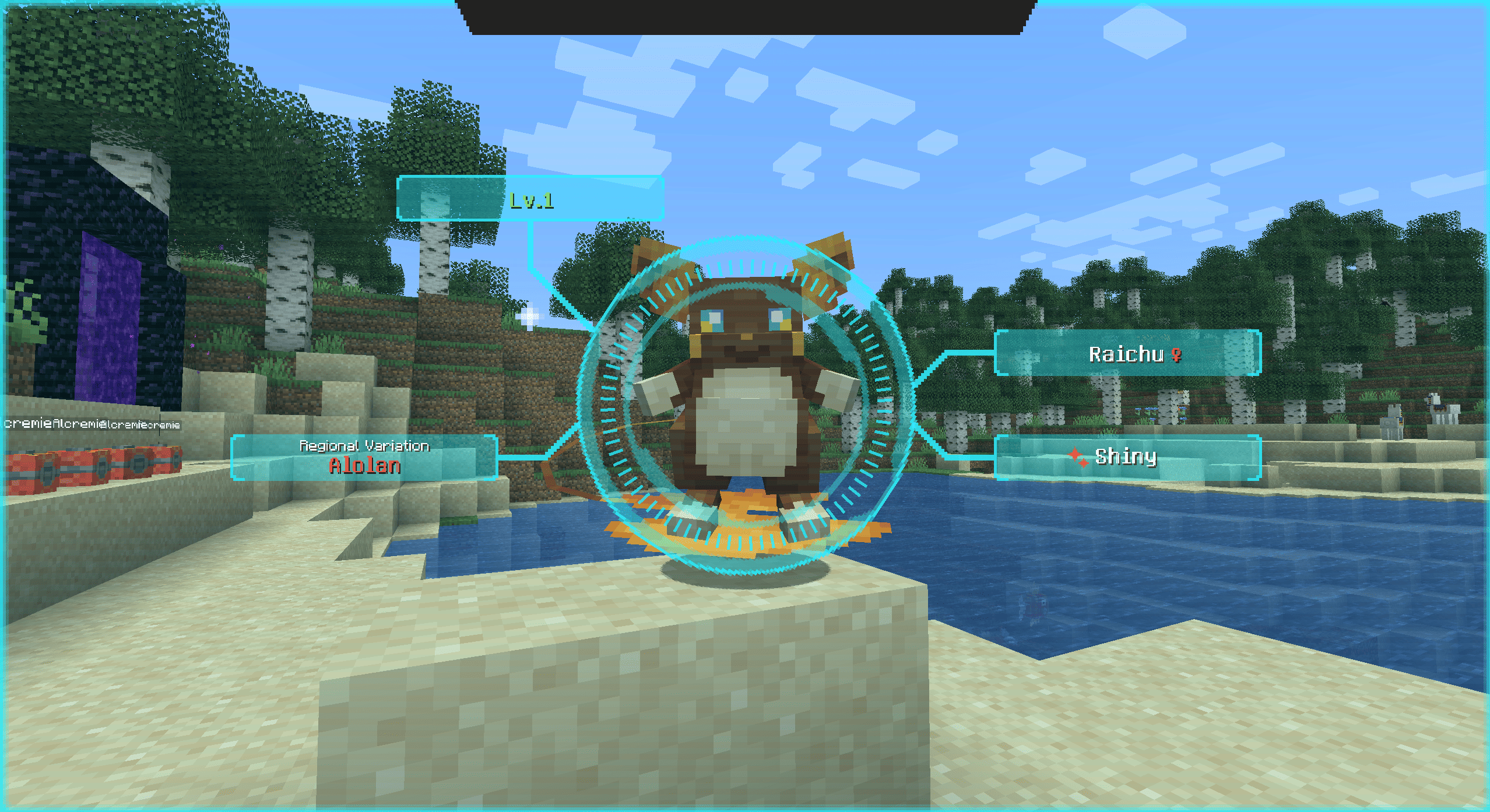
Aspect display
Resolves forms, aspects, shiny state, and gender correctly. Pokemon with multiple aspects are carouselled through the same label position.
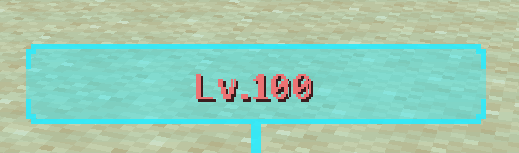
Threat level colouring
Adds level threat colouring based on your party:
◦
Higher than your party range trends warm
◦
Lower than your party range trends green
◦
Contained Pokémon use a blue high-level indicator

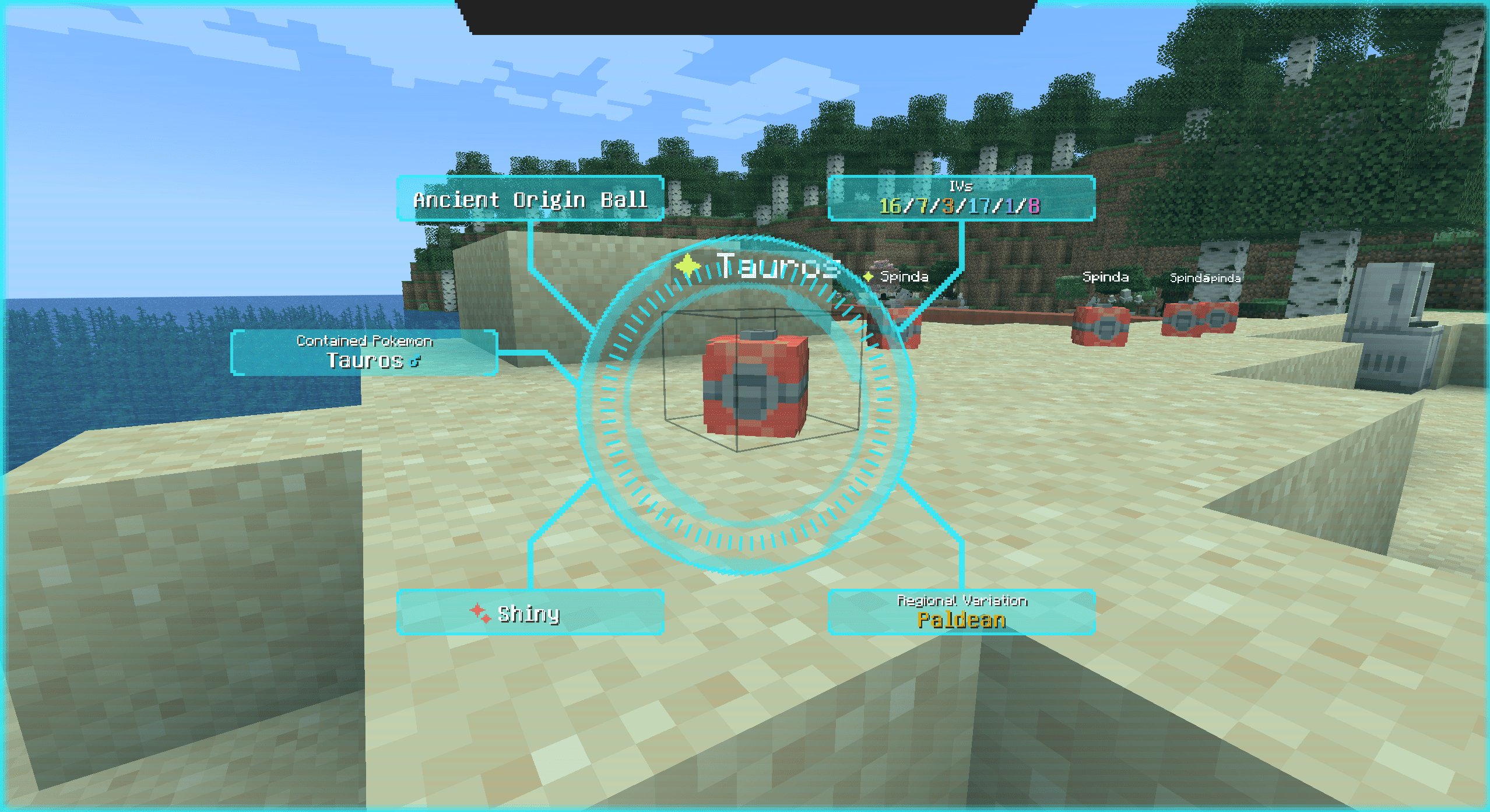
Occupied Pokéballs Support
Better Pokédex Scanner also supports Pokémon that are stored in pokeballs via the occupied pokeballs mod
A Pokemon's IV stats, nature and ability can be viewed whilst scanning a placed pokebal.
Pokémon you have not seen yet will be registered when scanned this way
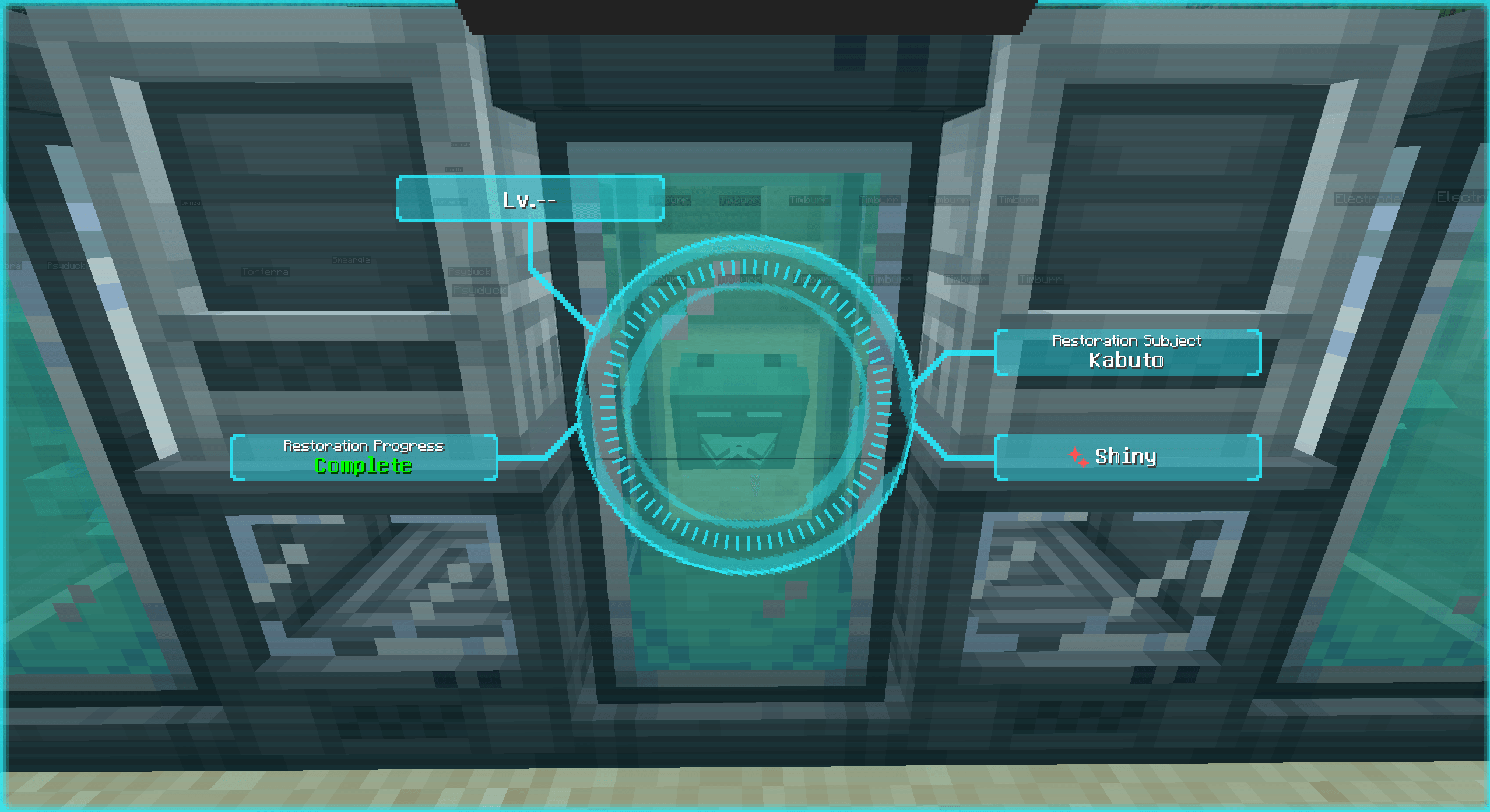
Restoration tanks
Scan fossils to view the Pokémon inside the tank
Full aspect resolving and shininess display if using a mod like special fossils or custom restoration recipes
View restoration progress
Pokémon you have not seen yet will be registered when scanned this way
Environment Scanner
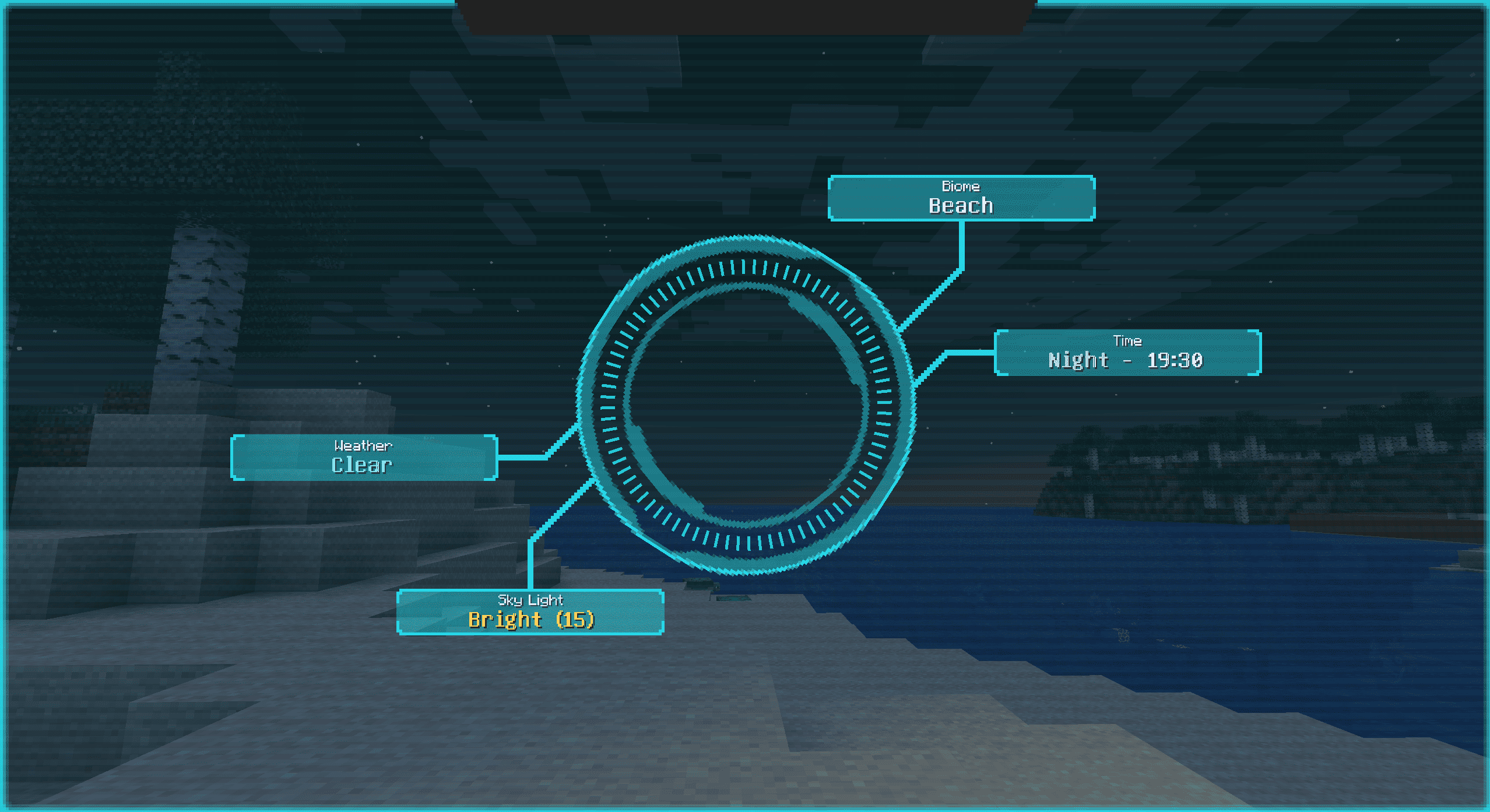
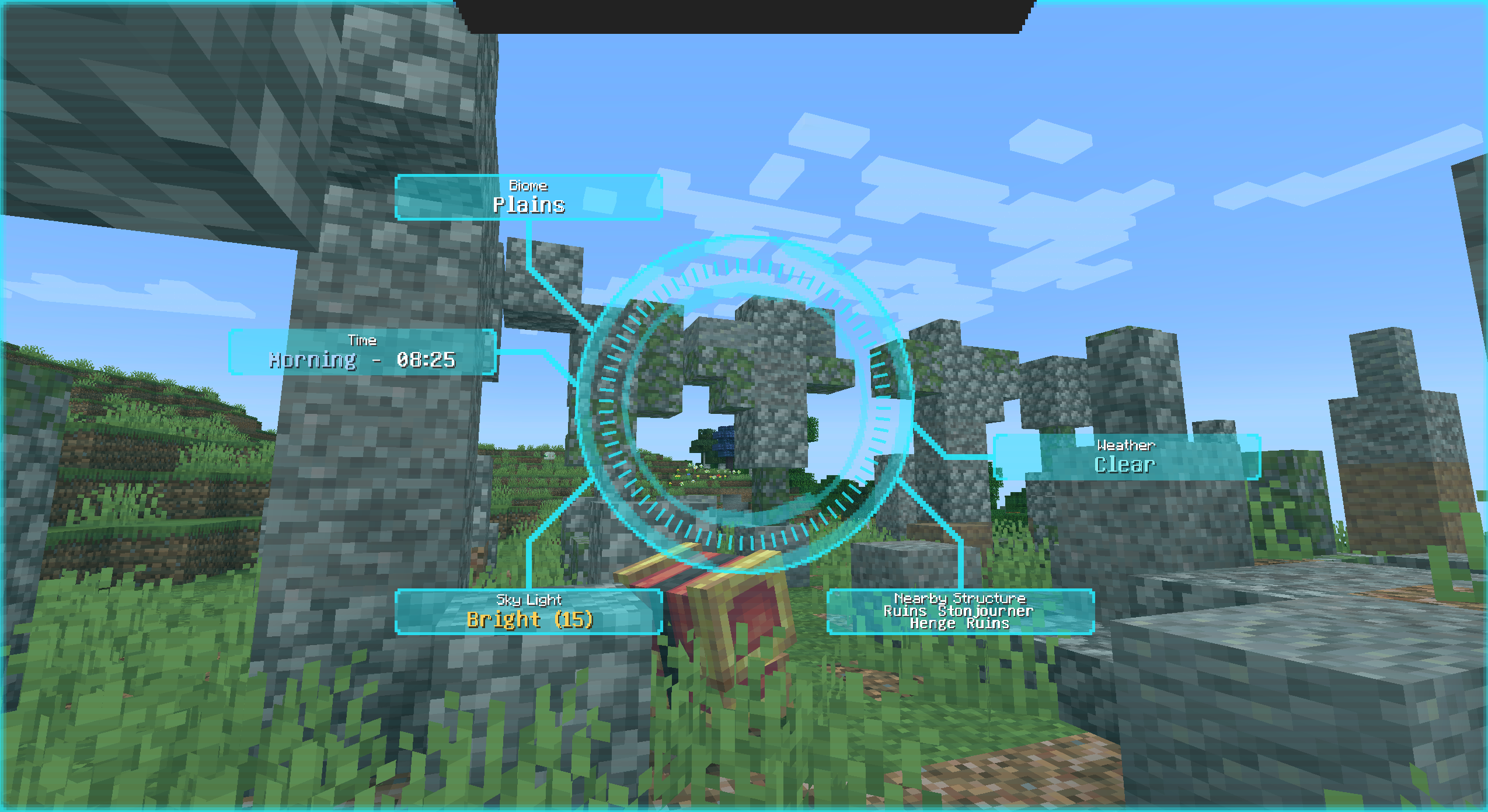
The scanner can also read the world around you, displaying helpful information such as:
•
Biome
•
Dimension
•
Weather
•
Time of day
•
Moon phase
•
Sky visibility
•
Sky light
•
Block light
• Terrain context such as:
- underwater
- on water
- surface
- underground
- cave
- high altitude
•
Nearby Structures
Beehive Scanner
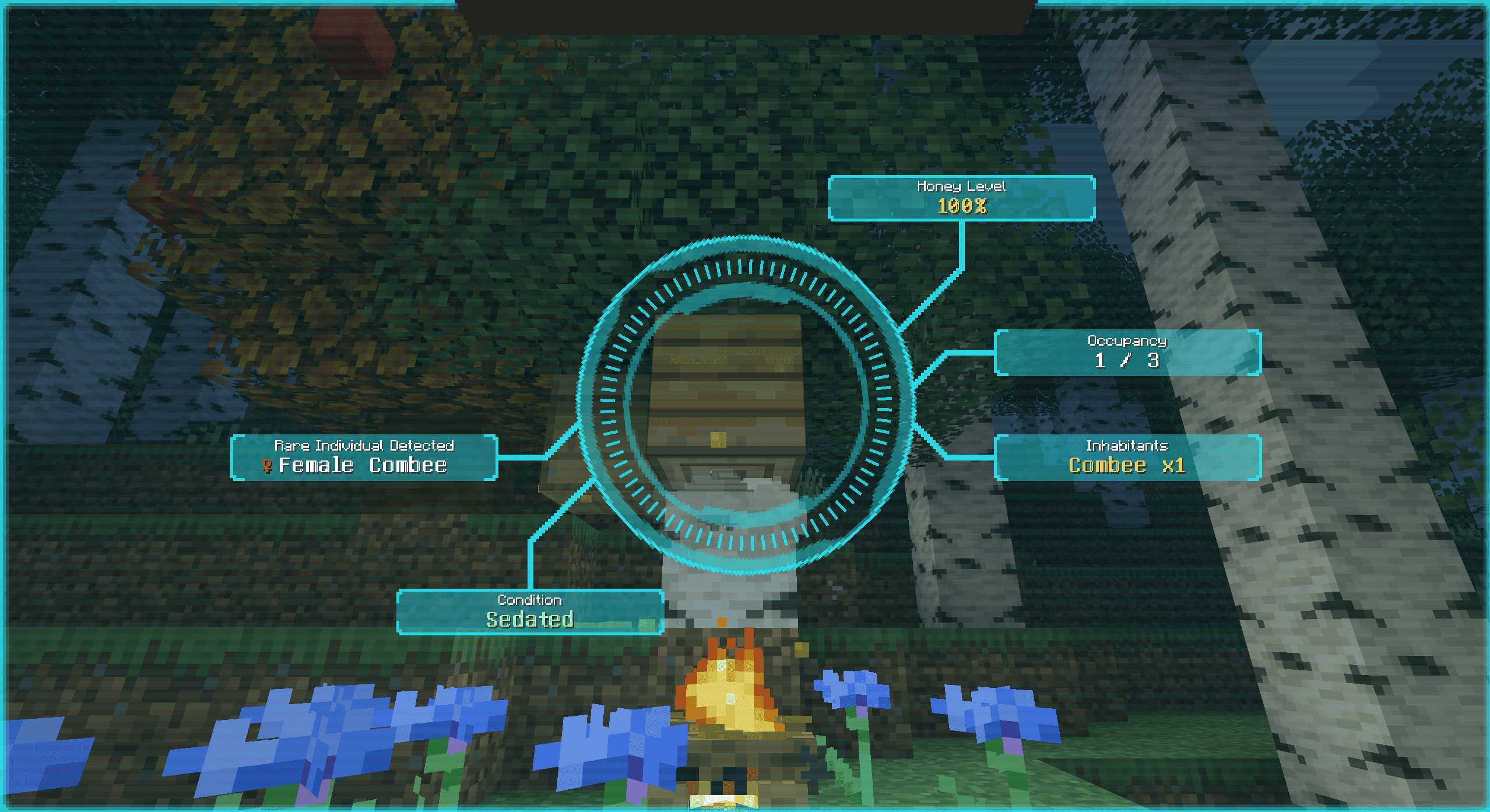
Beehives and bee nests can be scanned for:
•
Honey level
•
Flower/sedation state, where applicable
•
Inhabitant counts
•
Combee presence
•
Rare individual detection, such as shiny/female Combee, where available
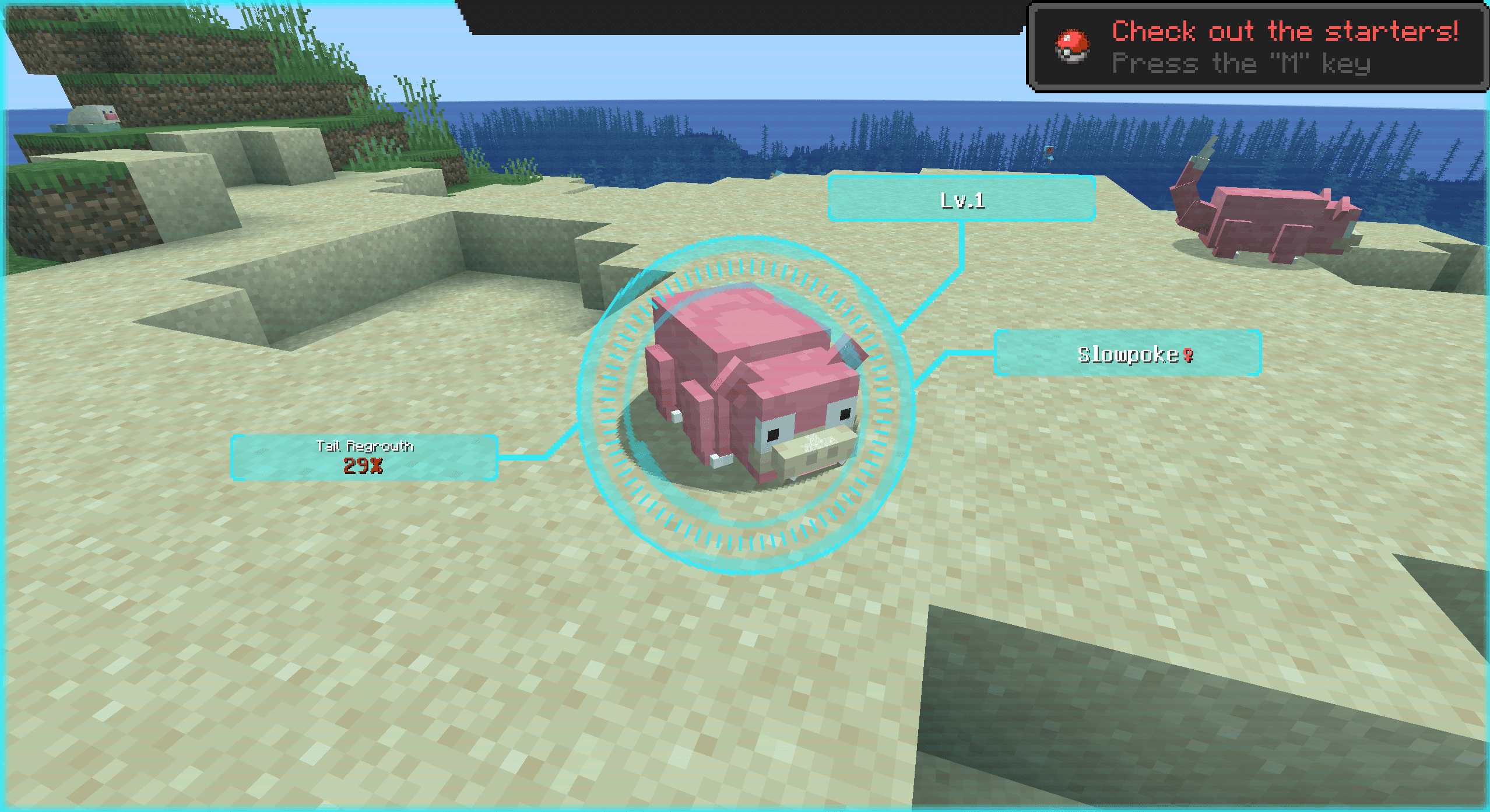
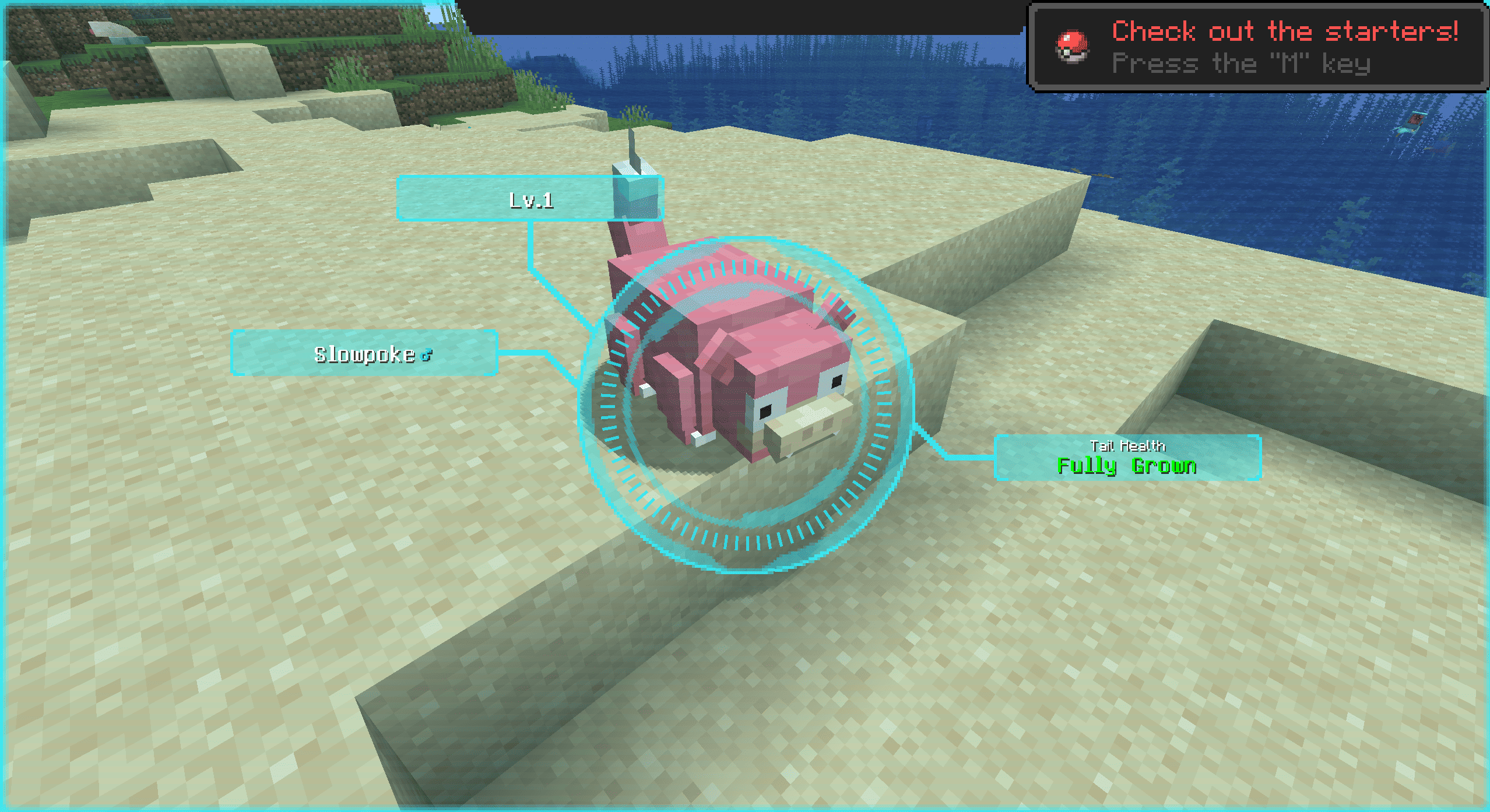
Slowpoke Tail Health Scanner
Check the status of Slowpoke's tail regrowth!
Non-Pokémon Entity Scanner
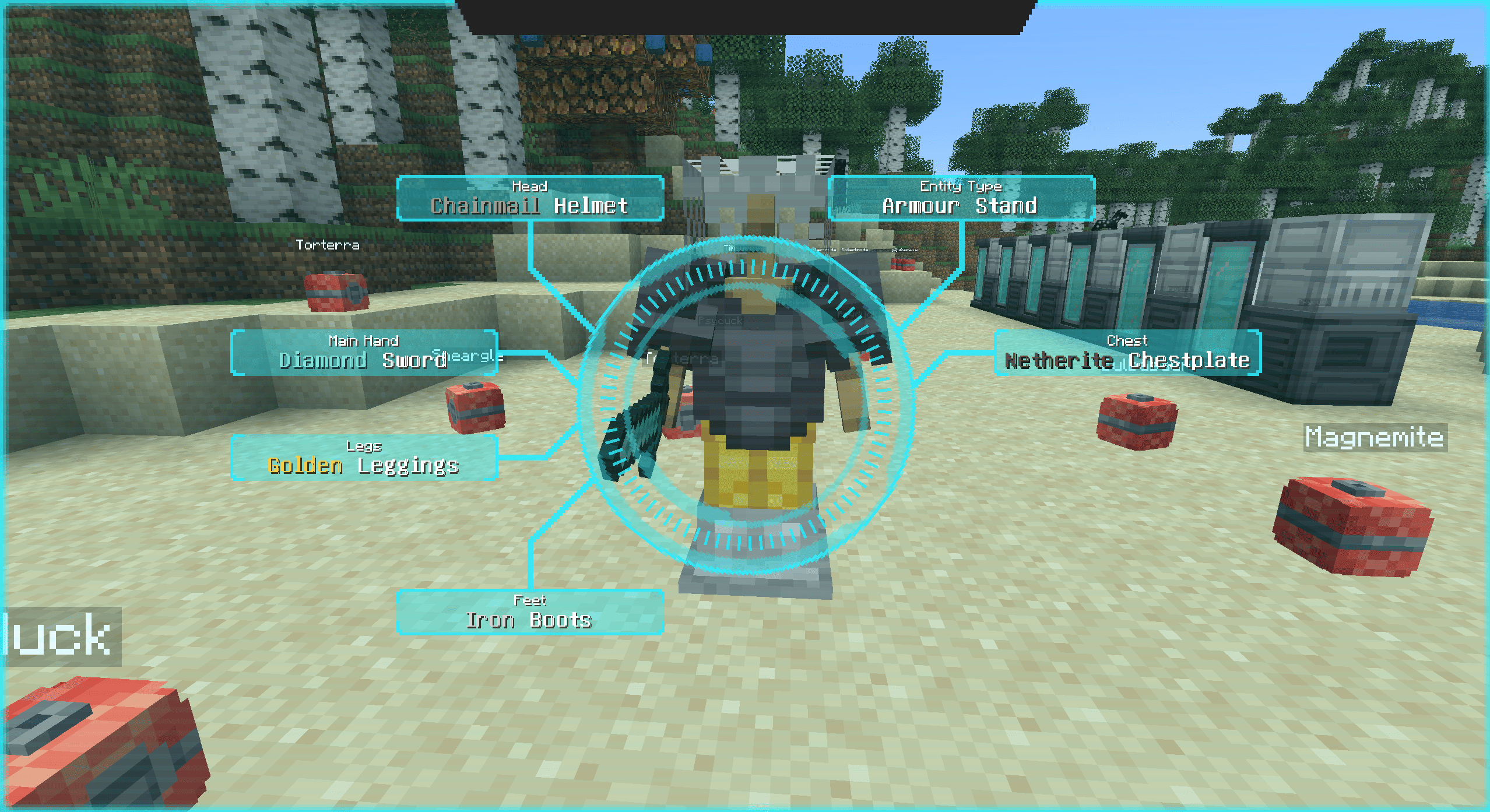
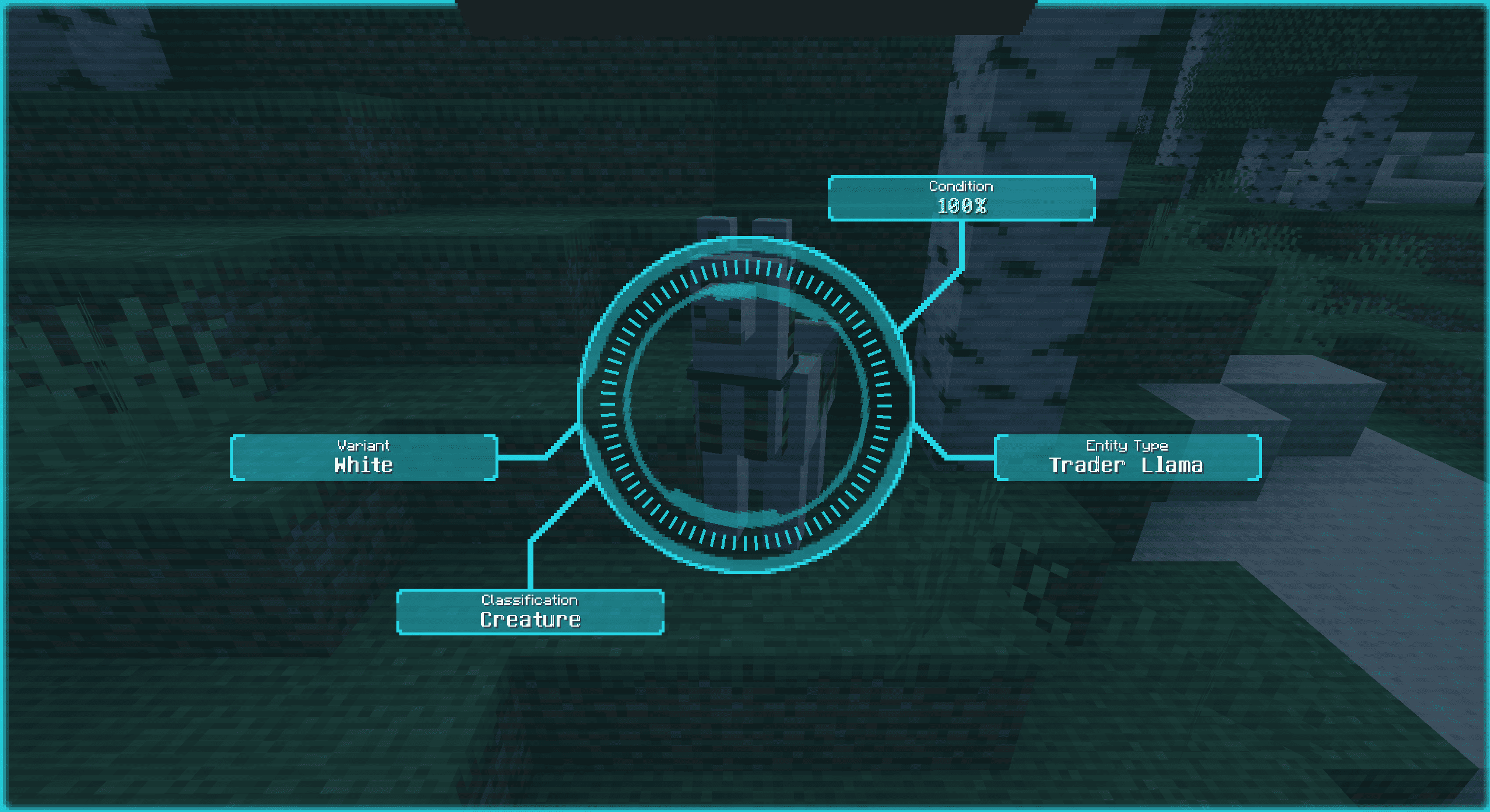
The scanner can also identify and present data for non-Pokémon entities.
This includes:
•
clean scanner snapshots for supported entities
•
color-aware presentation for many vanilla color/material states
•
persistent short-term cache behaviour, so brief focus loss does not always force a full rescan
•
support for custom accessor-driven labels through resource packs
Examples of built-in presentation support include things like:
•
dye/color states
•
horse/llama/cat/rabbit/axolotl variants
•
armour stand equipment materials
•
Other explicit non-Pokémon display cases, the mod already knows how to present
Customization
The mod supports client-resource based customization for:
•
Cobblemon forms and aspects
•
non-Pokémon entity accessor values
This means you can add, rename, localise, or color labels without editing code.
Variant Label Files
Place JSON files at:
assets/better_pokedex_scanner/variant_labels/*.json
These are used for Cobblemon form/aspect labels.
Supported label methods:
Literal text
Translation keys
Styled parts
Styled translated templates with translationKey + args
Example:
{
  "groups": [
    {
      "headerLabel": "Flower Color",
      "species": ["cobblemon:flabebe"],
      "aspectDisplays": {
        "flower-red": {
          "parts": [
            { "text": "Red", "color": "FF0000" },
            { "text": " Flower" }
          ]
        }
      }
    }
  ]
}
You can also target:
• baseFormDisplay
• formDisplays
• aspectDisplays
Priority is:
styled display
translation key
literal label
Entity Accessor Label Files
Place JSON files at:
assets/better_pokedex_scanner/entity_accessor_labels/*.json
These are used for non-Pokémon entities with stable accessor values.
Example:
{
  "groups": [
    {
      "entities": ["examplemod:example_mob"],
      "accessor": "variant",
      "accessorHeaderLabel": "Mutation",
      "valueDisplays": {
        "red": {
          "parts": [
            { "text": "Red", "color": "FF0000" }
          ]
        }
      }
    }
  ]
}
Supported accessor behavior:
• explicit entity declarations only (the scanner doesn't add accessors automatically)
• dot-path traversal
• accessor resolution through:
- zero-arg methods
- getters
- boolean getters
- public fields
Value priority is:
- styled display
- translation key
- literal label
- formatted raw accessor value fallback
For more information on adding support for your mod, check out the readmes here on the gitlab
Compatibility
Required
Optional Supported Mods
Installation environment
Single player - Works completely with client-side installation
Multiplayer - Works client-side, but some information is limited unless installed on the server too. For best results, install on both
Feature requests
Want features added, aspect support, or default support for your mod? Leave a comment here or on Gitlab!
Available Versions
How to Install Cobblemon Better Pokedex Scanner on Your Server
Order Server
Order a Minecraft Java server with at least 3 GB RAM (4 GB recommended).
Set fabric Loader
In the panel under "Egg", select the fabric loader and matching Minecraft version (1.21.1).
Install Mod
Open the mod browser in the dashboard and search for "Cobblemon Better Pokedex Scanner". Click "Install" – done! Alternatively, upload the .jar via SFTP to the /mods folder.
Compatibility
Mod Loaders
Minecraft Versions
1.21.1
Server-side
✓ RequiredRecommended RAM
4 GB(min. 3 GB)Frequently Asked Questions
Cobblemon Better Pokedex Scanner server crashes on startup – what to do?
Most common cause: wrong fabric version or insufficient RAM. Check the server log (latest.log) for "OutOfMemoryError" or "Mixin" errors. With Mado Hosting: ensure at least 3 GB RAM is allocated and the loader matches the mod version (1.21.1). You can switch loaders with one click in the panel.
Is Cobblemon Better Pokedex Scanner compatible with fabric?
Cobblemon Better Pokedex Scanner officially supports fabric for Minecraft 1.21.1. The Mado dashboard automatically detects incompatible loader combinations.
Server lagging with Cobblemon Better Pokedex Scanner – how to optimize performance?
Recommended RAM: 4 GB (per 8 players). Use /spark profiler to check if Cobblemon Better Pokedex Scanner consumes the most tick time. Common fixes: reduce server view-distance to 8-10, install "performant" or "starlight" as supplementary mods on Forge. With Mado Hosting, your server runs on NVMe SSDs with dedicated CPU cores for minimal latency.
Similar Mods





Rent Modded Server
Install Cobblemon Better Pokedex Scanner with just one click on your server.