
Cobblemon: Fight Them All
Mod which extends Cobblemon to allow Pokemon-style fight with mobs
Screenshots
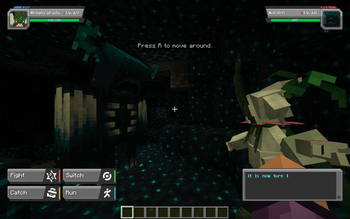
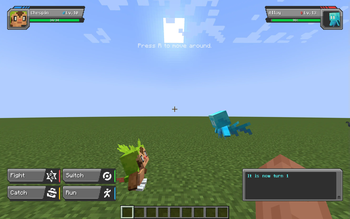
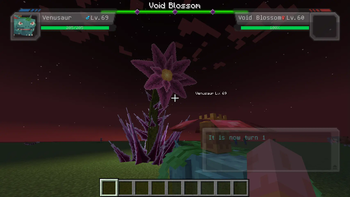
About this Mod
🔍 What is this mod?
Ever wondered what Pokémon really are? Some say aliens, others say animals. But if you think about it, aren't Minecraft mobs just as mysterious? If Pokémon can battle, why can't mobs? This mod makes that possible!
What mobs can i battle?
Every single one! From pigs and skeletons to the Ender Dragon and the Warden - any mob can be battled. However, only configured mobs will have proper stats, moves, and abilities.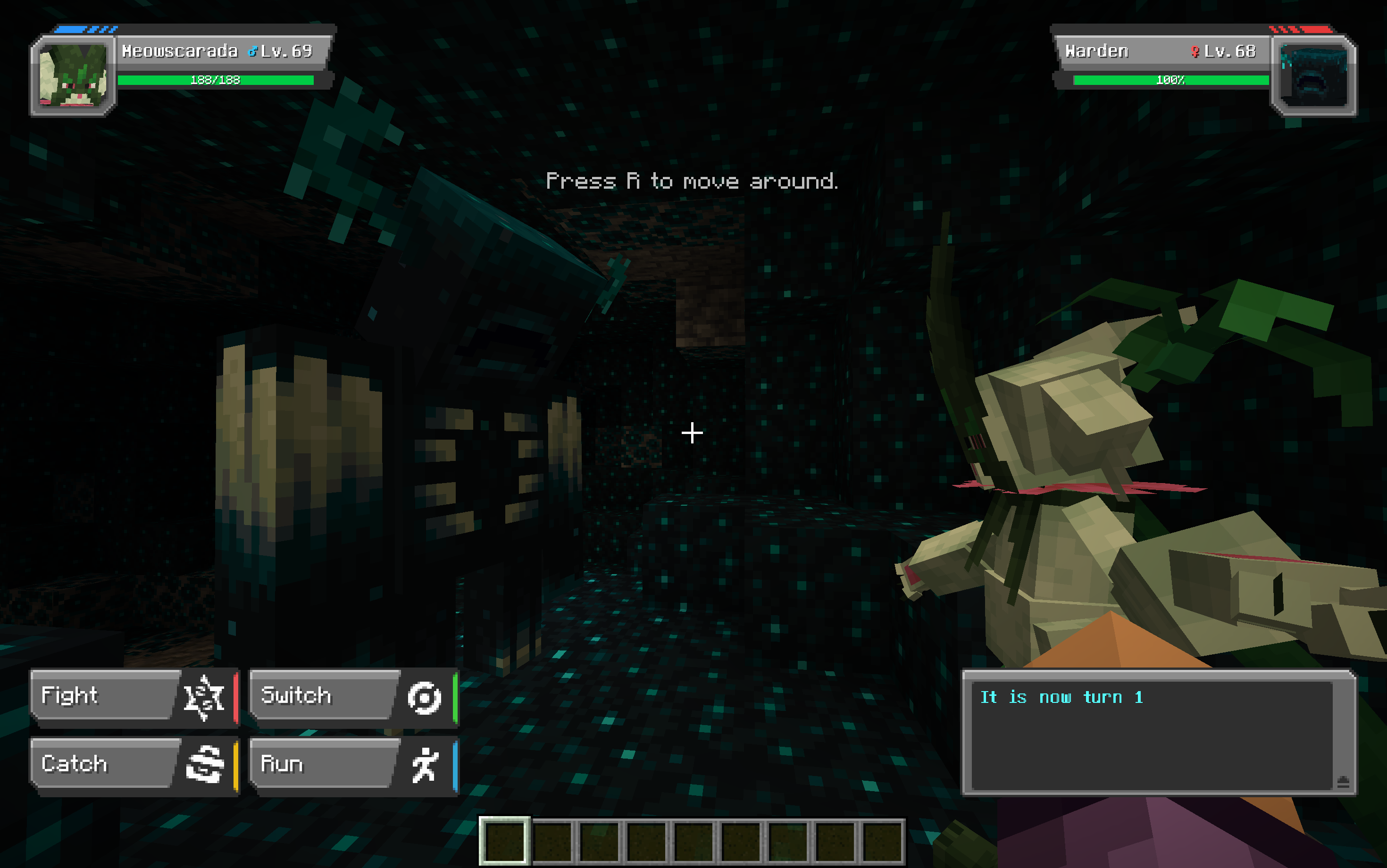
Are modded mobs supported?
Yes! In theory, you can battle any mobs from any mod. However, some exceptions might exist due to mod-specific mechanics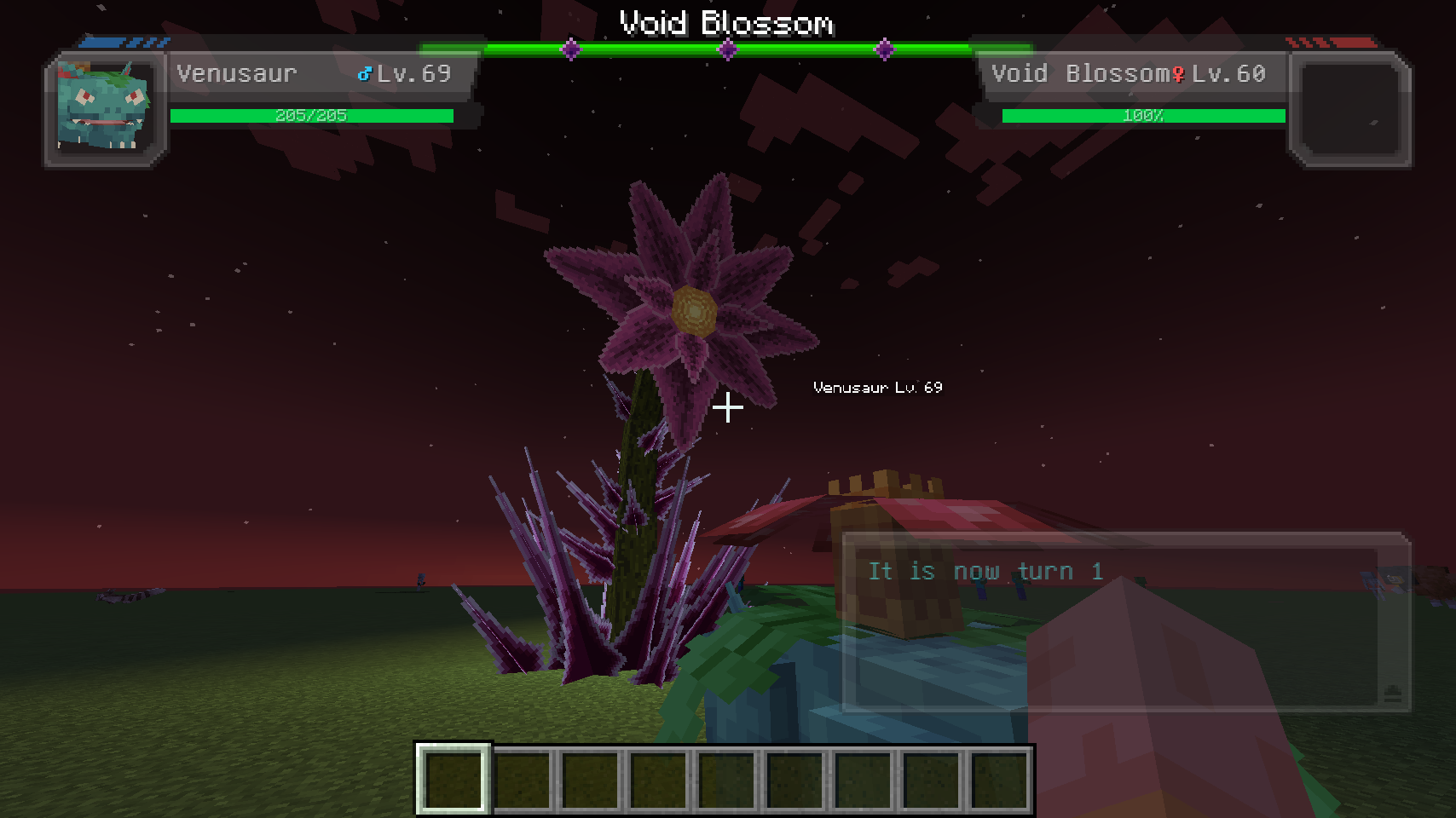
Planned Features
Support for Cobblemon 1.6.1- Automatic stat generation for unspecified mobs based on entity attributes
- A condition system to determine battle eligibility (e.g.,
isSwimming,isAngered) - More features as development progresses!
Know Issues
- Occasionally, a PokeMob’s HP is not full at the start of battle
- Modded mobs using custom rendering libraries (e.g., GeckoLib) may not display in battle portraits
- Tinsy-tiny model jittering inside battle portraits
Config
Config settings may change over time. Current version is far from complete. You can find two config files in your minecraft/config folder:
Client Config (cobblemon_fight_them_all_client.json5)
Controls client-side settings, such as:
- Mob battle labels (
show_poke_mob_label): Displays, for example, "Zombie Lv.10 - Press R to battle" above mobs - Battle portraits (
default_poke_mob_portrait): Replaces Pokémon portraits with mob models - Customization options for mob portrait scaling, flipping, rotation, and translation
Example portrait config for the Warden:
"minecraft:warden": {
    use_scale_as_override: true,
    scale: 20.0,
    is_flipped_x: false,
    is_flipped_y: true,
    is_flipped_z: false,
    use_rotate_as_override: false,
    rotate_x: 0.0,
    rotate_y: 0.0,
    rotate_z: 0.0,
    use_translate_as_override: false,
    translate_x: -0.15,
    translate_y: 0.1,
    translate_z: 0.0
}
Server Config (cobblemon_fight_them_all_server.json5)
Manages battle-related settings and PokeMob parameters. Changes take effect after restarting the server or game.
generate_unspecified_poke_mobs: Allows battling any mob, even if not preconfigureddefault_poke_mob_stats: Defines default stats for unspecified mobspoke_mob_entries: Custom stats, abilities, types, and move sets for specific mobs.
Example ability configuration:
"abilities": [{
    "name": "furcoat",
    "priority": "normal"  // (Options: highest, high, normal, low, lowest)
}]
Example moveset:
"moves": ["tackle", "growl", "splash"]
Available Versions
How to Install Cobblemon: Fight Them All on Your Server
Order Server
Order a Minecraft Java server with at least 3 GB RAM (4 GB recommended).
Set fabric Loader
In the panel under "Egg", select the fabric loader and matching Minecraft version (1.21.1).
Install Mod
Open the mod browser in the dashboard and search for "Cobblemon: Fight Them All". Click "Install" – done! Alternatively, upload the .jar via SFTP to the /mods folder.
Compatibility
Mod Loaders
Minecraft Versions
1.21.1, 1.20.1
Server-side
✓ RequiredRecommended RAM
4 GB(min. 3 GB)Frequently Asked Questions
Cobblemon: Fight Them All server crashes on startup – what to do?
Most common cause: wrong fabric version or insufficient RAM. Check the server log (latest.log) for "OutOfMemoryError" or "Mixin" errors. With Mado Hosting: ensure at least 3 GB RAM is allocated and the loader matches the mod version (1.21.1). You can switch loaders with one click in the panel.
Is Cobblemon: Fight Them All compatible with fabric?
Cobblemon: Fight Them All officially supports fabric for Minecraft 1.21.1, 1.20.1. The Mado dashboard automatically detects incompatible loader combinations.
Server lagging with Cobblemon: Fight Them All – how to optimize performance?
Recommended RAM: 4 GB (per 8 players). Use /spark profiler to check if Cobblemon: Fight Them All consumes the most tick time. Common fixes: reduce server view-distance to 8-10, install "performant" or "starlight" as supplementary mods on Forge. With Mado Hosting, your server runs on NVMe SSDs with dedicated CPU cores for minimal latency.
Similar Mods




Rent Modded Server
Install Cobblemon: Fight Them All with just one click on your server.
Details
- License
- Creative Commons Attribution Non Commercial Share Alike 4.0 International
- Server-side
- Required