
Cobblemon: Living Dex Sorter
Add commands to sort your PC. Adds option to include or exclude regional variants, prioritize shinies, and use duplicate Pokemon as placeholders for the rest of the evolution line.
Screenshots

About this Mod
Read
This is a server-side mod. Download it and insert it into your mods folder on your server. This mod also works client-side. I don't know if it's me or modrinth messing up the meta-data, but it won't link to the modpage in the app. Please check here for future updates.
Features
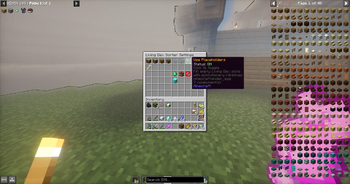
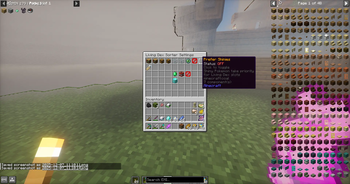
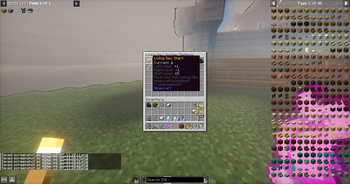
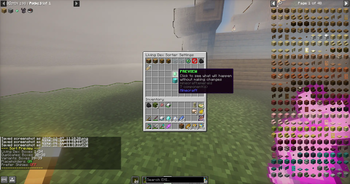
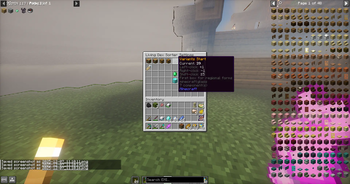
🎮 Easy-to-Use GUI
Open with /livingdex settings — no complicated commands to remember
Chest-based interface that works server-side (no client mod required!)
Click items to adjust settings, toggle options, and sort your PC
📦 Smart PC Organization
Living Dex Sorting — Automatically places Pokémon in dex number order (#1 in slot 1, #2 in slot 2, etc.)
Duplicate Handling — Extra Pokémon go to designated duplicate boxes
Regional Form Detection — Alolan, Galarian, Hisuian, and Paldean forms sorted separately to variant boxes
Customizable Box Ranges — Choose which boxes are used for Living Dex, duplicates, and variants
✨ Advanced Options
Placeholder Mode — Use duplicate Pokémon to fill empty evolution slots (e.g., extra Eevee fills Espeon's spot until you catch one)
Shiny Priority — Optionally prefer shiny Pokémon for your Living Dex slots
Box Exclusion — Protect specific boxes from being touched during sorting
Box Renaming — Automatically rename Living Dex boxes to dex ranges (1-30, 31-60, etc.) or keep your custom names (1)
👥 Per-Player Settings
Every player has their own settings that persist between sessions
Settings stored server-side — works on multiplayer servers
Reset to server defaults anytime with one click
OP level 2 required
Configuration
It is best to use boxes 1-35 for your living dex. This mod automatically renames the boxes for your living dex using an inclusive numbering system. Check the gallery to see it's features!
Known Bugs
None. For now.
Got a suggestion or want to report an issue?
Send me a message on discord @p.aradig.m
Available Versions
How to Install Cobblemon: Living Dex Sorter on Your Server
Order Server
Order a Minecraft Java server with at least 3 GB RAM (4 GB recommended).
Set fabric Loader
In the panel under "Egg", select the fabric loader and matching Minecraft version (1.21.1).
Install Mod
Open the mod browser in the dashboard and search for "Cobblemon: Living Dex Sorter". Click "Install" – done! Alternatively, upload the .jar via SFTP to the /mods folder.
Compatibility
Mod Loaders
Minecraft Versions
1.21.1
Server-side
✗ UnsupportedRecommended RAM
4 GB(min. 3 GB)Frequently Asked Questions
Cobblemon: Living Dex Sorter server crashes on startup – what to do?
Most common cause: wrong fabric version or insufficient RAM. Check the server log (latest.log) for "OutOfMemoryError" or "Mixin" errors. With Mado Hosting: ensure at least 3 GB RAM is allocated and the loader matches the mod version (1.21.1). You can switch loaders with one click in the panel.
Is Cobblemon: Living Dex Sorter compatible with fabric and neoforge?
Cobblemon: Living Dex Sorter officially supports fabric, neoforge for Minecraft 1.21.1. The Mado dashboard automatically detects incompatible loader combinations.
Server lagging with Cobblemon: Living Dex Sorter – how to optimize performance?
Recommended RAM: 4 GB (per 8 players). Use /spark profiler to check if Cobblemon: Living Dex Sorter consumes the most tick time. Common fixes: reduce server view-distance to 8-10, install "performant" or "starlight" as supplementary mods on Forge. With Mado Hosting, your server runs on NVMe SSDs with dedicated CPU cores for minimal latency.
Similar Mods




Rent Modded Server
Install Cobblemon: Living Dex Sorter with just one click on your server.