Cobblemon: Max Repel
Adds Repel from the Pokémon games. Drive away wild Pokémon around you - no matter where you go!
Screenshots
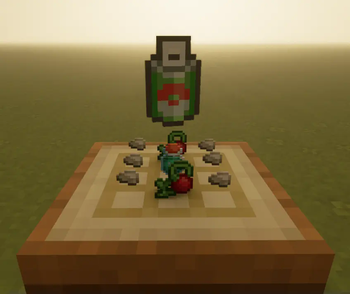
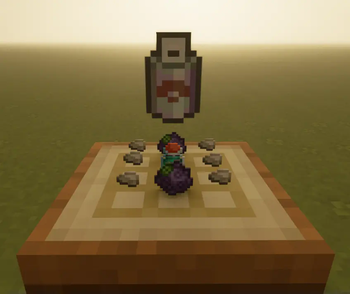
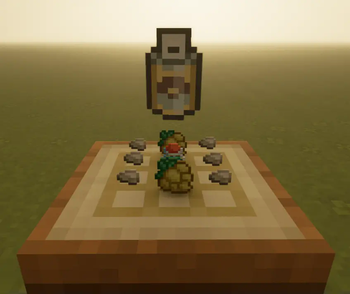
About this Mod
Introduction
This mod adds Repel from the Pokémon games - an item that drives away wild Pokémon so you won't encounter them for a short time.
Just like in the Pokémon games, you will not have to worry about wild Pokémon as long as your Repel is active - no matter where you go.
Features
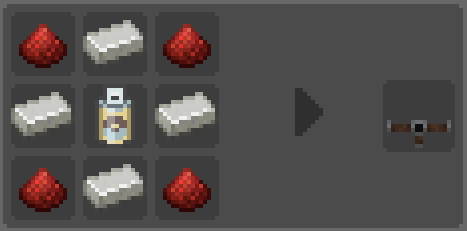
⛫💨 Repel: Craft items you can use to prevent wild Pokémon from appearing around you for a short period!
⛲ Repel Sprayer: Place a stationary Repel Sprayer which will prevent Pokémon from appearing around it. Now your farmland can be safe again!
🎚️ Different modes: Decide yourself whether you want it to repel all or only weaker Pokémon!
📄 Customizable Config: Edit the range and duration of the Repel effect in the config!
✨ Shiny/Legendary Hunt: Prevent any Pokémon you want from being repelled!
📦 Datapack support: Create your own datapacks to change any of the recipes or textures!
Installation
Install Cobblemon and any dependencies.
Drop the MaxRepel.jar into your /mods-folder.
Start the game or server to generate the config file.
Edit /config/maxrepel.json to customize your settings.
Config: maxrepel
"RepelRadius"
Sets the radius around the player in which no Cobblemon spawn as long as Repel is active.
"MatchCobblemonSpawnRadius"
Overrides RepelRadius to match the spawn distance set in the Cobblemon config.
"SprayerRadius"
Sets the radius around the Repel Sprayer in which no Cobblemon spawn as long as it is active.
"RepelDuration"
Determines how long Repel should last.
"SuperRepelDuration"
Determines how long Super Repel should last.
"MaxRepelDuration"
Determines how long Max Repel should last.
"MaxSprayerDuration"
How much Repel a Repel Sprayer can hold.
"SprayerDecrementOnRandomTick"
Determines how fast the Repel Sprayer will run out of Repel.
"InfiniteSprayer"
Sets the Repel Sprayer to not loose any Repel (overrides SprayerDecrementOnRandomTick).
"OnlyRepelLowerLvl"
Whether only Pokémon with a level lower than you first non-fainted Pokémon should be repelled (does not affect the Repel Sprayer).
"ExcludeShiny""
Whether shiny Pokémon should be repelled or not.
"ExcludedPokemon"
List of Pokémon which should never be repelled.
Known issues
- tim_core: Placing PokéSnacks within the range of Repel can cause a crash.
Available Versions
How to Install Cobblemon: Max Repel on Your Server
Order Server
Order a Minecraft Java server with at least 3 GB RAM (4 GB recommended).
Set fabric Loader
In the panel under "Egg", select the fabric loader and matching Minecraft version (1.21.1).
Install Mod
Open the mod browser in the dashboard and search for "Cobblemon: Max Repel". Click "Install" – done! Alternatively, upload the .jar via SFTP to the /mods folder.
Compatibility
Mod Loaders
Minecraft Versions
1.21.1
Server-side
✓ RequiredRecommended RAM
4 GB(min. 3 GB)Frequently Asked Questions
Cobblemon: Max Repel server crashes on startup – what to do?
Most common cause: wrong fabric version or insufficient RAM. Check the server log (latest.log) for "OutOfMemoryError" or "Mixin" errors. With Mado Hosting: ensure at least 3 GB RAM is allocated and the loader matches the mod version (1.21.1). You can switch loaders with one click in the panel.
Is Cobblemon: Max Repel compatible with fabric and neoforge?
Cobblemon: Max Repel officially supports fabric, neoforge for Minecraft 1.21.1. The Mado dashboard automatically detects incompatible loader combinations.
Server lagging with Cobblemon: Max Repel – how to optimize performance?
Recommended RAM: 4 GB (per 8 players). Use /spark profiler to check if Cobblemon: Max Repel consumes the most tick time. Common fixes: reduce server view-distance to 8-10, install "performant" or "starlight" as supplementary mods on Forge. With Mado Hosting, your server runs on NVMe SSDs with dedicated CPU cores for minimal latency.
Similar Mods
![[EMF] Entity Model Features](https://cdn.modrinth.com/data/4I1XuqiY/6e5bbd0d06b1741bfdab6c0cfab6de8fdaf0064c_96.webp)


Rent Modded Server
Install Cobblemon: Max Repel with just one click on your server.
Details
- License
- Creative Commons Attribution Non Commercial No Derivatives 4.0 International
- Server-side
- Required