
Cobblemon Poke Fusion
A configurable Cobblemon mod that lets you fuse Pokémon into custom results!
Screenshots


About this Mod
🧬 Cobblemon Poke Fusion
Cobblemon Poke Fusion adds a powerful and fully customizable fusion system to Cobblemon, allowing you to combine Pokémon together and create unique, powerful, or even chaotic results.
From simple 2 Pokemon fusions to 3 way combinations, everything is controlled through its config
✨ Features
- Fuse Pokémon together to create whatever you configure
- Fully configurable fusion system
- Supports multiple input orders
- Supports fusions between 2 or 3 Pokemon
- Weighted random outcomes
- Custom levels, IVs, forms, and stats
- Works with modded Pokémon
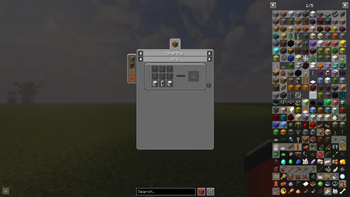
🎮 Fusion Chamber item
⚠️ The fusion chamber currently has no crafting recipe version 1-3
You must give it to yourself:
/give @p cobblemonpokefusion:fusion_chamber
as of 3.5.0 it now has a recipe which can be seen in gallery section
📦 Datapack Integration (Fusion Chamber)
📦 Datapack Integration (Fusion Chamber)
For Cobblemon Poké Fusion 2.0.0
Datapack creators can fully add custom fusion recipes to the Fusion Chamber using the below structure.
📁 Folder Structure
data/<namespace>/fusions/" then put any json file
for example in my mechamew2 addon for testing purposes i did
\datapacks\mechamew2.zip\data\cobblemon\fusions\bazinga.json
this doesnt interfere with base config and you can name the .json whatever you want
🆕 New in 3.0.0
🔒 Input Constraints
Fusion recipes can now lock specific aspects and level ranges for input Pokémon.
This allows you to require things like:
- Only shiny Pokémon
- Specific level ranges
💡 Example
{
  "id": "vulpix_triple",
  "inputs": [
    {
      "side": "x1",
      "speciesId": "cobblemon:vulpix",
      "aspects": ["shiny"],
      "minLevel": 20,
      "maxLevel": 40
    },
    {
      "side": "y1",
      "speciesId": "cobblemon:vulpix",
      "aspects": ["shiny"],
      "minLevel": 20,
      "maxLevel": 40
    },
    {
      "side": "z1",
      "speciesId": "cobblemon:vulpix",
      "aspects": ["shiny"],
      "minLevel": 20,
      "maxLevel": 40
    }
  ],
  "results": [
    {
          "id": "ninetales",
          "displayName": "ninetales",
          "speciesId": "cobblemon:ninetales",
          "spec": "ninetales shiny=true",
          "weight": 100,
          "form": "",
          "ivs": {}
        }
      ]
    }
👉 This fusion will only work if:
- All Vulpix are shiny and between level 20-40
{
      "id": "vulpix_triple_random",
      "inputs": [
        {
          "side": "x1",
          "speciesId": "cobblemon:vulpix",
          "aspects": ["shiny", "alolan"],
          "minLevel": 20,
          "maxLevel": 40
        },
        {
          "side": "y1",
          "speciesId": "cobblemon:vulpix",
          "aspects": ["shiny", "alolan"],
          "minLevel": 20,
          "maxLevel": 40
        },
        {
          "side": "z1",
          "speciesId": "cobblemon:vulpix",
          "aspects": ["shiny", "alolan"],
          "minLevel": 20,
          "maxLevel": 40
        }
      ],
  "results": [
    {
          "id": "ninetales",
          "displayName": "ninetales",
          "speciesId": "cobblemon:ninetales",
          "spec": "ninetales alolan=true shiny=true",
          "weight": 100,
          "form": "",
          "ivs": {}
        }
      ]
    }
👉 This fusion will only work if:
- All Vulpix are shiny, alolan and between level 20-40
📊 Dynamic Level Scaling
Fusion results can now inherit levels dynamically.
- If no level is defined in inputs or results
👉 The result level is calculated from the Pokémon placed in the chamber
All fusions are defined in:
config/cobblemonpokefusion/fusions.json
Each recipe contains:
- Inputs → Pokémon required
- Results → Possible outcomes
📌 Example Fusion (Simple)
{
  "id": "starter_duo_fire_water",
  "inputs": [
    { "speciesId": "cobblemon:charmander" },
    { "speciesId": "cobblemon:squirtle" }
  ],
  "results": [
    {
      "speciesId": "cobblemon:charizard",
      "level": 16
    }
  ]
}
👉 Charmander + Squirtle → Charizard
🔁 Ordered Fusion Example
Some fusions require Pokémon to be placed in a specific order using side values like x1, y1, z1.
{
  "id": "starter_trio_kanto",
  "inputs": [
    { "side": "x1", "speciesId": "cobblemon:bulbasaur" },
    { "side": "y1", "speciesId": "cobblemon:charmander" },
    { "side": "z1", "speciesId": "cobblemon:squirtle" }
  ],
  "results": [
    {
      "id": "venusaur",
      "speciesId": "cobblemon:venusaur",
      "weight": 33
    },
    {
      "id": "charizard",
      "speciesId": "cobblemon:charizard",
      "weight": 33
    },
    {
      "id": "blastoise",
      "speciesId": "cobblemon:blastoise",
      "weight": 33
    }
  ]
}
👉 This will only work if:
- Bulbasaur is placed in first
- Charmander is palced in second
- Squirtle is placed in third
Any other order will not work unless another recipe is defined.
⚖️ Weight System
⚖️ Weight System
When multiple results exist, the mod uses a weight system to decide which result you get.
- Each result has a
weightvalue - The higher the weight, the higher the chance
🧮 Example:
Venusaur → weight 33
Charizard → weight 33
Blastoise → weight 33
Total weight = 99
👉 Each result has roughly:
- ~33% chance each
💡 How to Use Weights
- Equal weights → equal chance
- Higher weight → more common result
- Lower weight → rarer result
Example:
Common Pokémon → weight 80
Rare Pokémon → weight 20
👉 Result:
- 80% chance common
- 20% chance rare
🧠 Summary
- Use
speciesIdonly → order doesn't matter - Use
side(x1, y1, z1) → order matters - Use
weight→ controls randomness
This gives you full control over how every fusion behaves.
⚖️ Weights & Random Results
⚖️ Weights & Random Results
Some fusions don’t give a fixed result — instead, they use a weight system.
Each result has a weight value, which determines how likely it is to be chosen.
🎲 Example: Starter Trio Fusion
- Bulbasaur + Charmander + Squirtle
Possible results:
- Venusaur → weight 34
- Charizard → weight 33
- Blastoise → weight 33
🔢 How It Works
Total weight = 100
- Venusaur ≈ 34% chance
- Charizard ≈ 33% chance
- Blastoise ≈ 33% chance
👉 You will get one of the three final evolutions randomly
⚙️ Custom Results
⚙️ Custom Results
Fusion results can define:
- Level
- IVs
- Special forms
- Weight
- Exact Pokémon
🧪 Custom Forms & Mod Compatibility
🧪 Custom Forms & Mod Compatibility
Fusion results can also use the spec field to apply custom forms, flags, or properties.
This means the mod works seamlessly with other mods that add special forms.
💡 Example
If you have a mod like Lost Lore installed, you can use its forms directly:
"spec": "lugia shadow=true level=80"
👉 Creates a Shadow Lugia
🧪 Fusions Included
🧪 Fusions Included
- Charmander + Squirtle → Wartortle / Charmeleon / Charizard (different weights)
- Bulbasaur + Charmander + Squirtle → Random final evolution (Venusaur / Charizard / Blastoise)
- Zekrom + Reshiram + Kyurem → Original Dragon (Kyurem Origin Form)
- Zapdos + Articuno + Moltres → Thufizer
- Mew + Mew + Mew → Ditto Perfect IV
- Ursaluna + Ursaluna + Ursaluna → Bloodmoon Ursaluna
- Ditto + Ditto + Ditto → Random Pokémon Random IVs
⚠️ Addon Compatibility Note
⚠️ Addon Compatibility Note
You do not need the Thufizer or Original Dragon addons for this mod to work.
- The mod will run perfectly fine without them
- If those addons are not installed:
- The Original Dragon fusion will default to Kyurem
- The Kanto Birds fusion will default to a random Pokémon
I have tested mod on default cobblemon modpack.
📌 Final Notes
📌 Final Notes
- This mod is fully configurable, allowing you to create any fusion you want through the config
- You can freely modify, expand, and customize all recipes
⚠️ Usage Policy
This mod must remain free to use at all times.
- ❌ Do NOT lock this mod or its features behind paywalls
- ❌ Do NOT restrict access via paid ranks, subscriptions, or monetization systems
This mod is intended to stay open and accessible for everyone.
Available Versions
How to Install Cobblemon Poke Fusion on Your Server
Order Server
Order a Minecraft Java server with at least 3 GB RAM (4 GB recommended).
Set fabric Loader
In the panel under "Egg", select the fabric loader and matching Minecraft version (1.21.1).
Install Mod
Open the mod browser in the dashboard and search for "Cobblemon Poke Fusion". Click "Install" – done! Alternatively, upload the .jar via SFTP to the /mods folder.
Compatibility
Mod Loaders
Minecraft Versions
1.21.1
Server-side
✓ RequiredRecommended RAM
4 GB(min. 3 GB)Frequently Asked Questions
Cobblemon Poke Fusion server crashes on startup – what to do?
Most common cause: wrong fabric version or insufficient RAM. Check the server log (latest.log) for "OutOfMemoryError" or "Mixin" errors. With Mado Hosting: ensure at least 3 GB RAM is allocated and the loader matches the mod version (1.21.1). You can switch loaders with one click in the panel.
Is Cobblemon Poke Fusion compatible with fabric and neoforge?
Cobblemon Poke Fusion officially supports fabric, neoforge for Minecraft 1.21.1. The Mado dashboard automatically detects incompatible loader combinations.
Server lagging with Cobblemon Poke Fusion – how to optimize performance?
Recommended RAM: 4 GB (per 8 players). Use /spark profiler to check if Cobblemon Poke Fusion consumes the most tick time. Common fixes: reduce server view-distance to 8-10, install "performant" or "starlight" as supplementary mods on Forge. With Mado Hosting, your server runs on NVMe SSDs with dedicated CPU cores for minimal latency.
Similar Mods




Rent Modded Server
Install Cobblemon Poke Fusion with just one click on your server.
Details
- License
- Creative Commons Attribution Non Commercial 4.0 International
- Server-side
- Required