
CobbleSpawners
This Cobblemon addon mod allows map creators or admins to place custom Pokémon spawners, manage spawn settings via a GUI, and control Cobblemon spawning behavior, including Pokémon species, spawn chances, and custom stats.
Screenshots
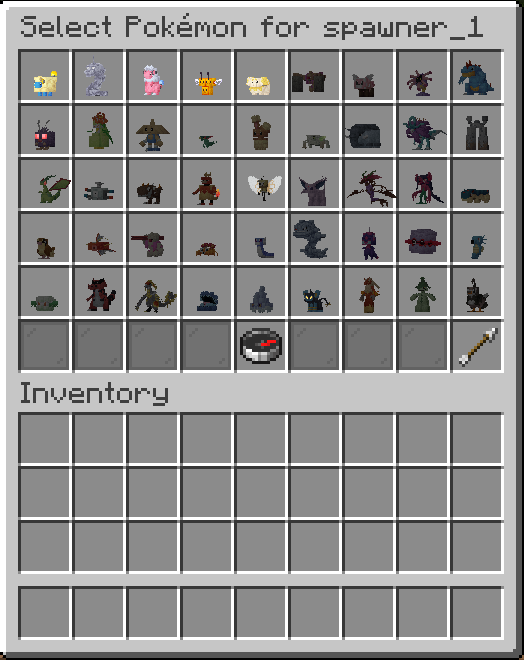
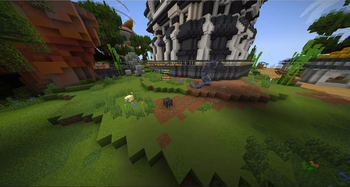
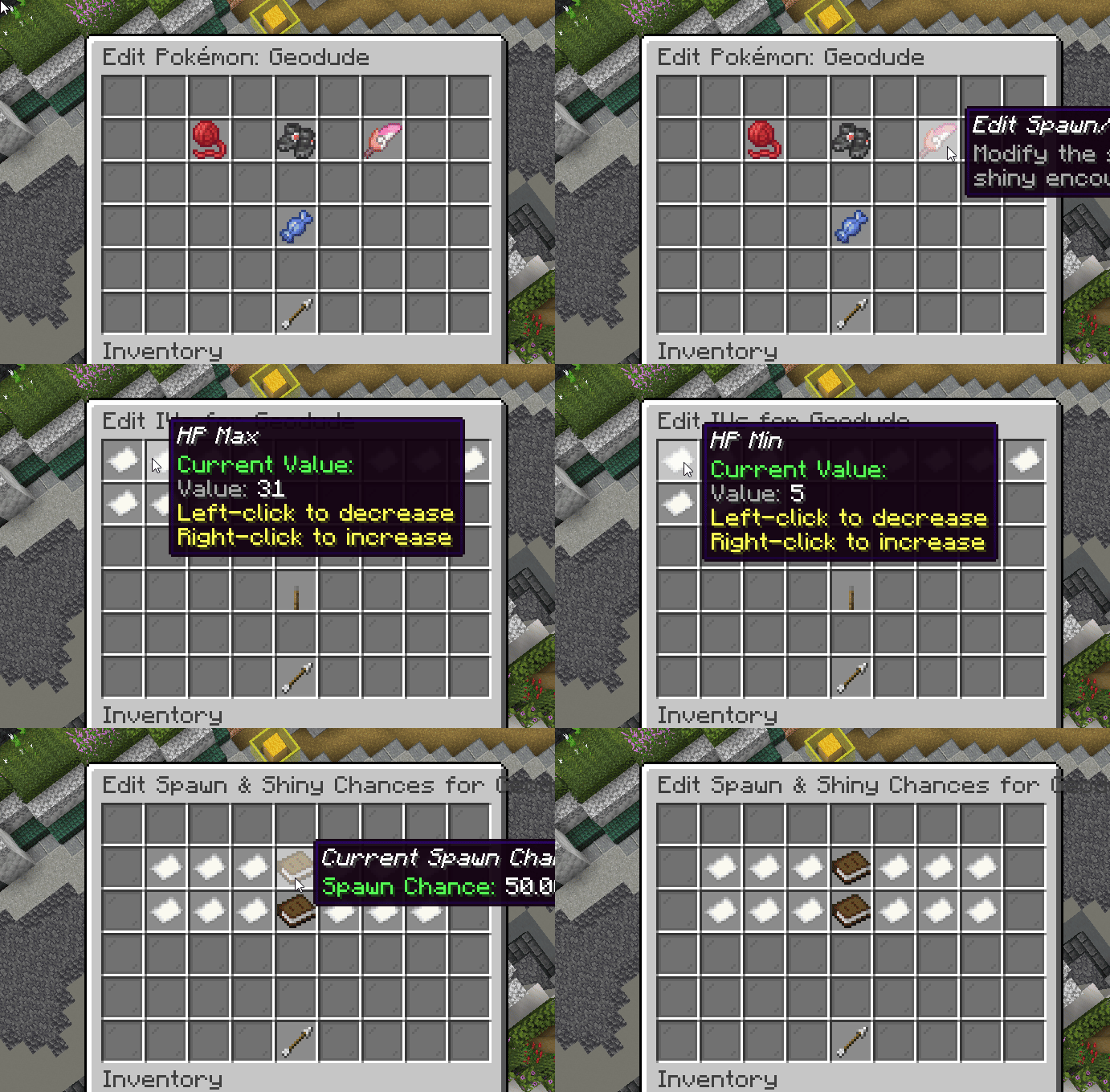
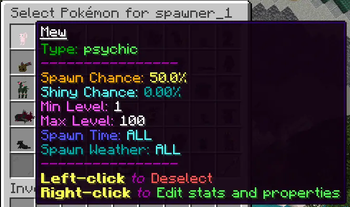
About this Mod
CobbleSpawners
CobbleSpawners is a comprehensive Fabric mod for Cobblemon that gives server owners and map makers ultimate control over Pokémon spawning. Place and manage highly advanced spawners that can operate on timers, spawn Pokémon with custom stats and aspects, and even function in protected areas where natural spawning is disabled.
[WARNING]
CobbleSpawners is now in maintenance mode.
This mod will only receive bug fixes and compatibility updates when needed.
New features and future development have moved to CobbleSpawnRegions, which is the newer, better replacement for CobbleSpawners.New users should use CobbleSpawnRegions instead.
Dependencies
Features
- Advanced Spawner Blocks: Place custom spawner blocks that can be configured in-game. Make them visible or invisible, and even get copies of fully configured spawners to place elsewhere.
- Granular Spawn Control: Configure spawn timers, the number of Pokémon to spawn at once, the total limit per spawner, and the radius in which they can appear.
- Total Pokémon Customization: Control every aspect of the spawned Pokémon, including species, form, custom aspects (like shiny), level ranges, IV ranges for each stat, EV yields on defeat, size modifiers, and held items with custom chances.
- Conditional Spawning: Set spawners to only operate during specific times (day/night), in certain weather conditions (clear, rain, thunder), and in specific location types (surface, underground, water).
- Intelligent & Safe Spawning: Spawners perform advanced checks to ensure Pokémon only appear in safe, accessible locations within their radius.
- Powerful Admin Tools: A full suite of commands and an intuitive GUI system allow for easy management, teleportation, and visualization of all spawners on the server.
- Performance Features: Configure spawners to only be active when players are nearby and optionally force chunks to stay loaded to ensure consistent spawning in key areas.
Commands
The primary command is /cobblespawners, with the alias /cs.
| Command | Permission | Description |
|---|---|---|
/cs listgui |
cobblespawners.listgui |
Opens the main GUI listing all spawners on the server for easy management. |
/cs listgui <spawnerName> |
cobblespawners.listgui |
Opens the configuration GUI for a specific spawner. |
/cs givespawnerblock |
cobblespawners.givespawnerblock |
Gives you a blank, configurable spawner block. |
/cs givespawnerblockcopy <name> |
cobblespawners.givespawnerblockcopy |
(Very Useful!) Gives you a copy of an existing spawner, including all its Pokémon and settings. |
/cs rename <oldName> <newName> |
cobblespawners.rename |
Renames an existing spawner. |
/cs teleport <spawnerName> |
cobblespawners.teleport |
Teleports you directly to the specified spawner's location. |
/cs togglevisibility <name> |
cobblespawners.togglevisibility |
Toggles the spawner block between being visible and invisible (air). |
/cs toggleradius <spawnerName> |
cobblespawners.toggleradius |
Toggles a particle visualization of the spawner's radius, visible only to you. |
/cs killspawned <spawnerName> |
cobblespawners.killspawned |
Kills all Pokémon currently spawned by a specific spawner. |
/cs reload |
cobblespawners.reload |
Reloads all configuration files from disk. |
/cs inspectnearest |
cobblespawners.inspectnearest |
Logs detailed information about the nearest Pokémon to the console, useful for debugging forms and aspects. |
/cs addmon <spawner> <poke> [form] |
cobblespawners.addmon |
Adds a Pokémon with default settings to a spawner via command. |
/cs removemon <spawner> <poke> [form] |
cobblespawners.removemon |
Removes a Pokémon from a spawner via command. |
Configuration
CobbleSpawners uses a multi-file configuration system located in config/cobblespawners/.
config.jsonc: This file contains global settings that affect all spawners./spawners/: This sub-directory contains an individual.jsoncfile for each spawner you place, allowing for incredibly detailed and organized configuration.
config.jsonc - Global Settings
This file controls the mod's overall behavior.
| Setting | Description |
|---|---|
debugEnabled |
Set to true for extremely detailed console logs, which is helpful for troubleshooting spawn conditions. |
cullSpawnerPokemonOnServerStop |
If true, all Pokémon spawned by this mod will be removed when the server stops or restarts, preventing accumulation. |
Individual Spawner Settings (in /spawners/)
Each spawner has its own file, which you can manage via the in-game GUI (/cs listgui <name>) or by editing the file directly.
Key Spawner Options
| Setting | Description |
|---|---|
spawnTimerTicks |
The delay in game ticks (20 ticks = 1 second) between spawn attempts. |
spawnLimit |
The maximum number of Pokémon that can be active from this spawner at one time. |
spawnAmountPerSpawn |
The number of Pokémon to attempt to spawn each time the timer completes. |
requirePlayerInRange |
If true, the spawner will only activate if a player is within the playerActivationRange. |
forceChunkLoading |
If true, the spawner will keep its surrounding chunks loaded, ensuring it works even if no players are nearby. Ideal for automated arenas or world landmarks. |
Pokémon Entry Options
For each Pokémon you add to a spawner, you get access to a massive range of customization:
| Setting | Description |
|---|---|
spawnChanceType |
Determines how spawn chances are calculated. COMPETITIVE means all Pokémon in the spawner "compete" based on their weighted chance. INDEPENDENT means each Pokémon has its own individual percentage chance to spawn, allowing for multiple different species to spawn at once. |
spawnSettings |
A section to control the conditions for spawning: spawnTime (ALL, DAY, NIGHT), spawnWeather (ALL, CLEAR, RAIN, THUNDER), and spawnLocation (ALL, SURFACE, UNDERGROUND, WATER). |
captureSettings |
Control if the Pokémon isCatchable and if you want to restrictCaptureToLimitedBalls, where you can define a list of required Poké Balls. |
ivSettings |
If allowCustomIvs is true, you can set a min/max range for all six IV stats. |
evSettings |
If allowCustomEvsOnDefeat is true, you can define the exact EV yield players will receive for defeating the Pokémon. |
heldItemsOnSpawn |
If allowHeldItemsOnSpawn is true, you can provide a list of item IDs and the percentage chance for the Pokémon to be holding each one. |
Available Versions
How to Install CobbleSpawners on Your Server
Order Server
Order a Minecraft Java server with at least 3 GB RAM (4 GB recommended).
Set fabric Loader
In the panel under "Egg", select the fabric loader and matching Minecraft version (1.21.1).
Install Mod
Open the mod browser in the dashboard and search for "CobbleSpawners". Click "Install" – done! Alternatively, upload the .jar via SFTP to the /mods folder.
Compatibility
Mod Loaders
Minecraft Versions
1.21.1, 1.20.1
Server-side
✓ RequiredRecommended RAM
4 GB(min. 3 GB)Frequently Asked Questions
CobbleSpawners server crashes on startup – what to do?
Most common cause: wrong fabric version or insufficient RAM. Check the server log (latest.log) for "OutOfMemoryError" or "Mixin" errors. With Mado Hosting: ensure at least 3 GB RAM is allocated and the loader matches the mod version (1.21.1). You can switch loaders with one click in the panel.
Is CobbleSpawners compatible with fabric?
CobbleSpawners officially supports fabric for Minecraft 1.21.1, 1.20.1. The Mado dashboard automatically detects incompatible loader combinations.
Server lagging with CobbleSpawners – how to optimize performance?
Recommended RAM: 4 GB (per 8 players). Use /spark profiler to check if CobbleSpawners consumes the most tick time. Common fixes: reduce server view-distance to 8-10, install "performant" or "starlight" as supplementary mods on Forge. With Mado Hosting, your server runs on NVMe SSDs with dedicated CPU cores for minimal latency.
Similar Mods




Rent Modded Server
Install CobbleSpawners with just one click on your server.