
Coffins
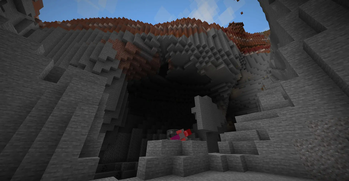
Adds coffins to the game, inspired by other gravestone/tombstone mods that store your items upon death, which can also be used as storage unit. Includes Trinkets Support!
Screenshots
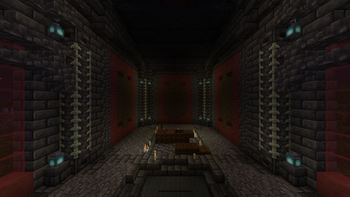
About this Mod
CURRENTLY UNDERGOING A REWRITE
COFFINS
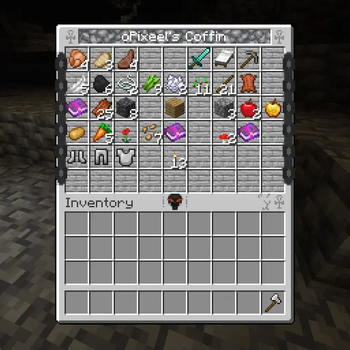
Coffins is a fabric mod, that adds coffins to the game! They store your items upon death, so you don't have to be worried about losing them! They can also be crafted and be used as a storage unit.
KNOWN (IN)COMPATIBLE MODS
COMPATIBLE
- Requiem (only works when dying as a player, not as a mob)
- Trinkets (has built-in support starting at v1.2.0)
INCOMPATIBLE
- Sinytra
FULL FEATURE LIST
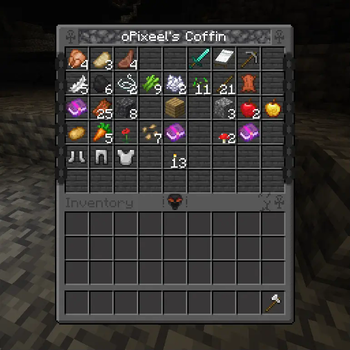
New Storage Block: Coffin
- spawns upon death to store dropped items
- can be crafted
- has a total of 54 slots
- when fragile, disappears once emptied
- can be locked using the Gravedigger's Key
- has a dark mode option
New Items:
Tome of Fragility
- when used on a Coffin, turns it fragile
- can be acquired over buried treasure, fishing or ancient cities
Gravedigger's Key
- can be used to lock a Coffin, making it inaccessable to other players
Gamerules
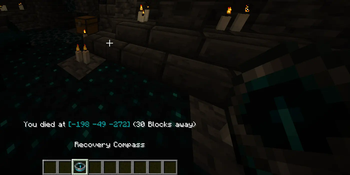
- showDeathCoordinates: Controls whether or not to show Death Coordinates to the player upon dying
- keepRecoveryCompass: Controls whether or not to keep the Recovery Compass upon dying
- allowCoffinRobbing: Controls if other players are allowed to look into other player's coffins (Death only)
- deathRequiresCoffin: Controls if a coffin should spawn only if the player has one on them (On Death)
Other Tweaks
- when holding a recovery compass, coordinates and distance to your last death location
- will be displayed
- echo shards may now be crafted using amethyst shards and sculk blocks
SUGGESTIONS / ISSUES
Have something to suggest or found a bug? Either join our Discord or make an issue in our GitHub.
Available Versions
How to Install Coffins on Your Server
Order Server
Order a Minecraft Java server with at least 3 GB RAM (4 GB recommended).
Set fabric Loader
In the panel under "Egg", select the fabric loader and matching Minecraft version (1.20.4).
Install Mod
Open the mod browser in the dashboard and search for "Coffins". Click "Install" – done! Alternatively, upload the .jar via SFTP to the /mods folder.
Compatibility
Mod Loaders
Minecraft Versions
1.20.4, 1.20.3, 1.20.2 (+5 more)
Server-side
✓ RequiredRecommended RAM
4 GB(min. 3 GB)Frequently Asked Questions
Coffins server crashes on startup – what to do?
Most common cause: wrong fabric version or insufficient RAM. Check the server log (latest.log) for "OutOfMemoryError" or "Mixin" errors. With Mado Hosting: ensure at least 3 GB RAM is allocated and the loader matches the mod version (1.20.4). You can switch loaders with one click in the panel.
Is Coffins compatible with fabric?
Coffins officially supports fabric for Minecraft 1.20.4, 1.20.3, 1.20.2. The Mado dashboard automatically detects incompatible loader combinations.
Server lagging with Coffins – how to optimize performance?
Recommended RAM: 4 GB (per 8 players). Use /spark profiler to check if Coffins consumes the most tick time. Common fixes: reduce server view-distance to 8-10, install "performant" or "starlight" as supplementary mods on Forge. With Mado Hosting, your server runs on NVMe SSDs with dedicated CPU cores for minimal latency.
Similar Mods




Rent Modded Server
Install Coffins with just one click on your server.