
Comfy, Cozy & Brickery (Patched)
Fork of Comfy Cozy and Brickery by beeshroom with bug fixes and tweaks
Screenshots

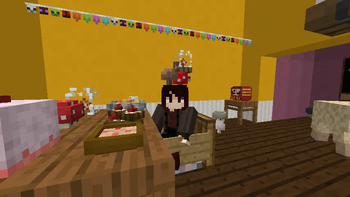
About this Mod
This mod is a patched, combined version of the Comfy Cozy and Brickery mods, featuring bug fixes and overrall more polish
Changes made to Comfy Cozy:
- Fixed entities having laggy movement
- Added a few options to better configure world generation and mob spawning (plus an option to disable mushroom berets)
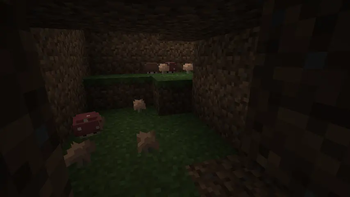
- Added a 1/3 chance of a Dirty Pig to spawn with an alternate, unused texture
- Fixed Dirty Pigs not spawning particles when dropping dirt
- Fixed Saddles not being rendered on Dirty Pigs
- Dirty Pigs now become normal pigs after coming in contact with water
- (Hopefully) Fixed Furnace Golems not working on servers
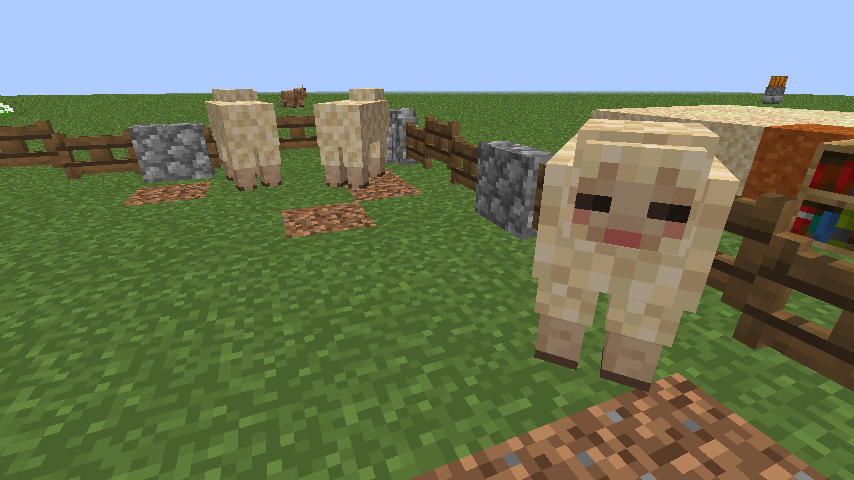
- Fixed the Gapple Lamb secret summon only working when the oatmeal bowls are placed in an extremely specific order and position
- Added a hidden advancement/challenge for spawning a Gapple Lamb
- Fixed Oat Lambs spawning from Oat Plants that aren't fully grown
- Fixed certain advancements triggering whenever your inventory changed (e.g. Comfortable Crafter), without checking the item
- Removed the duplicate advancements present on Husbandry
- Rewrote the Oatmeal Lamb code so it doesn't need to swap entites when changing flavor (difference not really that noticeable, but it took some effort to do soo...)
- Rewrote the ConfigHandler so it uses Config annotations (makes it so you can configure everything in-game)
Changes made to Brickery:
- Fixed the mod crashing on servers
- Fixed the Brick Furnace displaying the name "Furnace" in it's UI instead of "Brick Furnace"
- Fixed the Brick Furnace not conserving fuel and being slower than the regular furnace
- Fixed the Brick Furnace turning into a normal furnace when lit
- The lit version of the Brick Furnace is no longer displayed in the creative mode menu
- Added options to disable and configure the Brick Furnace and to hide flooring tooltips
Available Versions
How to Install Comfy, Cozy & Brickery (Patched) on Your Server
Order Server
Order a Minecraft Java server with at least 3 GB RAM (4 GB recommended).
Set forge Loader
In the panel under "Egg", select the forge loader and matching Minecraft version (1.12.2).
Install Mod
Open the mod browser in the dashboard and search for "Comfy, Cozy & Brickery (Patched)". Click "Install" – done! Alternatively, upload the .jar via SFTP to the /mods folder.
Compatibility
Mod Loaders
Minecraft Versions
1.12.2
Server-side
✓ RequiredRecommended RAM
4 GB(min. 3 GB)Frequently Asked Questions
Comfy, Cozy & Brickery (Patched) server crashes on startup – what to do?
Most common cause: wrong forge version or insufficient RAM. Check the server log (latest.log) for "OutOfMemoryError" or "Mixin" errors. With Mado Hosting: ensure at least 3 GB RAM is allocated and the loader matches the mod version (1.12.2). You can switch loaders with one click in the panel.
Is Comfy, Cozy & Brickery (Patched) compatible with forge?
Comfy, Cozy & Brickery (Patched) officially supports forge for Minecraft 1.12.2. The Mado dashboard automatically detects incompatible loader combinations.
Server lagging with Comfy, Cozy & Brickery (Patched) – how to optimize performance?
Recommended RAM: 4 GB (per 8 players). Use /spark profiler to check if Comfy, Cozy & Brickery (Patched) consumes the most tick time. Common fixes: reduce server view-distance to 8-10, install "performant" or "starlight" as supplementary mods on Forge. With Mado Hosting, your server runs on NVMe SSDs with dedicated CPU cores for minimal latency.
Similar Mods

![[ETF] Entity Texture Features](https://cdn.modrinth.com/data/BVzZfTc1/af683d206d50b05258d865b0d6e4aa2f2cee12f2_96.webp)
![[EMF] Entity Model Features](https://cdn.modrinth.com/data/4I1XuqiY/6e5bbd0d06b1741bfdab6c0cfab6de8fdaf0064c_96.webp)



Rent Modded Server
Install Comfy, Cozy & Brickery (Patched) with just one click on your server.