
Command Master
Command additions, command wands, mineable et posable command block like machine, utilities...
Screenshots

About this Mod

Description
This mod adds numerous useful tools and additional commands. Command casting items, command blocks posable et breakable in survival mode, command creepers, macros, etc...
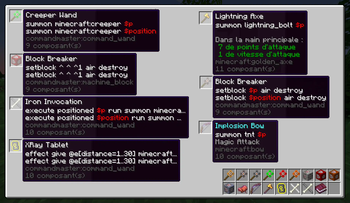
Command Wand


This command provides the caster with a wand that fills its macro parameters upon clicking. Once all parameters are filled, the command is executed on the caster.
They are colorables and the default resource pack contains many default model variants.
Examples in the creative tabs.

Command Machine


A sort of impulse command block with no UI, mineable with pickaxe and posable in survival. His command is called with a rotation corresponding to the machine orientation.
Examples in the creative tabs.

Upgrader Component
A item component you can put on any item to make it work in an anvil like an enchanted book, except it dont give enchantments but any item components.
With a custom levelCost (>0) and target item tag.

Some examples of the example creative tab.

Macros

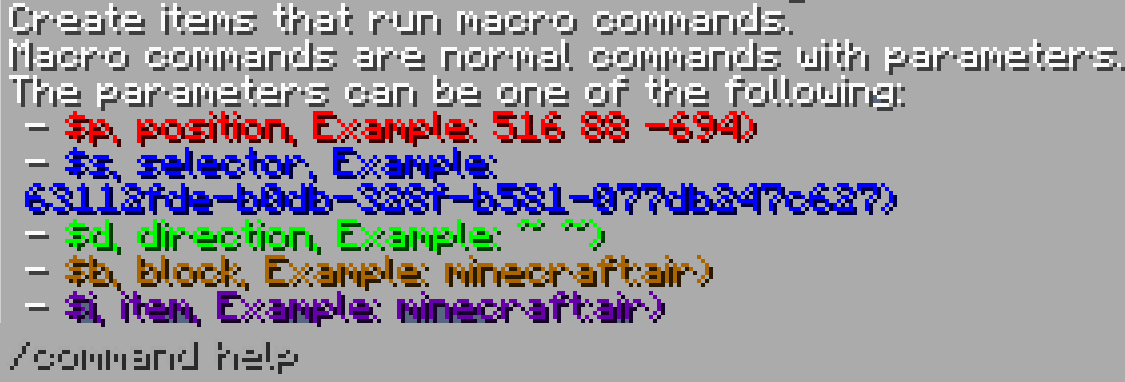
Macros are commands you can put in every command-holding blocks et items of this mod and that contains parameters of different types.

Get Color
Get the color under the caster mouse.


Example Creative Tab and command
Learn by example with the any examples items of the mod creative tab.
You can view an item's components with /cmdmast example:


Macro Creepers
They call a command instead of exploding.
You can create you own custom creeper.

Lightning creeper, poison creeper, fire creeper, web creeper, ...
More
The /shooitem command, like /shootitem dirt or /shooitem iron_shovel.
Items calling a macro on hit.
New execute subcommands:
- each
: execute a command on each block of a rectangular zone - repeat
: execute a command the given number of time
The command/multi (command1;command2;command3)that allow multiple commands to be combined as one.
Available Versions
How to Install Command Master on Your Server
Order Server
Order a Minecraft Java server with at least 3 GB RAM (4 GB recommended).
Set fabric Loader
In the panel under "Egg", select the fabric loader and matching Minecraft version (1.21).
Install Mod
Open the mod browser in the dashboard and search for "Command Master". Click "Install" – done! Alternatively, upload the .jar via SFTP to the /mods folder.
Compatibility
Mod Loaders
Minecraft Versions
1.21, 1.20.6, 1.20.5 (+2 more)
Server-side
✓ RequiredRecommended RAM
4 GB(min. 3 GB)Frequently Asked Questions
Command Master server crashes on startup – what to do?
Most common cause: wrong fabric version or insufficient RAM. Check the server log (latest.log) for "OutOfMemoryError" or "Mixin" errors. With Mado Hosting: ensure at least 3 GB RAM is allocated and the loader matches the mod version (1.21). You can switch loaders with one click in the panel.
Is Command Master compatible with fabric?
Command Master officially supports fabric for Minecraft 1.21, 1.20.6, 1.20.5. The Mado dashboard automatically detects incompatible loader combinations.
Server lagging with Command Master – how to optimize performance?
Recommended RAM: 4 GB (per 8 players). Use /spark profiler to check if Command Master consumes the most tick time. Common fixes: reduce server view-distance to 8-10, install "performant" or "starlight" as supplementary mods on Forge. With Mado Hosting, your server runs on NVMe SSDs with dedicated CPU cores for minimal latency.
Similar Mods




Rent Modded Server
Install Command Master with just one click on your server.