
Command on Interval
A mod runs in-game command with customize configs. 一款可执行游戏内命令的模组,外加自定义设置
Screenshots
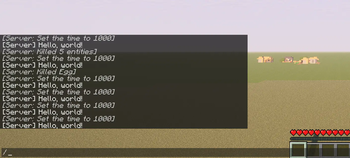

About this Mod
What is that
A mod runs in-game command with customize configs.
For now the commands will run as soon as server mod initialize.
Use
Also load the require mod Config Manager
Remember that Singleplayer contains an integrated server.
Features
- Multi-command support
- Ticks or seconds: Whether use game ticks or seconds (20 ticks) in timing
- Delays: Add delay before command run
- Interval: The cycle of each command does
There's no reason to run a command from Java code
Example
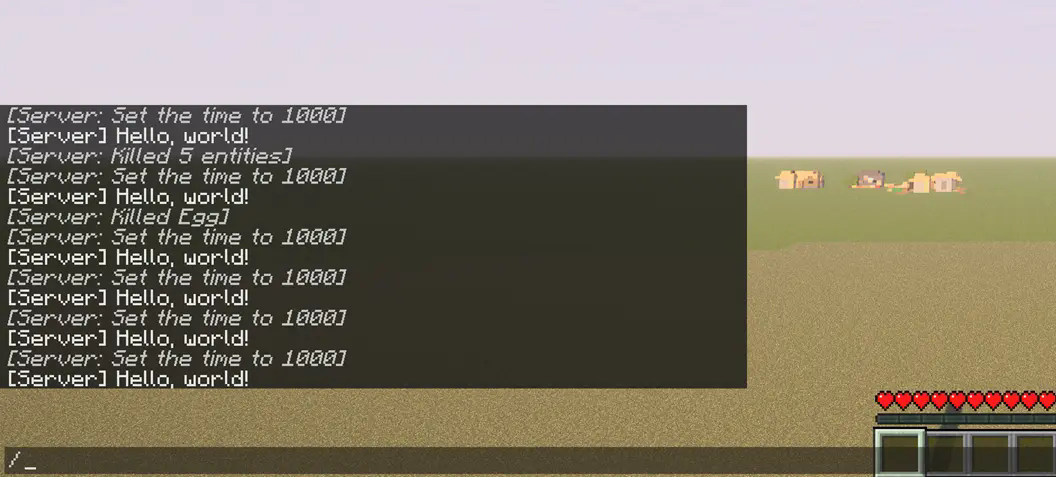
command_on_interval.json:
{
   "0":{
      "enabled":true,
      "unit-use-ticks":false,
      "delay":0,
      "interval":10,
      "command":"say Hello, world!"
   },
   "1":{
      "enabled":true,
      "unit-use-ticks":true,
      "delay":0,
      "interval":180,
      "command":"time set day"
   },
   "2":{
      "enabled":true,
      "unit-use-ticks":true,
      "delay":5,
      "interval":200,
      "command":"kill @e[type=item]"
   }
}
Config
Locate your config in Minecraft installation location.\
Default location using official launcher on Windows:
%APPDATA%\.minecraft\config\command_on_interval.json
OrC:\Users\YOUR_USER_NAME\AppData\Roaming\.minecraft\config\command_on_interval.json
You will get somethings like that:
{
   "0":{
      "enabled":true,
      "unit-use-ticks":false,
      "delay":0,
      "interval":10,
      "command":""
   }
}
"0"
No. 1 command,you can add
"1"also"2"etc...
enabled
True enable this entry of setting, vice versa
unit-use-ticks
For delay or interval,
trueuse ticks,falseues seconds
delay
Delay before each command runs
interval
Cycles interval for each command
command
In-game command without
/prefix
Eg.time set day
icon.png © 2025 by FelixAgairu is licensed under CC BY-NC-SA 4.0
Available Versions
How to Install Command on Interval on Your Server
Order Server
Order a Minecraft Java server with at least 3 GB RAM (4 GB recommended).
Set fabric Loader
In the panel under "Egg", select the fabric loader and matching Minecraft version (1.21.1).
Install Mod
Open the mod browser in the dashboard and search for "Command on Interval". Click "Install" – done! Alternatively, upload the .jar via SFTP to the /mods folder.
Compatibility
Mod Loaders
Minecraft Versions
1.21.1, 1.21
Server-side
✓ RequiredRecommended RAM
4 GB(min. 3 GB)Frequently Asked Questions
Command on Interval server crashes on startup – what to do?
Most common cause: wrong fabric version or insufficient RAM. Check the server log (latest.log) for "OutOfMemoryError" or "Mixin" errors. With Mado Hosting: ensure at least 3 GB RAM is allocated and the loader matches the mod version (1.21.1). You can switch loaders with one click in the panel.
Is Command on Interval compatible with fabric?
Command on Interval officially supports fabric for Minecraft 1.21.1, 1.21. The Mado dashboard automatically detects incompatible loader combinations.
Server lagging with Command on Interval – how to optimize performance?
Recommended RAM: 4 GB (per 8 players). Use /spark profiler to check if Command on Interval consumes the most tick time. Common fixes: reduce server view-distance to 8-10, install "performant" or "starlight" as supplementary mods on Forge. With Mado Hosting, your server runs on NVMe SSDs with dedicated CPU cores for minimal latency.
Similar Mods





Rent Modded Server
Install Command on Interval with just one click on your server.