
CommandCrafter
Useful Minecraft command tools in a Fabric mod and VSCode Extension (syntax highlighting, completion, debugging, etc.)
Screenshots
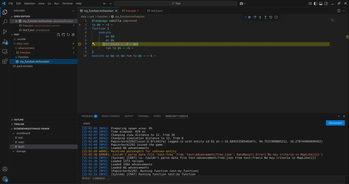
About this Mod


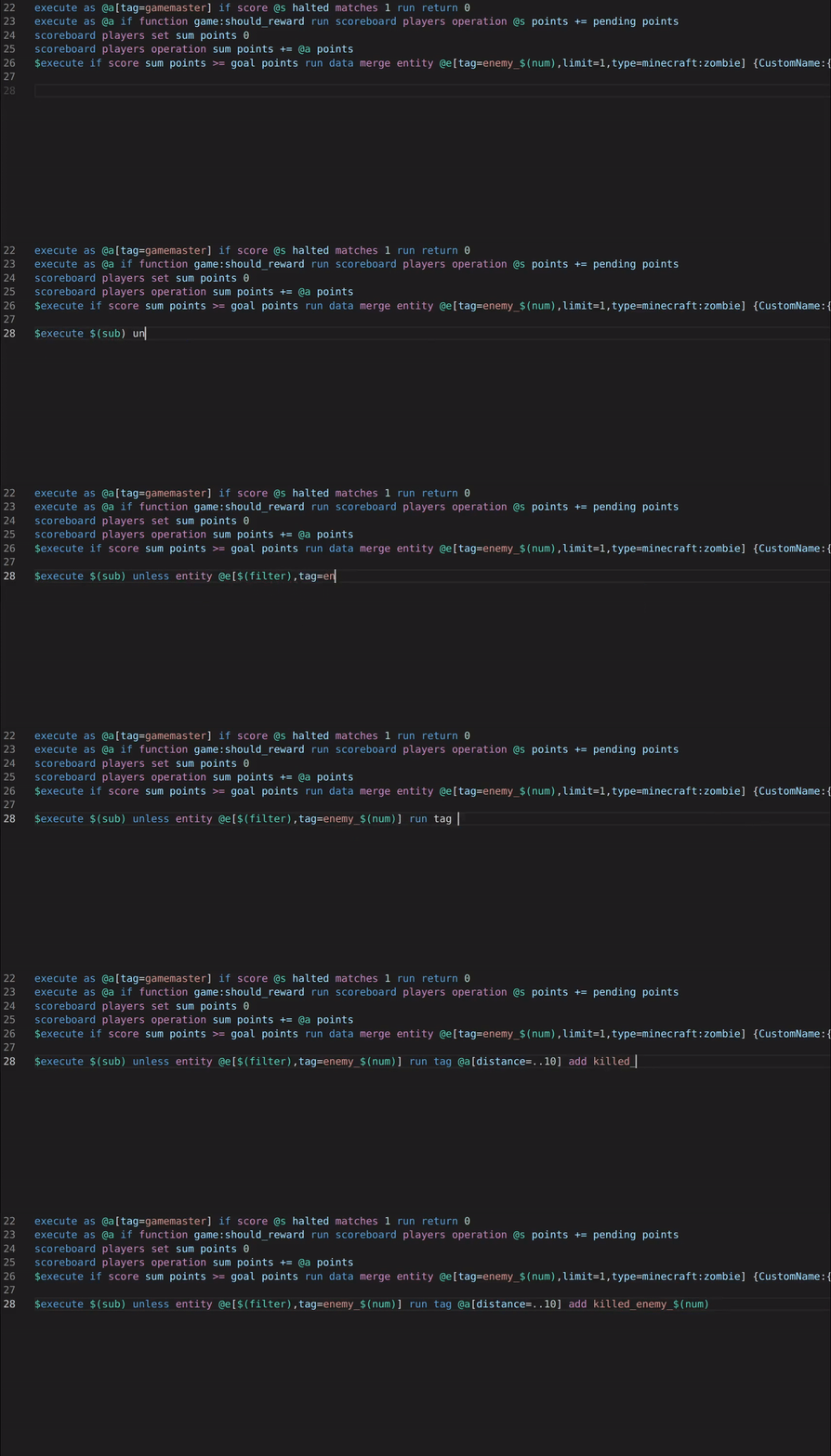
This mod and the corresponding CommandCrafter VSCode extension connects your editor to Minecraft, giving you lots of useful features for datapacks, such as:
- Syntax Highlighting (including macros)
- Auto-completion
- Error checking
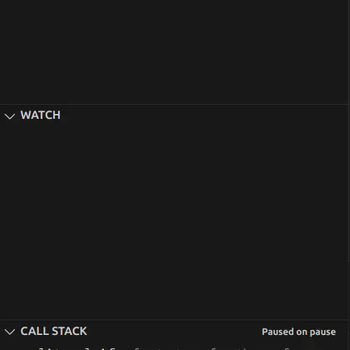
- A debugger that lets you set breakpoints and step through functions and evaluate arguments while paused
- Viewing and editing scoreboards/storages in your editor
- Viewing the client's and the server's log in your editor
- Reload datapacks, resourcepacks or shaders with VSCode commands (can be bound to keyboard shortcuts or configured to happen automatically upon saving a file)
CommandCrafter differs from traditional datapack extensions in that everything it does is provided by the mod, which means it can use all the data available inside Minecraft. For example the auto-completion for commands can for the most part use the vanilla suggestions, which means you see all scoreboards that exist in a world or all functions known to Minecraft. CommandCrafter can detect any commands or dynamic registries added by other mods as well. This connection to Minecraft is also what makes the debugger and other features, which require deep integration with Minecraft, possible.
Additionally, the mod includes an extension of the vanilla function syntax, which optionally makes it possible to write multiline commands without backslashes and write inline functions/tags. This new function syntax can be transpiled to a vanilla datapack by the mod using the /datapack build command.
For more info on how to use this mod, visit the Getting Started page on its wiki.
Available Versions
How to Install CommandCrafter on Your Server
Order Server
Order a Minecraft Java server with at least 3 GB RAM (4 GB recommended).
Set fabric Loader
In the panel under "Egg", select the fabric loader and matching Minecraft version (26.2).
Install Mod
Open the mod browser in the dashboard and search for "CommandCrafter". Click "Install" – done! Alternatively, upload the .jar via SFTP to the /mods folder.
Compatibility
Mod Loaders
Minecraft Versions
26.2, 26.1.2, 26.1.1 (+12 more)
Server-side
~ OptionalRecommended RAM
4 GB(min. 3 GB)Frequently Asked Questions
CommandCrafter server crashes on startup – what to do?
Most common cause: wrong fabric version or insufficient RAM. Check the server log (latest.log) for "OutOfMemoryError" or "Mixin" errors. With Mado Hosting: ensure at least 3 GB RAM is allocated and the loader matches the mod version (26.2). You can switch loaders with one click in the panel.
Is CommandCrafter compatible with fabric?
CommandCrafter officially supports fabric for Minecraft 26.2, 26.1.2, 26.1.1. The Mado dashboard automatically detects incompatible loader combinations.
Server lagging with CommandCrafter – how to optimize performance?
Recommended RAM: 4 GB (per 8 players). Use /spark profiler to check if CommandCrafter consumes the most tick time. Common fixes: reduce server view-distance to 8-10, install "performant" or "starlight" as supplementary mods on Forge. With Mado Hosting, your server runs on NVMe SSDs with dedicated CPU cores for minimal latency.
Similar Mods




![[ETF] Entity Texture Features](https://cdn.modrinth.com/data/BVzZfTc1/af683d206d50b05258d865b0d6e4aa2f2cee12f2_96.webp)
![[EMF] Entity Model Features](https://cdn.modrinth.com/data/4I1XuqiY/6e5bbd0d06b1741bfdab6c0cfab6de8fdaf0064c_96.webp)
Rent Modded Server
Install CommandCrafter with just one click on your server.