
Compact ores port
[Unofficial] Port of Compact Ores Mod for Newer Versions of Minecraft
Screenshots
About this Mod
[Unofficial] Port of DoubleNegation's Compact Ores Mod for Newer Versions of Minecraft
📖 Description
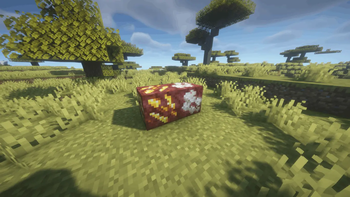
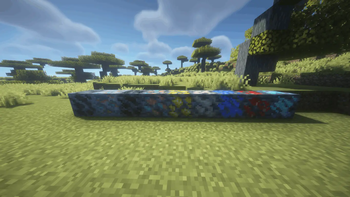
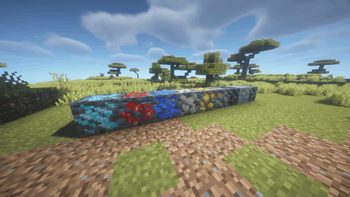
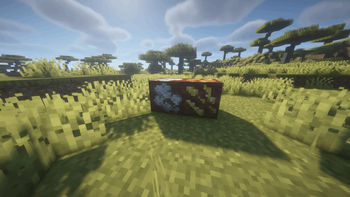
Compact Ores Port adds compact ores to the world — rare variants of regular ores that drop 3–5× more resources when mined. They generate naturally alongside their base ores and are visually distinct thanks to auto-generated textures.
The mod faithfully recreates the original's functionality and is compatible with any modded ores through configuration files. Both Forge and Fabric versions are available.
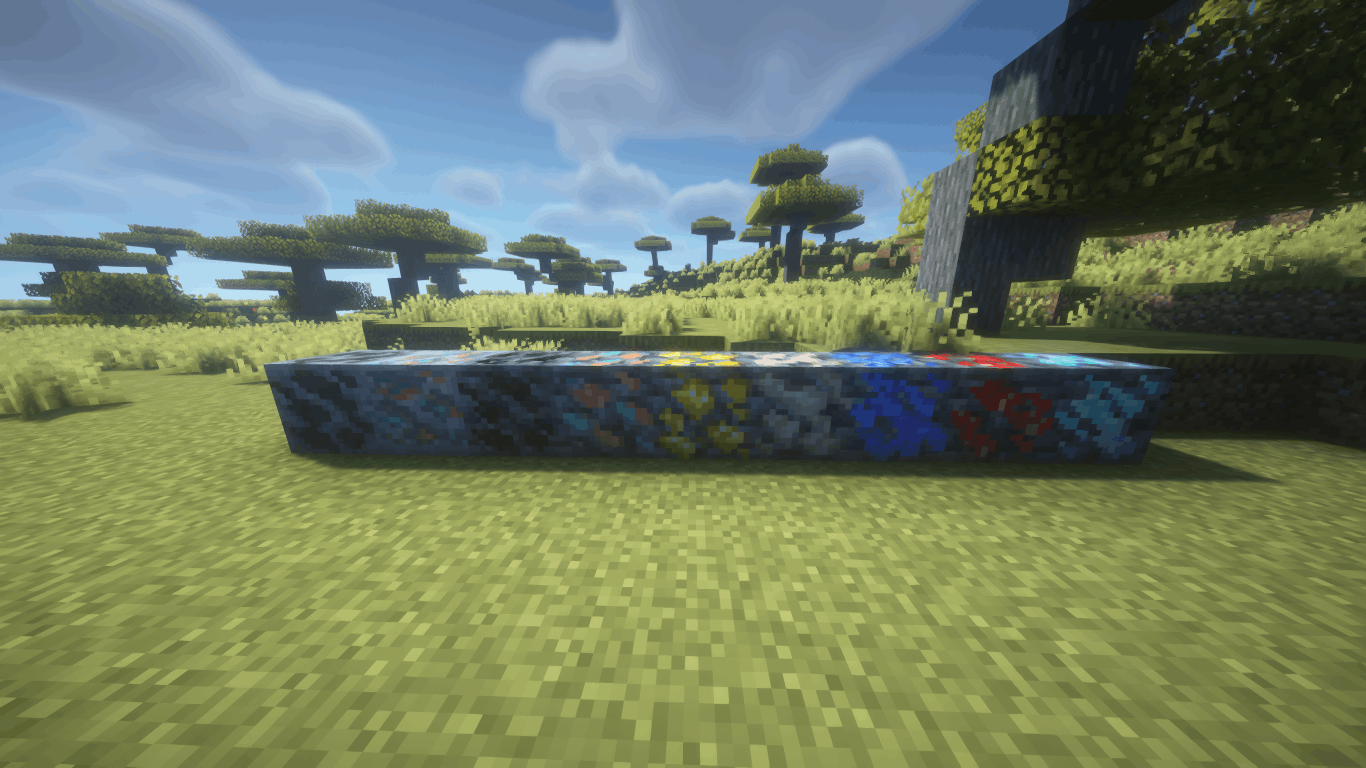
✨ Features
- 🪨 Compact Ores — rare ore variants with increased drops (×3–5 by default)
- ⚙️ In-Game Config Screen — full settings GUI with tooltips (Mods → Compact Ores Port → Config)
- 🔍 Ore Browser - View and add blocks from any mod as compact ore directly in the game by pressing the (K) key.
- 🔄 Hot Reload — changes apply instantly via
/compactores reload, no restart needed - 🎨 Automatic Texture Generation — the mod creates textures for all compact ores at startup
- 🌍 Retro Generation — compact ores appear even in already-explored chunks
- 📦 Modded Ore Support — works with any mod that adds ores; auto-discovers ores from installed mod JARs
- 🏷️ Creative Tab — a dedicated tab in the creative menu with all registered compact ores
- 🌐 Localization — full Russian and English language support
🔧 Configuration
All settings are accessible through the in-game config screen with hover tooltips:
| Setting | Description | Default |
|---|---|---|
| Min Rolls | Minimum drop multiplier | 3 |
| Max Rolls | Maximum drop multiplier | 5 |
| Spawn Probability | Chance for an ore to be replaced by compact variant | 10% |
| Generate Textures | Automatically create compact ore textures | ON |
| Retro Generation | Generate compact ores in existing chunks | ON |
| Color Difference Mode | Texture generation algorithm (Shading-Aware) | ON |
| Late Generation | For ores added by worldgen after the standard phase | OFF |
| Use GetDrops | Alternative drop calculation method | OFF |
Individual ores can be enabled/disabled, and new ores can be added from any installed mod via the Ore Browser screen.
📂 Supported Versions
| Minecraft | Forge | Fabric |
|---|---|---|
| 1.19.2 | ✅ | ✅ |
| 1.20.1 | ✅ | ✅ |
| 1.21.1 | ✅ | ✅ |
| 1.21.4 | ✅ | ✅ |
| 1.21.8 | ✅ | ✅ |
| 1.21.10 | ✅ | ✅ |
| 1.21.11 | ✅ | ✅ |
📥 Installation
- Install Forge or Fabric (+ Fabric API) for your Minecraft version
- Download the matching mod JAR file
- Place it in the
.minecraft/mods/folder - Launch the game — compact ores will generate automatically
💡 Tips
- Use
/compactores reloadto apply config changes without restarting - Open the Ore Config screen to enable/disable specific ores or adjust per-ore settings
- The Ore Browser lets you add ores from any installed mod with one click
- Config files are stored in
.minecraft/config/compactores/as TOML — editable by hand if needed
Available Versions
How to Install Compact ores port on Your Server
Order Server
Order a Minecraft Java server with at least 4 GB RAM (6 GB recommended).
Set fabric Loader
In the panel under "Egg", select the fabric loader and matching Minecraft version (1.21.1).
Install Mod
Open the mod browser in the dashboard and search for "Compact ores port". Click "Install" – done! Alternatively, upload the .jar via SFTP to the /mods folder.
Compatibility
Mod Loaders
Minecraft Versions
1.21.1, 1.20.1, 1.19.2
Server-side
✓ RequiredRecommended RAM
6 GB(min. 4 GB)Frequently Asked Questions
Compact ores port server crashes on startup – what to do?
Most common cause: wrong fabric version or insufficient RAM. Check the server log (latest.log) for "OutOfMemoryError" or "Mixin" errors. With Mado Hosting: ensure at least 4 GB RAM is allocated and the loader matches the mod version (1.21.1). You can switch loaders with one click in the panel.
Is Compact ores port compatible with fabric and forge?
Compact ores port officially supports fabric, forge for Minecraft 1.21.1, 1.20.1, 1.19.2. Note: Forge and Fabric mods are NOT cross-compatible – pick one loader and stick with it. The Mado dashboard automatically detects incompatible loader combinations.
Server lagging with Compact ores port – how to optimize performance?
Recommended RAM: 6 GB (per 5 players). Use /spark profiler to check if Compact ores port consumes the most tick time. Common fixes: reduce server view-distance to 8-10, install "performant" or "starlight" as supplementary mods on Forge. With Mado Hosting, your server runs on NVMe SSDs with dedicated CPU cores for minimal latency.
Similar Mods



Rent Modded Server
Install Compact ores port with just one click on your server.