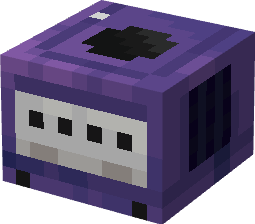
Gaming Consoles
Adding Consoles to minecraft since 2024
Screenshots
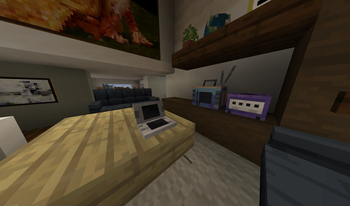
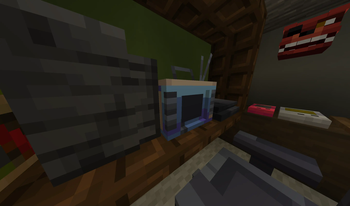
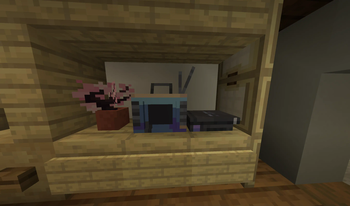
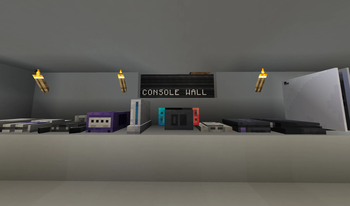
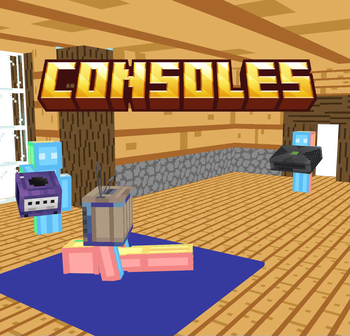
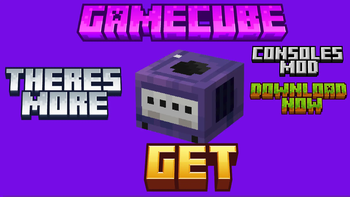
About this Mod
In this mod, players can enhance their Minecraft experience by incorporating a wide variety of consoles into their virtual worlds. These consoles are not just decorative elements but also serve as nostalgic reminders of classic gaming systems from the past.
Stuff in the mod
Nes
Snes
N64
Gamecube
Wii
Switch
PS1
PS2
PS4
PS5 (its a bit big)
OG Xbox
Xbox 1
Xbox Series S and X
Sega Genesis
Dreamcast
DS
Gameboy
Each console included in the mod is meticulously designed to resemble its real-life counterpart, complete with intricate details that capture the essence of these iconic gaming systems. Players can choose from a wide selection of consoles to place in their virtual gaming rooms, entertainment areas, or retro-themed builds, adding a touch of nostalgia and creativity to their Minecraft world.
Also check out the kinda sequal VR Swagger
Join the Community on Discord
https://discord.gg/cdzSNArQxF
Thanks to wackyblocks on sketchfab for the models (yes i did pay for them piracy is a crime)
Available Versions
How to Install Gaming Consoles on Your Server
Order Server
Order a Minecraft Java server with at least 3 GB RAM (4 GB recommended).
Set forge Loader
In the panel under "Egg", select the forge loader and matching Minecraft version (1.20.1).
Install Mod
Open the mod browser in the dashboard and search for "Gaming Consoles". Click "Install" – done! Alternatively, upload the .jar via SFTP to the /mods folder.
Compatibility
Mod Loaders
Minecraft Versions
1.20.1
Server-side
✓ RequiredRecommended RAM
4 GB(min. 3 GB)Frequently Asked Questions
Gaming Consoles server crashes on startup – what to do?
Most common cause: wrong forge version or insufficient RAM. Check the server log (latest.log) for "OutOfMemoryError" or "Mixin" errors. With Mado Hosting: ensure at least 3 GB RAM is allocated and the loader matches the mod version (1.20.1). You can switch loaders with one click in the panel.
Is Gaming Consoles compatible with forge?
Gaming Consoles officially supports forge for Minecraft 1.20.1. The Mado dashboard automatically detects incompatible loader combinations.
Server lagging with Gaming Consoles – how to optimize performance?
Recommended RAM: 4 GB (per 8 players). Use /spark profiler to check if Gaming Consoles consumes the most tick time. Common fixes: reduce server view-distance to 8-10, install "performant" or "starlight" as supplementary mods on Forge. With Mado Hosting, your server runs on NVMe SSDs with dedicated CPU cores for minimal latency.
Similar Mods

![[ETF] Entity Texture Features](https://cdn.modrinth.com/data/BVzZfTc1/af683d206d50b05258d865b0d6e4aa2f2cee12f2_96.webp)
![[EMF] Entity Model Features](https://cdn.modrinth.com/data/4I1XuqiY/6e5bbd0d06b1741bfdab6c0cfab6de8fdaf0064c_96.webp)



Rent Modded Server
Install Gaming Consoles with just one click on your server.