
(Old MC) Coordinates
A coordinates mod for Minecraft Alpha and Infdev
Screenshots
About this Mod
(Old MC) Coordinates
This is a jarmod that adds coordinates to Minecraft Alpha and Infdev debug menus.
Works for Minecraft versions ranging from inf-20100227 to a1.2.2 (see downloads).
Features
The display is based off of Notch's original implementation of coordinates in Alpha, xyz and f on separate lines.
Since Notch didn't add coordinates until a1.2.3, there are many older versions with infinite world gen where coordinates are a needed addition.
There are two display options:
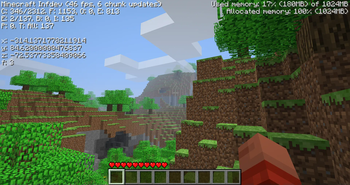
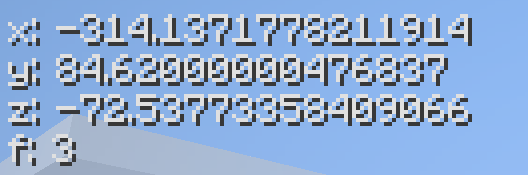
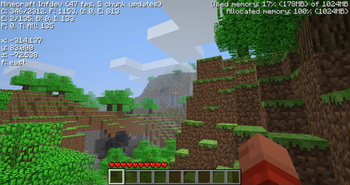
The "revised" display (left) and the unmodified "nostalgia" display (right).
This was done in case some are looking for the OG display by Notch before the various improvements were made in later versions.
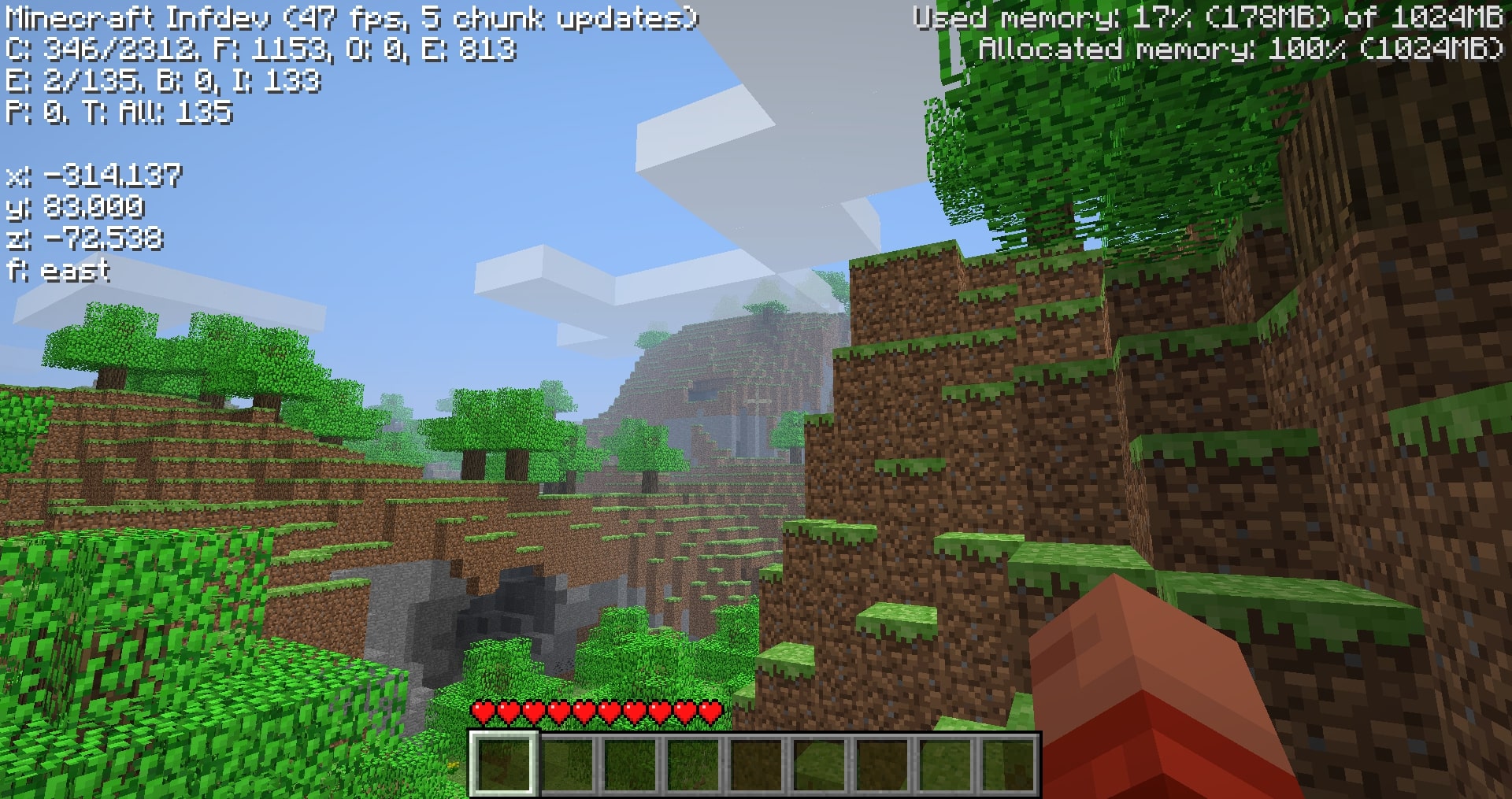
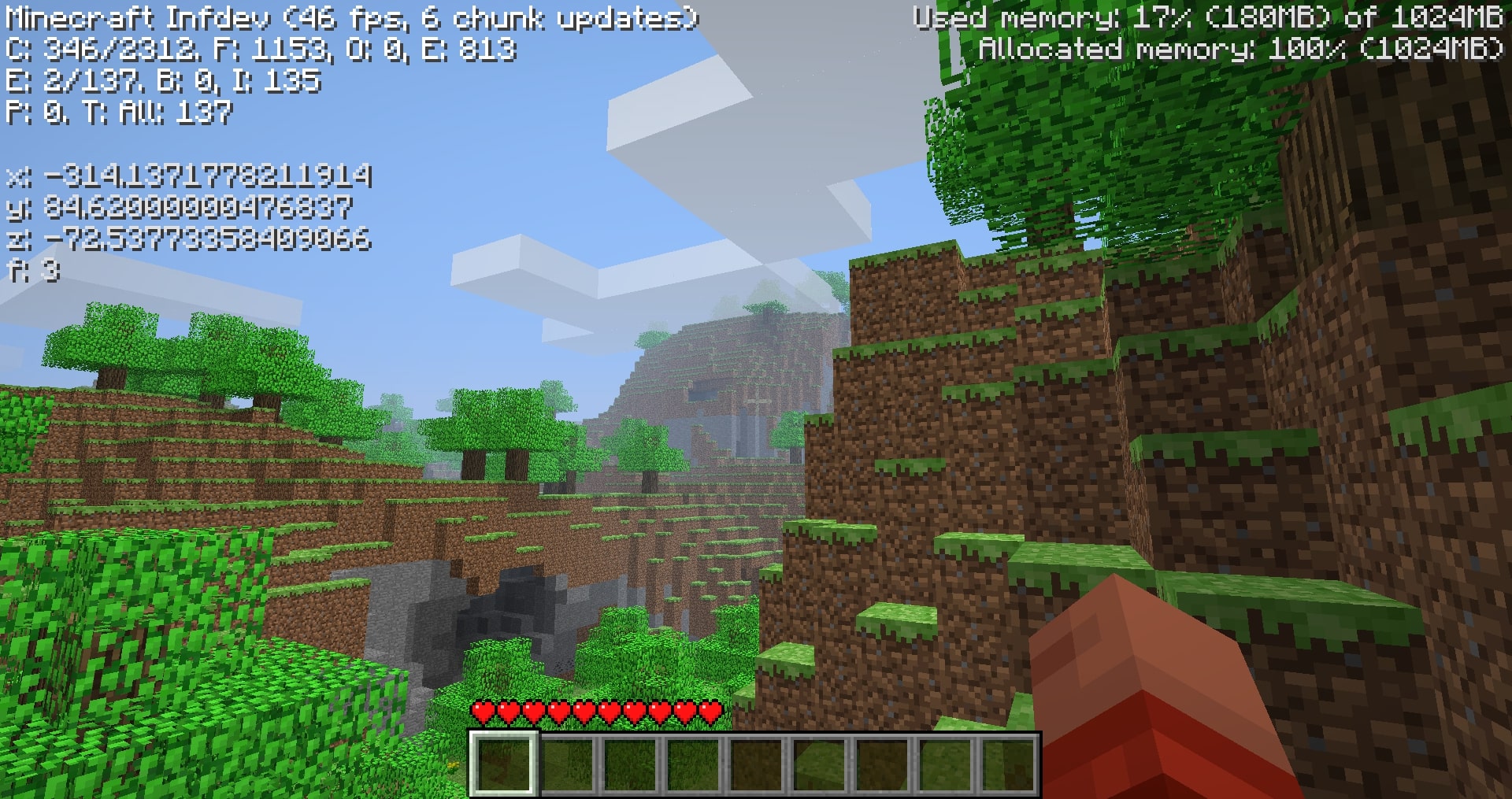
These can be toggled using the N key with the debug screen on. By default, the revised display is shown.
The revised display simply improves the original format:
- rounds 15 leading decimals to 3
- brightens text color
- adds cardinal directions in words
- floors the y-axis to feet level (64.000 and not 65.620 when standing on a full block at y-64).
Compatibility
Overwrites GuiIngame.java, the obfuscated (GuiIngame).class names vary with versions.
In other words, the mod will likely be compatibile with mods that don't change the debug menu.
Downloads
Due to various unforseen circumstances in older versions, I haven't modded every version (yet) from inf-20100227 to a1.2.2. I managed to mod 39 versions in this range, addressing for the more notable releases. Hopefully you can find the version you're looking for.
The downloads are named "Coordinates_v1.0_" followed by "(version name)" ensure that you are downloading the correct version.
Note: ONLY read my zip file names for versions. To upload mods, Modrinth requires default MC launcher versions and mod loader fields to be filled out. (ex: inf-630 is shown to support inf-618 and risugami's modloader, which is false)
How to install
Install Java 8, most mods for older versions use Java 8. So it's always a good idea to have it.
This is a jarmod so I recommend using MultiMC, PrismLauncher, or Betacraft v2.0. These launchers allow for jarmods to be easily setup older versions. They all have similar ways of adding jarmods... Edit your instance in said launcher, locate the add to Minecraft.jar button, and open the downloaded coords.zip.
For Betacraft v1.0, it's more complex as you will need to jarmod the version yourself. You will also need a zip explorer (I like WinRAR for Windows)
- after downloading coords.zip for prefered version, search and open your hidden
%appdata%folder - open the
.betacraftfolder - open the
versionsfolder - highlight and right click on the version.jar you are using (ex:
a1.1.2_01.jar) - after right click, you can choose
Open with WinRAR - with the jar open, also open the downloaded coords.zip
- move the single
.classfile from coords.zip to the opened version.jar. - Press
OK, done! You successfully replaced a game file with my modded game file! - Relaunch Betacraft v1.0 and play.
Extras
Any issues can be addressed on Github
You can also join the Modification Station discord server, a community dedicated to modding old minecraft!
Once you join the server, you can find my mod post by clicking on the mods tab and searching coordinates. This is where you can contact me directly with questions (i.e. doesn't warrant a ticket on Github)
Thanks for downloading my mod!
Available Versions
How to Install (Old MC) Coordinates on Your Server
Order Server
Order a Minecraft Java server with at least 3 GB RAM (4 GB recommended).
Set modloader Loader
In the panel under "Egg", select the modloader loader and matching Minecraft version (a1.1.2_01).
Install Mod
Open the mod browser in the dashboard and search for "(Old MC) Coordinates". Click "Install" – done! Alternatively, upload the .jar via SFTP to the /mods folder.
Compatibility
Mod Loaders
Minecraft Versions
a1.1.2_01, a1.1.2, a1.1.0 (+9 more)
Server-side
✗ UnsupportedRecommended RAM
4 GB(min. 3 GB)Frequently Asked Questions
(Old MC) Coordinates server crashes on startup – what to do?
Most common cause: wrong modloader version or insufficient RAM. Check the server log (latest.log) for "OutOfMemoryError" or "Mixin" errors. With Mado Hosting: ensure at least 3 GB RAM is allocated and the loader matches the mod version (a1.1.2_01). You can switch loaders with one click in the panel.
Is (Old MC) Coordinates compatible with modloader?
(Old MC) Coordinates officially supports modloader for Minecraft a1.1.2_01, a1.1.2, a1.1.0. The Mado dashboard automatically detects incompatible loader combinations.
Server lagging with (Old MC) Coordinates – how to optimize performance?
Recommended RAM: 4 GB (per 8 players). Use /spark profiler to check if (Old MC) Coordinates consumes the most tick time. Common fixes: reduce server view-distance to 8-10, install "performant" or "starlight" as supplementary mods on Forge. With Mado Hosting, your server runs on NVMe SSDs with dedicated CPU cores for minimal latency.
Similar Mods




![[ETF] Entity Texture Features](https://cdn.modrinth.com/data/BVzZfTc1/af683d206d50b05258d865b0d6e4aa2f2cee12f2_96.webp)
![[EMF] Entity Model Features](https://cdn.modrinth.com/data/4I1XuqiY/6e5bbd0d06b1741bfdab6c0cfab6de8fdaf0064c_96.webp)
Rent Modded Server
Install (Old MC) Coordinates with just one click on your server.