
Teatime!
Adds a copper Kettle for simple, early-game brewing
Screenshots
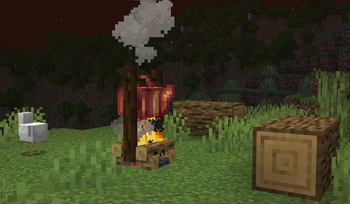
About this Mod
you should download Toil and Trouble instead lmao
By the time you access brewing, potions can already feel outclassed by enchantments. To give them a place again, Teatime adds a simple way to brew basic potions early-game!
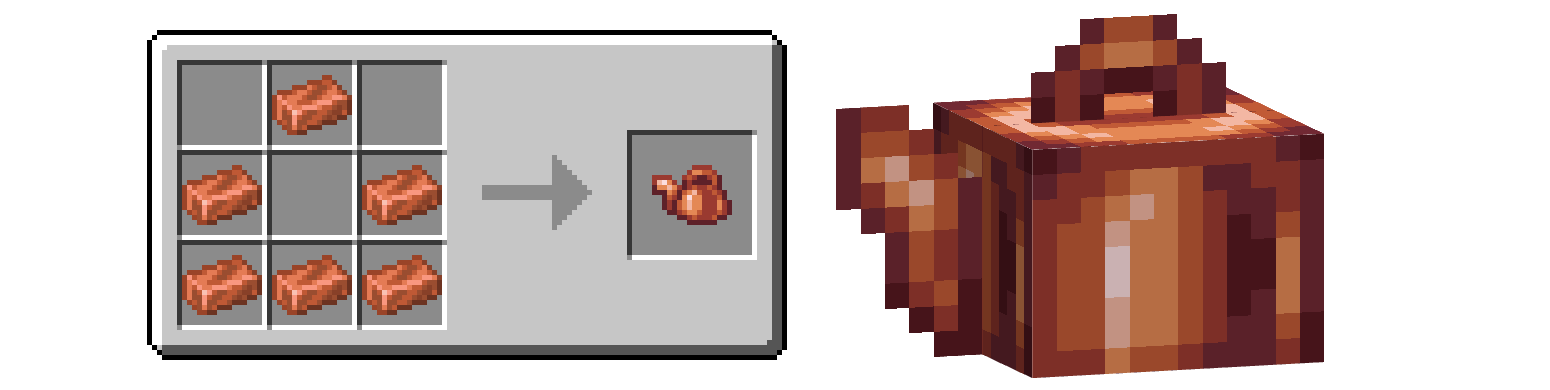
The Kettle can be crafted with 6 Copper Ingots, adding an extra use to Copper and making it accessible very early — in exchange, it can only brew 1 potion at a time and cannot strengthen them. By default, Awkward Potions can be made in the Kettle with any Mushroom in place of Nether Wart.
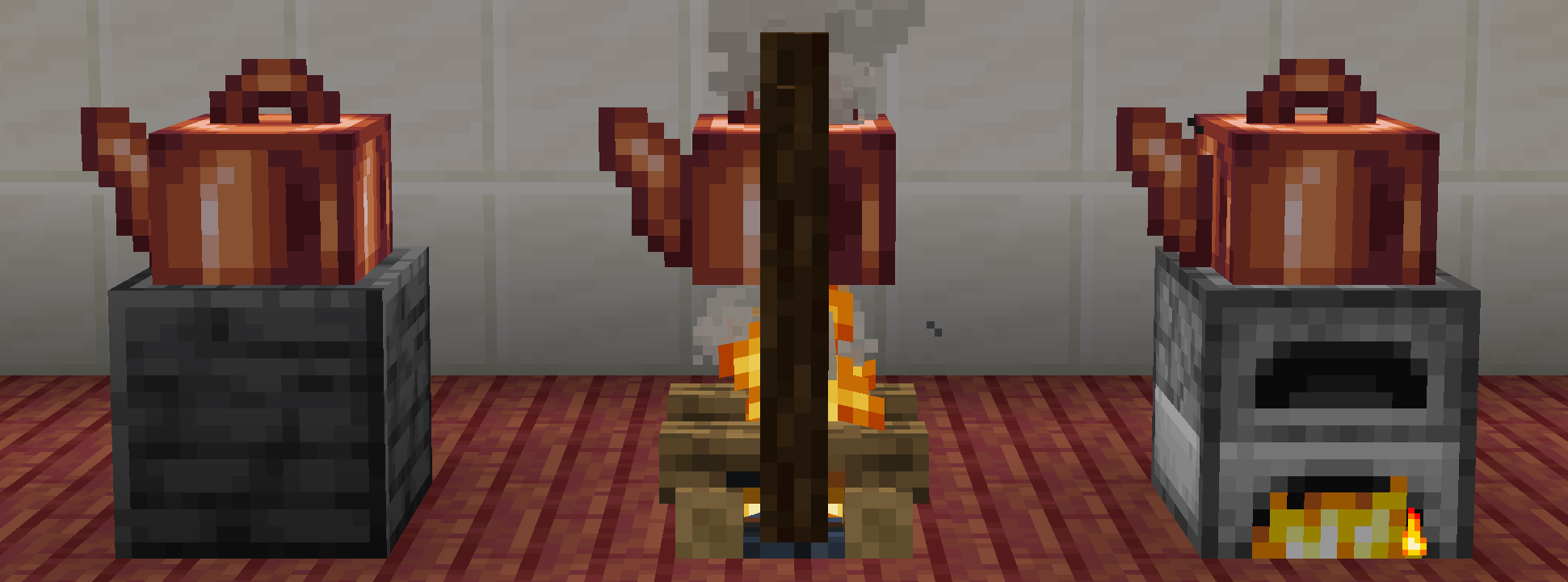
Kettles don't require fuel, but can be placed over hot blocks to speed them up! Fire, Campfires, and their Soul variants offer a 1.5x boost, while a lit Furnace, Blast Furnace, or Smoker will brew twice as fast!
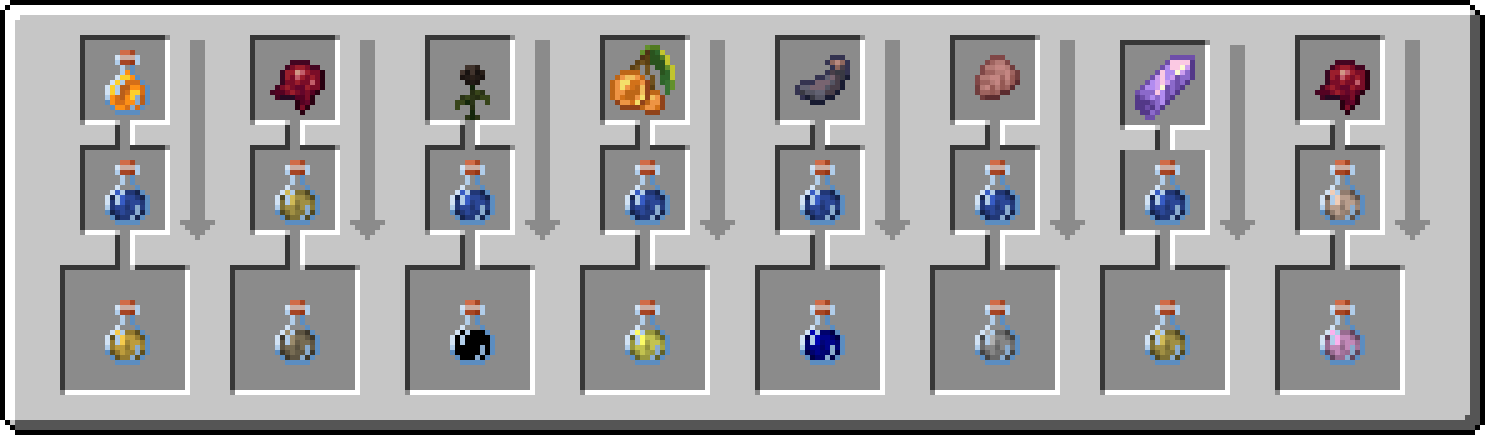
Teatime features full JEI support and data-driven recipes making use of 1.21's Item Component system. To demonstrate, it includes balanced potions for effects that didn't previously have them, like Haste, Saturation, Glowing, and Blindness. They can all be edited or disabled through datapacks.
FAQ
Why is the UI so clunky? I'm still working on it... The separate output slot was necessary to support stackable potions. I don't like it either.
Why mushrooms? Growing mushroom colonies is fun! It's an underutilized mechanic. Why not? Replace it if you like. Spider Eyes are another good choice, I think.
The Brewing Stand has a much better design. I know...T_T It's much more visual. Not a lot of thought went into the model for this mod i just thought a tea kettle would be cute and vaguely make sense
How can I change the recipes? JSON recipes are read from
teatime:data/recipes.baseis the item that goes in the bottle slot,ingredientis the item in the upper slot, andresultis the output item — bothbaseandoutputare ItemStacks and will match PotionContents attributes if included. I recommend unzipping the mod file to copy and edit the recipes it comes with!You can already make custom potion recipes with BlueLib. Yeah. If you want to edit recipes for the Brewing Stand, please use it instead.
How else can I improve Minecraft's brewing?
Teatime was designed to be used with Stackable Potions or an equivalent mod, and the ever-essential Amendments adds potion mixing in Cauldrons. I highly recommend them both! Also — huge thanks to KaupenJoe and his tutorial series for providing the base BlockEntity code I ripped off to make this <3
Available Versions
How to Install Teatime! on Your Server
Order Server
Order a Minecraft Java server with at least 3 GB RAM (4 GB recommended).
Set neoforge Loader
In the panel under "Egg", select the neoforge loader and matching Minecraft version (1.21.1).
Install Mod
Open the mod browser in the dashboard and search for "Teatime!". Click "Install" – done! Alternatively, upload the .jar via SFTP to the /mods folder.
Compatibility
Mod Loaders
Minecraft Versions
1.21.1
Server-side
✓ RequiredRecommended RAM
4 GB(min. 3 GB)Frequently Asked Questions
Teatime! server crashes on startup – what to do?
Most common cause: wrong neoforge version or insufficient RAM. Check the server log (latest.log) for "OutOfMemoryError" or "Mixin" errors. With Mado Hosting: ensure at least 3 GB RAM is allocated and the loader matches the mod version (1.21.1). You can switch loaders with one click in the panel.
Is Teatime! compatible with neoforge?
Teatime! officially supports neoforge for Minecraft 1.21.1. The Mado dashboard automatically detects incompatible loader combinations.
Server lagging with Teatime! – how to optimize performance?
Recommended RAM: 4 GB (per 8 players). Use /spark profiler to check if Teatime! consumes the most tick time. Common fixes: reduce server view-distance to 8-10, install "performant" or "starlight" as supplementary mods on Forge. With Mado Hosting, your server runs on NVMe SSDs with dedicated CPU cores for minimal latency.
Similar Mods




Rent Modded Server
Install Teatime! with just one click on your server.