
CoreDefense
Defend your core from endless waves of enemies by building defenses, expanding your territory, and unlocking new areas. Protect, survive, and thrive!
Screenshots
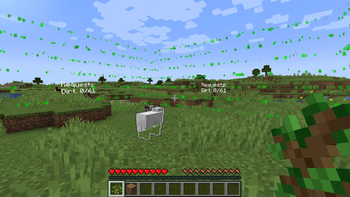
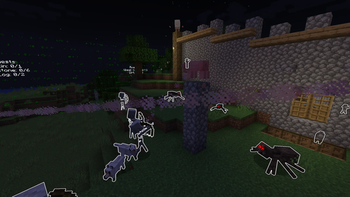
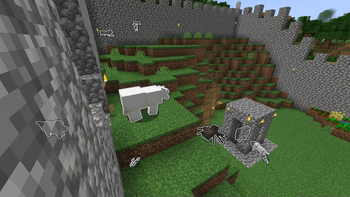
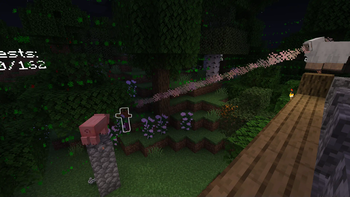
About this Mod
This mod greatly changes the gameplay of the game. You will be locked into a limited area that can be expanded. Expansion requires resources, the larger the territory, the more resources are needed for expansion.
That's not all, every night and sometimes during the day you will be attacked by waves of mobs whose goal is to destroy your core - the sheep. The waves will get stronger and stronger, mobs will start attacking with armor, weapons and effects, even riding spiders and bees! If the core is destroyed, your entire area will explode!
To build defense, the mod has turrets, different types that have different properties, each type of turret has 3 levels, the more the better.


The core can receive damage not only from mob attacks, but also simply from the fact that an enemy is nearby.
Download the mod if you want to get new experiences and emotions that you never got when playing regular Minecraft.
Is it possible to win?
With version 1.5 of the mod, the ability to win was added. To win, you need to make sure that the core does not take damage, and then you can find the Core Heart Pieces, and from them make the Core heart itself. If you use it on the core you will be free!
Worlds that were launched with a mod version lower than 1.4 will not be able to launch with a mod version 1.4 and higher
❗ Mod requires Fabric API ❗
Available Versions
How to Install CoreDefense on Your Server
Order Server
Order a Minecraft Java server with at least 3 GB RAM (4 GB recommended).
Set fabric Loader
In the panel under "Egg", select the fabric loader and matching Minecraft version (1.21.1).
Install Mod
Open the mod browser in the dashboard and search for "CoreDefense". Click "Install" – done! Alternatively, upload the .jar via SFTP to the /mods folder.
Compatibility
Mod Loaders
Minecraft Versions
1.21.1, 1.21, 1.20.1 (+1 more)
Server-side
✓ RequiredRecommended RAM
4 GB(min. 3 GB)Frequently Asked Questions
CoreDefense server crashes on startup – what to do?
Most common cause: wrong fabric version or insufficient RAM. Check the server log (latest.log) for "OutOfMemoryError" or "Mixin" errors. With Mado Hosting: ensure at least 3 GB RAM is allocated and the loader matches the mod version (1.21.1). You can switch loaders with one click in the panel.
Is CoreDefense compatible with fabric?
CoreDefense officially supports fabric for Minecraft 1.21.1, 1.21, 1.20.1. The Mado dashboard automatically detects incompatible loader combinations.
Server lagging with CoreDefense – how to optimize performance?
Recommended RAM: 4 GB (per 8 players). Use /spark profiler to check if CoreDefense consumes the most tick time. Common fixes: reduce server view-distance to 8-10, install "performant" or "starlight" as supplementary mods on Forge. With Mado Hosting, your server runs on NVMe SSDs with dedicated CPU cores for minimal latency.
Similar Mods




Rent Modded Server
Install CoreDefense with just one click on your server.