
CPM Animator Utils
A QoL utility for Customizable Player Models (CPM) animators to streamline frame management and animation workflow.
Screenshots
About this Mod
CPM Animator Utils is a Quality-of-Life (QoL) utility designed to enhance the animation workflow within the Customizable Player Models (CPM) mod. It provides advanced tools for managing, editing, and organizing animation frames, allowing creators to produce complex movements with significantly less manual effort.
Overview
The animation system in CPM is powerful, but managing projects with dozens of frames and complex bone structures can become a bottleneck for creators. CPM Animator Utils addresses this by introducing a more streamlined approach to frame manipulation.
Whether you are a professional modeler or a beginner, this tool is designed to make the "boring" part of animating, like duplicating, shifting, and organizing frames, as fast as possible, so you can focus on the creative side of your models.
Features
Dynamic Timeline Workflow
The enhanced timeline interface is built for high-performance editing, providing a more fluid experience when navigating through hundreds of individual animation keys.
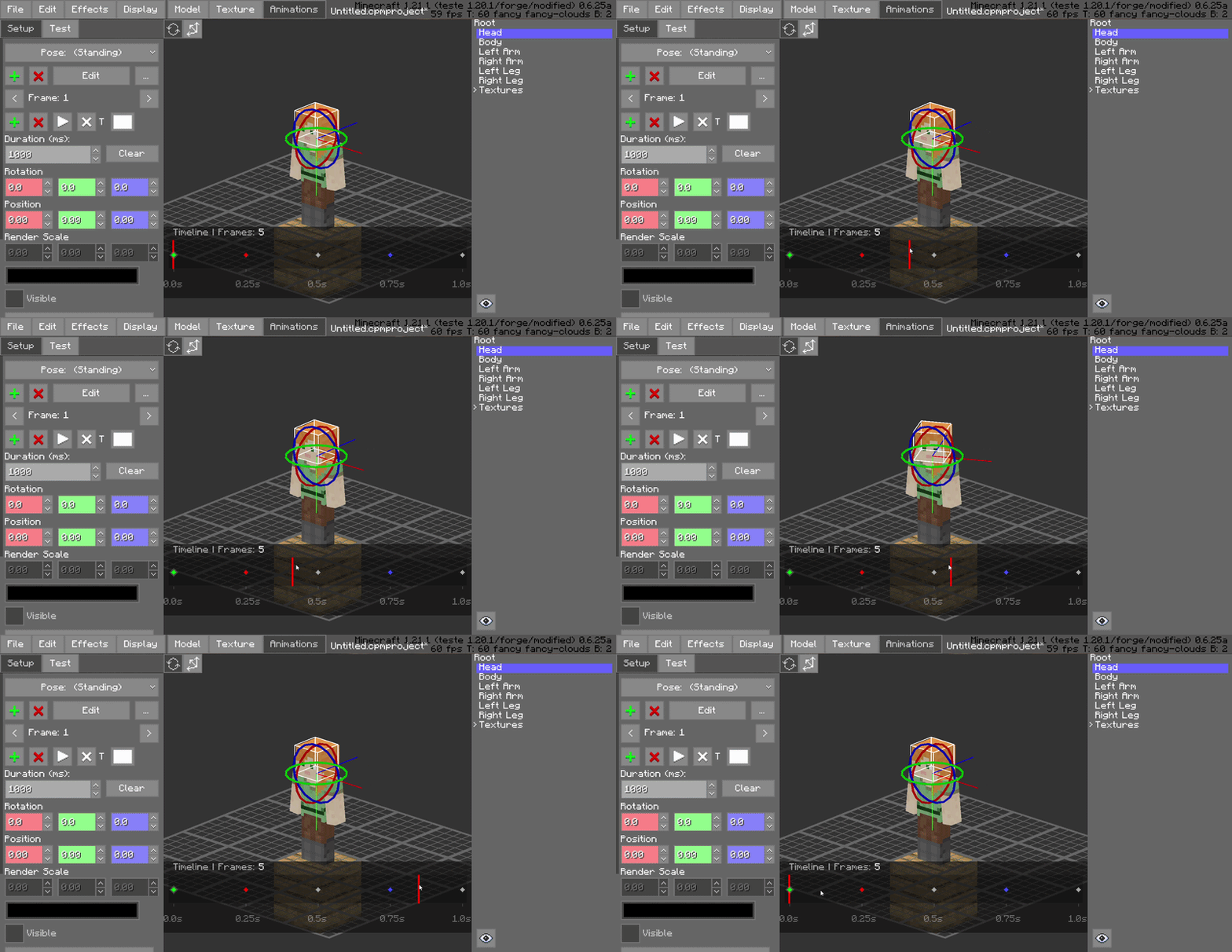
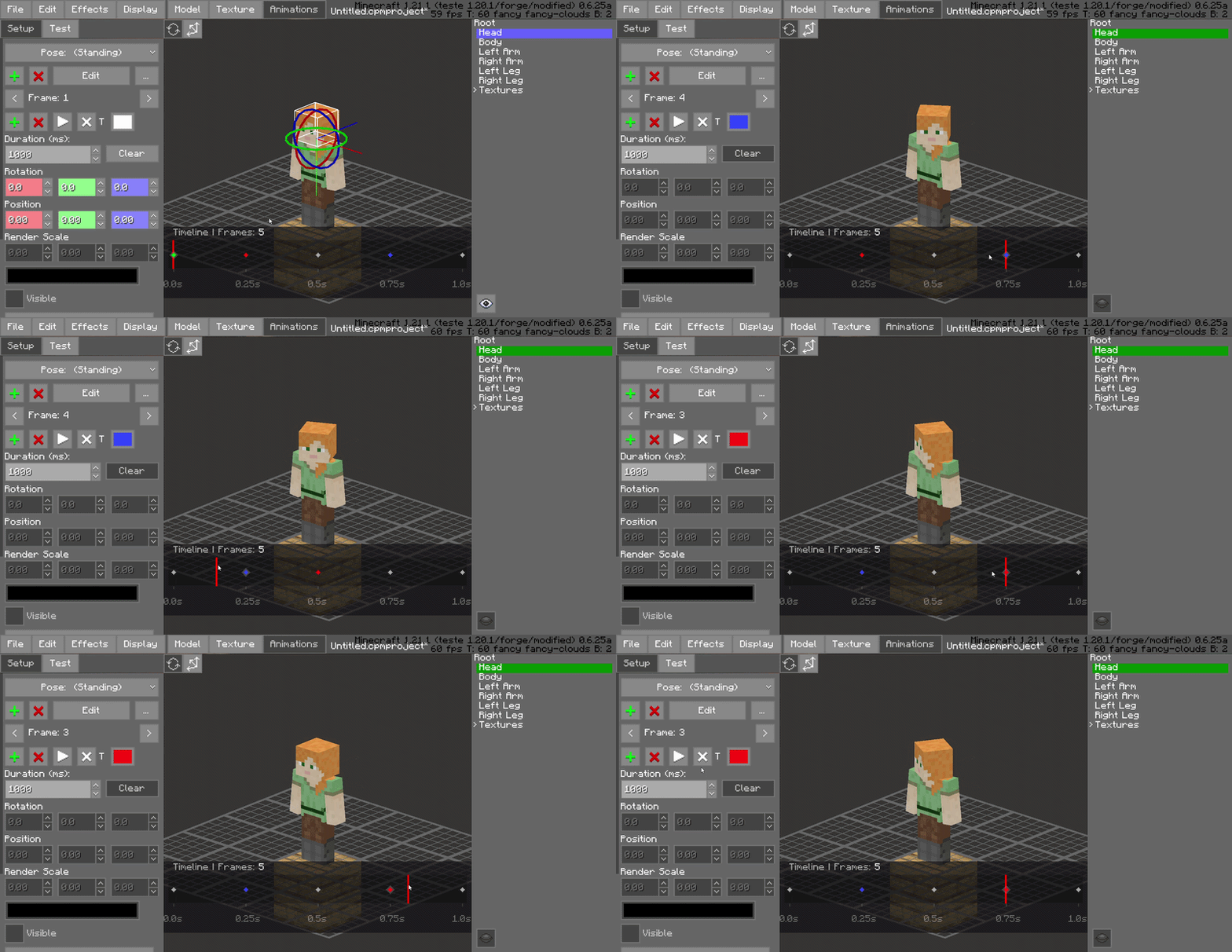
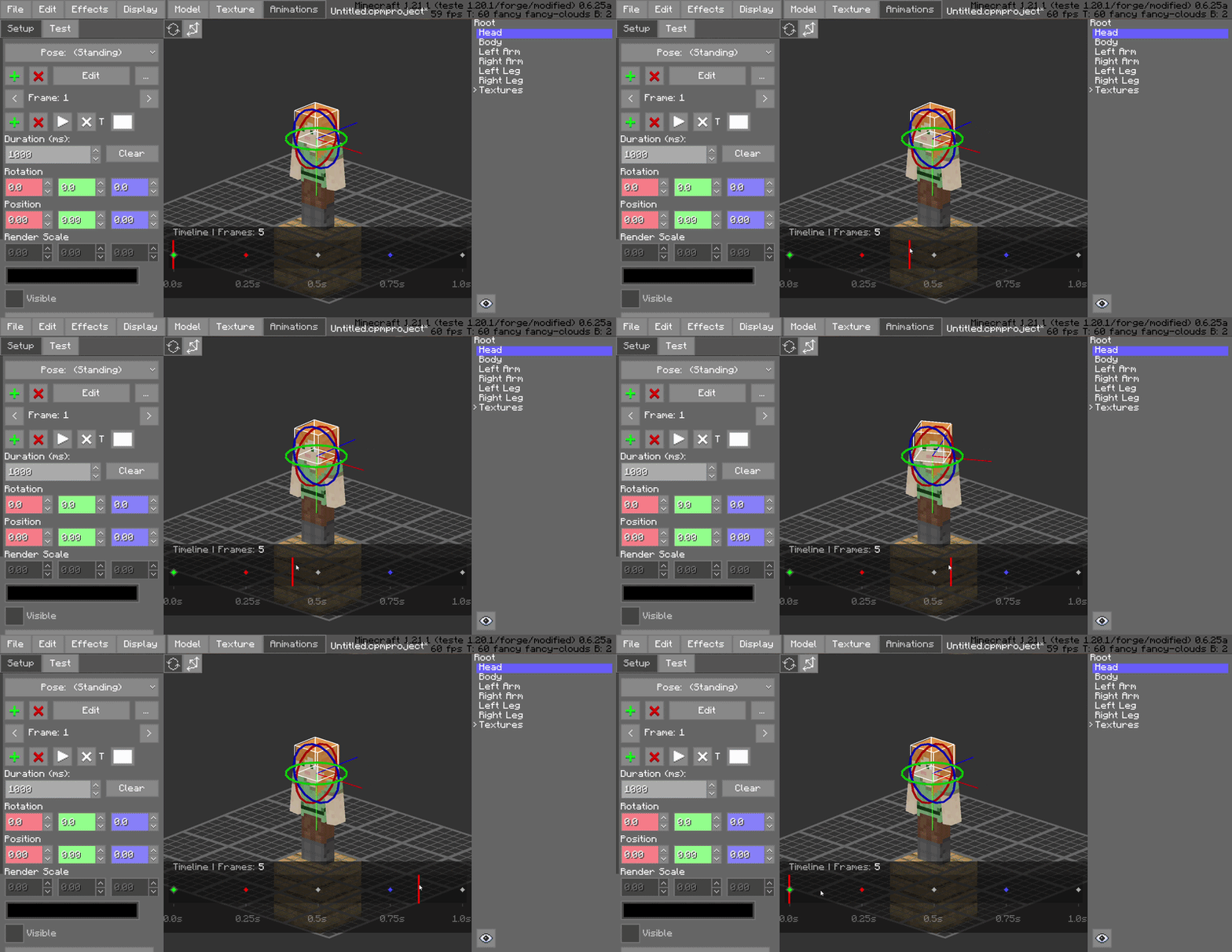
Interactive Playhead Scrubbing
Effortlessly drag the red playhead across the timeline to preview your animation in real-time. This allows for frame-by-frame inspection and immediate feedback on motion smoothing without needing to hit play.
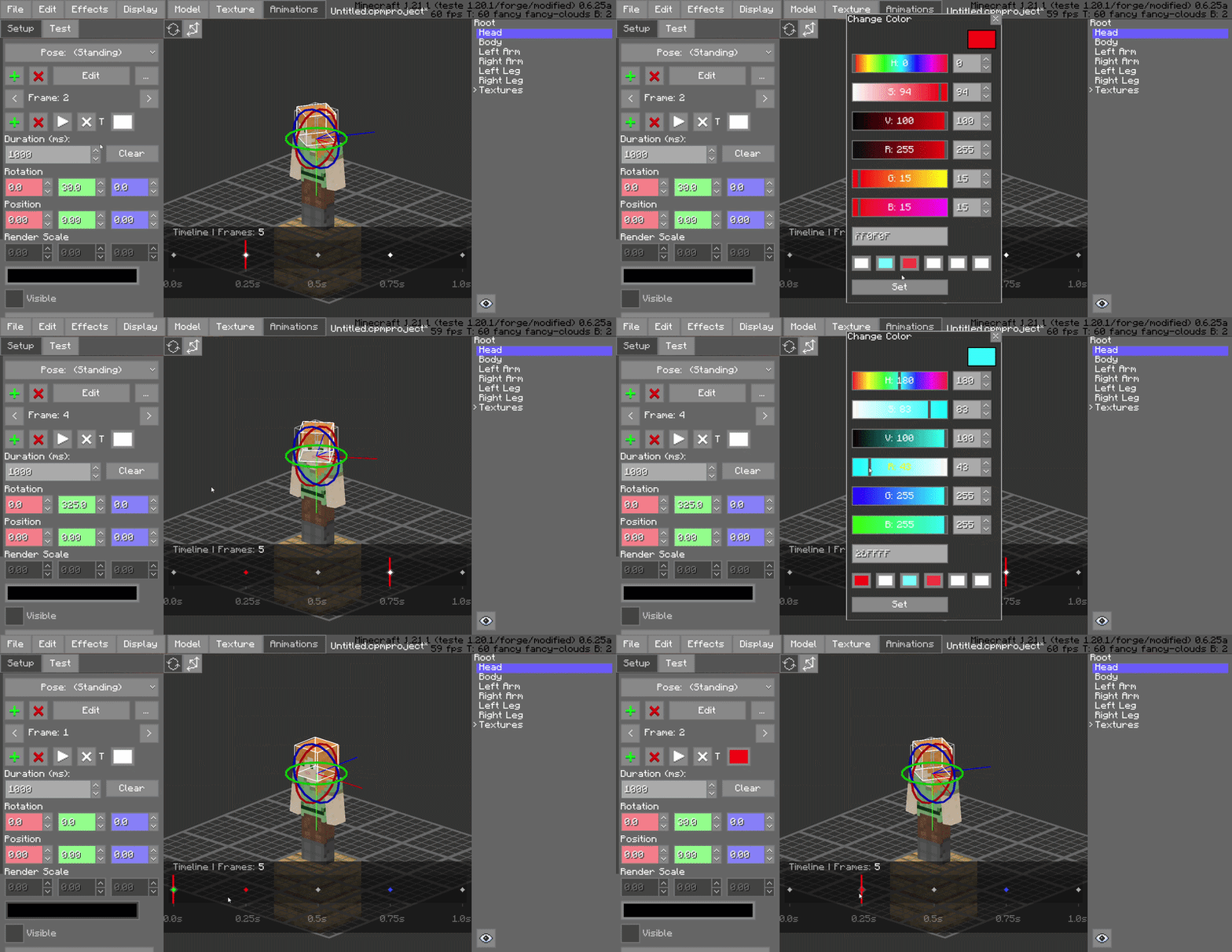
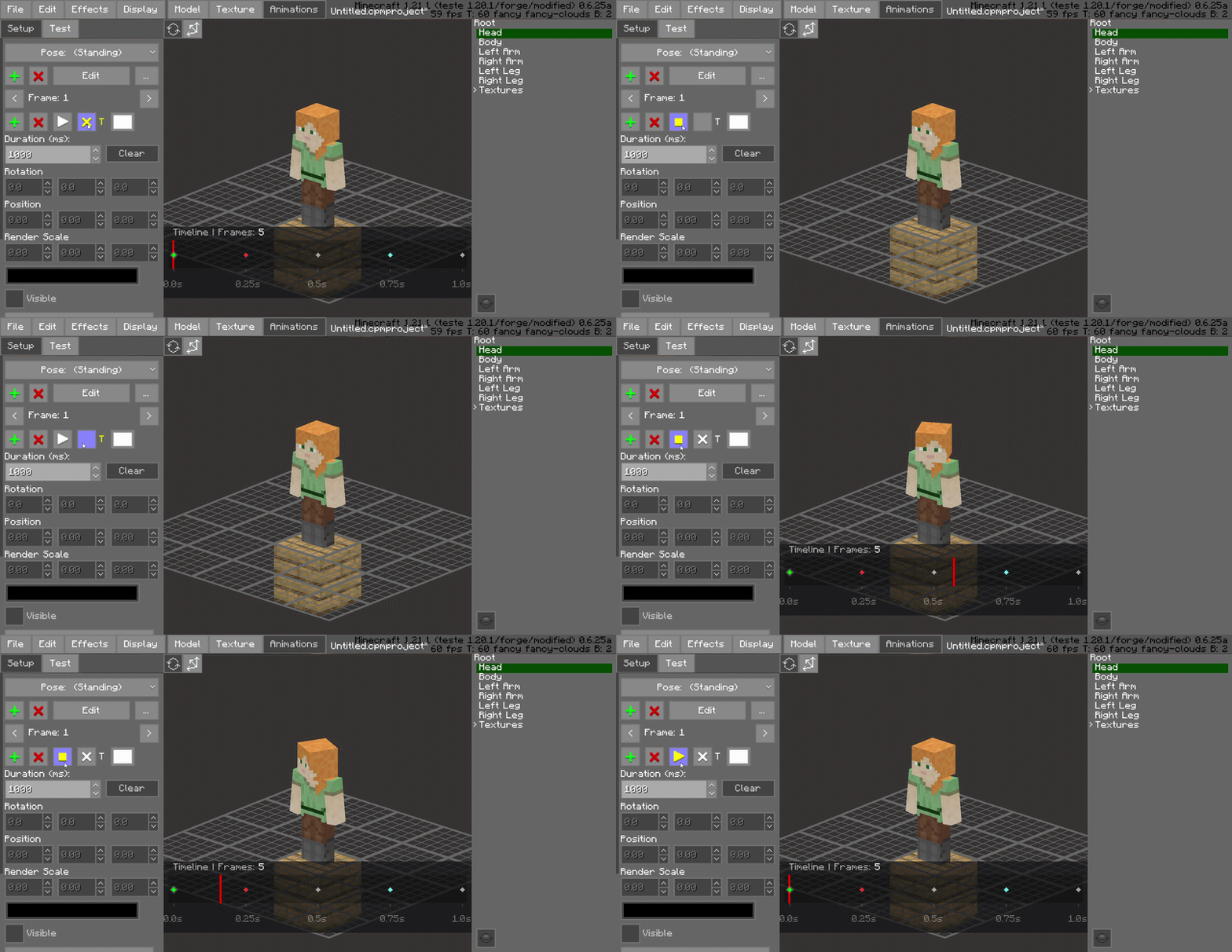
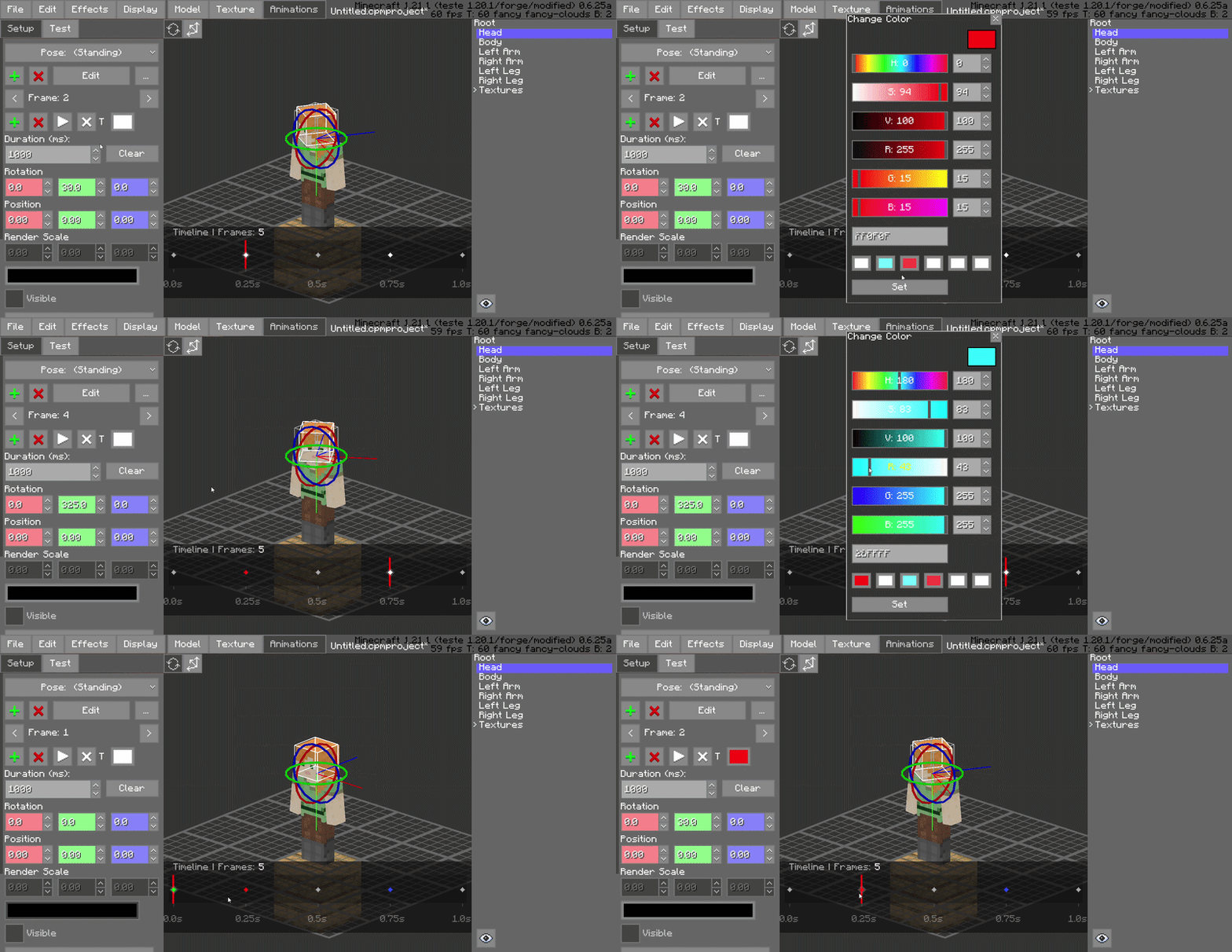
Frame Color-Coding (Painting)
Organize your project visually by "painting" frames with specific colors. Use this to categorize different animation states—such as startup, active, and recovery frames—improving workspace readability at a glance.
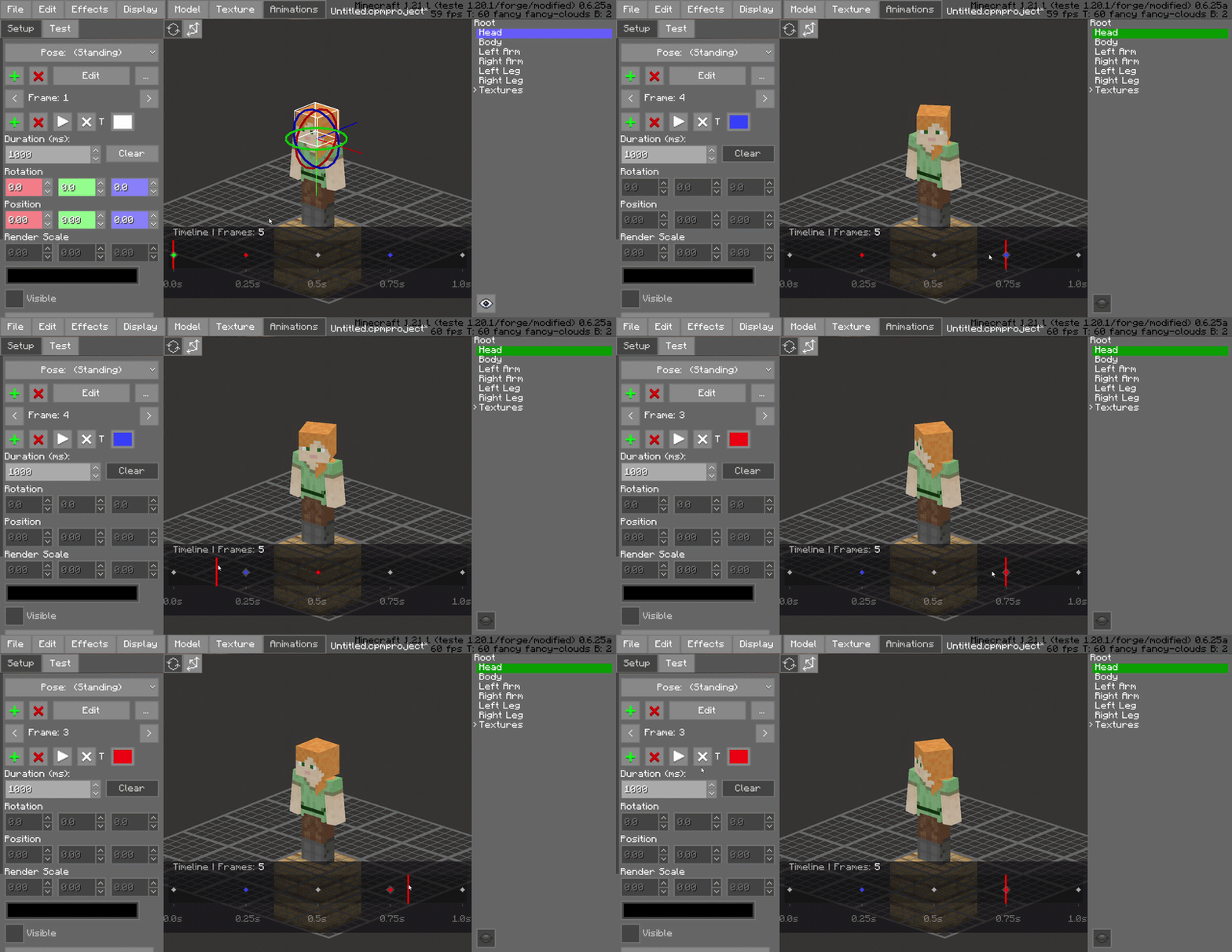
Drag-and-Drop Frame Management
Rearrange your animation sequence instantly. You can click and drag frames to new positions on the timeline, making it easy to experiment with timing and order without manual data entry.
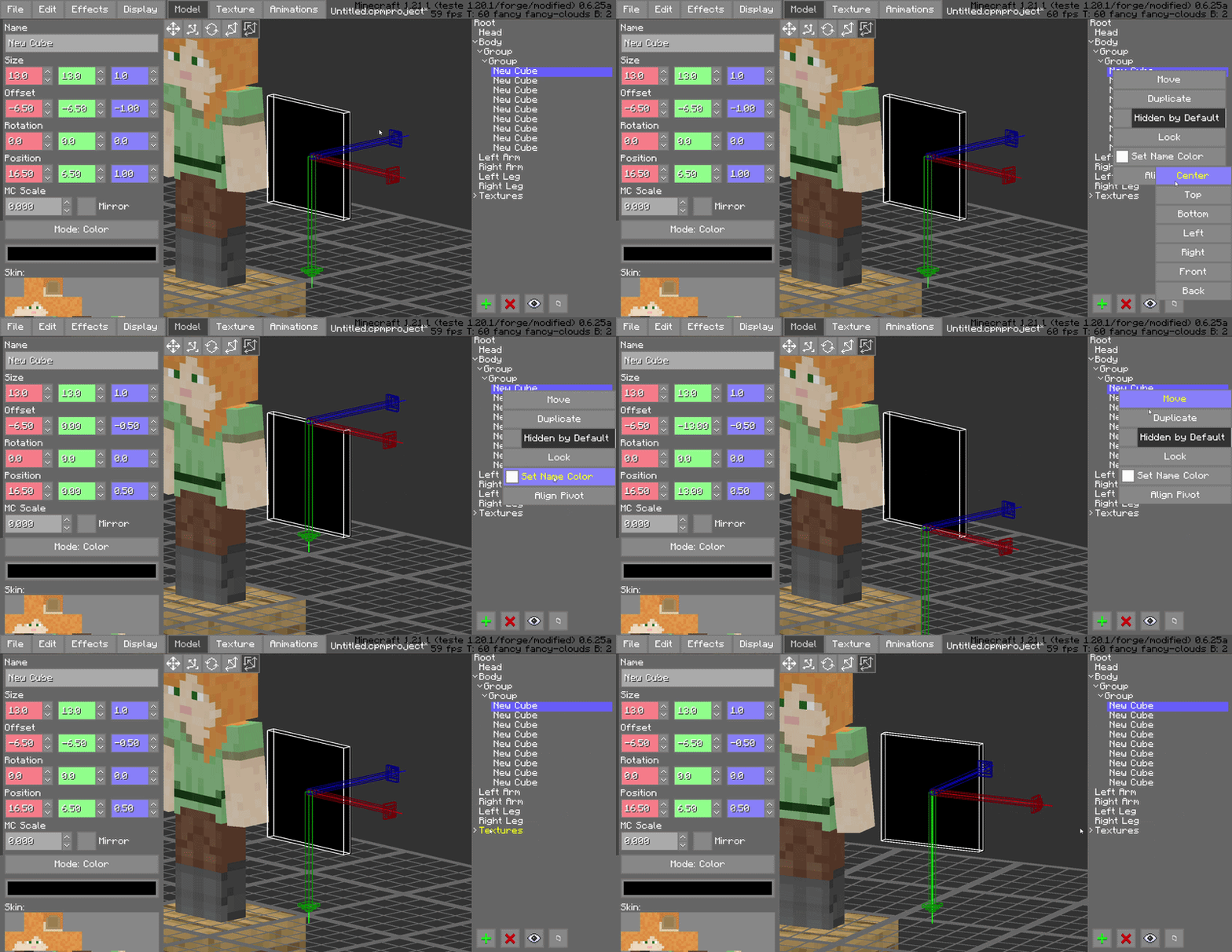
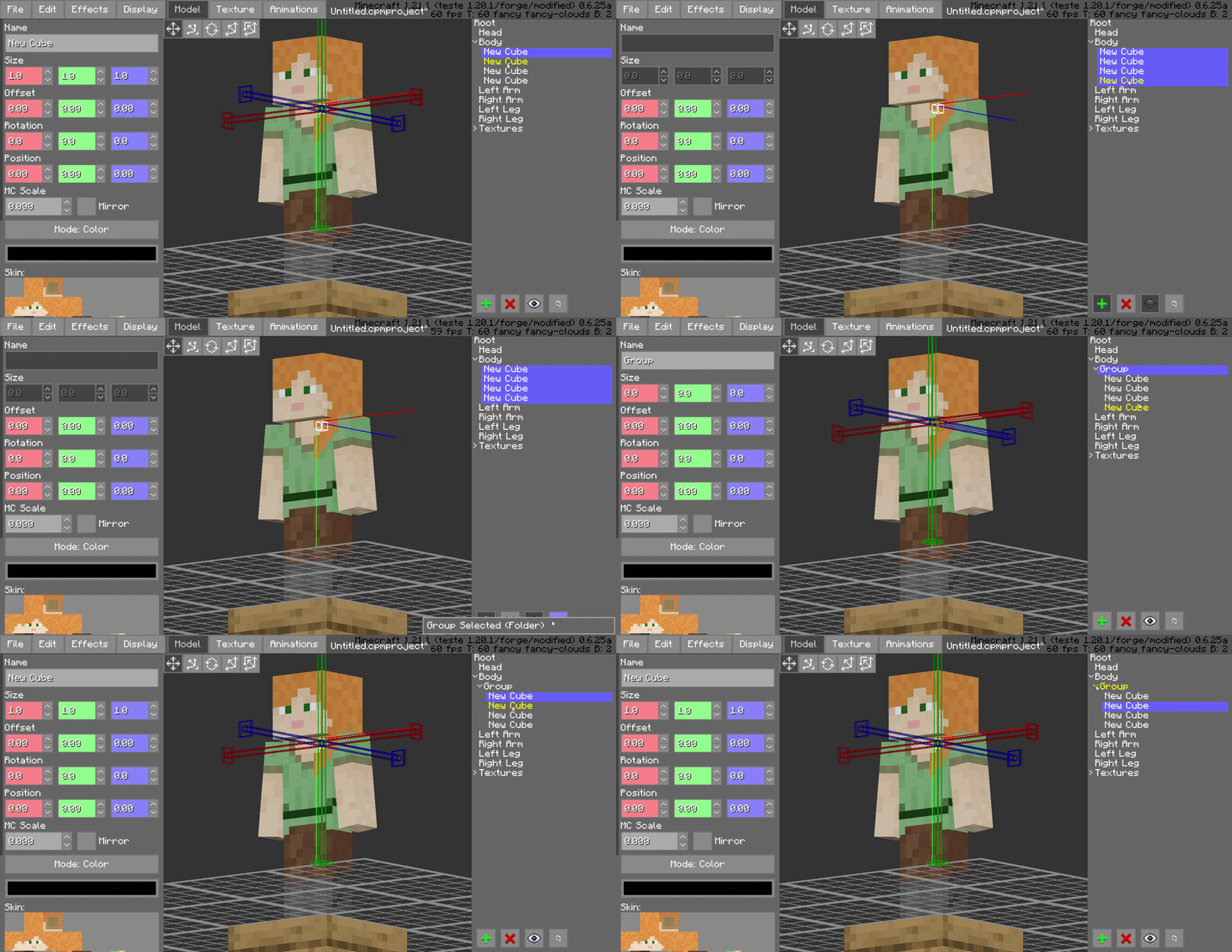
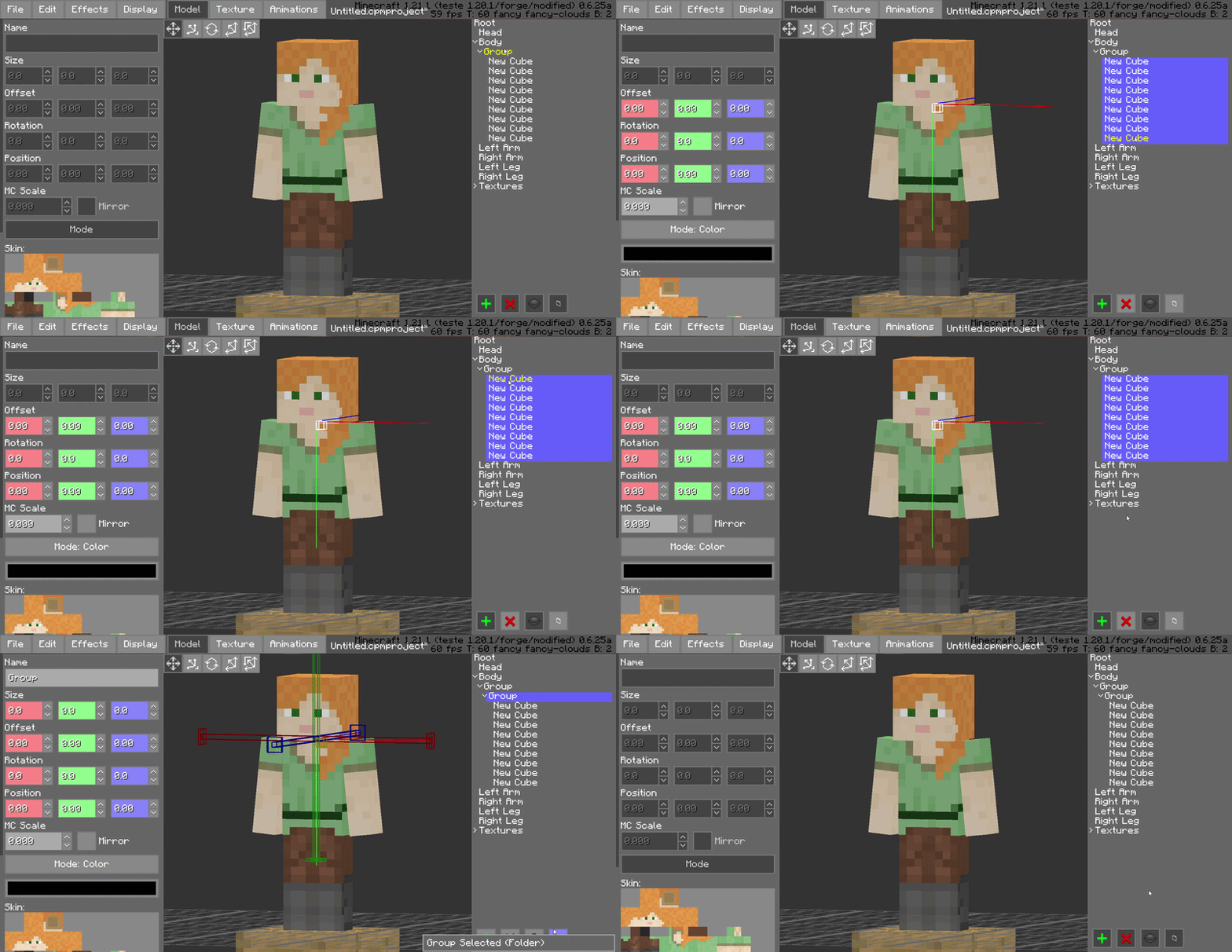
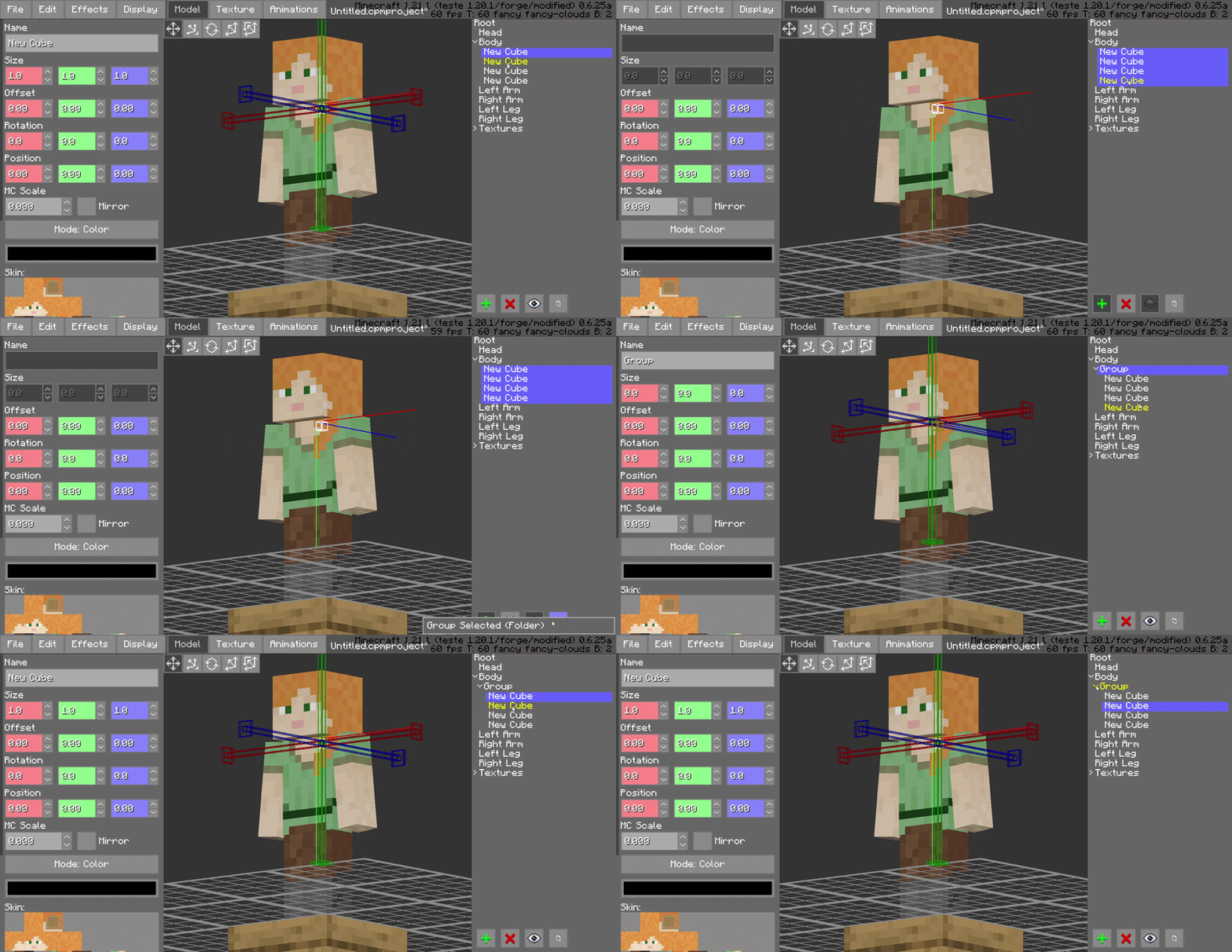
Hierarchical Folder Grouping
Keep your model tree clean by grouping bones and blocks into organized folders. This is essential for complex models, allowing you to collapse or expand entire sections of the rig to focus on what matters.
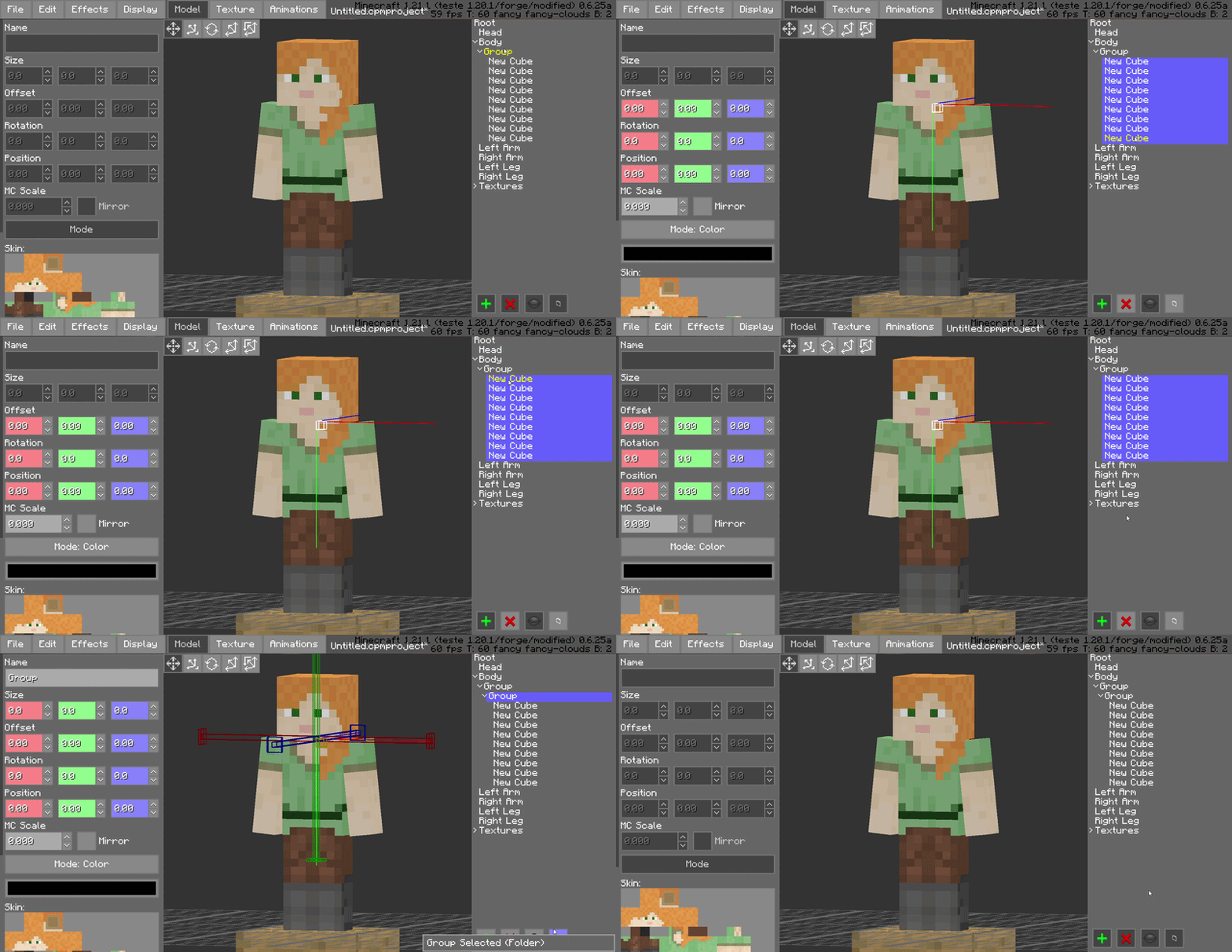
Advanced Shift-Selection
Standardized multi-selection support is here. Use Shift-Selection to pick multiple bones or blocks simultaneously, allowing you to perform bulk rotations, translations, or visibility toggles in a single step.
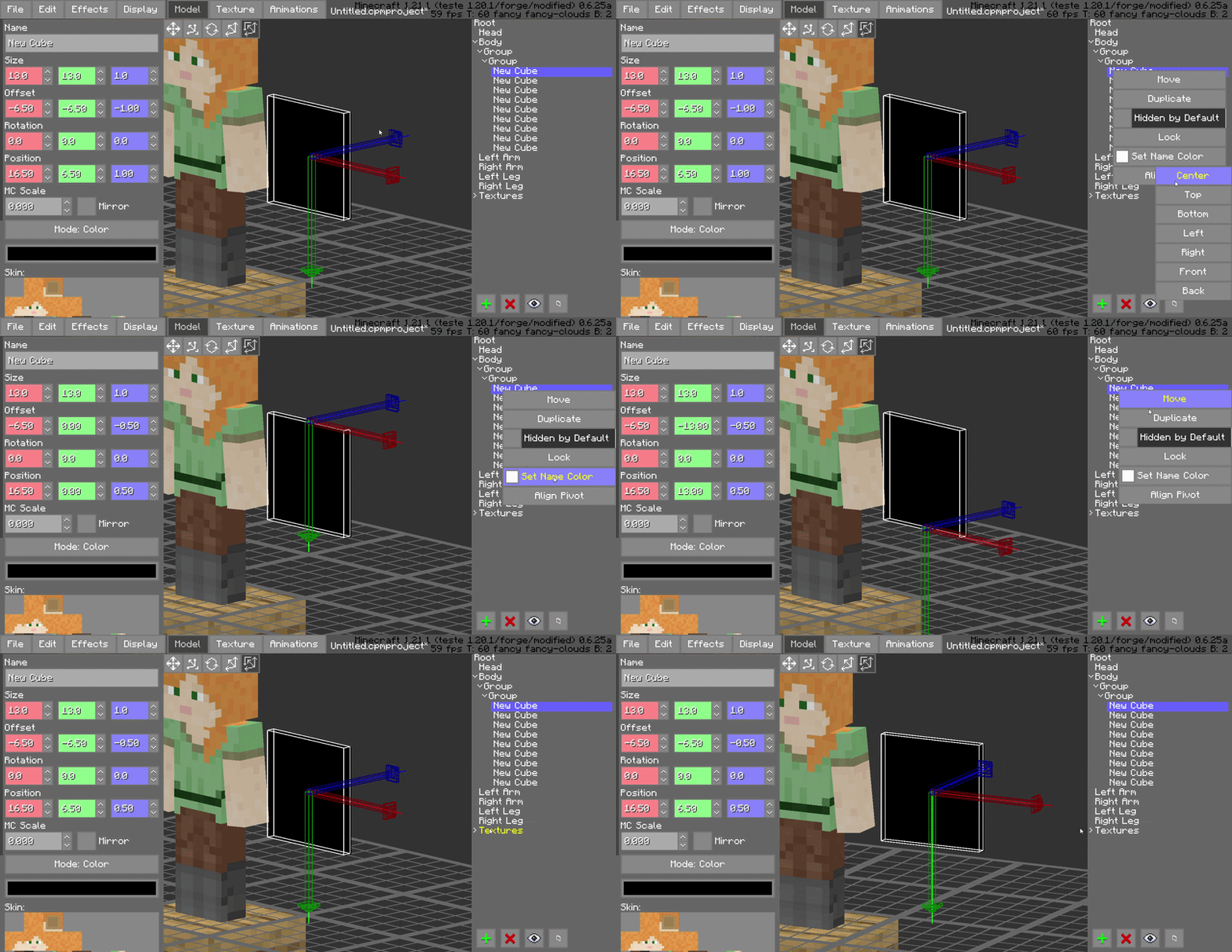
Pivot Alignment Utility
Streamline your rigging process with the dedicated pivot alignment tool. Quickly snap and align pivots to specific coordinates or vertices, ensuring perfect rotations for every joint in your model.
Compatibility
Minecraft Version: 1.18.2 to 1.21.x
Mod Loader: Forge 40.0.0+
Required Dependency: Customizable Player Models (CPM) v0.6.24~v0.6.25
Side: Client-side (Modeling tool)
Why This Mod?
For serious animators, time is the most valuable resource. CPM Frame Editor doesn't change what CPM can do; it changes how fast you can do it. By removing the repetitive manual tasks of the animation process, it turns a complex modeling session into a smooth experience.
Credits
Author: SatDPhoe


Available Versions
How to Install CPM Animator Utils on Your Server
Order Server
Order a Minecraft Java server with at least 3 GB RAM (4 GB recommended).
Set fabric Loader
In the panel under "Egg", select the fabric loader and matching Minecraft version (1.21.11).
Install Mod
Open the mod browser in the dashboard and search for "CPM Animator Utils". Click "Install" – done! Alternatively, upload the .jar via SFTP to the /mods folder.
Compatibility
Mod Loaders
Minecraft Versions
1.21.11, 1.21.10, 1.21.9 (+22 more)
Server-side
✗ UnsupportedRecommended RAM
4 GB(min. 3 GB)Frequently Asked Questions
CPM Animator Utils server crashes on startup – what to do?
Most common cause: wrong fabric version or insufficient RAM. Check the server log (latest.log) for "OutOfMemoryError" or "Mixin" errors. With Mado Hosting: ensure at least 3 GB RAM is allocated and the loader matches the mod version (1.21.11). You can switch loaders with one click in the panel.
Is CPM Animator Utils compatible with fabric and forge and neoforge?
CPM Animator Utils officially supports fabric, forge, neoforge for Minecraft 1.21.11, 1.21.10, 1.21.9. Note: Forge and Fabric mods are NOT cross-compatible – pick one loader and stick with it. The Mado dashboard automatically detects incompatible loader combinations.
Server lagging with CPM Animator Utils – how to optimize performance?
Recommended RAM: 4 GB (per 8 players). Use /spark profiler to check if CPM Animator Utils consumes the most tick time. Common fixes: reduce server view-distance to 8-10, install "performant" or "starlight" as supplementary mods on Forge. With Mado Hosting, your server runs on NVMe SSDs with dedicated CPU cores for minimal latency.
Similar Mods




![[ETF] Entity Texture Features](https://cdn.modrinth.com/data/BVzZfTc1/af683d206d50b05258d865b0d6e4aa2f2cee12f2_96.webp)
![[EMF] Entity Model Features](https://cdn.modrinth.com/data/4I1XuqiY/6e5bbd0d06b1741bfdab6c0cfab6de8fdaf0064c_96.webp)
Rent Modded Server
Install CPM Animator Utils with just one click on your server.