CPSDisplay
CPSDisplay (or CPSMod) shows your in-game cps and allows you to customize many things
Screenshots
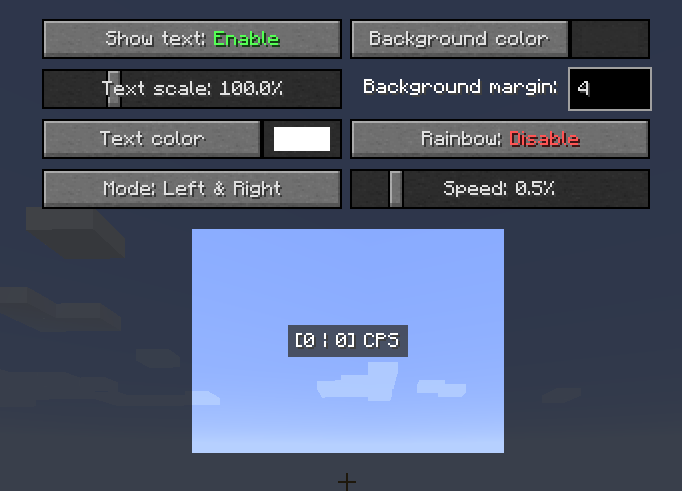
About this Mod
CPS Display [1.8.9 - 1.12.2] & 1.20.x
1.20+ are in delevopment (alpha) there is only custom text, text color & scaling available
CPS Display/CPS Mod is a forge mod for displaying your Clicks Per Seconds.
Links
I am making this mod in my free time, so if you want to help me, pay me a drink.
What you NEED to know
To configurate the mod hit P key (can be changed) or execute /cpsdisplay
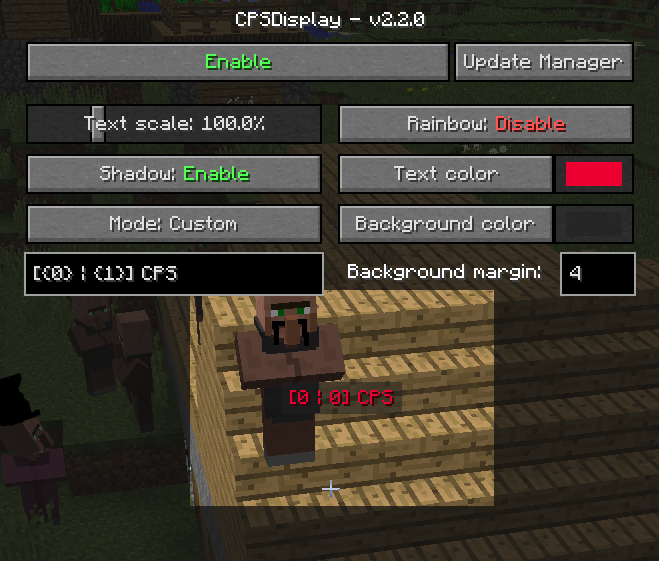
The mod offers a high level of customization and is automatically updated
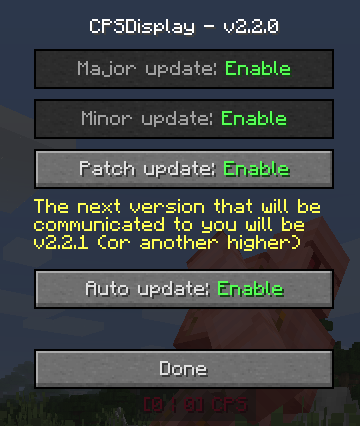
The mod features a built-in color selector for easy choice of the ideal color in the style of minecraft, but you can use resource packs for change its appearence.
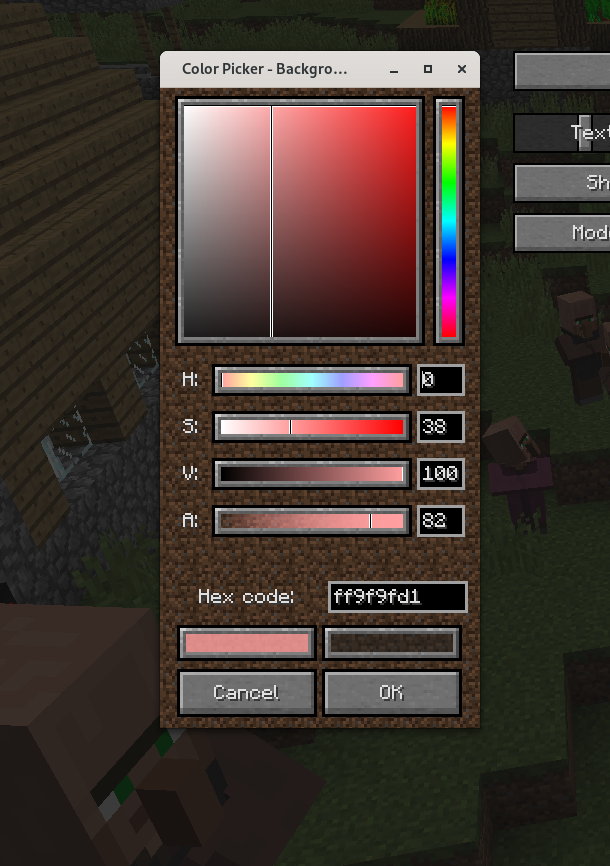
More about all the settings
Move
To move the text you simply need to hold click on the text and drag our mouse where you want.
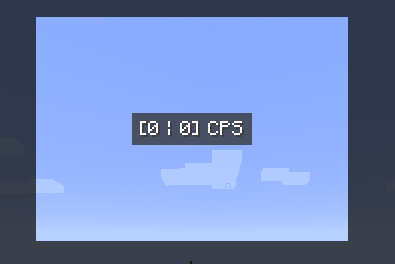
The GUI background is cut out around the text, so you can see what the text will look like during play.
Text shadow
You can enable or disable it
Text scale
From 10% to 400%
Text color
Click on the button to open the color selector and select the color you want (no opacity available, minecraft limitation).
Text mode
There are 4 different modes:
- Left
- Right
- Left & Right
- Custom
The first 3 modes have a default text, but can be redefined in the mod's lang files using resource packs.
Custom text
You have 999 characters available. {0} will be replaced by left clicks, {1} by right clicks.
You can use minecraft formatting (instead of § use &) and do things like this
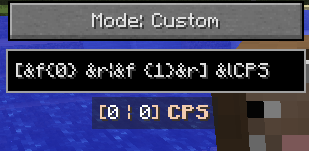
Rainbow
I usually call this the "epileptic mode" - the text color changes over time. Custom color is therefore not available, but you can use minecraft formatting as a workaround.
Background color
Same as text color, but this time alpha channel is available.
Background margin
How big is the background. Min: 0; Max: 99
And that's it
There is nothing more, but if you want more, you have 2 solutions:
- Join the discord server and create a new post about the idea you have in the suggestion channel
- If you have programming skills, feel free to fork the github project to add what you want and create a pull request for everyone to enjoy
Thanks
Available Versions
How to Install CPSDisplay on Your Server
Order Server
Order a Minecraft Java server with at least 3 GB RAM (4 GB recommended).
Set forge Loader
In the panel under "Egg", select the forge loader and matching Minecraft version (1.20.5).
Install Mod
Open the mod browser in the dashboard and search for "CPSDisplay". Click "Install" – done! Alternatively, upload the .jar via SFTP to the /mods folder.
Compatibility
Mod Loaders
Minecraft Versions
1.20.5, 1.20.4, 1.20.3 (+8 more)
Server-side
✗ UnsupportedRecommended RAM
4 GB(min. 3 GB)Frequently Asked Questions
CPSDisplay server crashes on startup – what to do?
Most common cause: wrong forge version or insufficient RAM. Check the server log (latest.log) for "OutOfMemoryError" or "Mixin" errors. With Mado Hosting: ensure at least 3 GB RAM is allocated and the loader matches the mod version (1.20.5). You can switch loaders with one click in the panel.
Is CPSDisplay compatible with forge?
CPSDisplay officially supports forge for Minecraft 1.20.5, 1.20.4, 1.20.3. The Mado dashboard automatically detects incompatible loader combinations.
Server lagging with CPSDisplay – how to optimize performance?
Recommended RAM: 4 GB (per 8 players). Use /spark profiler to check if CPSDisplay consumes the most tick time. Common fixes: reduce server view-distance to 8-10, install "performant" or "starlight" as supplementary mods on Forge. With Mado Hosting, your server runs on NVMe SSDs with dedicated CPU cores for minimal latency.
Similar Mods

![[ETF] Entity Texture Features](https://cdn.modrinth.com/data/BVzZfTc1/af683d206d50b05258d865b0d6e4aa2f2cee12f2_96.webp)
![[EMF] Entity Model Features](https://cdn.modrinth.com/data/4I1XuqiY/6e5bbd0d06b1741bfdab6c0cfab6de8fdaf0064c_96.webp)



Rent Modded Server
Install CPSDisplay with just one click on your server.