
Craft on Surface
Sequential in-world crafting by clicking on every solid surface
Screenshots
About this Mod
Another attempt to create versatile mod for in-world crafting. This mod was created for modpack makers to expand possible crafting while in early game stages.
First variant: Surface Crafting
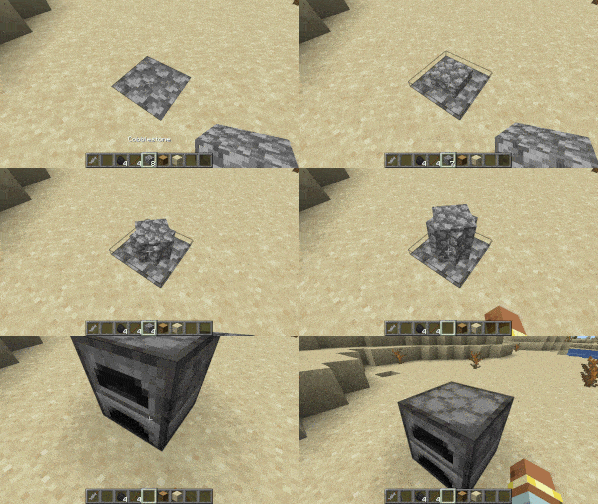
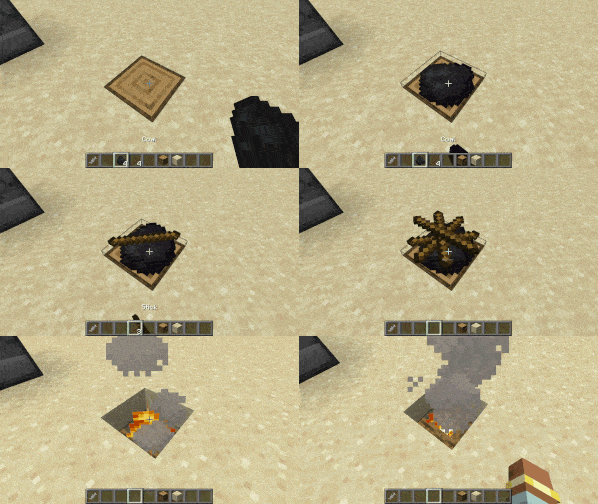
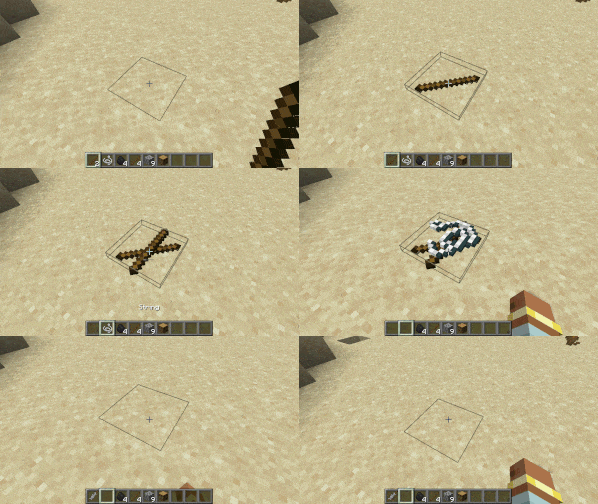
Place the first ingredient on any solid block to start crafting. Place another one above the first and so on. Shift-Right-Click with empty hand to attempt crafting. Right-Click with empty hand (or just left-click) to grab the topmost ingradient back to hotbar.
Maximum number of ingredients in sequence is 16. Also it is possible to specify which block exactly is needed for craft (block tags supported as well as special conditions "$solid" and "$nonsolid" for specifying any solid or non-solid block respectively).
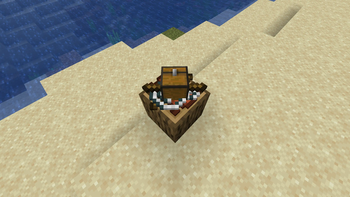
Output can be Item, which drops in world. Like this:
Or block can be crafted and placed:
Or result block can replace crafting block:
Second variant: Item to Fluid
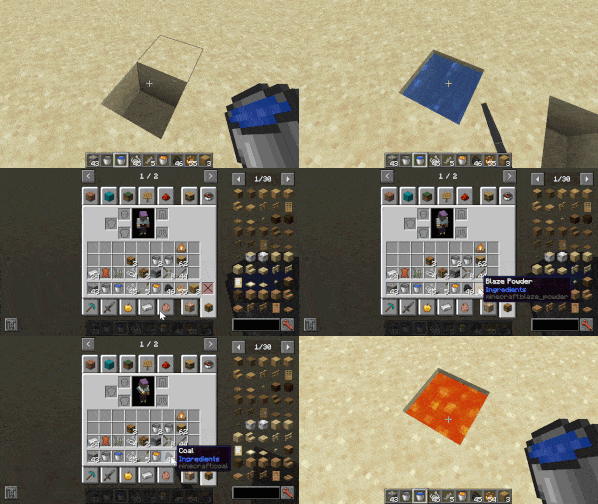
Toss items in fluid in any order to get the result. Items are invulnerable when they are used in a recipe (can't be exploded or burned, only despawned).
Maximum number of ingredients is 6. Desired fluid should be specified.
Out can either be an Item:
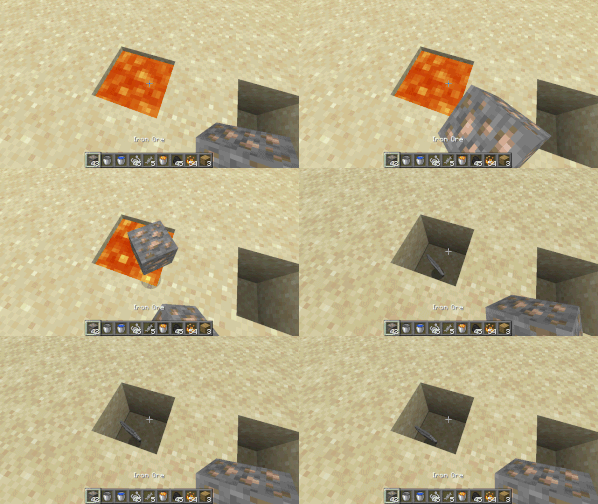
Or a new Fluid:
Features:
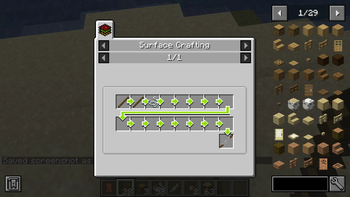
Full data-driven recipesJEI Integration
For a detailed manual on how to use these recipe types, please see included mod datapack.
Future plans:
Craft items by combining two liquids (like cobblestone generation)Craft items by hitting ingredients with an AnvilCraft items by throwing ingredients in fire
Your comments and suggestions are heartly welcome!
Available Versions
How to Install Craft on Surface on Your Server
Order Server
Order a Minecraft Java server with at least 3 GB RAM (4 GB recommended).
Set forge Loader
In the panel under "Egg", select the forge loader and matching Minecraft version (1.20.1).
Install Mod
Open the mod browser in the dashboard and search for "Craft on Surface". Click "Install" – done! Alternatively, upload the .jar via SFTP to the /mods folder.
Compatibility
Mod Loaders
Minecraft Versions
1.20.1
Server-side
✓ RequiredRecommended RAM
4 GB(min. 3 GB)Frequently Asked Questions
Craft on Surface server crashes on startup – what to do?
Most common cause: wrong forge version or insufficient RAM. Check the server log (latest.log) for "OutOfMemoryError" or "Mixin" errors. With Mado Hosting: ensure at least 3 GB RAM is allocated and the loader matches the mod version (1.20.1). You can switch loaders with one click in the panel.
Is Craft on Surface compatible with forge?
Craft on Surface officially supports forge for Minecraft 1.20.1. The Mado dashboard automatically detects incompatible loader combinations.
Server lagging with Craft on Surface – how to optimize performance?
Recommended RAM: 4 GB (per 8 players). Use /spark profiler to check if Craft on Surface consumes the most tick time. Common fixes: reduce server view-distance to 8-10, install "performant" or "starlight" as supplementary mods on Forge. With Mado Hosting, your server runs on NVMe SSDs with dedicated CPU cores for minimal latency.
Similar Mods




Rent Modded Server
Install Craft on Surface with just one click on your server.