
Craftlings
Summon fantasy themed mobs and watch them clash in epic free for all battles, or set up full scale wars in custom arenas.
Screenshots
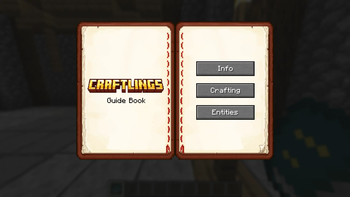
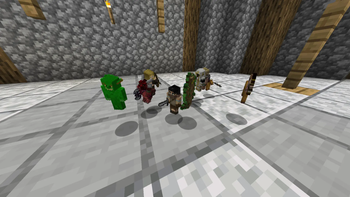
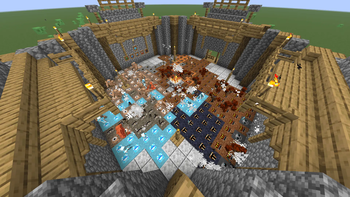
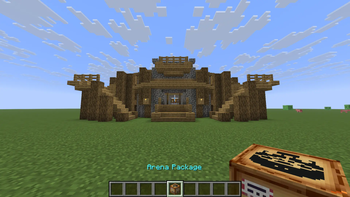
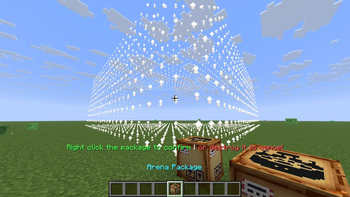
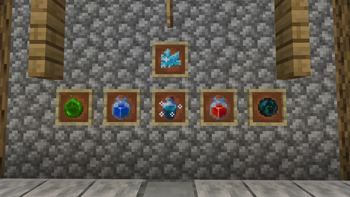
About this Mod


Craftlings is a sandbox battle mod that brings chaotic miniature warfare into Minecraft. Spawn fantasy themed Craftlings, and unleash epic battles from small battles to full scale arena wars.
Whether you’re in creative mode designing arenas or in survival mode collecting items, Craftlings makes every world feel alive with tiny armies and strategic fun. And yes, it’s fully multiplayer compatible, so you and your friends can join the chaos together! You will see battles spawning around your survival world time to time so you can encounter them in the wild!

- Miniature Armies – Summon Craftling mobs and watch them battle it out.
- Arena Battles – Build battlegrounds and host tournaments.
- Survival Integration – Acquire items naturally in survival mode.
- Shrink Mechanic – Shrink down to Craftling size for a new perspective.
- Player Control – Take direct control of your Craftlings with special items.
- Battle Management – Purge fights, recall armies, or reset the battlefield anytime.
- Multiplayer Compatible – Spawn mobs, build arenas, and battle with friends.

Craftlings isn’t just about mobs fighting — it’s about creativity, strategy, and hilarious chaos.
Host tournaments, recreate massive wars, or simply watch tiny armies tear each other apart.
Bring fantasy warfare to life, one Craftling at a time.

🔹 Easiest Method (Recommended)
- Download the Modrinth App
- The app automatically manages mods, updates, and loaders for you.
- Search for Craftlings in the app and click Install.
- The correct version of NeoForged will be set up automatically.
- Launch Minecraft and enjoy miniature battles! 🎉
🔹 Manual Method
Install NeoForged
- Download the recommended version of NeoForged for your Minecraft version.
- Run the installer and set it up.
Download Craftlings
- Get the latest
.jarfrom the [Files] tab above.
- Get the latest
Place in Mods Folder
- Go to your Minecraft installation directory.
- Open (or create) the
modsfolder. - Drop the
craftlings-<version>.jarfile inside.
Launch Minecraft
- Start Minecraft with the NeoForged profile.
- Craftlings should appear in your mods list!
Tips:
- Make sure both NeoForged and Craftlings are for the same Minecraft version (e.g.
1.21.8). - For multiplayer servers, install Craftlings on both the client and the server.

All Rights Reserved
- The source code of Craftlings is currently closed and not publicly available.
- You may not access, modify, decompile, or redistribute the code or binaries without explicit written permission from the author.
- Redistribution of the mod outside of official channels (e.g., Modrinth, CurseForge, or the author’s pages) is strictly prohibited.
🔒 Note: The source code may be made publicly available in the future, but until then it remains fully closed. Please respect the author’s decision and the work that has gone into this project.
Available Versions
How to Install Craftlings on Your Server
Order Server
Order a Minecraft Java server with at least 3 GB RAM (4 GB recommended).
Set neoforge Loader
In the panel under "Egg", select the neoforge loader and matching Minecraft version (1.21.8).
Install Mod
Open the mod browser in the dashboard and search for "Craftlings". Click "Install" – done! Alternatively, upload the .jar via SFTP to the /mods folder.
Compatibility
Mod Loaders
Minecraft Versions
1.21.8
Server-side
✓ RequiredRecommended RAM
4 GB(min. 3 GB)Frequently Asked Questions
Craftlings server crashes on startup – what to do?
Most common cause: wrong neoforge version or insufficient RAM. Check the server log (latest.log) for "OutOfMemoryError" or "Mixin" errors. With Mado Hosting: ensure at least 3 GB RAM is allocated and the loader matches the mod version (1.21.8). You can switch loaders with one click in the panel.
Is Craftlings compatible with neoforge?
Craftlings officially supports neoforge for Minecraft 1.21.8. The Mado dashboard automatically detects incompatible loader combinations.
Server lagging with Craftlings – how to optimize performance?
Recommended RAM: 4 GB (per 8 players). Use /spark profiler to check if Craftlings consumes the most tick time. Common fixes: reduce server view-distance to 8-10, install "performant" or "starlight" as supplementary mods on Forge. With Mado Hosting, your server runs on NVMe SSDs with dedicated CPU cores for minimal latency.
Similar Mods
![[EMF] Entity Model Features](https://cdn.modrinth.com/data/4I1XuqiY/6e5bbd0d06b1741bfdab6c0cfab6de8fdaf0064c_96.webp)


Rent Modded Server
Install Craftlings with just one click on your server.