
Create Aeronautics: Rope Fix
This mod fixes the problem where structures containing ropes lose their physical ropes after being copied by a Structure Block — or loaded from an NBT file. The knot texture stays rendered, but the rope is gone.
Screenshots
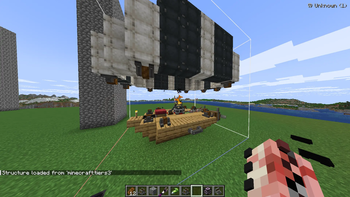
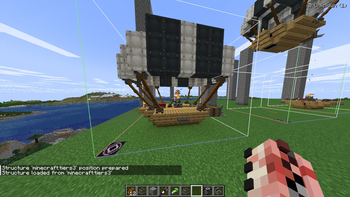
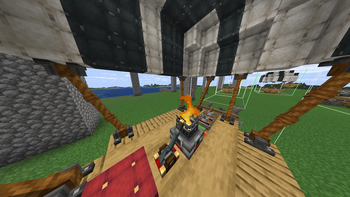
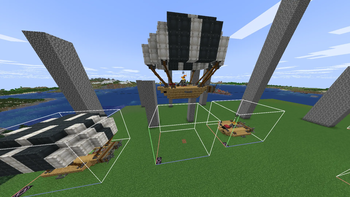
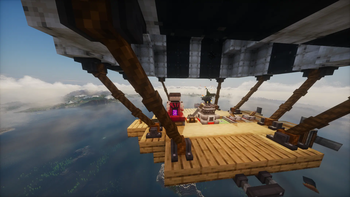
About this Mod
RopeFix is a small companion mod that repairs a critical bug affecting airships and any structure containing rope_connector and rope blocks from Create Aeronautics.
The Problem
When you copy a structure that contains ropes — for example an airship whose balloon is connected to the hull by ropes — and paste it using a Structure Block, a Create schematic, an NBT file loaded by another mod, or any template system, here's what happens:
The rope looks intact (the knot texture and attachment points are visible)
But the rope doesn't physically exist — you can't grab it, it doesn't swing, it has no physics
This happens because Create: Aeronautics saves rope strand data using absolute world coordinates.
When the structure is pasted at a new location, those coordinates still point to the original build — the rope engine destroys the strand immediately, but the visual knot survives, giving the illusion of a working rope.
The Fix
RopeFix intercepts the rope data at load time, detects that the connector was relocated (its saved anchor no longer matches its real position), strips the broken strand before the rope engine ever sees it, and automatically re-creates the rope at the correct position on the next server tick.
Physics assembly (Sable sub-levels) is fully handled: the mod recognises world↔plot coordinate transfers and leaves them untouched, so assembled airships keep their ropes through physics simulation.
Issues
please, report any bugs or else here, I will fix it as fast as possible
Requirements
Notes:
Structures pasted before installing RopeFix can't be auto-repaired — re-paste them once with the mod installed.
Available Versions
How to Install Create Aeronautics: Rope Fix on Your Server
Order Server
Order a Minecraft Java server with at least 4 GB RAM (6 GB recommended).
Set neoforge Loader
In the panel under "Egg", select the neoforge loader and matching Minecraft version (1.21.1).
Install Mod
Open the mod browser in the dashboard and search for "Create Aeronautics: Rope Fix". Click "Install" – done! Alternatively, upload the .jar via SFTP to the /mods folder.
Compatibility
Mod Loaders
Minecraft Versions
1.21.1
Server-side
✓ RequiredRecommended RAM
6 GB(min. 4 GB)Frequently Asked Questions
Create Aeronautics: Rope Fix server crashes on startup – what to do?
Most common cause: wrong neoforge version or insufficient RAM. Check the server log (latest.log) for "OutOfMemoryError" or "Mixin" errors. With Mado Hosting: ensure at least 4 GB RAM is allocated and the loader matches the mod version (1.21.1). You can switch loaders with one click in the panel.
Is Create Aeronautics: Rope Fix compatible with neoforge?
Create Aeronautics: Rope Fix officially supports neoforge for Minecraft 1.21.1. The Mado dashboard automatically detects incompatible loader combinations.
Server lagging with Create Aeronautics: Rope Fix – how to optimize performance?
Recommended RAM: 6 GB (per 5 players). Use /spark profiler to check if Create Aeronautics: Rope Fix consumes the most tick time. Common fixes: reduce server view-distance to 8-10, install "performant" or "starlight" as supplementary mods on Forge. With Mado Hosting, your server runs on NVMe SSDs with dedicated CPU cores for minimal latency.
Similar Mods




Rent Modded Server
Install Create Aeronautics: Rope Fix with just one click on your server.
Details
- License
- Creative Commons Attribution No Derivatives 4.0 International
- Server-side
- Required