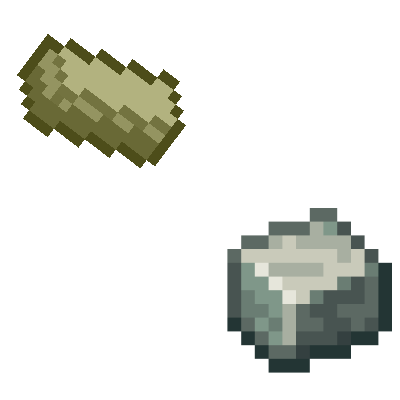
Create: Alloyed by zeke
A mod that add mining to get andersite alloyed in create the mod This will make alloyed for the mines not the trees in the overwolrd
Screenshots
About this Mod
Alloyed adds an alternative way to produce Andesite Alloy by mining a unique ore found deep in caves, rather than relying on the traditional tree-based recipes from the Create mod. This mod is designed to integrate smoothly with any version of Create, but if the Create mod is not present, the ore will still generate naturally in the world — though it will be unusable for crafting.
How it works:
Explore underground to find the new Alloyed Ore embedded in cave walls.
Mine the ore to collect raw materials for Andesite Alloy.
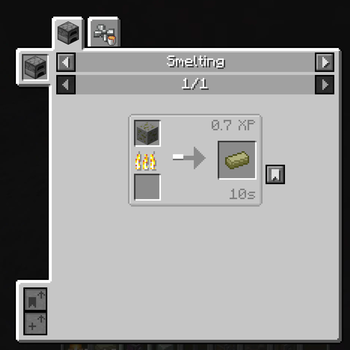
Smelt the ore in a standard furnace to prepare it for alloying.
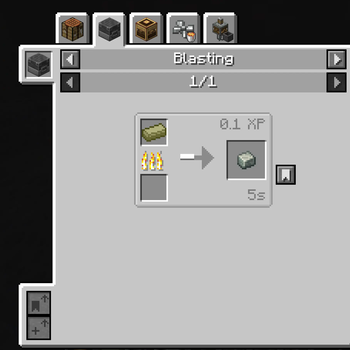
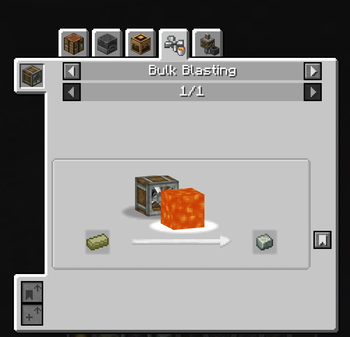
Use a Blast Furnace or the Create mod’s Blasting Machine to complete the alloying process and obtain Andesite Alloy.
This approach encourages exploration and mining, giving players a fresh way to gather materials for Create mod machinery and components without needing to farm trees or depend on other methods.
Compatible with all Create mod versions, Alloyed ensures your world generation and crafting options stay flexible. Perfect for players who want to expand their resource gathering with immersive, cave-focused gameplay.
Special thanks to the creator of the Create mod for their amazing work and inspiration.
Disclaimer: Without the Create mod installed, this mod’s features may not function as intended. The ore will generate but cannot be used for crafting or processing.
Available Versions
How to Install Create: Alloyed by zeke on Your Server
Order Server
Order a Minecraft Java server with at least 4 GB RAM (6 GB recommended).
Set forge Loader
In the panel under "Egg", select the forge loader and matching Minecraft version (1.20.1).
Install Mod
Open the mod browser in the dashboard and search for "Create: Alloyed by zeke". Click "Install" – done! Alternatively, upload the .jar via SFTP to the /mods folder.
Compatibility
Mod Loaders
Minecraft Versions
1.20.1
Server-side
✓ RequiredRecommended RAM
6 GB(min. 4 GB)Frequently Asked Questions
Create: Alloyed by zeke server crashes on startup – what to do?
Most common cause: wrong forge version or insufficient RAM. Check the server log (latest.log) for "OutOfMemoryError" or "Mixin" errors. With Mado Hosting: ensure at least 4 GB RAM is allocated and the loader matches the mod version (1.20.1). You can switch loaders with one click in the panel.
Is Create: Alloyed by zeke compatible with forge?
Create: Alloyed by zeke officially supports forge for Minecraft 1.20.1. The Mado dashboard automatically detects incompatible loader combinations.
Server lagging with Create: Alloyed by zeke – how to optimize performance?
Recommended RAM: 6 GB (per 5 players). Use /spark profiler to check if Create: Alloyed by zeke consumes the most tick time. Common fixes: reduce server view-distance to 8-10, install "performant" or "starlight" as supplementary mods on Forge. With Mado Hosting, your server runs on NVMe SSDs with dedicated CPU cores for minimal latency.
Similar Mods



Rent Modded Server
Install Create: Alloyed by zeke with just one click on your server.