
Create: Arm Limit
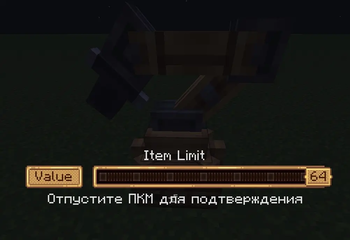
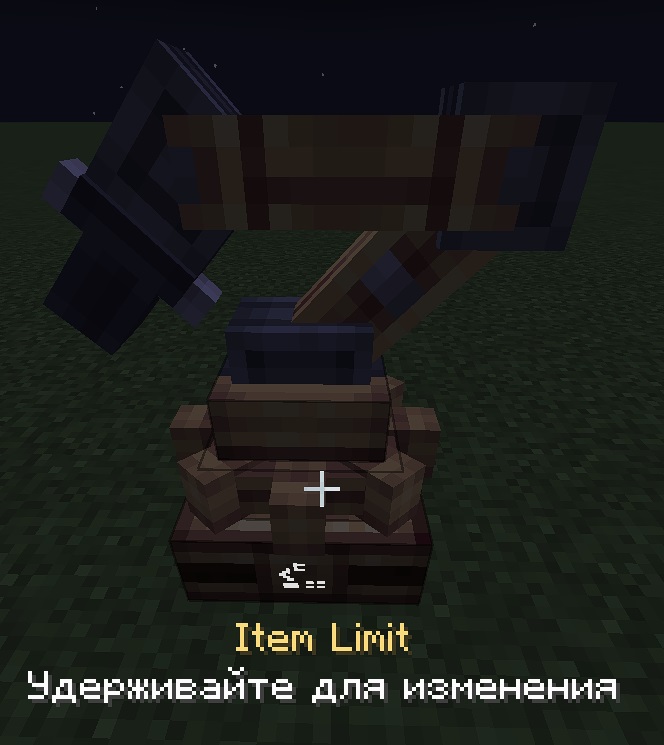
Adds a configurable item limit to the Mechanical Arm choose exactly how many items it picks up instead of always grabbing a full stack.
Screenshots
About this Mod
Extends Create's Mechanical Arm with a customizable pickup count. Instead of always taking 64 items, you can now set any amount giving you precise control over your contraption's item flow.
- Holding the RMB on the gear will open the limit setting window.
- You can also set an item filter and an attribute filter for the robotic arm; this is done to the right of the Distribution Method setting.
I also plan to create a massive mod that will add lots of useful and general quality-of-life (QoL) features to Create and possibly its add-ons, so feel free to leave your QoL ideas—I’ll do my best to implement them in my next mod!
You can leave your suggestions in the comments section of this mod or in the Issues on GitHub for Create: Massive QoL
Available Versions
How to Install Create: Arm Limit on Your Server
Order Server
Order a Minecraft Java server with at least 4 GB RAM (6 GB recommended).
Set neoforge Loader
In the panel under "Egg", select the neoforge loader and matching Minecraft version (1.21.1).
Install Mod
Open the mod browser in the dashboard and search for "Create: Arm Limit". Click "Install" – done! Alternatively, upload the .jar via SFTP to the /mods folder.
Compatibility
Mod Loaders
Minecraft Versions
1.21.1
Server-side
✓ RequiredRecommended RAM
6 GB(min. 4 GB)Frequently Asked Questions
Create: Arm Limit server crashes on startup – what to do?
Most common cause: wrong neoforge version or insufficient RAM. Check the server log (latest.log) for "OutOfMemoryError" or "Mixin" errors. With Mado Hosting: ensure at least 4 GB RAM is allocated and the loader matches the mod version (1.21.1). You can switch loaders with one click in the panel.
Is Create: Arm Limit compatible with neoforge?
Create: Arm Limit officially supports neoforge for Minecraft 1.21.1. The Mado dashboard automatically detects incompatible loader combinations.
Server lagging with Create: Arm Limit – how to optimize performance?
Recommended RAM: 6 GB (per 5 players). Use /spark profiler to check if Create: Arm Limit consumes the most tick time. Common fixes: reduce server view-distance to 8-10, install "performant" or "starlight" as supplementary mods on Forge. With Mado Hosting, your server runs on NVMe SSDs with dedicated CPU cores for minimal latency.
Similar Mods




Rent Modded Server
Install Create: Arm Limit with just one click on your server.