
Create: Avionics — ComputerCraft for Aeronautics
CC: Tweaked peripherals for Create: Simulated and Create: Aeronautics.
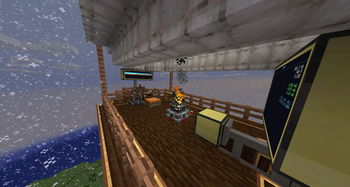
Screenshots
About this Mod
Create: Avionics
Make your airship fly itself.
CC: Tweaked peripherals for every instrumentable block in Create: Aeronautics. Read attitude, altitude, velocity, bearing. Drive throttle, propellers, balloon gas. Write your autopilot in Lua (that's a bad pitch, but still!)
Build
- Altitude-hold for hot-air balloons
- Heading-and-pitch autopilots for propeller aircraft
- Cruise control bound to a steering wheel
- Tracked turrets for mounted potato cannons
- Whatever else you can write a control loop for
Start
Heading hold on a twin-engine ship:
local nav        = peripheral.find("navigation_table")
local port, stbd = peripheral.find("analog_transmission")
local target     = nav.getHeadingRad()

while true do
    local err = (target - nav.getHeadingRad() + math.pi) % (2*math.pi) - math.pi
    local diff = math.max(-5, math.min(5, err * 4))
    port.setSignal(7 - diff); stbd.setSignal(7 + diff)
    sleep(0.05)
end
Three peripherals, one P-controller, the ship locks heading. Every Aeronautics (and nearly every Create) block is a peripheral — read sensors, set actuators, write the loop you want.
Not just aircraft
The same peripheral.find() surface drives lifts, vehicles, and your whole rotational network — not only things that fly.
Create Elevators — enumerate floors, call the cabin, read where it is:
local lift = peripheral.find("Create_ElevatorPulley")
lift.setTargetFloor(lift.getFloors()[3].y)   -- send the cabin to the 3rd floor
repeat sleep(0.1) until lift.isArrived()
print("Arrived: " .. lift.getCurrentFloor().short_name)
Kinetic SCADA — walk the rotation network, alarm on overstress:
local draw, capacity = 0, 0
for _, name in ipairs(peripheral.getNames()) do
    local p = peripheral.wrap(name)
    if p.getNetworkId then                       -- any kinetic block
        draw     = draw     + p.getStressImpact()
        capacity = capacity + p.getStressContribution()
        if p.isOverstressed() then
            print("OVERSTRESSED " .. p.getSelfId() .. " (" .. p.getKind() .. ")")
        end
    end
end
print(("Network load: %.0f / %.0f SU"):format(draw, capacity))
Vehicles — steering and brake override on wheel mounts:
for _, w in ipairs({ peripheral.find("wheel_mount") }) do
    w.setSteering(0.5)                                       -- -1..1  ->  +/-30 deg
    if w.getTouchingFriction() < 0.5 then w.setBrake(0) end  -- ease off on slippery stuff
end
getKind, getSubnetworkAnchorId, getColumnContacts, getTouchingFriction — the read side is as rich as the write side.
Full API docs — units, body-frame conventions, every method.
Read the parallel guide. 5 Hz and 20 Hz feel different.
Install
Needs: MC 1.21.1 · NeoForge 21.1.219+ · Create 6.0.10+ · Simulated/Aeronautics/Offroad 1.2.1+ · Sable 1.1.0+ · CC: Tweaked 1.115+
Pairs with
Source · Issues
github.com/SolAstrius/CreateAvionics
MIT. Built on RyanHCode's CC peripheral foundation in Simulated — NOTICE.
Created by yours truly, Sol Astrius Phoenix.
Available Versions
How to Install Create: Avionics — ComputerCraft for Aeronautics on Your Server
Order Server
Order a Minecraft Java server with at least 4 GB RAM (6 GB recommended).
Set neoforge Loader
In the panel under "Egg", select the neoforge loader and matching Minecraft version (1.21.1).
Install Mod
Open the mod browser in the dashboard and search for "Create: Avionics — ComputerCraft for Aeronautics". Click "Install" – done! Alternatively, upload the .jar via SFTP to the /mods folder.
Compatibility
Mod Loaders
Minecraft Versions
1.21.1
Server-side
✓ RequiredRecommended RAM
6 GB(min. 4 GB)Frequently Asked Questions
Create: Avionics — ComputerCraft for Aeronautics server crashes on startup – what to do?
Most common cause: wrong neoforge version or insufficient RAM. Check the server log (latest.log) for "OutOfMemoryError" or "Mixin" errors. With Mado Hosting: ensure at least 4 GB RAM is allocated and the loader matches the mod version (1.21.1). You can switch loaders with one click in the panel.
Is Create: Avionics — ComputerCraft for Aeronautics compatible with neoforge?
Create: Avionics — ComputerCraft for Aeronautics officially supports neoforge for Minecraft 1.21.1. The Mado dashboard automatically detects incompatible loader combinations.
Server lagging with Create: Avionics — ComputerCraft for Aeronautics – how to optimize performance?
Recommended RAM: 6 GB (per 5 players). Use /spark profiler to check if Create: Avionics — ComputerCraft for Aeronautics consumes the most tick time. Common fixes: reduce server view-distance to 8-10, install "performant" or "starlight" as supplementary mods on Forge. With Mado Hosting, your server runs on NVMe SSDs with dedicated CPU cores for minimal latency.
Similar Mods




Rent Modded Server
Install Create: Avionics — ComputerCraft for Aeronautics with just one click on your server.