Create: Backtank Trims & Dyes
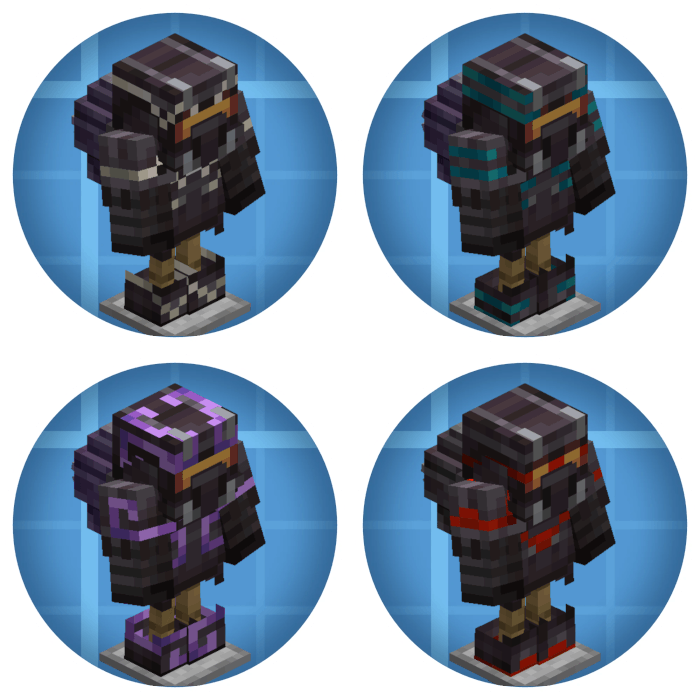
Adds trims & Dyables helmets to Create's Diving armor!
Screenshots
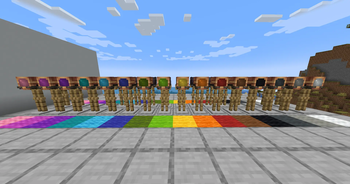
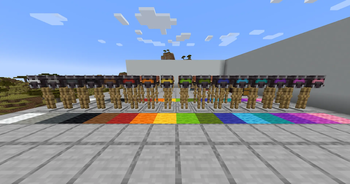
About this Mod
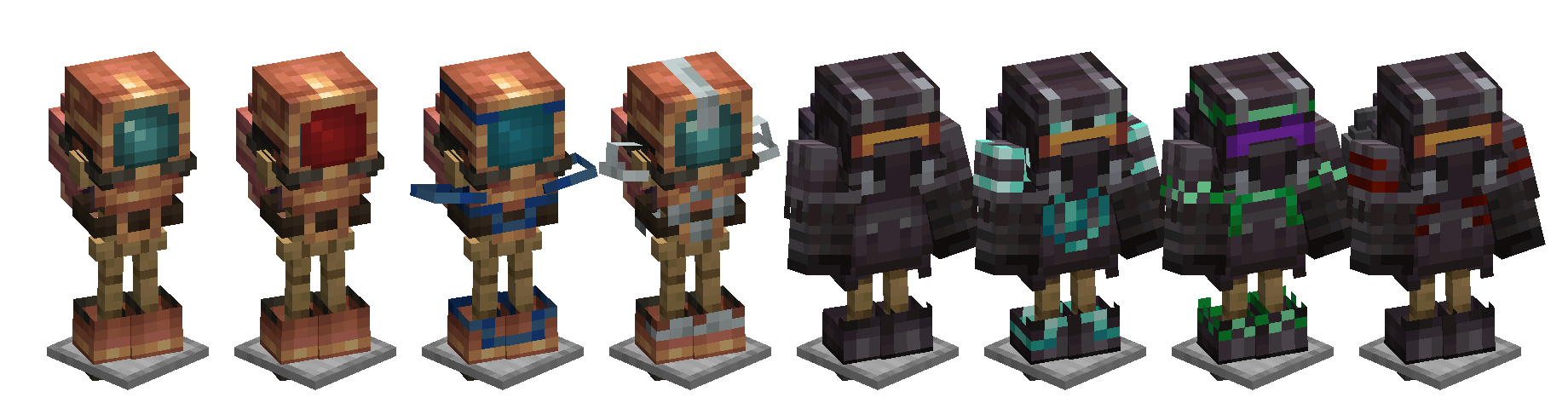
Create: Backtank Trims
Smithing-table/render armor trims and dyeable visors for Create's diving gear.
Create's diving helmets, diving boots and backtanks are armor, but the Create devs never implemented trimming properly and disabled it as a bandaid fix. This mod properly integrates them and adds a little visual flair on top.
✨ Features
Trim every piece
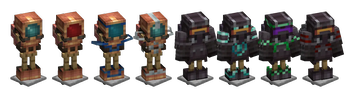
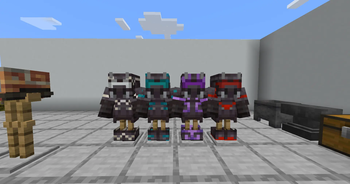
All six of Create's diving items are now valid smithing-table inputs. Trims are now rendered using minecraft's trim renderer (which may make some trims silly)
Dyeable visors
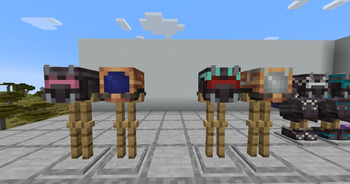
Visors! Colour em'! Drop a helmet into a crafting grid with any dye - combine several dyes for blended hues, just like leather armor, and clean it off with a cauldron.
Pulsating visors
Craft a dyed helmet together with an amethyst shard and the visor slowly breathes and pulses!
Plays nice with Create: Jetpack
The netherite jetpack from Create: Jetpack uses Create's same custom render path as the netherite backtank, so its trim used to be invisible. This mod renders trims correctly on both jetpack variants too.
Is your favorite mod unsupported? Let us know!
🛠 Quick guide
| Want to | Do this |
|---|---|
| Trim a piece | Smithing table: piece + smithing template + trim material |
| Dye the visor | Crafting grid: diving helmet + any dye(s) |
| Make it pulse | Crafting grid: dyed helmet + amethyst shard |
| Wash a helmet | Right-click a water cauldron while holding the helmet |
📦 Compatibility
- Requires: Minecraft 1.20.1 (Forge / NeoForge) or 1.21.1 (NeoForge), with Create 6.0.0+
- Optional cross-mod support: Create: Jetpack
- Client + server: install on both sides of a multiplayer setup
🐛 Issues & suggestions
This mod exists because Create issue #6213 sat open forever. If you find anything else broken or have an idea, file it on the GitHub repository.
📜 License
Apache 2.0. Create is a separate project with its own license; this mod only depends on it at runtime.
Available Versions
How to Install Create: Backtank Trims & Dyes on Your Server
Order Server
Order a Minecraft Java server with at least 4 GB RAM (6 GB recommended).
Set forge Loader
In the panel under "Egg", select the forge loader and matching Minecraft version (1.21.1).
Install Mod
Open the mod browser in the dashboard and search for "Create: Backtank Trims & Dyes". Click "Install" – done! Alternatively, upload the .jar via SFTP to the /mods folder.
Compatibility
Mod Loaders
Minecraft Versions
1.21.1, 1.20.1
Server-side
~ OptionalRecommended RAM
6 GB(min. 4 GB)Frequently Asked Questions
Create: Backtank Trims & Dyes server crashes on startup – what to do?
Most common cause: wrong forge version or insufficient RAM. Check the server log (latest.log) for "OutOfMemoryError" or "Mixin" errors. With Mado Hosting: ensure at least 4 GB RAM is allocated and the loader matches the mod version (1.21.1). You can switch loaders with one click in the panel.
Is Create: Backtank Trims & Dyes compatible with forge and neoforge?
Create: Backtank Trims & Dyes officially supports forge, neoforge for Minecraft 1.21.1, 1.20.1. The Mado dashboard automatically detects incompatible loader combinations.
Server lagging with Create: Backtank Trims & Dyes – how to optimize performance?
Recommended RAM: 6 GB (per 5 players). Use /spark profiler to check if Create: Backtank Trims & Dyes consumes the most tick time. Common fixes: reduce server view-distance to 8-10, install "performant" or "starlight" as supplementary mods on Forge. With Mado Hosting, your server runs on NVMe SSDs with dedicated CPU cores for minimal latency.
Similar Mods




![[ETF] Entity Texture Features](https://cdn.modrinth.com/data/BVzZfTc1/af683d206d50b05258d865b0d6e4aa2f2cee12f2_96.webp)
![[EMF] Entity Model Features](https://cdn.modrinth.com/data/4I1XuqiY/6e5bbd0d06b1741bfdab6c0cfab6de8fdaf0064c_96.webp)
Rent Modded Server
Install Create: Backtank Trims & Dyes with just one click on your server.