
Create: Canvas Contraption
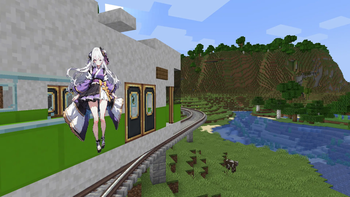
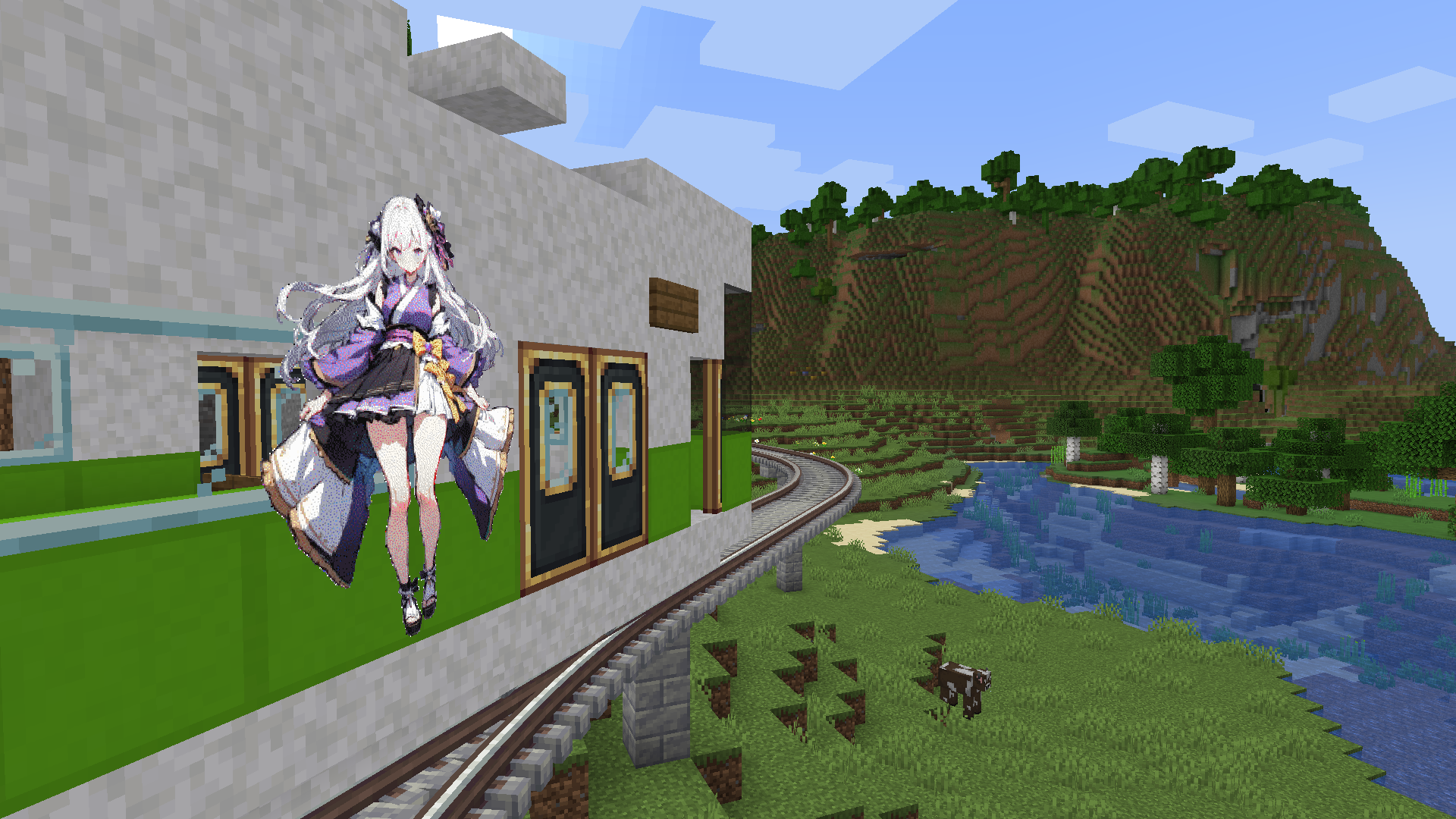
Adds support for Create contraptions — place images as map-based block entities.
Screenshots
About this Mod
Create: Canvas Contraptions
🇯🇵日本語の説明は英語の下にあります!
Version: 0.1.2
Minecraft Version: Forge 1.20.1 / NeoForge 1.21.1
Create Version: 6.0.6-6.0.8 / 6.0.6-6.0.10
Overview
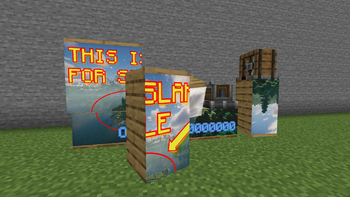
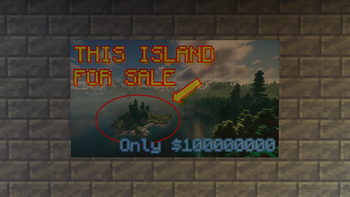
Create: Canvas Contraptions is a Minecraft mod that brings dynamic image display to your world. Import images from your system as maps and place them on blocks. Because it is fully integrated with the Create mod, these images can be placed on moving Contraptions and Trains.
- Also works with Create Aeronautics!
Features
Items
- Blank Drafting Paper: The starting point for your art. Right-click this item to import an image from your system. Once imported, it becomes a Filled Drafting Paper.
- Filled Drafting Paper: Allows you to select image tiles and place them onto blocks.
- Note: This item is consumed upon use.
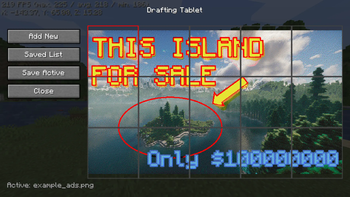
- Drafting Tablet: The ultimate tool for artists. It retains all the functionality of the Drafting Papers but features a built-in library that can store up to 16 images. It does not break upon use.
- Painted Block: The visual output block that displays your image. This is a system-generated block and is not available as a standard craftable item.
Mechanics
Image Placement: When placing an image using a Filled Drafting Paper or Drafting Tablet, the process consumes Cyan, Magenta, Yellow, and Black dyes from your inventory (one of each per placement).
Create Compatibility: Images placed using this mod remain intact and visible when moved by Create Contraptions or Trains.
TIP: You can rotate the image using a wrench.
⚠️ Important Recommendations
- Duplicate your papers! Since the Filled Drafting Paper is consumed when you place an image, it is highly recommended to duplicate your filled papers in a crafting grid before using them.
- Work in Progress: This mod was originally developed for a private server. Please be aware that debugging and optimization are currently incomplete. You may encounter minor issues or performance quirks.
Requirements
- Minecraft: 1.20.1 / 1.21.1
- Loader: Forge (1.20.1) / NeoForge (1.21.1)
- Create Mod: 6.0.6-6.0.8 / 6.0.6-6.0.10
License
MIT License
Create: Canvas Contraptions 日本語版
バージョン: 0.1.2
Minecraft: Forge 1.20.1 / NeoForge 1.21.1
Create: 6.0.6-6.0.8 / 6.0.6-6.0.10
概要
Create: Canvas Contraptions は、コンピューター上の画像をマップとしてMinecraft内にインポートし、ブロックとして配置できるModです。Create Modのために作られ、配置した画像は「からくり」や「列車」に乗せて動かすことができます。
- Create Aeronauticsとも一緒に使えます!
特徴
アイテム・ブロック詳細
- 白紙の設計図:
- 右クリックで使用すると、システム内の画像をマップとしてインポートできます。インポートが完了すると「書き込み済みの設計図」に変化します。
- 書き込み済みの設計図:
- 右クリックで画像のタイルを選択し、対象のブロックを右クリックすることで画像を設置できます。
- 注意: 設置時に消費されて消滅します。使用する前に、作業台で「白紙の設計図」と合わせて複製しておくとよいでしょう。
- 設計用タブレット:
- 「白紙の設計図」と「書き込み済みの設計図」の両方の機能を備えた上位アイテムです。
- 最大16件の画像をライブラリとして保存可能で、使用してもアイテム自体は壊れません。
- 塗装済みブロック:
- 画像を表示するためのブロックです。アイテムとしては存在せず、設置時にシステムによって自動的に生成されます。
メカニクス
染料の消費: 画像を設置する際、青緑色、赤紫色、黄色、黒色の染料を各1個ずつ消費します。
Create互換性: このModで設置した画像は、Createのからくりや列車で移動させても正しく表示・追従します。
ヒント: レンチを使って画像を回転できます
⚠️ 重要:注意事項
このModは元々制作者個人のサーバー用に作成されたものです。デバッグや最適化は完全ではありません。予期せぬ挙動やパフォーマンスへの影響が生じる可能性があることをご理解の上、ご利用ください。
ライセンス
MIT License
Available Versions
How to Install Create: Canvas Contraption on Your Server
Order Server
Order a Minecraft Java server with at least 4 GB RAM (6 GB recommended).
Set forge Loader
In the panel under "Egg", select the forge loader and matching Minecraft version (1.21.1).
Install Mod
Open the mod browser in the dashboard and search for "Create: Canvas Contraption". Click "Install" – done! Alternatively, upload the .jar via SFTP to the /mods folder.
Compatibility
Mod Loaders
Minecraft Versions
1.21.1, 1.20.1
Server-side
✓ RequiredRecommended RAM
6 GB(min. 4 GB)Frequently Asked Questions
Create: Canvas Contraption server crashes on startup – what to do?
Most common cause: wrong forge version or insufficient RAM. Check the server log (latest.log) for "OutOfMemoryError" or "Mixin" errors. With Mado Hosting: ensure at least 4 GB RAM is allocated and the loader matches the mod version (1.21.1). You can switch loaders with one click in the panel.
Is Create: Canvas Contraption compatible with forge and neoforge?
Create: Canvas Contraption officially supports forge, neoforge for Minecraft 1.21.1, 1.20.1. The Mado dashboard automatically detects incompatible loader combinations.
Server lagging with Create: Canvas Contraption – how to optimize performance?
Recommended RAM: 6 GB (per 5 players). Use /spark profiler to check if Create: Canvas Contraption consumes the most tick time. Common fixes: reduce server view-distance to 8-10, install "performant" or "starlight" as supplementary mods on Forge. With Mado Hosting, your server runs on NVMe SSDs with dedicated CPU cores for minimal latency.
Similar Mods

![[ETF] Entity Texture Features](https://cdn.modrinth.com/data/BVzZfTc1/af683d206d50b05258d865b0d6e4aa2f2cee12f2_96.webp)
![[EMF] Entity Model Features](https://cdn.modrinth.com/data/4I1XuqiY/6e5bbd0d06b1741bfdab6c0cfab6de8fdaf0064c_96.webp)



Rent Modded Server
Install Create: Canvas Contraption with just one click on your server.