
Create: Cheese Factory
Build your own cheese factory with Create.
Screenshots
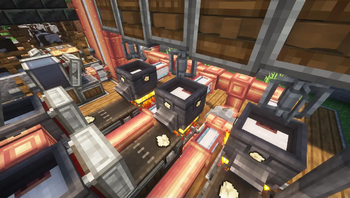
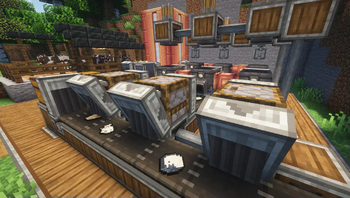
About this Mod
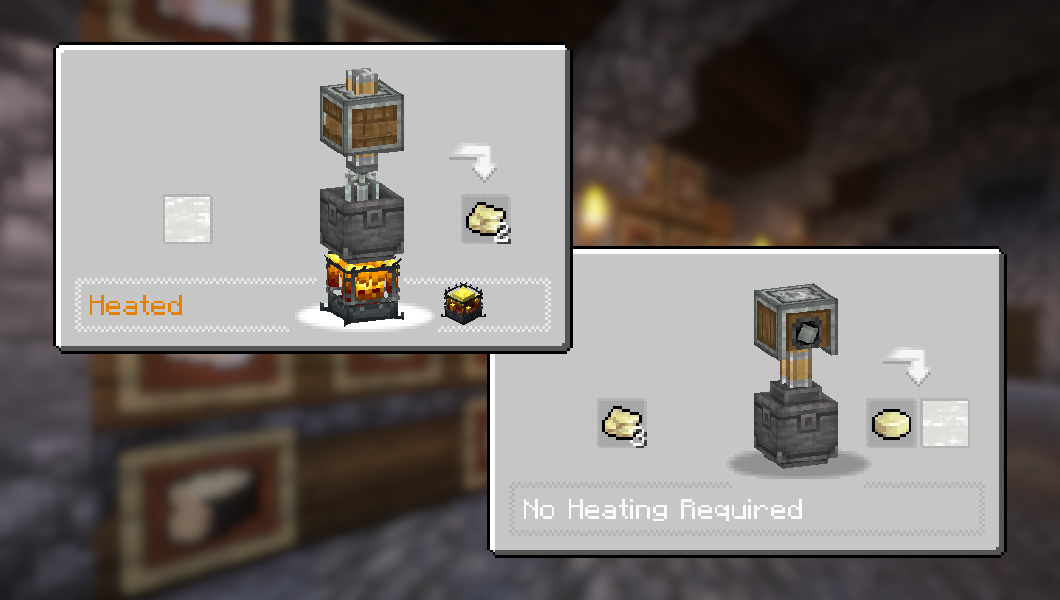
About
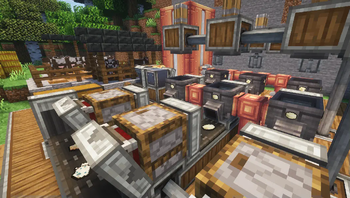
Create: Cheese Factory adds 30 new food items with recipes that use Create's mechanisms and processing, allowing you to build your own cheese factory!
Content
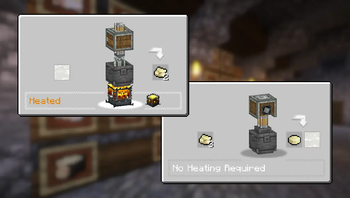
 Cheese Curds and Soft Curd Cheese, made by heating Milk in Create's Basin
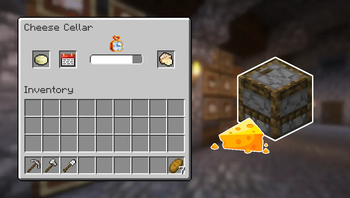
 The Cheese Cellar: A fully automatable workstation for maturing your fresh cheese
 Adjust the maturing time using Calendar Pages and get different outputs!
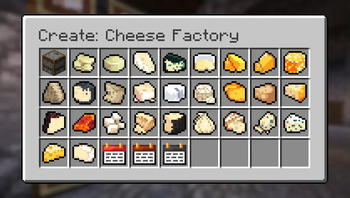
 30 new food items, including well-known cheeses from all around the world
 Many other features and Create interractions to discover!
Item list

Screenshots


Tools for modpacks
You can add vanilla or modded items as possible outputs from the Cheese Cellar, using item tags:
• Maturing Tier I (300 ticks): ageing_tier_1
• Maturing Tier II (600 ticks): ageing_tier_2
• Maturing Tier III (900 ticks): ageing_tier_3
Structure is as follows: create_cheese:{tag}
Credits
Huge thanks to @pixerelia for letting me use their work for the textures.
Show spoiler
Dependencies
This mod requires Create for all of the features to work, but can technically be played without.
JEI is recommended for recipes but not required.
Installation
Add the .jar mod file into your mods folder.
Alternatively, you can browse the Modrinth launcher for the mod (if it doesn't show up, try typing the autor's name). Once found, click "Install" to add it to your modpack.
Permissions
You are free to include this mod in any modpack, public or private.
Support my work
 Download my projects on CurseForge
 Download my projects on Modrinth
Donate on Paypal
Available Versions
How to Install Create: Cheese Factory on Your Server
Order Server
Order a Minecraft Java server with at least 4 GB RAM (6 GB recommended).
Set forge Loader
In the panel under "Egg", select the forge loader and matching Minecraft version (1.21.1).
Install Mod
Open the mod browser in the dashboard and search for "Create: Cheese Factory". Click "Install" – done! Alternatively, upload the .jar via SFTP to the /mods folder.
Compatibility
Mod Loaders
Minecraft Versions
1.21.1, 1.21, 1.20.1 (+3 more)
Server-side
✓ RequiredRecommended RAM
6 GB(min. 4 GB)Frequently Asked Questions
Create: Cheese Factory server crashes on startup – what to do?
Most common cause: wrong forge version or insufficient RAM. Check the server log (latest.log) for "OutOfMemoryError" or "Mixin" errors. With Mado Hosting: ensure at least 4 GB RAM is allocated and the loader matches the mod version (1.21.1). You can switch loaders with one click in the panel.
Is Create: Cheese Factory compatible with forge and neoforge?
Create: Cheese Factory officially supports forge, neoforge for Minecraft 1.21.1, 1.21, 1.20.1. The Mado dashboard automatically detects incompatible loader combinations.
Server lagging with Create: Cheese Factory – how to optimize performance?
Recommended RAM: 6 GB (per 5 players). Use /spark profiler to check if Create: Cheese Factory consumes the most tick time. Common fixes: reduce server view-distance to 8-10, install "performant" or "starlight" as supplementary mods on Forge. With Mado Hosting, your server runs on NVMe SSDs with dedicated CPU cores for minimal latency.
Similar Mods

![[ETF] Entity Texture Features](https://cdn.modrinth.com/data/BVzZfTc1/af683d206d50b05258d865b0d6e4aa2f2cee12f2_96.webp)
![[EMF] Entity Model Features](https://cdn.modrinth.com/data/4I1XuqiY/6e5bbd0d06b1741bfdab6c0cfab6de8fdaf0064c_96.webp)




Rent Modded Server
Install Create: Cheese Factory with just one click on your server.