
Create Deep Seas
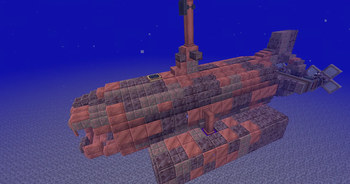
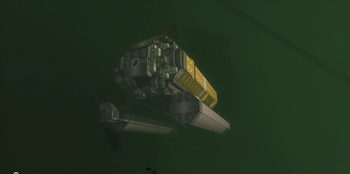
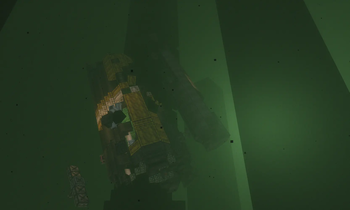
Submarine in Create Aeronautics!
Screenshots
About this Mod
[Trailer in preparation - Coming Soon!]
⚠️ IMPORTANT: This is an alpha/Early Access version, it does not reflect the final result in any way, the end of development is planned for the end of July.



About Create: Deep Seas
Create: Create Deep Seas (also known as Create Submarine) expands on the systems of Create and the Sable physics engine to enable players to build, pilot, and survive in fully functional, physics-based submarines.
The mod is divided into two parts:
- Submarines, which offer a pressure system, oxygen supply, and everything else related to submarines.
- The Abyss, a future biome/dimension containing creatures and structures, providing a real purpose for building and improving submarines.
Dependencies
** Optional, but one of the three is required.
(Only from version 2.0.0 of the mod onwards; below that version, you must have Create Addition installed.)
✅ SODIUM SUPPORTED NOW in 2.0.0 version !
(Note: there are still some visual bugs, and even more so if Iris is present; please report all bugs you find regarding the mod.)
Credits
- Developers: Maxenonyme, Zinc Studios
- Artist: Marume, RandomePigeon, Funado
- Alpha Testers: Gothci, Myxma, sant, qkback, Kuko, Tormi, Plasmori
Available Versions
How to Install Create Deep Seas on Your Server
Order Server
Order a Minecraft Java server with at least 4 GB RAM (6 GB recommended).
Set neoforge Loader
In the panel under "Egg", select the neoforge loader and matching Minecraft version (1.21.1).
Install Mod
Open the mod browser in the dashboard and search for "Create Deep Seas". Click "Install" – done! Alternatively, upload the .jar via SFTP to the /mods folder.
Compatibility
Mod Loaders
Minecraft Versions
1.21.1
Server-side
✓ RequiredRecommended RAM
6 GB(min. 4 GB)Frequently Asked Questions
Create Deep Seas server crashes on startup – what to do?
Most common cause: wrong neoforge version or insufficient RAM. Check the server log (latest.log) for "OutOfMemoryError" or "Mixin" errors. With Mado Hosting: ensure at least 4 GB RAM is allocated and the loader matches the mod version (1.21.1). You can switch loaders with one click in the panel.
Is Create Deep Seas compatible with neoforge?
Create Deep Seas officially supports neoforge for Minecraft 1.21.1. The Mado dashboard automatically detects incompatible loader combinations.
Server lagging with Create Deep Seas – how to optimize performance?
Recommended RAM: 6 GB (per 5 players). Use /spark profiler to check if Create Deep Seas consumes the most tick time. Common fixes: reduce server view-distance to 8-10, install "performant" or "starlight" as supplementary mods on Forge. With Mado Hosting, your server runs on NVMe SSDs with dedicated CPU cores for minimal latency.
Similar Mods




Rent Modded Server
Install Create Deep Seas with just one click on your server.