
Create: Ectoplasm
Liquid fuel made of ghosts! 👻 Addon for Create.
Screenshots
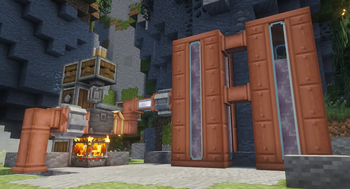
About this Mod
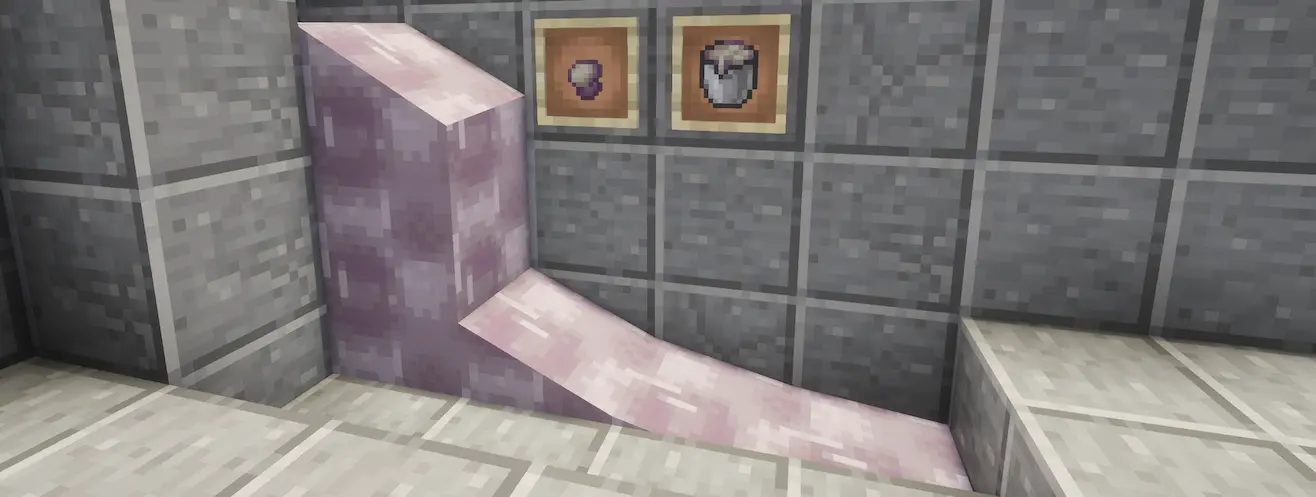
Ectoplasm! 👻
This Create mod addon adds Ectoplasm as an efficient liquid fuel source. Process drops from ghostly mobs to refine it, then use it to power Furnaces, Blaze Burners, and more!
Features

Ecto Gland
Ghost-like mobs drop Ecto Glands. By default, the following mobs drop Ecto Glands:
- Allays
- Vexes
- Strays
In addition to mob sources, Ecto Glands can be crafted by breaking down Phantom Membranes (which drop as normal from Phantoms), yielding 4 Ecto Glands per Phantom Membrane. Rotten Flesh can be haunted for a small chance to receive an Ecto Gland.
The mod provides a Create cutting recipe to break down Phantom Membranes, as well as a compacting recipe for its inverse.

Ectoplasm
Ectoplasm is a liquid fuel source which burns for 24000 ticks per 1000mB by default (about 16% more efficient than lava).
It can be created by heating a mixture of 4 Ecto Glands and 1000mB of water, for a yield of 250mB of Ectoplasm.
Ectoplasm can also be compacted back into Ecto Glands.

Bucket of Ectoplasm
Ectoplasm can be bucketed and used as a fuel source by fuel-accepting blocks, such as Furnaces, Blaze Burners, and Portable Engines (if Create Aeronautics is also installed).
Compatibility
Ectoplasm has inbuilt compatibility with Create: Liquid Fuel and Create Aeronautics: Portable Engine Liquid Fuel.
With these mods installed, Ectoplasm in its liquid form can be piped directly into Blaze Burners and Portable Engines.
No AI was used to create this mod. You can find my other work on itch.io. Love ya! 🖤
Available Versions
How to Install Create: Ectoplasm on Your Server
Order Server
Order a Minecraft Java server with at least 4 GB RAM (6 GB recommended).
Set neoforge Loader
In the panel under "Egg", select the neoforge loader and matching Minecraft version (1.21.1).
Install Mod
Open the mod browser in the dashboard and search for "Create: Ectoplasm". Click "Install" – done! Alternatively, upload the .jar via SFTP to the /mods folder.
Compatibility
Mod Loaders
Minecraft Versions
1.21.1
Server-side
✓ RequiredRecommended RAM
6 GB(min. 4 GB)Frequently Asked Questions
Create: Ectoplasm server crashes on startup – what to do?
Most common cause: wrong neoforge version or insufficient RAM. Check the server log (latest.log) for "OutOfMemoryError" or "Mixin" errors. With Mado Hosting: ensure at least 4 GB RAM is allocated and the loader matches the mod version (1.21.1). You can switch loaders with one click in the panel.
Is Create: Ectoplasm compatible with neoforge?
Create: Ectoplasm officially supports neoforge for Minecraft 1.21.1. The Mado dashboard automatically detects incompatible loader combinations.
Server lagging with Create: Ectoplasm – how to optimize performance?
Recommended RAM: 6 GB (per 5 players). Use /spark profiler to check if Create: Ectoplasm consumes the most tick time. Common fixes: reduce server view-distance to 8-10, install "performant" or "starlight" as supplementary mods on Forge. With Mado Hosting, your server runs on NVMe SSDs with dedicated CPU cores for minimal latency.
Similar Mods





Rent Modded Server
Install Create: Ectoplasm with just one click on your server.