
Create : Factory Processing
Additing just Light blocks and glasses with some extra [Noted: Some of them can be seen in some of other creator since some of them doesn't have neoforged version]
Screenshots
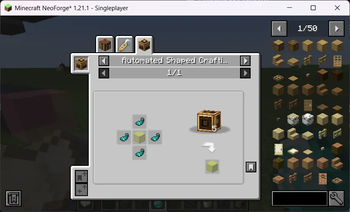
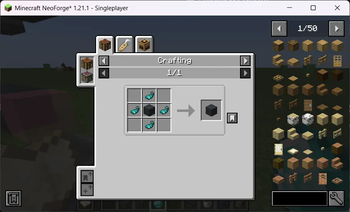
About this Mod
🌟 Just A Simple Create Recipes: Lights & Glasses
This mod was made as a fun addition for my own Let’s Play world, but I figured others might enjoy it too! Don’t expect anything too complex — it’s just some simple, quality-of-life recipes centered around light blocks and glass variations, with a little Create flavor sprinkled in.
✨ Features:
🪟 Custom Glass & Light Blocks to brighten up your builds.
⚙️ Sequenced Assembly Recipes for certain items, designed to integrate with Create’s production system. (JEI recommended for recipe viewing)
🧪 Some recipes may feel a little “cheaty” — but hey, it’s all about having fun!
⚠️ Notes:
This is my first mod, so expect it to be lightweight and straightforward.
I can’t promise updates for future Minecraft versions, but feel free to enjoy it as-is.
Use it however you like — it was made for personal gameplay, but you’re welcome to include it in your worlds.
If you’re looking for a casual add-on that gives Create some extra utility with light and glass crafting, this might be just what you need!
Available Versions
How to Install Create : Factory Processing on Your Server
Order Server
Order a Minecraft Java server with at least 4 GB RAM (6 GB recommended).
Set neoforge Loader
In the panel under "Egg", select the neoforge loader and matching Minecraft version (1.21.1).
Install Mod
Open the mod browser in the dashboard and search for "Create : Factory Processing". Click "Install" – done! Alternatively, upload the .jar via SFTP to the /mods folder.
Compatibility
Mod Loaders
Minecraft Versions
1.21.1
Server-side
✓ RequiredRecommended RAM
6 GB(min. 4 GB)Frequently Asked Questions
Create : Factory Processing server crashes on startup – what to do?
Most common cause: wrong neoforge version or insufficient RAM. Check the server log (latest.log) for "OutOfMemoryError" or "Mixin" errors. With Mado Hosting: ensure at least 4 GB RAM is allocated and the loader matches the mod version (1.21.1). You can switch loaders with one click in the panel.
Is Create : Factory Processing compatible with neoforge?
Create : Factory Processing officially supports neoforge for Minecraft 1.21.1. The Mado dashboard automatically detects incompatible loader combinations.
Server lagging with Create : Factory Processing – how to optimize performance?
Recommended RAM: 6 GB (per 5 players). Use /spark profiler to check if Create : Factory Processing consumes the most tick time. Common fixes: reduce server view-distance to 8-10, install "performant" or "starlight" as supplementary mods on Forge. With Mado Hosting, your server runs on NVMe SSDs with dedicated CPU cores for minimal latency.
Similar Mods

![[ETF] Entity Texture Features](https://cdn.modrinth.com/data/BVzZfTc1/af683d206d50b05258d865b0d6e4aa2f2cee12f2_96.webp)
![[EMF] Entity Model Features](https://cdn.modrinth.com/data/4I1XuqiY/6e5bbd0d06b1741bfdab6c0cfab6de8fdaf0064c_96.webp)



Rent Modded Server
Install Create : Factory Processing with just one click on your server.