
Create: Multiplanar Crafters
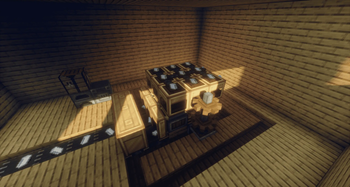
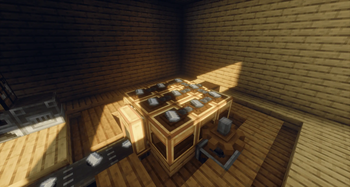
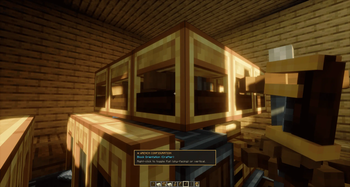
Create: Multiplanar Crafters is a lightweight addon for the Create mod that completely revolutionizes the Mechanical Crafter. It finally unlocks the ability to orient your crafting grids horizontally (along the X/Z axis), facing the sky!
Screenshots
About this Mod
⚙️ Create: Multiplanar Crafters





[!NOTE]
DEVELOPMENT STATE: v0.3.x PRODUCTION BETA
The mod is fully functional, production-ready, and optimized for server environments. While thoroughly tested, remember to back up your worlds before upgrading and report any feedback or bugs on our official discord!
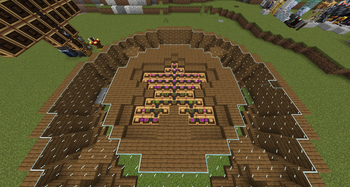
Have you ever wanted to build your factory assembly lines flat on the floor instead of constructing towering, bulky vertical walls of machinery?
Create: Multiplanar Crafters is a lightweight, high-performance addon for the Create mod that completely revolutionizes the Mechanical Crafter. It finally unlocks the ability to orient your crafting grids horizontally (along the X/Z axis), facing the sky!
✨ Key Features
- 🧱 Horizontal Crafting Grids: Place your Mechanical Crafters flat on the ground. Items being crafted rest perfectly flat on the top face of the blocks, facing up for maximum visibility and clean under-floor automation lines!
- ⚡ Industrial-Grade Optimization (O(1) Cache): Built with server performance in mind. Grid classification logic uses a smart lazy-caching system that triggers exactly once and invalidates only when blocks are placed or broken—ensuring 0% continuous tick overhead even on giant factory matrices.
- 🧩 Expert Modpack Compatibility: Fully supports asymmetrical, non-mirrored, and complex custom recipes (like giant expert-pack matrices). Coordinate projections line up perfectly with Create's front-facing arrows.
- ⚙️ Horizontal Kinetic Power: Kinetic energy is seamlessly transmitted along the horizontal X/Z plane. Power your flat crafting arrays using horizontal cogwheels and shafts laid directly on your workshop floor.
- 💥 Tailored Visual Effects: All item-merging animations, recipe-spawning particles (
CRIT, item break textures), and visual effects are calculated to render flat on the top face of the blocks. - 📦 Collision-Free Item Ejection: Finished products are gently ejected upward from the top face of the output crafter, eliminating item-launching glitches caused by block collisions.
- 🔧 Zero Registry Overhead: No new blocks are registered! The mod dynamically extends the vanilla Mechanical Crafter via Mixins, keeping your world lightweight and fully compatible with vanilla mechanics.
🛠️ How to Use in Game
- Place your Mechanical Crafter on the floor.
- Use a Wrench to rotate it horizontally so that the active grid face points straight up towards the sky.
- Connect multiple crafters to form your flat horizontal recipe grid.
- Input rotational power horizontally from any side using cogwheels or shafts.
- Right-click the top face of the grid to insert crafting materials flat on the matrix.
- Watch the mechanical magic unfold flat on the ground!
🗺️ Project Roadmap
🟩 v0.2 | Quality Update (Current)
- Performance & Cleanup: Full integration of the O(1) lazy grid cache and deep bytecode refactoring.
- New Branding: 100% handmade "Create-style" blueprint logo.
- Gallery Media: High-quality screenshots and visuals of under-floor factories for the project pages.
🟨 v0.3 | Multi-Version Migration
- Cross-Version Architecture: Setting up a robust abstraction layer to support multiple Minecraft versions cleanly.
- The Big Leap: Preparing the codebase for the transition to version 26.1.1 running on Java 25.
🟨 v0.4 | Inverted Crafters Support
- Ceiling & Wall Matrices: Expanding orientation management to allow grids to be placed upside-down (downward crafting) or anchored to any block face.
🔵 v0.5 | Developer API Implementation
- Mod Extensions: Creating clean, native entry points to allow other developers and addon creators to interact directly with the multiplanar framework.
🔵 v0.6 | Wrench Integration
- Create Wrench Support: Deep integration with Create's native Wrench tool to easily configure, rotate, and tweak the crafter grids on the fly.
🟣 v0.7 | Collaborative 3D Crafting
- Real-World Testing: Partnering directly with modpack/mod creators to implement and test highly complex, custom 3D recipes in live environment conditions.
🟣 v0.8 | Final Polish
- Code Review: Full security audit, logic hardening, and final stability patching.
🏁 1.0.0 | Official Production Release
📥 Installation & Compatibility
- Minecraft Version:
1.21.1 - ModLoader: NeoForge (fully compatible with
21.1.x+) - Dependencies:
- Create Mod (NeoForge)
- Flywheel
- Ponder
📝 License & Credits
This mod is released under the MIT License. You are completely free to include it in any public or private modpack!
- Developer: Ceketrum
- Special Thanks: The Creators of Create team for their legendary mod framework.
Available Versions
How to Install Create: Multiplanar Crafters on Your Server
Order Server
Order a Minecraft Java server with at least 4 GB RAM (6 GB recommended).
Set forge Loader
In the panel under "Egg", select the forge loader and matching Minecraft version (1.21.1).
Install Mod
Open the mod browser in the dashboard and search for "Create: Multiplanar Crafters". Click "Install" – done! Alternatively, upload the .jar via SFTP to the /mods folder.
Compatibility
Mod Loaders
Minecraft Versions
1.21.1, 1.20.1
Server-side
✓ RequiredRecommended RAM
6 GB(min. 4 GB)Frequently Asked Questions
Create: Multiplanar Crafters server crashes on startup – what to do?
Most common cause: wrong forge version or insufficient RAM. Check the server log (latest.log) for "OutOfMemoryError" or "Mixin" errors. With Mado Hosting: ensure at least 4 GB RAM is allocated and the loader matches the mod version (1.21.1). You can switch loaders with one click in the panel.
Is Create: Multiplanar Crafters compatible with forge and neoforge?
Create: Multiplanar Crafters officially supports forge, neoforge for Minecraft 1.21.1, 1.20.1. The Mado dashboard automatically detects incompatible loader combinations.
Server lagging with Create: Multiplanar Crafters – how to optimize performance?
Recommended RAM: 6 GB (per 5 players). Use /spark profiler to check if Create: Multiplanar Crafters consumes the most tick time. Common fixes: reduce server view-distance to 8-10, install "performant" or "starlight" as supplementary mods on Forge. With Mado Hosting, your server runs on NVMe SSDs with dedicated CPU cores for minimal latency.
Similar Mods




![[ETF] Entity Texture Features](https://cdn.modrinth.com/data/BVzZfTc1/af683d206d50b05258d865b0d6e4aa2f2cee12f2_96.webp)
![[EMF] Entity Model Features](https://cdn.modrinth.com/data/4I1XuqiY/6e5bbd0d06b1741bfdab6c0cfab6de8fdaf0064c_96.webp)
Rent Modded Server
Install Create: Multiplanar Crafters with just one click on your server.