
Create: Redstone Tweaks
This Create addon adds the ability to control the Frogport using redstone.
Screenshots
About this Mod
Create: Redstone Tweaks
Create: Redstone Tweaks is a technical addon for the Create mod, developed specifically for the NeoForge mod loader. This mod extends the functionality of Frogports by adding the ability to flexibly control their logistical flows using redstone signals.
This addon integrates a special button into the Frogport's graphical user interface (GUI), allowing you to configure how the block responds to an incoming redstone signal, providing pinpoint control over your logistics.
⚙️ Four Operation Modes (Redstone Logic)
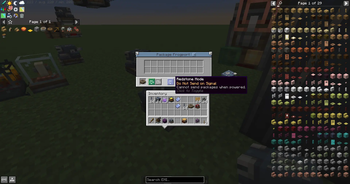
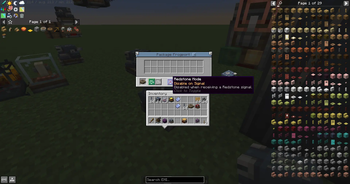
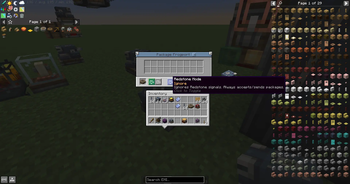
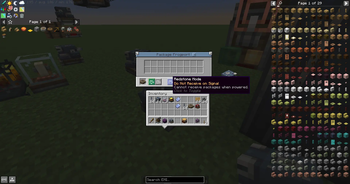
The toggle switch inside the Frogport interface allows you to choose one of four behaviors when the block receives a redstone signal:
- Default: The Frogport completely ignores the redstone signal. The block operates normally, simultaneously receiving incoming packages and sending outgoing ones.
- Disable All: When a redstone signal is applied, the Frogport completely suspends its operation. It stops both receiving new packages and sending already prepared ones.
- Only Send: An active redstone signal disables the receiving function. The Frogport sends packages into the network but will not accept any incoming ones.
- Only Receive: An active redstone signal blocks the sending function. The Frogport accepts incoming packages but suspends the delivery of its own outgoing packages.
🔌 Compatibility and Requirements
- Platform: Developed exclusively for the NeoForge mod loader.
- Dependencies: Requires the Create mod (version
6.0.0or newer) to be installed. - Mod Compatibility: Features full support for the Create: Vibrant Vaults mod — the added redstone modes and GUI button function flawlessly on all colored variants of Frogports.
- The mod has Russian and English localization
Available Versions
How to Install Create: Redstone Tweaks on Your Server
Order Server
Order a Minecraft Java server with at least 4 GB RAM (6 GB recommended).
Set neoforge Loader
In the panel under "Egg", select the neoforge loader and matching Minecraft version (1.21.1).
Install Mod
Open the mod browser in the dashboard and search for "Create: Redstone Tweaks". Click "Install" – done! Alternatively, upload the .jar via SFTP to the /mods folder.
Compatibility
Mod Loaders
Minecraft Versions
1.21.1
Server-side
✓ RequiredRecommended RAM
6 GB(min. 4 GB)Frequently Asked Questions
Create: Redstone Tweaks server crashes on startup – what to do?
Most common cause: wrong neoforge version or insufficient RAM. Check the server log (latest.log) for "OutOfMemoryError" or "Mixin" errors. With Mado Hosting: ensure at least 4 GB RAM is allocated and the loader matches the mod version (1.21.1). You can switch loaders with one click in the panel.
Is Create: Redstone Tweaks compatible with neoforge?
Create: Redstone Tweaks officially supports neoforge for Minecraft 1.21.1. The Mado dashboard automatically detects incompatible loader combinations.
Server lagging with Create: Redstone Tweaks – how to optimize performance?
Recommended RAM: 6 GB (per 5 players). Use /spark profiler to check if Create: Redstone Tweaks consumes the most tick time. Common fixes: reduce server view-distance to 8-10, install "performant" or "starlight" as supplementary mods on Forge. With Mado Hosting, your server runs on NVMe SSDs with dedicated CPU cores for minimal latency.
Similar Mods




Rent Modded Server
Install Create: Redstone Tweaks with just one click on your server.