
Create: Schematic Helper
Automatically uploads schematics to CreateMod.com and makes it easier to download them!
Screenshots
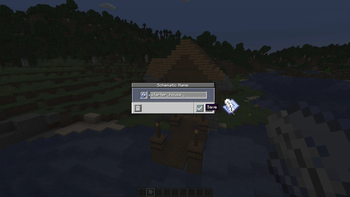
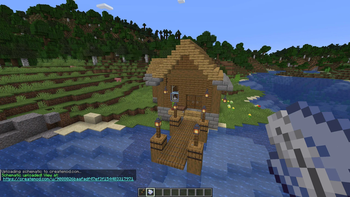

About this Mod
A Minecraft mod that automatically uploads Create mod schematics to createmod.com for easy sharing. It also modifies the schematic table so that you can directly past createmod.com urls or short codes to download schematics faster and more easily.
Features
Upload
- Automatic upload - schematics are uploaded to createmod.com the moment you save them in-game
- 360° preview rendering (NeoForge 1.21.1+ only) - 120 isometric frames are rendered client-side and uploaded alongside the schematic for an interactive 3D rotation view on the website
- Progress bar (NeoForge 1.21.1+ only) - a live progress bar on the action bar tracks rendering, processing, and uploading stages
- One-click sharing - a clickable link appears in chat so you (or anyone) can view the schematic in a browser
- Claim flow - log in on the website to claim ownership, then publish to the community
- Optional confirmation - disable auto-upload in the config to get a confirmation screen before each upload
- No account needed in-game - uploads are anonymous; you claim them on the website when you're ready
Download
- Download from createmod.com - enter a createmod.com URL or short code directly in the Create Schematic Table to download schematics shared by other players
- Seamless integration - downloaded schematics are placed into your local schematics folder and are ready to use immediately
How It Works
- Save a schematic using the Create mod's Schematic and Quill
- The mod uploads the
.nbtfile to createmod.com - A clickable link appears in chat
- Visit the link and log in to claim the schematic as yours
- From there you can publish it to the community
Requirements
This mod requires the Create mod to function.
Client Side
This is a client-side only mod. It does not need to be installed on the server.
Credits
- Jamalam - original CreateSchematicDownload mod
- salem-5/Create-Blueprinted - isometric rendering approach
Modpacks
You are free to include this mod in any modpack that is distributed for free. Selling this mod or charging money for access to it (or any modpack containing it) is not permitted.
Github
More info can be found on Github: https://github.com/uberswe/CreateSchematicUpload
Available Versions
How to Install Create: Schematic Helper on Your Server
Order Server
Order a Minecraft Java server with at least 4 GB RAM (6 GB recommended).
Set fabric Loader
In the panel under "Egg", select the fabric loader and matching Minecraft version (1.21.11).
Install Mod
Open the mod browser in the dashboard and search for "Create: Schematic Helper". Click "Install" – done! Alternatively, upload the .jar via SFTP to the /mods folder.
Compatibility
Mod Loaders
Minecraft Versions
1.21.11, 1.21.10, 1.21.9 (+19 more)
Server-side
✗ UnsupportedRecommended RAM
6 GB(min. 4 GB)Frequently Asked Questions
Create: Schematic Helper server crashes on startup – what to do?
Most common cause: wrong fabric version or insufficient RAM. Check the server log (latest.log) for "OutOfMemoryError" or "Mixin" errors. With Mado Hosting: ensure at least 4 GB RAM is allocated and the loader matches the mod version (1.21.11). You can switch loaders with one click in the panel.
Is Create: Schematic Helper compatible with fabric and forge and neoforge?
Create: Schematic Helper officially supports fabric, forge, neoforge for Minecraft 1.21.11, 1.21.10, 1.21.9. Note: Forge and Fabric mods are NOT cross-compatible – pick one loader and stick with it. The Mado dashboard automatically detects incompatible loader combinations.
Server lagging with Create: Schematic Helper – how to optimize performance?
Recommended RAM: 6 GB (per 5 players). Use /spark profiler to check if Create: Schematic Helper consumes the most tick time. Common fixes: reduce server view-distance to 8-10, install "performant" or "starlight" as supplementary mods on Forge. With Mado Hosting, your server runs on NVMe SSDs with dedicated CPU cores for minimal latency.
Similar Mods




![[ETF] Entity Texture Features](https://cdn.modrinth.com/data/BVzZfTc1/af683d206d50b05258d865b0d6e4aa2f2cee12f2_96.webp)
![[EMF] Entity Model Features](https://cdn.modrinth.com/data/4I1XuqiY/6e5bbd0d06b1741bfdab6c0cfab6de8fdaf0064c_96.webp)
Rent Modded Server
Install Create: Schematic Helper with just one click on your server.