
Create Smart Bounds
Improves create mod's block entity renderbounds
Screenshots
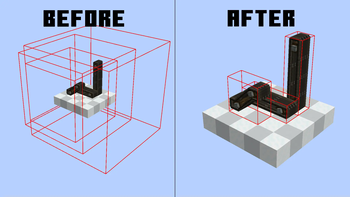
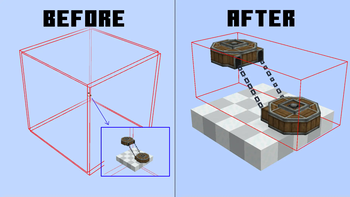
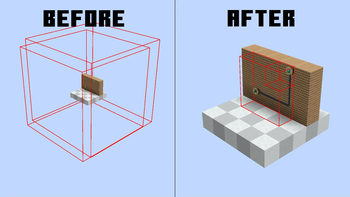
About this Mod
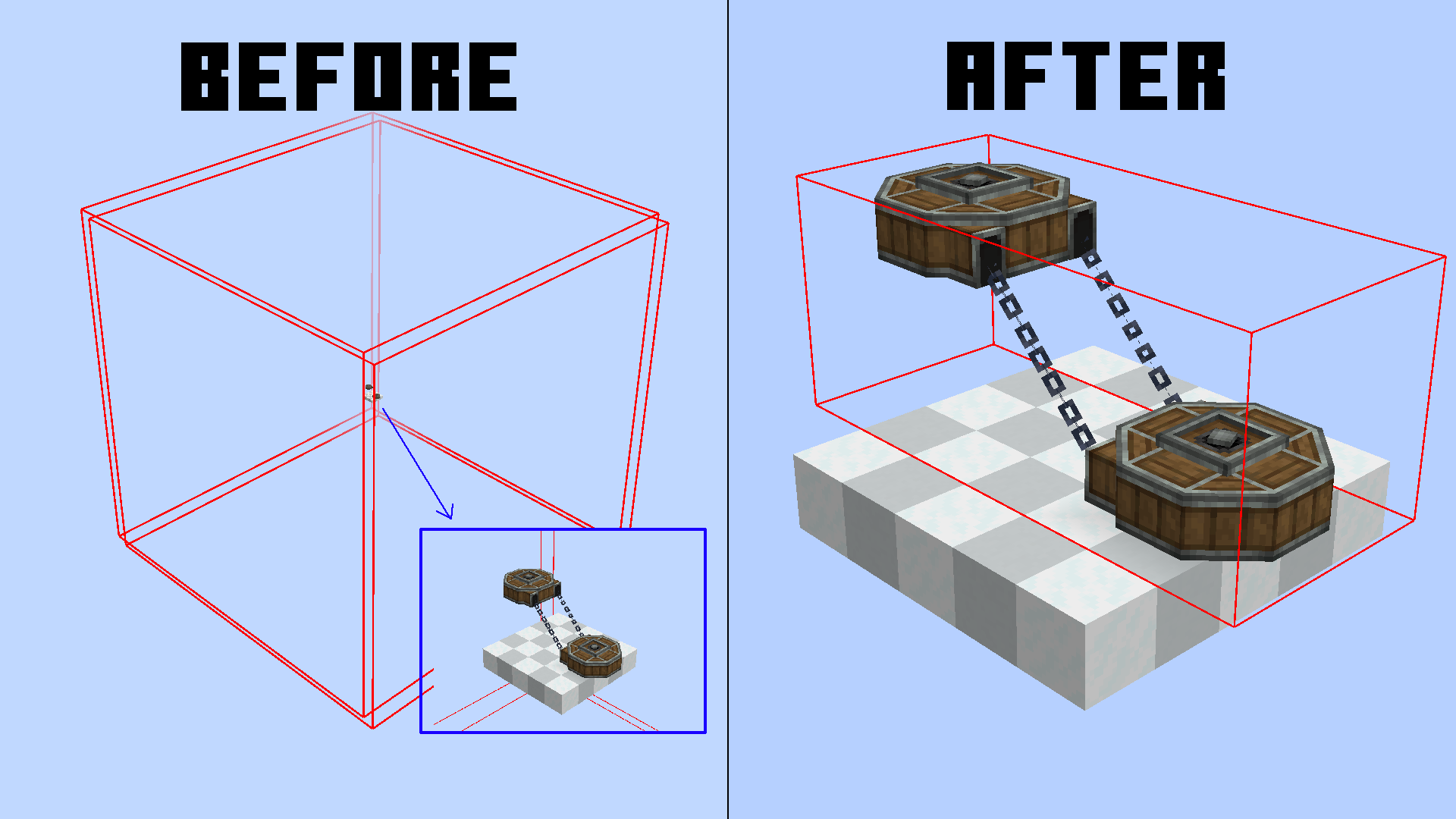
This mod aims to reduce enormous and nonsense render bounds for create block entities.
You can check neoforge block entities render bounds with this command /neoforge debug_blockentity_renderbounds true
It also reworks some block entities render bounds caching
It's a pretty small optimization, but in large contraptions and big machine areas, it can make the difference.
We currently support:
- Mechanical Arms
- Belts
- Chain Conveyors
- Factory Panels
- PSI & Deployers
- Rollers
- Frog Ports
What are render bounds?
Usually, to optimize performance, all blocks that are behind/outside your screen are not rendered to avoid useless computations.
In blocks, this bound is set to a 3x3 area, but in block entities, this is customizable.
The reason? Simple, render things that are bigger than a block. For example, Chain Conveyors need a larger render bounding box for chain connections.
The thing is, most times create goes by "better larger" and just inflates the whole area. This makes most of your block entities get rendered even though they are not even visible.
Render Bounds Caching
The bounding box is not generated every frame, since the block only needs to change his bounding box on some precise events.
This mod also optimizes this, removing useless bounding box reloading for some blocks (Belts) which before reloaded their bounding box EVERY GAME TICK (20 times per second).
Now they only update if the block is broken and replaced, reducing the lag.
Available Versions
How to Install Create Smart Bounds on Your Server
Order Server
Order a Minecraft Java server with at least 4 GB RAM (6 GB recommended).
Set neoforge Loader
In the panel under "Egg", select the neoforge loader and matching Minecraft version (1.21.1).
Install Mod
Open the mod browser in the dashboard and search for "Create Smart Bounds". Click "Install" – done! Alternatively, upload the .jar via SFTP to the /mods folder.
Compatibility
Mod Loaders
Minecraft Versions
1.21.1
Server-side
✗ UnsupportedRecommended RAM
6 GB(min. 4 GB)Frequently Asked Questions
Create Smart Bounds server crashes on startup – what to do?
Most common cause: wrong neoforge version or insufficient RAM. Check the server log (latest.log) for "OutOfMemoryError" or "Mixin" errors. With Mado Hosting: ensure at least 4 GB RAM is allocated and the loader matches the mod version (1.21.1). You can switch loaders with one click in the panel.
Is Create Smart Bounds compatible with neoforge?
Create Smart Bounds officially supports neoforge for Minecraft 1.21.1. The Mado dashboard automatically detects incompatible loader combinations.
Server lagging with Create Smart Bounds – how to optimize performance?
Recommended RAM: 6 GB (per 5 players). Use /spark profiler to check if Create Smart Bounds consumes the most tick time. Common fixes: reduce server view-distance to 8-10, install "performant" or "starlight" as supplementary mods on Forge. With Mado Hosting, your server runs on NVMe SSDs with dedicated CPU cores for minimal latency.
Similar Mods




Rent Modded Server
Install Create Smart Bounds with just one click on your server.