
Create: Steam Turbines
Adds Steam Turbines to Create, generates SU from steam.
Screenshots
About this Mod
Create: Steam Turbines
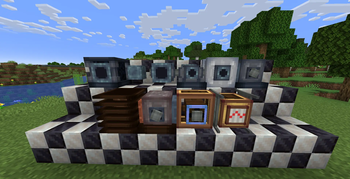
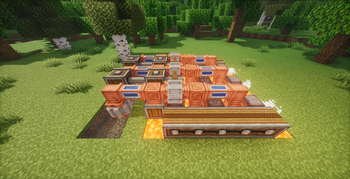
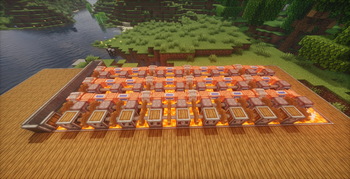
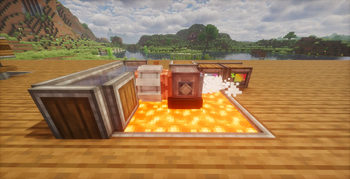
Adds Steam Turbines to Create, where you produce steam and the Turbines processes them and generates SU from the Turbine Shaft. Very Cool!!! :DDD
Report any bugs you find at the github repo of the mod.
All Machines
| Machine | Description |
|---|---|
| Steam Boiler | Burns fuel to generate steam from water |
| Steam Pump | Pulls steam from pipes and pushes to output |
| Pressurized Pipe | Transports steam between machines |
| Steam Compressor | Compresses steam for higher pressure and throughput |
| Steam Turbine | Converts steam pressure into rotational force which is sent to Turbine Shaft |
| Turbine Shaft | Aggregates rotational power from steam turbines |
| Lava Duct Shaft | Aggregates rotational power from lava duct turbines |
| Lava Duct Turbine | Converts water supplied from the Lava Duct Shaft into steam by using lava thats in contact which turns the turbines and generates power which is sent back to the Lava Duct Shaft |
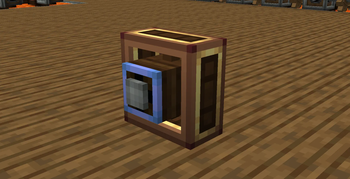
| Directional Analog Gearshift | Changes RPM and rotation direction based on redstone differential |
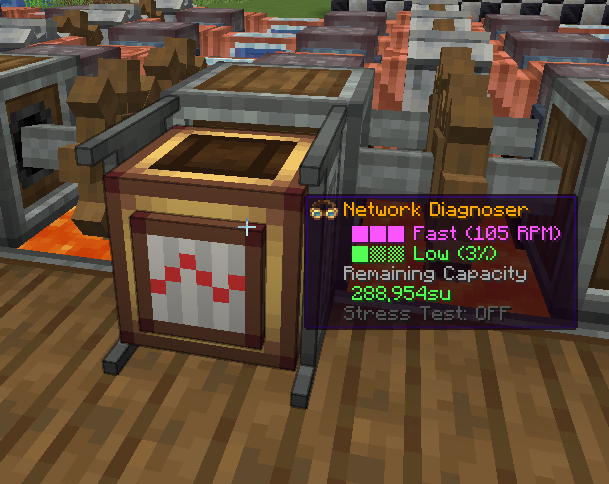
| Network Diagnoser | Reads both RPM and SU. But also has configurable Kinetic Stress Impact for Stress Testing |
Dependencies
- Minecraft 1.21.1
- NeoForge
- Create 6.x
Available Versions
How to Install Create: Steam Turbines on Your Server
Order Server
Order a Minecraft Java server with at least 4 GB RAM (6 GB recommended).
Set neoforge Loader
In the panel under "Egg", select the neoforge loader and matching Minecraft version (1.21.1).
Install Mod
Open the mod browser in the dashboard and search for "Create: Steam Turbines". Click "Install" – done! Alternatively, upload the .jar via SFTP to the /mods folder.
Compatibility
Mod Loaders
Minecraft Versions
1.21.1
Server-side
✓ RequiredRecommended RAM
6 GB(min. 4 GB)Frequently Asked Questions
Create: Steam Turbines server crashes on startup – what to do?
Most common cause: wrong neoforge version or insufficient RAM. Check the server log (latest.log) for "OutOfMemoryError" or "Mixin" errors. With Mado Hosting: ensure at least 4 GB RAM is allocated and the loader matches the mod version (1.21.1). You can switch loaders with one click in the panel.
Is Create: Steam Turbines compatible with neoforge?
Create: Steam Turbines officially supports neoforge for Minecraft 1.21.1. The Mado dashboard automatically detects incompatible loader combinations.
Server lagging with Create: Steam Turbines – how to optimize performance?
Recommended RAM: 6 GB (per 5 players). Use /spark profiler to check if Create: Steam Turbines consumes the most tick time. Common fixes: reduce server view-distance to 8-10, install "performant" or "starlight" as supplementary mods on Forge. With Mado Hosting, your server runs on NVMe SSDs with dedicated CPU cores for minimal latency.
Similar Mods




Rent Modded Server
Install Create: Steam Turbines with just one click on your server.