Created: Origins
A small mod that allows you to craft the Orb of Origin using Create machinery!
Screenshots
About this Mod
This mod adds a process to make the Orb of Origin from an eye of ender using Create machinery.
Requires Create and Origins.
JEI, REI, or EMI, are recommended.
How to craft the orb?
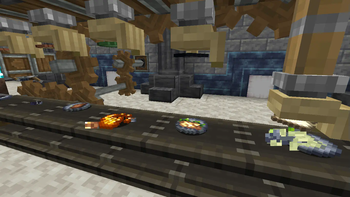
To craft the orb, you start by taking a fan and soul fire and using it to haunt an Eye of Ender.
Then you cut your unfinished orb open with a mechanical saw. (There is a 10% chance your orb turns into nothing here. There is also a 10% chance that this creates an extra blaze powder. These chances are completely independent of eachother.)
Next, you use a deployer to line the inside of the orb with a brass sheet.
Afterwards, use a deployer to carefully place a precision mechanism inside the orb.
Then use another deployer and any slimeball to glue the edges of the orb.
For step six, you'll never guess, but you need another deployer, use it to place a sturdy sheet on the glue.
Next, use sand paper to remove excess glue from the outside of the orb.
Finally, wash off excess dust from sanding using either a spout or fan, combined with the power of water.
If you don't want to read all of that, that's fair. So heres a much shorter version of the steps.
Fan, soul fire, Eye of Ender.
Mechanical saw. (There is a 10% chance your orb turns into nothing here. There is also a 10% chance that this creates an extra blaze powder. These chances are completely independent of eachother.)
Deployer, brass sheet.
Deployer, precision mechanism.
Deployer, slimeball.
Deployer, sturdy sheet.
Sand paper.
Either a spout or fan, water.
--Note; the slimeball in the recipe can be replaced with any item tagged as c:slime_balls. This is done to be consistent with the super glue recipe from Create, which also has this quality.
Available Versions
How to Install Created: Origins on Your Server
Order Server
Order a Minecraft Java server with at least 4 GB RAM (6 GB recommended).
Set fabric Loader
In the panel under "Egg", select the fabric loader and matching Minecraft version (1.20.1).
Install Mod
Open the mod browser in the dashboard and search for "Created: Origins". Click "Install" – done! Alternatively, upload the .jar via SFTP to the /mods folder.
Compatibility
Mod Loaders
Minecraft Versions
1.20.1
Server-side
✓ RequiredRecommended RAM
6 GB(min. 4 GB)Frequently Asked Questions
Created: Origins server crashes on startup – what to do?
Most common cause: wrong fabric version or insufficient RAM. Check the server log (latest.log) for "OutOfMemoryError" or "Mixin" errors. With Mado Hosting: ensure at least 4 GB RAM is allocated and the loader matches the mod version (1.20.1). You can switch loaders with one click in the panel.
Is Created: Origins compatible with fabric?
Created: Origins officially supports fabric for Minecraft 1.20.1. The Mado dashboard automatically detects incompatible loader combinations.
Server lagging with Created: Origins – how to optimize performance?
Recommended RAM: 6 GB (per 5 players). Use /spark profiler to check if Created: Origins consumes the most tick time. Common fixes: reduce server view-distance to 8-10, install "performant" or "starlight" as supplementary mods on Forge. With Mado Hosting, your server runs on NVMe SSDs with dedicated CPU cores for minimal latency.
Similar Mods




![[ETF] Entity Texture Features](https://cdn.modrinth.com/data/BVzZfTc1/af683d206d50b05258d865b0d6e4aa2f2cee12f2_96.webp)
![[EMF] Entity Model Features](https://cdn.modrinth.com/data/4I1XuqiY/6e5bbd0d06b1741bfdab6c0cfab6de8fdaf0064c_96.webp)
Rent Modded Server
Install Created: Origins with just one click on your server.