
Create: Addon Compatibility
Adds compatibility for and between different create addons.
Screenshots
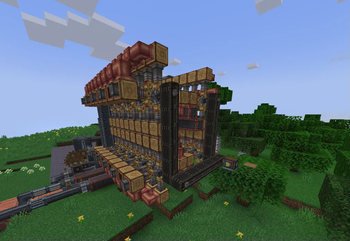
About this Mod
Features
Blocks/Items
The following blocks/items have been unified to work in all the processes and recipes present in the relevant mods.
Mods take priority as defined in the configuration section below, items from lower priority mods are hidden in JEI/REI/EMI.
- Coal Coke Dust - Immersive Engineering, TFMG
- All Copycat Blocks - Create: Copycats+, Create: Connected, CD&D
- Plastic Sheet - Pneumaticcraft, TFMG
- Six Way Gearbox - Create: Connected, Create Utilities
Fluids
The following fluids have been unified to work in all the processes and recipes present in the relevant mods.
- Crude Oil - Ad Astra, CDG, C:L&W, Destroy, Pneumaticcraft, TFMG
- Fuels - Ad Astra, CC&A, CDG, CSnR, Destroy, Create Garnished, Pneumaticcraft, TFMG
- Compatibility for fuels from other mods working in Ad Astra rockets can be disabled by enabling a datapack included in the mod.
- Currently only TFMG's fuels work in its generators as TFMG does not have support for custom fuel types.(A work-around could be found.)
- Kerosene, Molten/Liquid Plastic, Lubricant/Lubrication Oil - Pneumaticcraft, TFMG
Installation
The mod is currently only available for 1.20.1 and 1.21.1 (neo)forge. Fabric/Quilt versions will come soon.
Almost Unified and Create are required to be installed.
Curseforge Link: https://curseforge.com/minecraft/mc-mods/createaddoncompatibility
Compatibility Configuration
To change which mod has the priority in compatibility, modify the modPriorities in config/almostunified/unify.json, for more info look at this.
The default priority order from highest to lowest is
pneumaticcraft
copycats
create_connected
create_dd
tfmg
There are datapacks present in the mod which allow you to change certain things about compatibility between different mods.
They can be enabled during world creation or by using the /datapack enable command.
Suggestions / More Compatibility Features
I do have more compatibility features planned, but if you have any ideas, feel free to create an issue on GitHub or tell me in the Discord server.
Credits
Thanks to:
- The creators of the various mods for which compatibility has been added in this mod.
- The AlmostReliable team for making Almost Unified, without which this mod would have been very difficult to make.
Available Versions
How to Install Create: Addon Compatibility on Your Server
Order Server
Order a Minecraft Java server with at least 4 GB RAM (6 GB recommended).
Set forge Loader
In the panel under "Egg", select the forge loader and matching Minecraft version (1.21.1).
Install Mod
Open the mod browser in the dashboard and search for "Create: Addon Compatibility". Click "Install" – done! Alternatively, upload the .jar via SFTP to the /mods folder.
Compatibility
Mod Loaders
Minecraft Versions
1.21.1, 1.20.1
Server-side
✓ RequiredRecommended RAM
6 GB(min. 4 GB)Frequently Asked Questions
Create: Addon Compatibility server crashes on startup – what to do?
Most common cause: wrong forge version or insufficient RAM. Check the server log (latest.log) for "OutOfMemoryError" or "Mixin" errors. With Mado Hosting: ensure at least 4 GB RAM is allocated and the loader matches the mod version (1.21.1). You can switch loaders with one click in the panel.
Is Create: Addon Compatibility compatible with forge and neoforge?
Create: Addon Compatibility officially supports forge, neoforge for Minecraft 1.21.1, 1.20.1. The Mado dashboard automatically detects incompatible loader combinations.
Server lagging with Create: Addon Compatibility – how to optimize performance?
Recommended RAM: 6 GB (per 5 players). Use /spark profiler to check if Create: Addon Compatibility consumes the most tick time. Common fixes: reduce server view-distance to 8-10, install "performant" or "starlight" as supplementary mods on Forge. With Mado Hosting, your server runs on NVMe SSDs with dedicated CPU cores for minimal latency.
Similar Mods




Rent Modded Server
Install Create: Addon Compatibility with just one click on your server.