
Crit Indicator
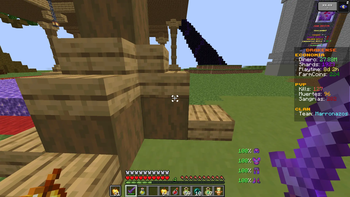
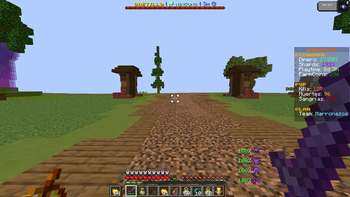
Displays corner indicators on your crosshair when your attack is fully charged and ready to perform a critical hit.
Screenshots
About this Mod
This mod adds a dynamic visual indicator to your crosshair that lets you know exactly when your attack is fully charged and ready to perform a critical hit. Once your attack reaches 100% charge, small corner markers appear around your crosshair, giving you a clear and instant signal without needing to look away from the center of the screen. This helps you improve your timing, land more consistent critical hits, and perform better in both PvP and PvE combat situations.
The indicator is designed to be simple, clean, and non-intrusive, so it blends naturally with your gameplay while still providing useful feedback. Whether you're fighting mobs or other players, having precise visual timing can make a big difference in your overall performance.
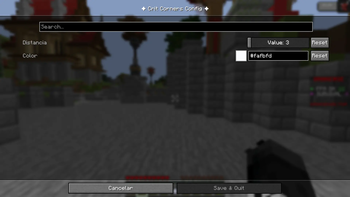
Additionally, the mod includes customization options to match your personal preferences. By pressing the K key, you can easily adjust the color and size of the crosshair corners. This allows you to create a style that fits your UI setup, whether you prefer something subtle or more eye-catching.
Overall, this is a lightweight and practical tool for players who want better control and awareness during combat.
Available Versions
How to Install Crit Indicator on Your Server
Order Server
Order a Minecraft Java server with at least 3 GB RAM (4 GB recommended).
Set fabric Loader
In the panel under "Egg", select the fabric loader and matching Minecraft version (1.21.1).
Install Mod
Open the mod browser in the dashboard and search for "Crit Indicator". Click "Install" – done! Alternatively, upload the .jar via SFTP to the /mods folder.
Compatibility
Mod Loaders
Minecraft Versions
1.21.1
Server-side
✗ UnsupportedRecommended RAM
4 GB(min. 3 GB)Frequently Asked Questions
Crit Indicator server crashes on startup – what to do?
Most common cause: wrong fabric version or insufficient RAM. Check the server log (latest.log) for "OutOfMemoryError" or "Mixin" errors. With Mado Hosting: ensure at least 3 GB RAM is allocated and the loader matches the mod version (1.21.1). You can switch loaders with one click in the panel.
Is Crit Indicator compatible with fabric?
Crit Indicator officially supports fabric for Minecraft 1.21.1. The Mado dashboard automatically detects incompatible loader combinations.
Server lagging with Crit Indicator – how to optimize performance?
Recommended RAM: 4 GB (per 8 players). Use /spark profiler to check if Crit Indicator consumes the most tick time. Common fixes: reduce server view-distance to 8-10, install "performant" or "starlight" as supplementary mods on Forge. With Mado Hosting, your server runs on NVMe SSDs with dedicated CPU cores for minimal latency.
Similar Mods




Rent Modded Server
Install Crit Indicator with just one click on your server.