
Crops 'n' Corpses
A tower-defense and farming expansion hybrid mod inspired by the classic game, Plants VS. Zombies!
Screenshots
About this Mod

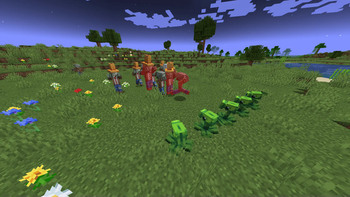
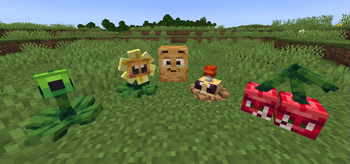
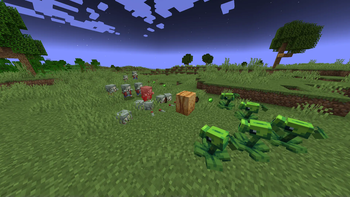
Provides new defense for the invading zombie horde with five plants from the classic mobile game, Plants VS. Zombies, or use them for your ever expanding agricultural empire… you monster…
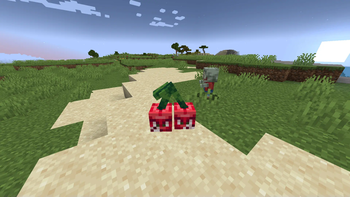
Some plants can be found naturally throughout the world, or they can be crafted with new items traded by the Wandering Trader, or found in new structures. You can use the new Seed Packet item, also obtainable through the Wandering Trader, to grab previously tamed plants to take and place them wherever you want! However, you’ll need Sun to take them out of their packets!
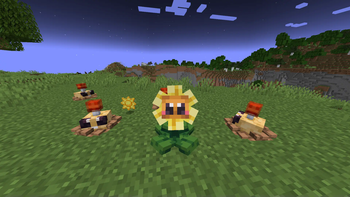
Sun is dropped by sun-producing plants… obviously! Sunflowers can be found in plains biomes and also be grown from vanilla sunflower plants. Only tamed Sunflowers will drop Sun for you. They will randomly overtime spit out Sun to fuel your floral fortress.
The Wandering Trader also sells Plant Food on occasion, and is an essential item to obtaining new plants, as its used to tame existing plants, and used in crafting recipes to create new plants. You’ll want to stock up on as much of this stuff as possible. Plant Food is also be used to heal damaged plants.
This mod also contains plenty of new food items, naturally found in the world, or crafted from existing foods and items.


https://www.patreon.com/c/cropsncorpses

https://github.com/LopyLuna/Crops-n-Corpse
Available Versions
How to Install Crops 'n' Corpses on Your Server
Order Server
Order a Minecraft Java server with at least 3 GB RAM (4 GB recommended).
Set neoforge Loader
In the panel under "Egg", select the neoforge loader and matching Minecraft version (1.21.1).
Install Mod
Open the mod browser in the dashboard and search for "Crops 'n' Corpses". Click "Install" – done! Alternatively, upload the .jar via SFTP to the /mods folder.
Compatibility
Mod Loaders
Minecraft Versions
1.21.1
Server-side
✓ RequiredRecommended RAM
4 GB(min. 3 GB)Frequently Asked Questions
Crops 'n' Corpses server crashes on startup – what to do?
Most common cause: wrong neoforge version or insufficient RAM. Check the server log (latest.log) for "OutOfMemoryError" or "Mixin" errors. With Mado Hosting: ensure at least 3 GB RAM is allocated and the loader matches the mod version (1.21.1). You can switch loaders with one click in the panel.
Is Crops 'n' Corpses compatible with neoforge?
Crops 'n' Corpses officially supports neoforge for Minecraft 1.21.1. The Mado dashboard automatically detects incompatible loader combinations.
Server lagging with Crops 'n' Corpses – how to optimize performance?
Recommended RAM: 4 GB (per 8 players). Use /spark profiler to check if Crops 'n' Corpses consumes the most tick time. Common fixes: reduce server view-distance to 8-10, install "performant" or "starlight" as supplementary mods on Forge. With Mado Hosting, your server runs on NVMe SSDs with dedicated CPU cores for minimal latency.
Similar Mods
![[EMF] Entity Model Features](https://cdn.modrinth.com/data/4I1XuqiY/6e5bbd0d06b1741bfdab6c0cfab6de8fdaf0064c_96.webp)


Rent Modded Server
Install Crops 'n' Corpses with just one click on your server.