
Crust
A modding and testing toolkit with a few other minor utilities.
Screenshots

About this Mod
Crust
Source: https://github.com/FatherToast/
Discussion: https://discord.gg/GFTzTdX
If you find any bugs or issues, please use the GitHub issues tracker, accessible from the GitHub link or the "Report issues" link.
For feature requests, please submit a ticket in the GitHub issues tracker or ask on Discord!
Crust is a code library and testing toolkit designed to make some people's lives easier and provide some very basic gameplay features. Everything is configurable.
The testing toolkit:
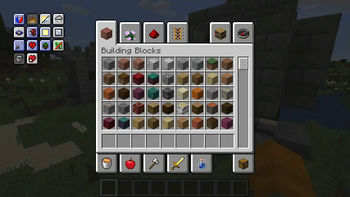
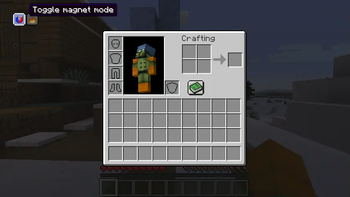
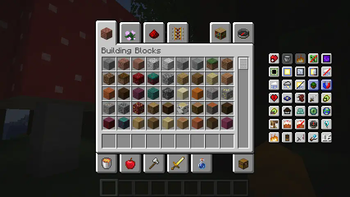
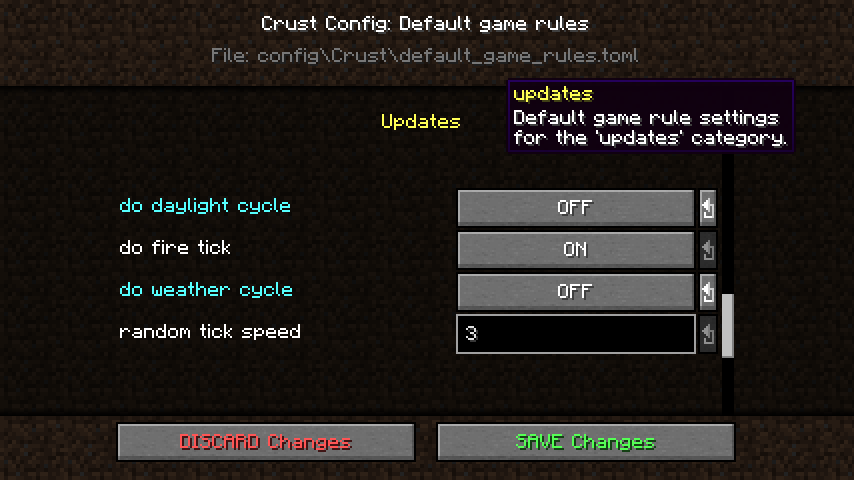
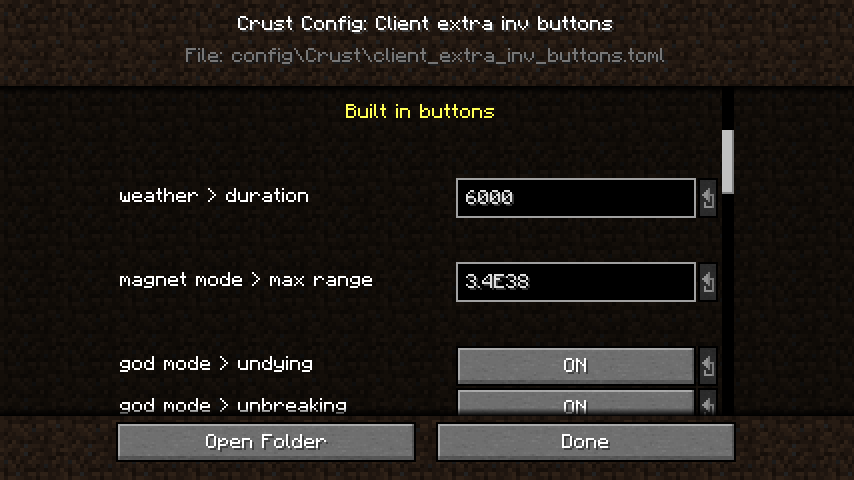
The primary feature of this toolkit is a set of customizable and keybindable command-driven buttons added to the inventory screen. There are currently 19 built-in buttons and 16 user-defined buttons (pick its look and slap in whatever commands you want it to run). As an added bonus, the mod allows you to configure the default game rules for newly created worlds.
Crust modes:
Additional player capabilities mainly for testing purposes. The starting modes for new players, required OP level to change each mode, some client preferences, and server limitations are all configurable.
By default, the only mode that is enabled for new players and does not require 'cheating ability' is Magnet.
Available modes:
- Magnet - Pull nearby items toward you.
- Undying - Fully recover instead of dying.
- Unbreaking - Frequently fully repairs your items (note: does NOT prevent them from taking damage).
- Uneating - Restore food level when it drops below a threshold.
- Destroy-on-pickup - Manage inventory clutter. Destroy all items that try to invade your inventory!
- Super vision - Continuous night vision, disables (water) fog and blindness.
- Super speed - Increases sprint speed.
Commands:
Extra inventory buttons and 'Crust mode' management are command-driven. This is how they work!
Available commands:
- /crustclean pointer [
] - Destroy item on pointer. - /crustmode [
] - Check active Crust modes. - /crustmode
(disable| ) [ ] - Enable or disable a Crust mode. - /crustportal (
) [ ] - Create a dimension portal. - /crustrecover [all|health|hunger|effects] [
] - Restore health/hunger and/or remove all negative effects.
Config management:
Crust provides its own config implementation as an alternate to Forge's configs.
Key features of Crust configs:
- Easy for modders to implement configs, easy for players to use configs.
- Organize and format your configs the way you want them.
- Editable in-game through GUI (not all field types are supported yet!).
- Useful built-in field types and the ability to implement your own.
Other modding utilities:
- Advancement load event.
- Tile entity bounding box renderer (simple renderers than only run when F3+B is on).
- Portal registry for /crustportal command.
- Data gen tools (currently just a loot table builder).
- Named setBlock flags and entity/level event codes.
- NBT and miscellaneous math helpers.
Available Versions
How to Install Crust on Your Server
Order Server
Order a Minecraft Java server with at least 3 GB RAM (4 GB recommended).
Set forge Loader
In the panel under "Egg", select the forge loader and matching Minecraft version (1.20.1).
Install Mod
Open the mod browser in the dashboard and search for "Crust". Click "Install" – done! Alternatively, upload the .jar via SFTP to the /mods folder.
Compatibility
Mod Loaders
Minecraft Versions
1.20.1, 1.16.5
Server-side
✓ RequiredRecommended RAM
4 GB(min. 3 GB)Frequently Asked Questions
Crust server crashes on startup – what to do?
Most common cause: wrong forge version or insufficient RAM. Check the server log (latest.log) for "OutOfMemoryError" or "Mixin" errors. With Mado Hosting: ensure at least 3 GB RAM is allocated and the loader matches the mod version (1.20.1). You can switch loaders with one click in the panel.
Is Crust compatible with forge?
Crust officially supports forge for Minecraft 1.20.1, 1.16.5. The Mado dashboard automatically detects incompatible loader combinations.
Server lagging with Crust – how to optimize performance?
Recommended RAM: 4 GB (per 8 players). Use /spark profiler to check if Crust consumes the most tick time. Common fixes: reduce server view-distance to 8-10, install "performant" or "starlight" as supplementary mods on Forge. With Mado Hosting, your server runs on NVMe SSDs with dedicated CPU cores for minimal latency.
Similar Mods




Rent Modded Server
Install Crust with just one click on your server.