
Custom Hitboxes
A complete overhaul of Minecraft's hitboxes
About this Mod
Custom Hitboxes!
This mod is a complete overhaul of minecraft's hitboxes, allowing you to customize them along with added functionalities, such as specific team colors per hitbox, or damage colors.
Information:
Config - Screenshots
Profile Config Screen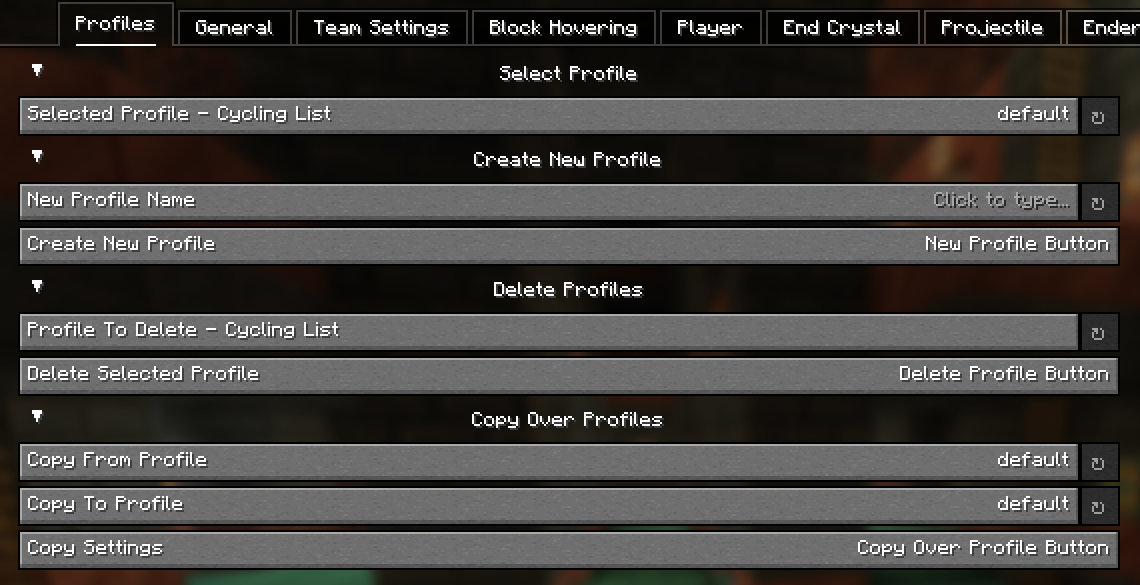
General Config Screen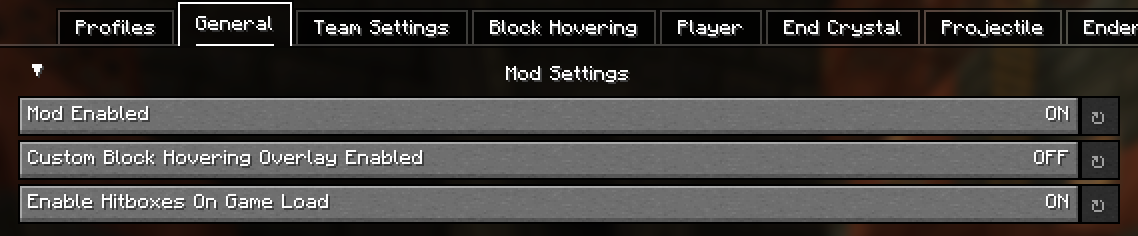
Team Config Screen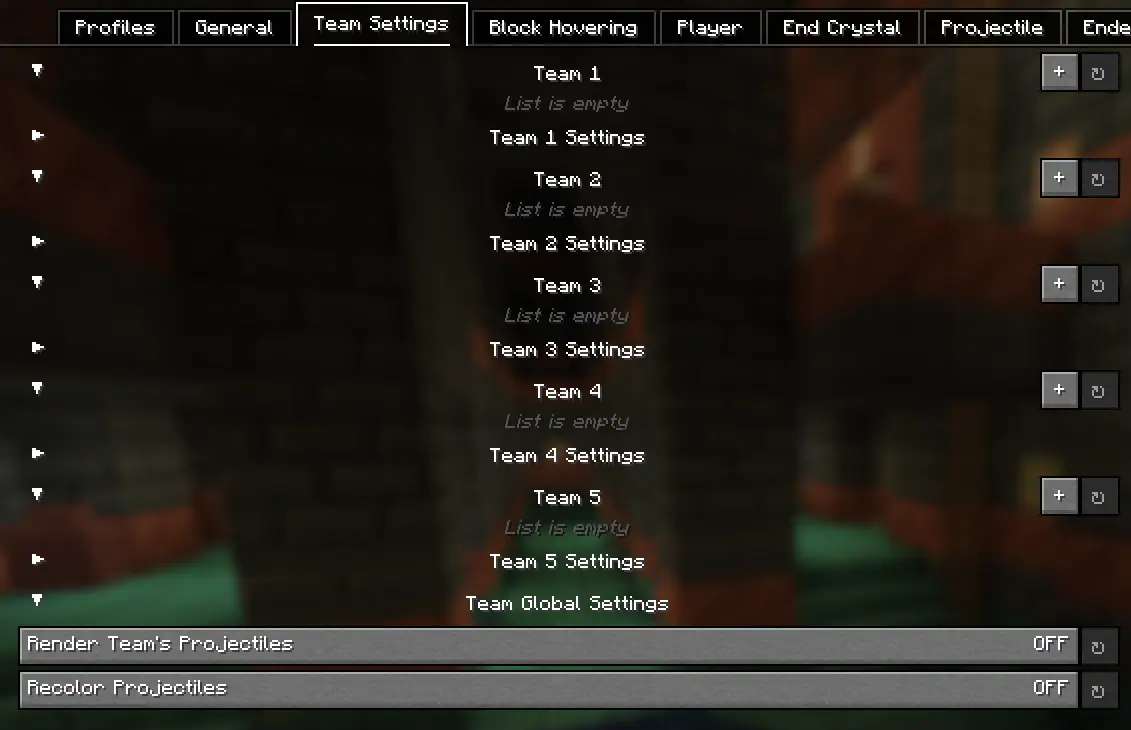
Block Hovering Config Screen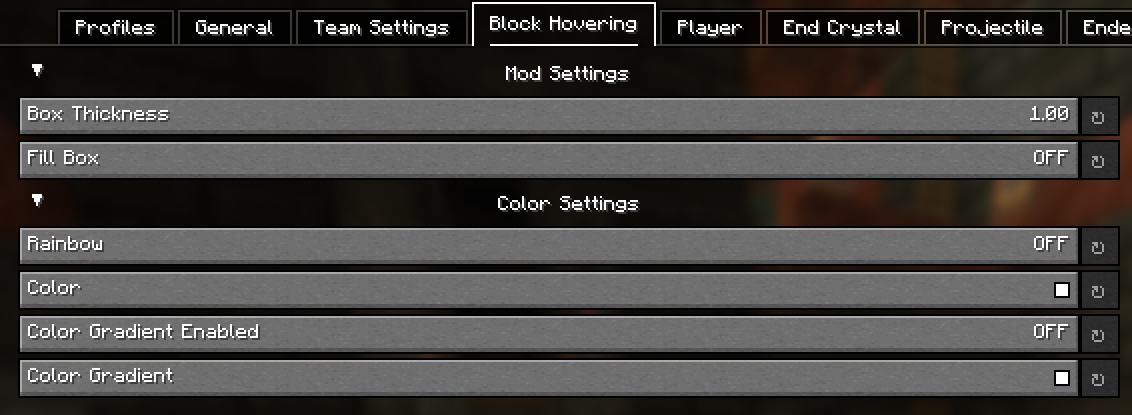
Player Config Screen
Entity Config Screens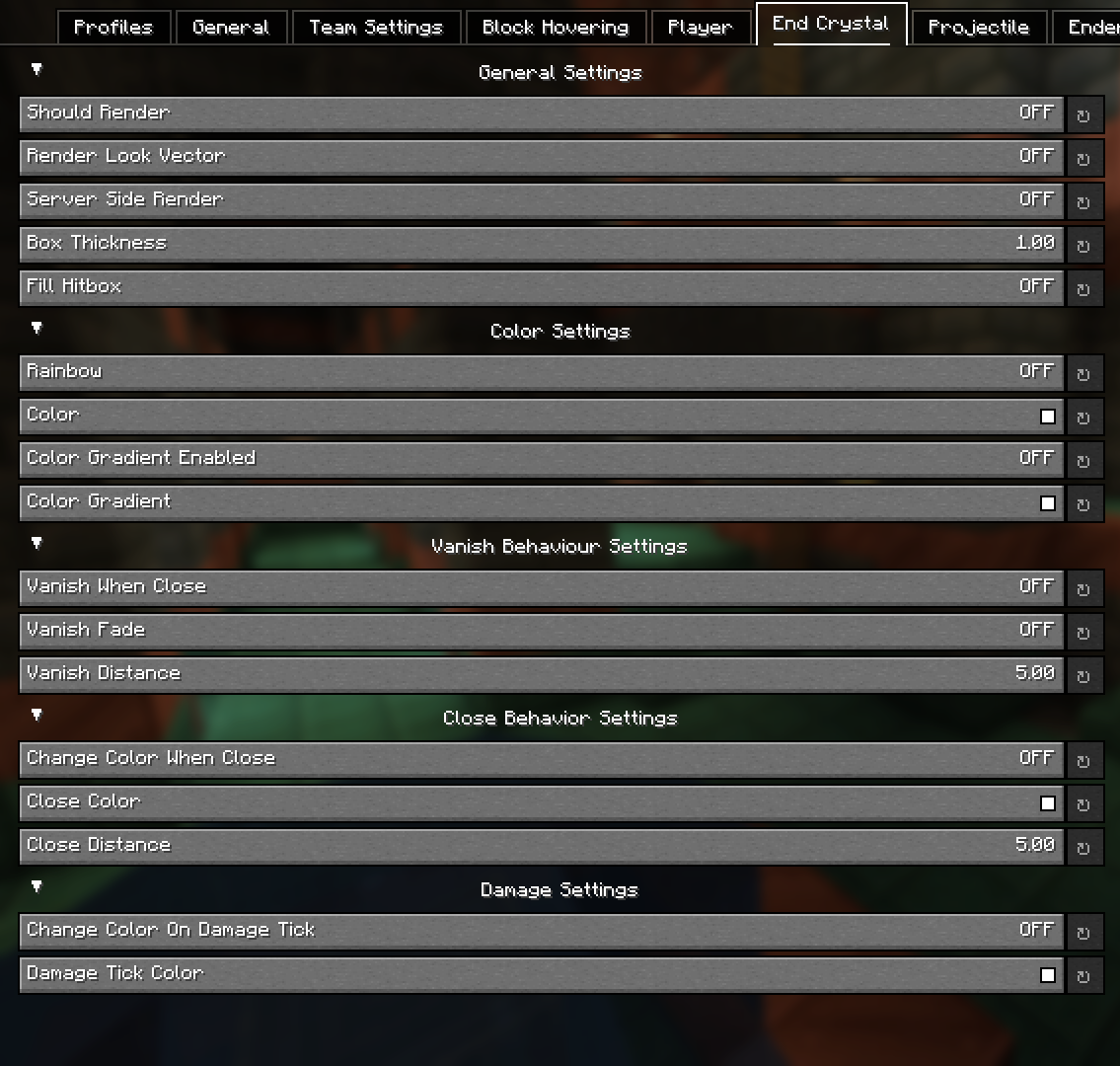
Config - Explained
Block Hovering Settings:
These settings allow you to customize the block overlay when you look at a specific block.
Team Settings:
The team settings allows you to input player usernames into a team category, which you can then customize to set colors for specific teams. This is extremely useful in teamfights for example. Player names are cap sensitive. These settings are linked to the Player settings.
Server-Side position settings:
This setting renders the hitbox where the entity is server side. This provides no advantage as entity interactions are determined by client-side calculations, so this can't be used for anything other than debugging / general curiosity.
Hitbox Vanishing (Idea from Pcrit)
This setting makes hitboxes disapear at a certain distance. This can reduce the clutter of hitboxes (such as end crystal or player hitboxes) at distances you want you pvp in. An additional setting to this is fading (vanish when close must be enabled), where the hitboxes don't simply just vanish but instead slowly fade as you get closer.
Hitbox Color Switching (Idea from NopzDaFlopper)
This setting, similar to hitbox vanishing, transitions between colors at certain distances from entities. As you get closer to a specific entity, it will change to your selected color.
Damage Colors
This setting changing the color of a hitbox if the entity is damaged (in a damage tick).
Colors
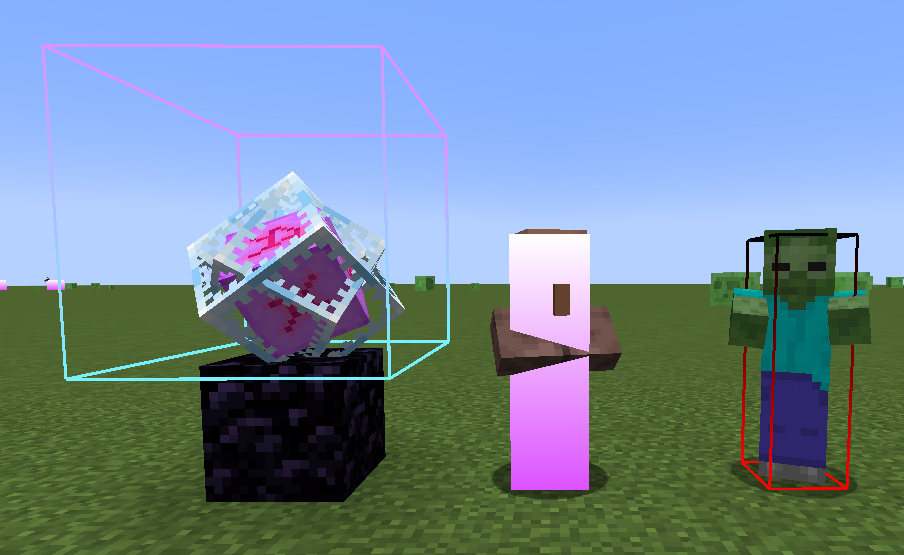
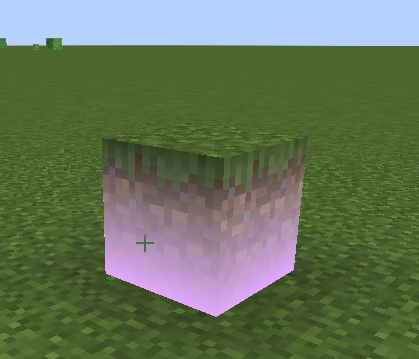
Allows you to customize the colors of the hitbox which also inculdes a gradient option and a rainbow setting. An example of gradient hitboxes are shown below:
Credits
Available Versions
How to Install Custom Hitboxes on Your Server
Order Server
Order a Minecraft Java server with at least 3 GB RAM (4 GB recommended).
Set fabric Loader
In the panel under "Egg", select the fabric loader and matching Minecraft version (1.21.11).
Install Mod
Open the mod browser in the dashboard and search for "Custom Hitboxes". Click "Install" – done! Alternatively, upload the .jar via SFTP to the /mods folder.
Compatibility
Mod Loaders
Minecraft Versions
1.21.11, 1.21.4, 1.21.3 (+3 more)
Server-side
✗ UnsupportedRecommended RAM
4 GB(min. 3 GB)Frequently Asked Questions
Custom Hitboxes server crashes on startup – what to do?
Most common cause: wrong fabric version or insufficient RAM. Check the server log (latest.log) for "OutOfMemoryError" or "Mixin" errors. With Mado Hosting: ensure at least 3 GB RAM is allocated and the loader matches the mod version (1.21.11). You can switch loaders with one click in the panel.
Is Custom Hitboxes compatible with fabric?
Custom Hitboxes officially supports fabric for Minecraft 1.21.11, 1.21.4, 1.21.3. The Mado dashboard automatically detects incompatible loader combinations.
Server lagging with Custom Hitboxes – how to optimize performance?
Recommended RAM: 4 GB (per 8 players). Use /spark profiler to check if Custom Hitboxes consumes the most tick time. Common fixes: reduce server view-distance to 8-10, install "performant" or "starlight" as supplementary mods on Forge. With Mado Hosting, your server runs on NVMe SSDs with dedicated CPU cores for minimal latency.
Similar Mods

![[ETF] Entity Texture Features](https://cdn.modrinth.com/data/BVzZfTc1/af683d206d50b05258d865b0d6e4aa2f2cee12f2_96.webp)
![[EMF] Entity Model Features](https://cdn.modrinth.com/data/4I1XuqiY/6e5bbd0d06b1741bfdab6c0cfab6de8fdaf0064c_96.webp)



Rent Modded Server
Install Custom Hitboxes with just one click on your server.