
Custom Team Manager
Create and manage your teams as an admin
Screenshots
About this Mod
English
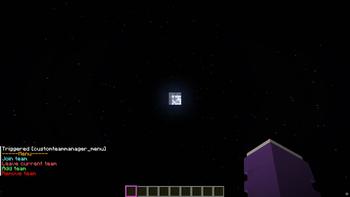
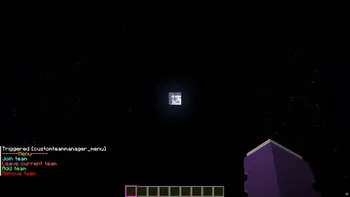
Menu
The command opens the menu.
You can execute it by clicking on the respective text.
/trigger customteammanager_menu
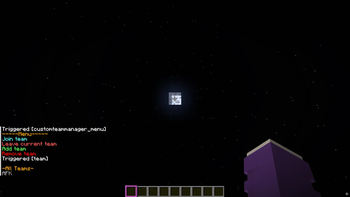
Join
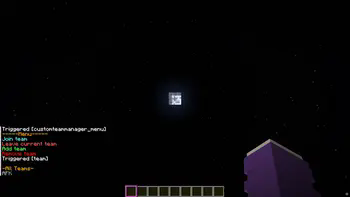
The teams that have been created are listed, and you can join the respective team by clicking on it again.
Leave
You can only leave your current team by clicking on “Leave current team.”
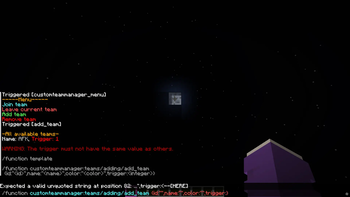
Add team
Only admins can create a team.
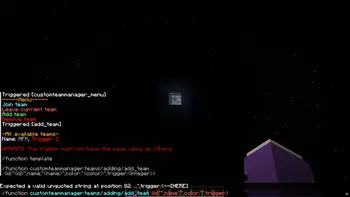
You can click on the template and the /function will be suggested, where you only need to insert the information in the curly brackets.
It is important not to use the same trigger value, as this could lead to confusion in the “code”.
A suffix is created for this purpose -> [
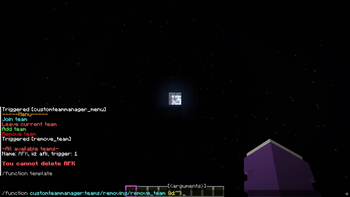
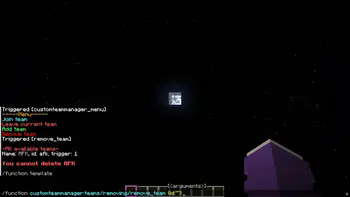
Remove team
Click on the template and then enter the ID of the team you want to delete.
In the future
I still plan to add a feature that allows users to edit teams so that they don't have to delete them just because they made a mistake.
I also plan to add a feature that allows users to edit the suffix.
Deutsch
Menu
Durch den Befehl kann man das Menu öffnen.
Indem man auf den jeweiligen Text klickt kann man es ausführen.
/trigger customteammanager_menu
Join
Die erstellten Teams werden aufgelistet und wieder durch das Klicken kann man das jeweilige Team beitreten.
Leave
Nur durch das Klicken auf "Leave current team" kann man das derzeitige Team verlassen
Add team
Nur Admins können ein Team erstellen.
Man kann auf die Vorlage klicken und es wird die /function vorgeschlagen bei dem man nur noch in den Geschweiften Klammern die Informationen einfügen muss.
Dabei darf man nicht den gleichen Trigger-Wert haben, da es sonst zu Verwechslungen im "Code" gibt.
Es wird dazu ein Suffix erstellt -> [
Das wird hinter dem Namen angezeigt.
Remove team
Wieder auf die Vorlage und dann die ID eingeben des Teams, das man löschen möchte.
In der Zukunft
Ich habe noch vor eine Funktion hinzuzufügen, dass man die Teams bearbeiten kann und diese nicht extra löschen muss nur weil man sich verschrieben hat.
Ebenfalls dass man das Suffix bearbeiten kann.
Available Versions
How to Install Custom Team Manager on Your Server
Order Server
Order a Minecraft Java server with at least 3 GB RAM (4 GB recommended).
Set datapack Loader
In the panel under "Egg", select the datapack loader and matching Minecraft version (1.21.8).
Install Mod
Open the mod browser in the dashboard and search for "Custom Team Manager". Click "Install" – done! Alternatively, upload the .jar via SFTP to the /mods folder.
Compatibility
Mod Loaders
Minecraft Versions
1.21.8, 1.21.7, 1.21.6 (+1 more)
Server-side
✓ RequiredRecommended RAM
4 GB(min. 3 GB)Frequently Asked Questions
Custom Team Manager server crashes on startup – what to do?
Most common cause: wrong datapack version or insufficient RAM. Check the server log (latest.log) for "OutOfMemoryError" or "Mixin" errors. With Mado Hosting: ensure at least 3 GB RAM is allocated and the loader matches the mod version (1.21.8). You can switch loaders with one click in the panel.
Is Custom Team Manager compatible with datapack and fabric and forge and neoforge and quilt?
Custom Team Manager officially supports datapack, fabric, forge, neoforge, quilt for Minecraft 1.21.8, 1.21.7, 1.21.6. Note: Forge and Fabric mods are NOT cross-compatible – pick one loader and stick with it. The Mado dashboard automatically detects incompatible loader combinations.
Server lagging with Custom Team Manager – how to optimize performance?
Recommended RAM: 4 GB (per 8 players). Use /spark profiler to check if Custom Team Manager consumes the most tick time. Common fixes: reduce server view-distance to 8-10, install "performant" or "starlight" as supplementary mods on Forge. With Mado Hosting, your server runs on NVMe SSDs with dedicated CPU cores for minimal latency.
Similar Mods




Rent Modded Server
Install Custom Team Manager with just one click on your server.