
Cybersus
Gives player ability to install implants in his body in techno-magic style. All implants have different abilities and require "fuel" (which can be anything, from thaumcraft essense to EU or RF)
Screenshots
About this Mod
mod is designed as a lib, so if you are a forge modder, you can easily add any new implants if needed.
By itself mod does not require any libs, but if you want get all content, you should check out "relations"
At the moment, the biggest part of implants are connected with thaumcraft.
If you have any questions, here is discord server: https://discord.gg/skBD43XkX5
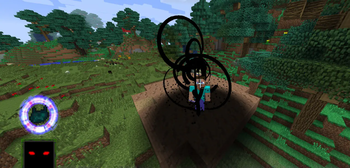
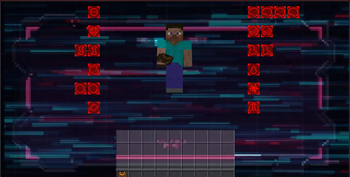
Mod provides player ability to inject implants in his body. (Cyberpunk 2077 reference) This can be done by opening menu with button:

All implants have slot type where they can be placed. Amount of slots for each type can be changed through the config
When worn, click "next implant" or "previous implant" to navigate through worn implants

Mostly, all implants have crafts through runic matrix. New thaumcraft research category included:

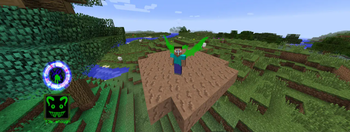
By itself, implants are just items. But each one have abilities. Abilities are shown under the implant renderer on screen.

Each one can be activated when appropriate button, bound to this ability, is clicked. Mostly they have cooldown.

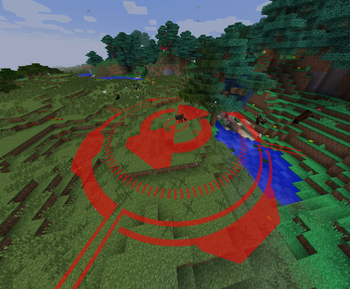
Abilities can be separated in constant-effect, side-effect and distortion ones. The last one is something like "hacking", applied to entities: you should look at your target and activate ability. The process of hacking will be shown in hotbar in right part of the screen. When finished, ability effect will be applied. Note that if entity is blocked by blocks or it is out of your sight, loss timer will appear. If it runs out, hack process interupts and ability goes to cooldown.
You can also choose required implant using special gui "implant selector"

All abilities require fuel to work. Fuel can be anything - thamcraft essense, witchery Infusion, Blood Magic blood and so on.
For now the most common type is essense. To use it, mod includes new item named "portable aspect holder". There are two variants of it. Open gui by right click, choose aspect you want to operate with, and enter in amount. When right clicking aspect container block, if you do not sneak, container sill try to take essentia, and if sneaking - put from itself to container
Available Versions
How to Install Cybersus on Your Server
Order Server
Order a Minecraft Java server with at least 3 GB RAM (4 GB recommended).
Set forge Loader
In the panel under "Egg", select the forge loader and matching Minecraft version (1.7.10).
Install Mod
Open the mod browser in the dashboard and search for "Cybersus". Click "Install" – done! Alternatively, upload the .jar via SFTP to the /mods folder.
Compatibility
Mod Loaders
Minecraft Versions
1.7.10
Server-side
✓ RequiredRecommended RAM
4 GB(min. 3 GB)Frequently Asked Questions
Cybersus server crashes on startup – what to do?
Most common cause: wrong forge version or insufficient RAM. Check the server log (latest.log) for "OutOfMemoryError" or "Mixin" errors. With Mado Hosting: ensure at least 3 GB RAM is allocated and the loader matches the mod version (1.7.10). You can switch loaders with one click in the panel.
Is Cybersus compatible with forge?
Cybersus officially supports forge for Minecraft 1.7.10. The Mado dashboard automatically detects incompatible loader combinations.
Server lagging with Cybersus – how to optimize performance?
Recommended RAM: 4 GB (per 8 players). Use /spark profiler to check if Cybersus consumes the most tick time. Common fixes: reduce server view-distance to 8-10, install "performant" or "starlight" as supplementary mods on Forge. With Mado Hosting, your server runs on NVMe SSDs with dedicated CPU cores for minimal latency.
Similar Mods




Rent Modded Server
Install Cybersus with just one click on your server.