
Dampened
A library for Palladium that adds various interactions for power dampening.
Screenshots


About this Mod

A Palladium addon adding items and effects related to power dampening.
Dampened is an addon for Palladium that adds blocks, effects, and interactions that will allow addonpack developers to allow for cross-pack power dampening. The hope is to make the process of dampening powers to be as streamlined as possible with this addon.
Instructions for how to properly add compatibility with Dampened to your addon, or integrate Dampened into your addon will be coming soon!
Originally built for Arrzee's Enhanced SMP. Watch now!
Features
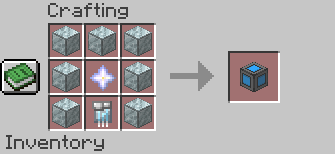
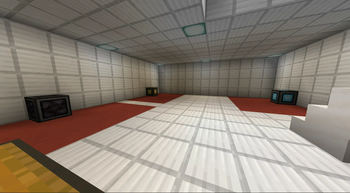
Dampening Blocks
- Dampener Block (Dark Matter)
- EMP Jammer (Technology)
- Magic Rune (Magic)
- Creative Dampening Block
Targeted Dampening
- Dampening Handcuffs (Dark Matter)
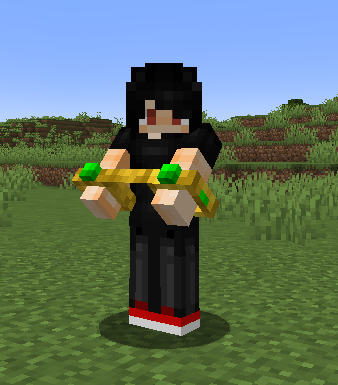
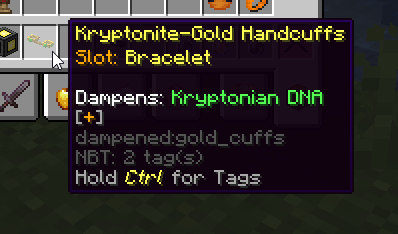
- Kryptonite-Gold Handcuffs
- Magic-Dampening Handcuffs
- Tech-Dampening Belt
- Dampening Collar (Mutant)
Compatibility
Option 1: Optional Dependency
If you'd like Dampened to be an OPTIONAL dependency for your addon, then take the following steps.
Part 1: Custom Condition
To add Dampened compatibility to your addon, first you need to add a custom power condition.
This can be done by placing the following contents into a file located at addon/<YOUR_NAMESPACE>/kubejs_scripts/safe_player_has_effect.js.
ATTENTION: Replace
/*
    @author Hertz
    @version 2.0
*/

var BuiltInRegistries = Java.loadClass("net.minecraft.core.registries.BuiltInRegistries")

function resolveAllegedBooleanFromObject(thing) {
    if (thing.toString() == 'true') { return true; }
    if (thing.toString() == 'false') { return false; }
    return null
}

StartupEvents.registry('palladium:condition_serializer', (event) => {
    event.create('<YOUR_NAMESPACE>:dampened_by')
    .addProperty("effect", "string", "minecraft:health_boost", "Effect to search for")
    .test((entity, props) => {
        let targetEffect = props.get("effect")
        var toReturn = false

        try {
            var fetchedEffect = BuiltInRegistries.MOB_EFFECT.get(targetEffect)
            if (fetchedEffect == null) {
                // throw new Error(`Target effect ${targetEffect} not found!`)
                toReturn = false
            } else {
                toReturn = entity.hasEffect(targetEffect)
            }
        } catch (err) {
            console.log(err)
        }

        return !toReturn
    })
});
Part 2: Implementation
Adding the custom condition is as simple as slotting it into a power's unlocking condition. However, to use powers you want to make sure you are not being dampened, so you need to wrap your custom safe_player_has_effect in a palladium:not condition. Below is a snippet of the power JSON file.
"conditions": {
  "unlocking": [
    {
      "type": "<YOUR_NAMESPACE>:dampened_by",
      "effect": "dampened:genetic"
    }
  ]
}
Feel free to switch out the effect that dampens your powers, and you're good to go!
Option 2: Required Dependency
If you'd like Dampened to be a required dependency for your addon (as it is with Arrzee's Multiverse), you can use Palladium's built in palladium:has_effect condition in place of the custom condition.
"conditions": {
  "unlocking": [
    {
      "type": "palladium:has_effect",
      "effect": "dampened:genetic"
    }
  ]
}
You'll want to reflect Dampened as a dependency in your addon's pack.mcmeta or mod's META_INF/mods.toml.
Available Versions
How to Install Dampened on Your Server
Order Server
Order a Minecraft Java server with at least 3 GB RAM (4 GB recommended).
Set forge Loader
In the panel under "Egg", select the forge loader and matching Minecraft version (1.20.1).
Install Mod
Open the mod browser in the dashboard and search for "Dampened". Click "Install" – done! Alternatively, upload the .jar via SFTP to the /mods folder.
Compatibility
Mod Loaders
Minecraft Versions
1.20.1
Server-side
✓ RequiredRecommended RAM
4 GB(min. 3 GB)Frequently Asked Questions
Dampened server crashes on startup – what to do?
Most common cause: wrong forge version or insufficient RAM. Check the server log (latest.log) for "OutOfMemoryError" or "Mixin" errors. With Mado Hosting: ensure at least 3 GB RAM is allocated and the loader matches the mod version (1.20.1). You can switch loaders with one click in the panel.
Is Dampened compatible with forge?
Dampened officially supports forge for Minecraft 1.20.1. The Mado dashboard automatically detects incompatible loader combinations.
Server lagging with Dampened – how to optimize performance?
Recommended RAM: 4 GB (per 8 players). Use /spark profiler to check if Dampened consumes the most tick time. Common fixes: reduce server view-distance to 8-10, install "performant" or "starlight" as supplementary mods on Forge. With Mado Hosting, your server runs on NVMe SSDs with dedicated CPU cores for minimal latency.
Similar Mods




Rent Modded Server
Install Dampened with just one click on your server.