DayCounter
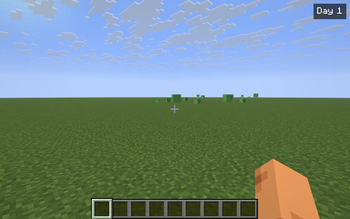
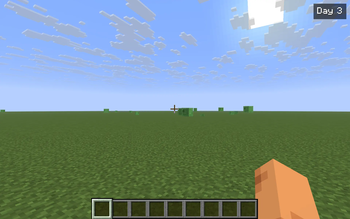
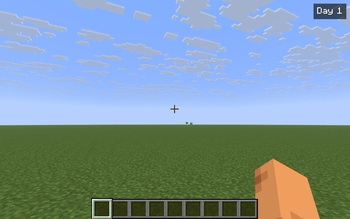
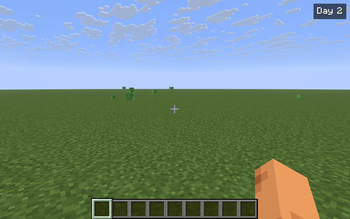
Tiny top-right HUD showing Day N — how many in-game days you've survived in the current world.
Screenshots
About this Mod
DayCounter is the smallest possible "how long have I been here" HUD. A single badge in the top-right of your screen reads Day 1, Day 2, … and climbs once per in-game day cycle. Vanilla tracks dayTime internally but only surfaces it deep inside F3 — DayCounter pulls that number into your normal field of view, where it actually informs how you play.
What it does
- Reads
world.getTimeOfDay() / 24000and renders the result as Day N in the top-right HUD. - Each in-game world keeps its own baseline day. The first time you enter a save (or join a server), the current world day becomes Day 1 for that world. From then on, the badge counts the days you've spent there, not the world's absolute age.
- Baselines are persisted to
config/daycounter.jsonkeyed by the singleplayer save name or server address. Switching worlds picks up the right counter automatically. - When the day flips from
NtoN+1, the badge briefly pulses yellow so you actually notice the milestone — useful as a passive "another night survived" feedback.
Commands & controls
/daycounter— show the current day in chat (with the world key the mod is tracking against)./daycounter reset— set the current world's baseline to today. The badge reads Day 1 again from now on.- Y — toggle the HUD on/off. The badge also respects F1 (hide HUD) and stays hidden in menus.
Notes
- Pure client-side — install on your client only. Works on any Fabric server, fully vanilla compatible.
- Per-world isolation: each save / each server address has its own baseline.
- The badge updates every client tick — there is no observable performance cost.
- ~200 lines of code, no mixins, no extra dependencies beyond Fabric API.
Compatibility
Minecraft 1.21.8, 1.21.9, 1.21.10, 1.21.11 — Fabric Loader 0.16+. One JAR covers all four. Drop into your mods/ folder alongside Fabric API.
Available Versions
How to Install DayCounter on Your Server
Order Server
Order a Minecraft Java server with at least 3 GB RAM (4 GB recommended).
Set fabric Loader
In the panel under "Egg", select the fabric loader and matching Minecraft version (1.21.11).
Install Mod
Open the mod browser in the dashboard and search for "DayCounter". Click "Install" – done! Alternatively, upload the .jar via SFTP to the /mods folder.
Compatibility
Mod Loaders
Minecraft Versions
1.21.11, 1.21.10, 1.21.9 (+1 more)
Server-side
✗ UnsupportedRecommended RAM
4 GB(min. 3 GB)Frequently Asked Questions
DayCounter server crashes on startup – what to do?
Most common cause: wrong fabric version or insufficient RAM. Check the server log (latest.log) for "OutOfMemoryError" or "Mixin" errors. With Mado Hosting: ensure at least 3 GB RAM is allocated and the loader matches the mod version (1.21.11). You can switch loaders with one click in the panel.
Is DayCounter compatible with fabric?
DayCounter officially supports fabric for Minecraft 1.21.11, 1.21.10, 1.21.9. The Mado dashboard automatically detects incompatible loader combinations.
Server lagging with DayCounter – how to optimize performance?
Recommended RAM: 4 GB (per 8 players). Use /spark profiler to check if DayCounter consumes the most tick time. Common fixes: reduce server view-distance to 8-10, install "performant" or "starlight" as supplementary mods on Forge. With Mado Hosting, your server runs on NVMe SSDs with dedicated CPU cores for minimal latency.
Similar Mods




![[ETF] Entity Texture Features](https://cdn.modrinth.com/data/BVzZfTc1/af683d206d50b05258d865b0d6e4aa2f2cee12f2_96.webp)
![[EMF] Entity Model Features](https://cdn.modrinth.com/data/4I1XuqiY/6e5bbd0d06b1741bfdab6c0cfab6de8fdaf0064c_96.webp)
Rent Modded Server
Install DayCounter with just one click on your server.