
DayTracker
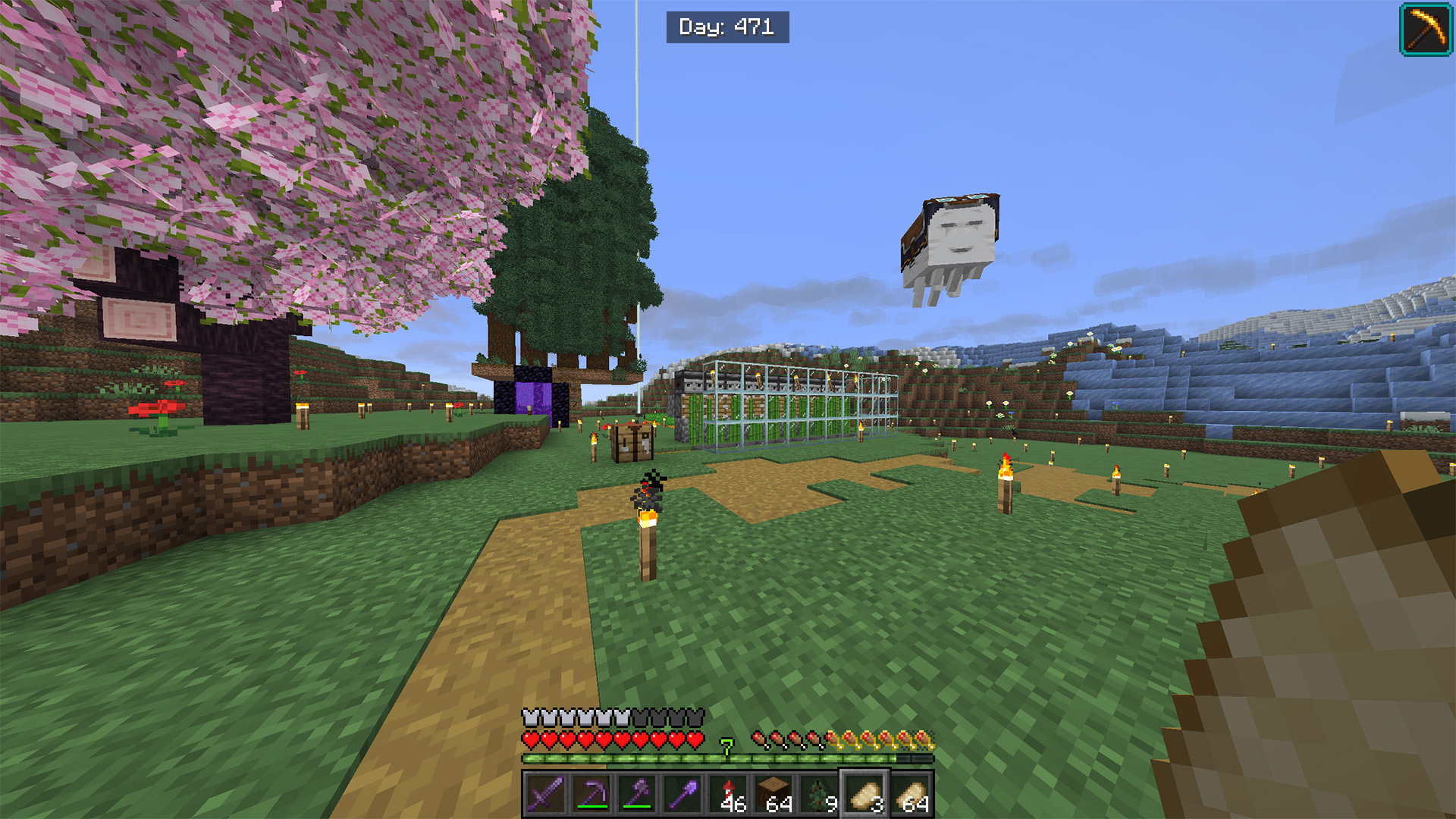
Displays the current in-game day on the HUD
Screenshots
About this Mod
English
Day Tracker is a lightweight client-side mod that displays the current in-game day directly on the HUD. It calculates the world day based on the world time and shows it in a clean, centered overlay at the top of the screen.
📊 Features:
- 🕒 In-game day counter — shows the current day based on world time
- 🖥️ HUD display — rendered on the client overlay without affecting gameplay
- 🎮 Client-side only — no server-side installation required
This mod helps players keep track of world progression, useful for survival, challenges, and long-term gameplay tracking.
Русский
Day Tracker — это лёгкий клиентский мод, который отображает текущий игровой день прямо на HUD. Он вычисляет день на основе игрового времени мира и показывает его в аккуратном, центрированном оверлее в верхней части экрана.
📊 Особенности:
- 🕒 Счётчик дней — отображает текущий день на основе времени мира
- 🖥️ Отображение на HUD — выводится поверх интерфейса и не влияет на геймплей
- 🎮 Только клиент — не требует установки на сервер
Мод помогает отслеживать прогресс мира, полезен для выживания, челленджей и долгих игровых сессий.
Discord: dastych_
Available Versions
How to Install DayTracker on Your Server
Order Server
Order a Minecraft Java server with at least 3 GB RAM (4 GB recommended).
Set fabric Loader
In the panel under "Egg", select the fabric loader and matching Minecraft version (1.21.9).
Install Mod
Open the mod browser in the dashboard and search for "DayTracker". Click "Install" – done! Alternatively, upload the .jar via SFTP to the /mods folder.
Compatibility
Mod Loaders
Minecraft Versions
1.21.9, 1.21.7
Server-side
✗ UnsupportedRecommended RAM
4 GB(min. 3 GB)Frequently Asked Questions
DayTracker server crashes on startup – what to do?
Most common cause: wrong fabric version or insufficient RAM. Check the server log (latest.log) for "OutOfMemoryError" or "Mixin" errors. With Mado Hosting: ensure at least 3 GB RAM is allocated and the loader matches the mod version (1.21.9). You can switch loaders with one click in the panel.
Is DayTracker compatible with fabric?
DayTracker officially supports fabric for Minecraft 1.21.9, 1.21.7. The Mado dashboard automatically detects incompatible loader combinations.
Server lagging with DayTracker – how to optimize performance?
Recommended RAM: 4 GB (per 8 players). Use /spark profiler to check if DayTracker consumes the most tick time. Common fixes: reduce server view-distance to 8-10, install "performant" or "starlight" as supplementary mods on Forge. With Mado Hosting, your server runs on NVMe SSDs with dedicated CPU cores for minimal latency.
Similar Mods

![[ETF] Entity Texture Features](https://cdn.modrinth.com/data/BVzZfTc1/af683d206d50b05258d865b0d6e4aa2f2cee12f2_96.webp)
![[EMF] Entity Model Features](https://cdn.modrinth.com/data/4I1XuqiY/6e5bbd0d06b1741bfdab6c0cfab6de8fdaf0064c_96.webp)



Rent Modded Server
Install DayTracker with just one click on your server.