
DeathBreadCrumbs
Client-side breadcrumbs that lead you back to your last death
Screenshots


About this Mod
Eng
Death Breadcrumbs
Death Breadcrumbs is a mod that lets you return to your death spot without stress or endless running around.
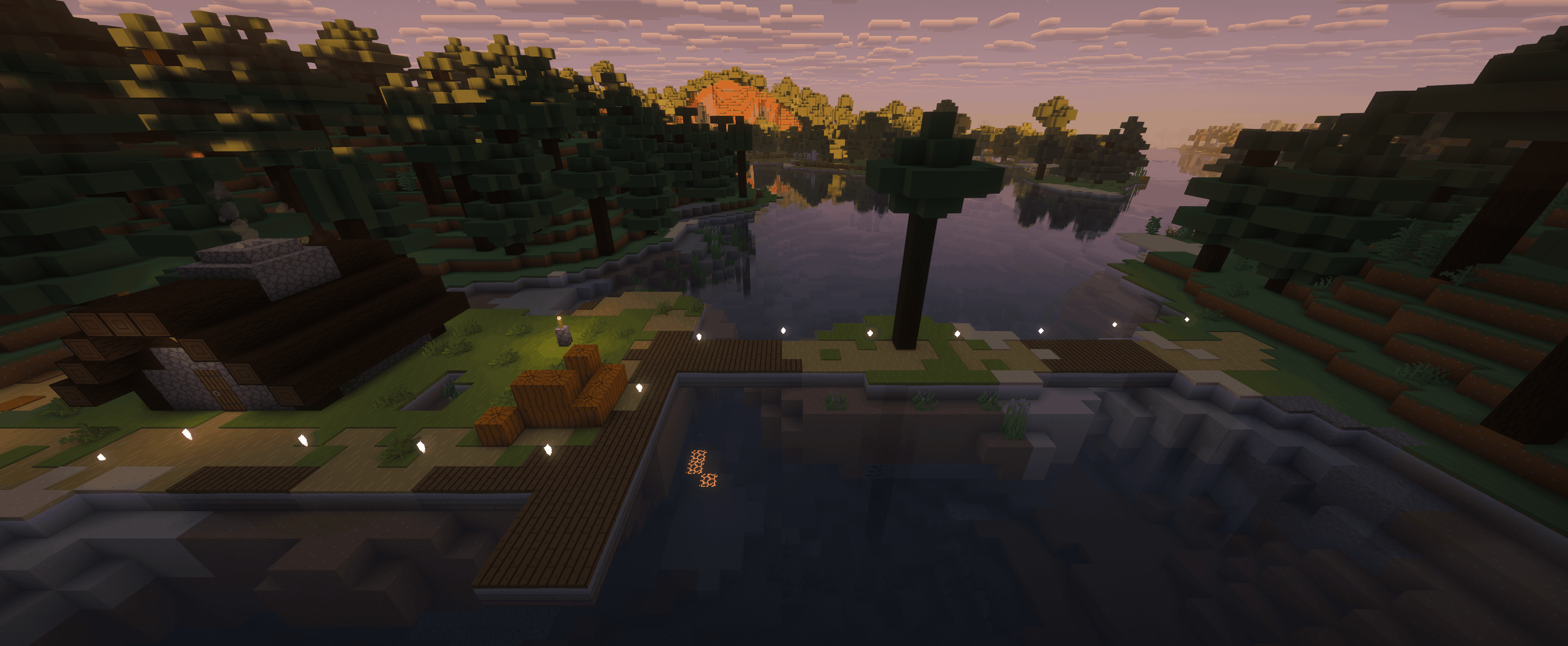
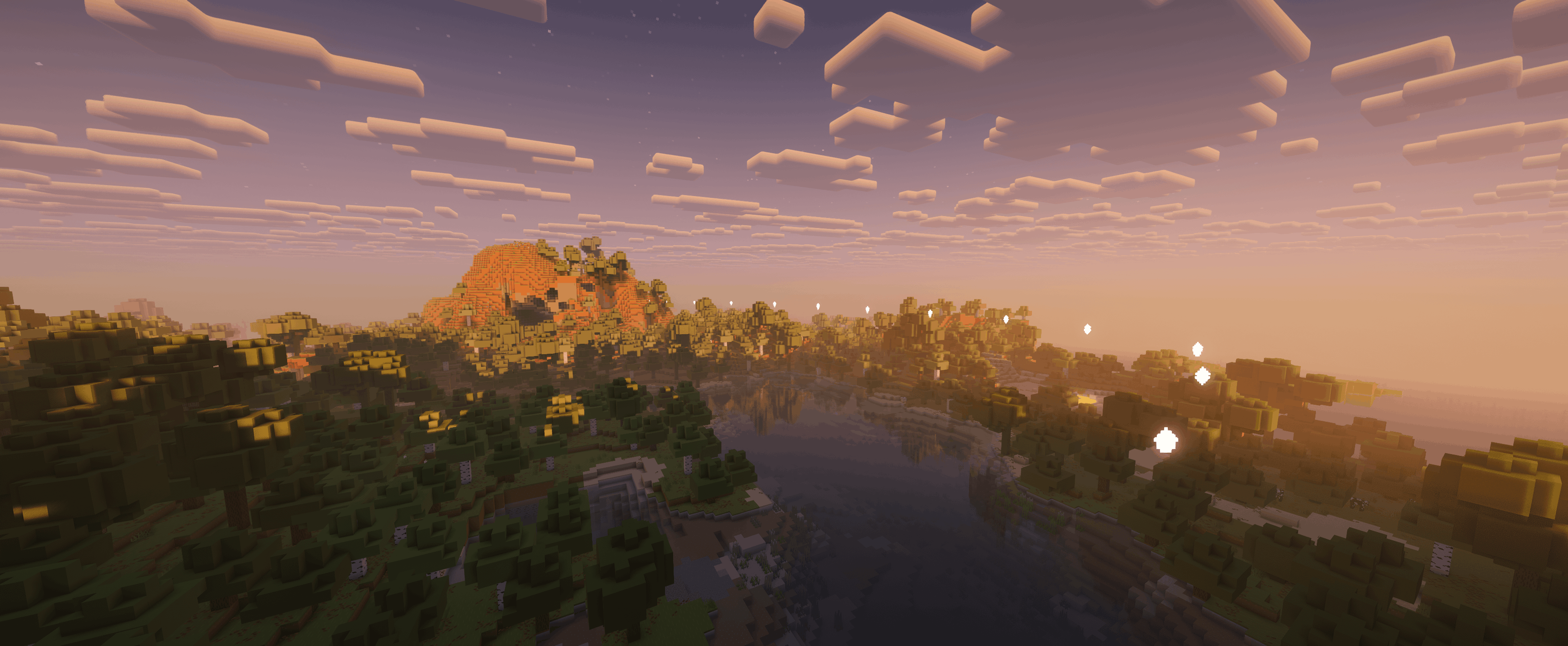
Died? The mod immediately shows a neat particle trail straight to your death location. No need to memorize coordinates, place map markers, or search blindly in caves, forests, mountains, or among your builds. Just follow the trail — and reclaim your stuff.
The path doesn't "break" even if you decide to take a shortcut or avoid a dangerous area: the trail dynamically adjusts and still leads you exactly to your death point. Once you arrive — the trail disappears, and your screen is clean again.
Screenshots
Trail in the overworld
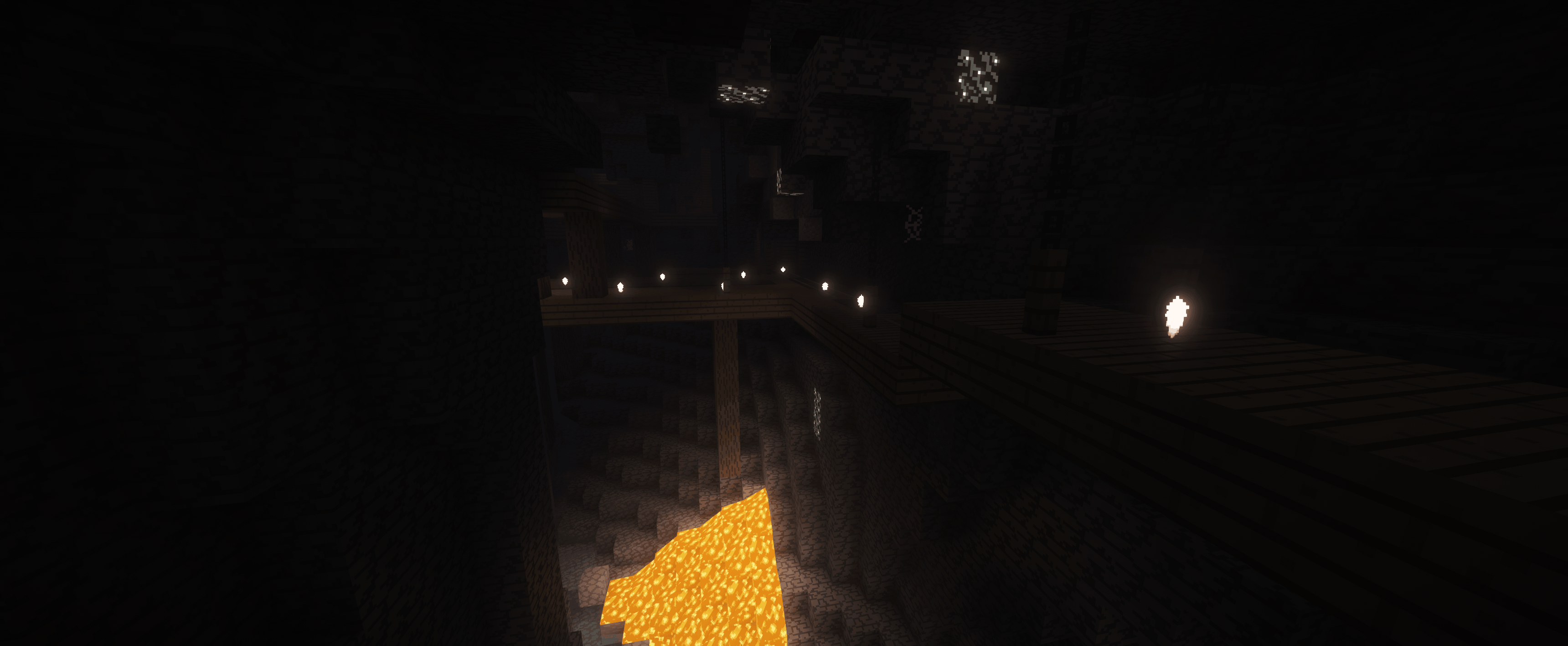
Trail in caves / mines
Important
⚠️ The path is built based on the actual walking route you took. If you teleported (via command, warp, plugins, /home, etc.), the trail will not generate to teleport points.
⚠️ Warning: This mod is in very early beta. Visual bugs (incorrect particle display, trail breaks, flickering, etc.) and cases where the trail simply doesn't appear are possible.
Why you should install it
- Quickly find your death location and recover your items
- Works in any situation: forests, mountains, caves, bases
- Doesn't clutter your screen — the trail vanishes once you reach the spot
RU
Death Breadcrumbs
Death Breadcrumbs — мод, который возвращает тебя к луту после смерти без нервов и лишней беготни.
Умер? Мод сразу показывает аккуратную тропу из частиц прямо к месту смерти. Не нужно запоминать координаты, ставить метки на карте или искать наугад в пещерах, лесу, в горах и среди построек. Просто следуй по следу — и забирай вещи.
Путь не “ломается”, даже если ты решил срезать или обойти опасное место: тропа подстраивается и всё равно ведёт к твоей точке смерти. Когда добрался — след исчезает, экран снова чистый.
Скриншоты
Тропа в открытом мире
Тропа в пещерах / шахте
Важно
⚠️ Путь строится по маршруту, который ты реально прошёл пешком. Если ты телепортировался (командой, варпом, через плагины, тп-домой и т.п.), то к местам телепортации тропа строиться не будет.
⚠️ Внимание: мод находится в очень ранней бете. Возможны визуальные баги (неправильное отображение частиц, обрывы тропы и т.п.) и случаи, когда тропа просто не появляется.
Почему стоит поставить
- Быстро находишь место смерти и возвращаешь вещи
- Работает в любых ситуациях: лес, горы, пещеры, базы
- Не засоряет экран — тропа исчезает, когда ты добрался
Available Versions
How to Install DeathBreadCrumbs on Your Server
Order Server
Order a Minecraft Java server with at least 3 GB RAM (4 GB recommended).
Set fabric Loader
In the panel under "Egg", select the fabric loader and matching Minecraft version (1.21.11).
Install Mod
Open the mod browser in the dashboard and search for "DeathBreadCrumbs". Click "Install" – done! Alternatively, upload the .jar via SFTP to the /mods folder.
Compatibility
Mod Loaders
Minecraft Versions
1.21.11
Server-side
✗ UnsupportedRecommended RAM
4 GB(min. 3 GB)Frequently Asked Questions
DeathBreadCrumbs server crashes on startup – what to do?
Most common cause: wrong fabric version or insufficient RAM. Check the server log (latest.log) for "OutOfMemoryError" or "Mixin" errors. With Mado Hosting: ensure at least 3 GB RAM is allocated and the loader matches the mod version (1.21.11). You can switch loaders with one click in the panel.
Is DeathBreadCrumbs compatible with fabric?
DeathBreadCrumbs officially supports fabric for Minecraft 1.21.11. The Mado dashboard automatically detects incompatible loader combinations.
Server lagging with DeathBreadCrumbs – how to optimize performance?
Recommended RAM: 4 GB (per 8 players). Use /spark profiler to check if DeathBreadCrumbs consumes the most tick time. Common fixes: reduce server view-distance to 8-10, install "performant" or "starlight" as supplementary mods on Forge. With Mado Hosting, your server runs on NVMe SSDs with dedicated CPU cores for minimal latency.
Similar Mods




![[ETF] Entity Texture Features](https://cdn.modrinth.com/data/BVzZfTc1/af683d206d50b05258d865b0d6e4aa2f2cee12f2_96.webp)
![[EMF] Entity Model Features](https://cdn.modrinth.com/data/4I1XuqiY/6e5bbd0d06b1741bfdab6c0cfab6de8fdaf0064c_96.webp)
Rent Modded Server
Install DeathBreadCrumbs with just one click on your server.