
DeathChallenge
Fun mod to play with friends. Adds a death swap game were players fight to kill eachother in the game
Screenshots
About this Mod
What is Death Challenge?
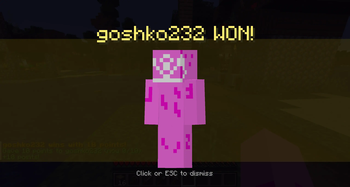
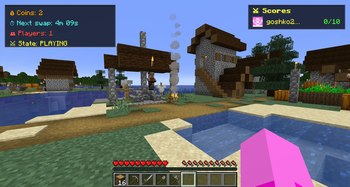
This is a fun mod that allows you and your friends to play a fun game together. The point of the game is to create a trap in the time frame and after the time ends your location swap and see who dies first.
Why choose Death Challenge?
You maybe have sawn other mods, plugins that do the exact same thing but heres the twist. Most of the times behind the mod are big teams with programmers, artist and whole bunch of people. I made this mod myself without any additional help(expect the fabric wiki). The work of single developers is slower but allows for a very good mod in the end.
Updates
The mod is supported in singleplayer and multiplayer(you will need to setup a fabric server to play with your friends). The mod will get more updates as the time goes on. I have alot of plans for it so it will be fun for me to continue my adventure through this mod and make you have fun.
Core mechanics
This mod adds some new stuff:
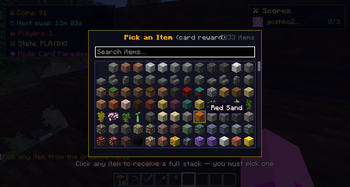
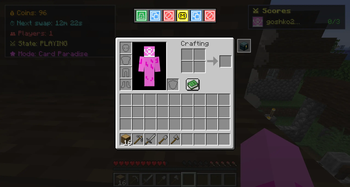
- A new hotbar at the top of your inventory screen. This hotbar will store your power ups through the game and you will be able to play them. For now there are 4 unique powers - cancel, draw, revive, coin flip.
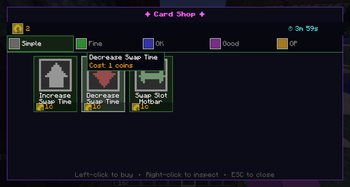
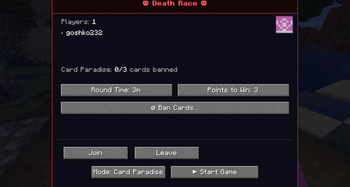
- When you press tab now a new screen appears. You can start a game from there. When there is an active game you will get the Card Shop screen were you can buy cards to make the game even more fun!
- There is a new button in your inventory that acts as your own portable ender chest.
Hope you will have fun when playing the mod!
Available Versions
How to Install DeathChallenge on Your Server
Order Server
Order a Minecraft Java server with at least 3 GB RAM (4 GB recommended).
Set fabric Loader
In the panel under "Egg", select the fabric loader and matching Minecraft version (1.21).
Install Mod
Open the mod browser in the dashboard and search for "DeathChallenge". Click "Install" – done! Alternatively, upload the .jar via SFTP to the /mods folder.
Compatibility
Mod Loaders
Minecraft Versions
1.21
Server-side
✓ RequiredRecommended RAM
4 GB(min. 3 GB)Frequently Asked Questions
DeathChallenge server crashes on startup – what to do?
Most common cause: wrong fabric version or insufficient RAM. Check the server log (latest.log) for "OutOfMemoryError" or "Mixin" errors. With Mado Hosting: ensure at least 3 GB RAM is allocated and the loader matches the mod version (1.21). You can switch loaders with one click in the panel.
Is DeathChallenge compatible with fabric?
DeathChallenge officially supports fabric for Minecraft 1.21. The Mado dashboard automatically detects incompatible loader combinations.
Server lagging with DeathChallenge – how to optimize performance?
Recommended RAM: 4 GB (per 8 players). Use /spark profiler to check if DeathChallenge consumes the most tick time. Common fixes: reduce server view-distance to 8-10, install "performant" or "starlight" as supplementary mods on Forge. With Mado Hosting, your server runs on NVMe SSDs with dedicated CPU cores for minimal latency.
Similar Mods




Rent Modded Server
Install DeathChallenge with just one click on your server.