
Death Memo
A client-side NeoForge mod that automatically saves snapshots of your inventory upon death and allows you to browse them later.
Screenshots
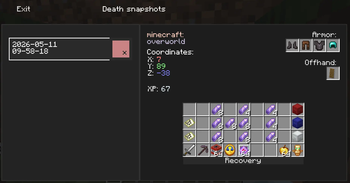
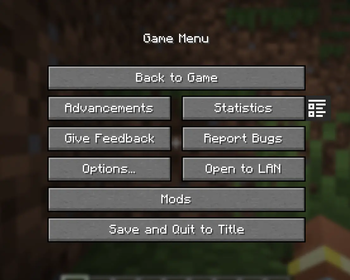
About this Mod
EN
Death Memo
A client-side NeoForge mod that automatically saves snapshots of your inventory upon death and allows you to browse them later.
For server operators or singleplayer with cheats enabled, it also provides one‑click item recovery, teleportation to the death location, and experience restoration.
Features
- Automatic death snapshots – When you die, your armor, offhand, inventory, experience, coordinates and dimension are saved immediately.
- Local storage – Snapshots are stored in the
deathmemo/folder inside the Minecraft game directory, separately for each world/server. - In‑game history browser – A special screen accessible from the pause menu (next to the “Stats” button) shows all your death records.
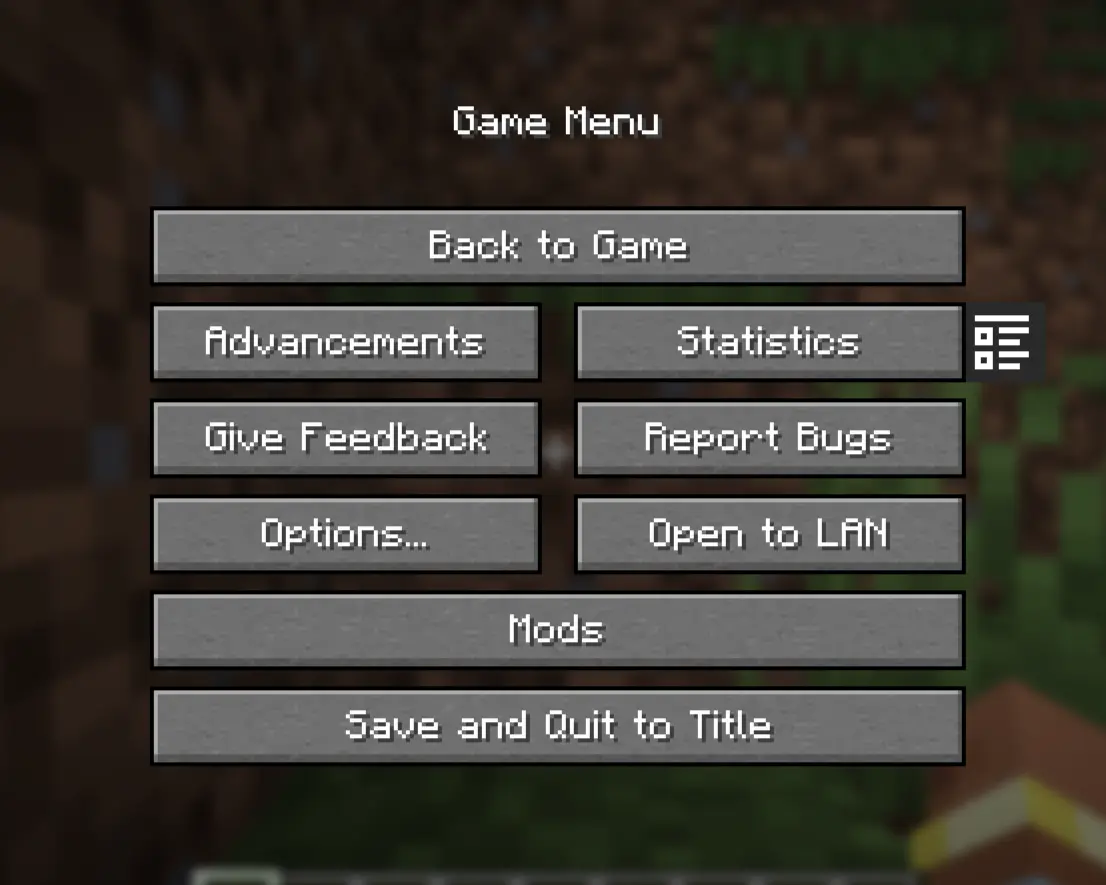
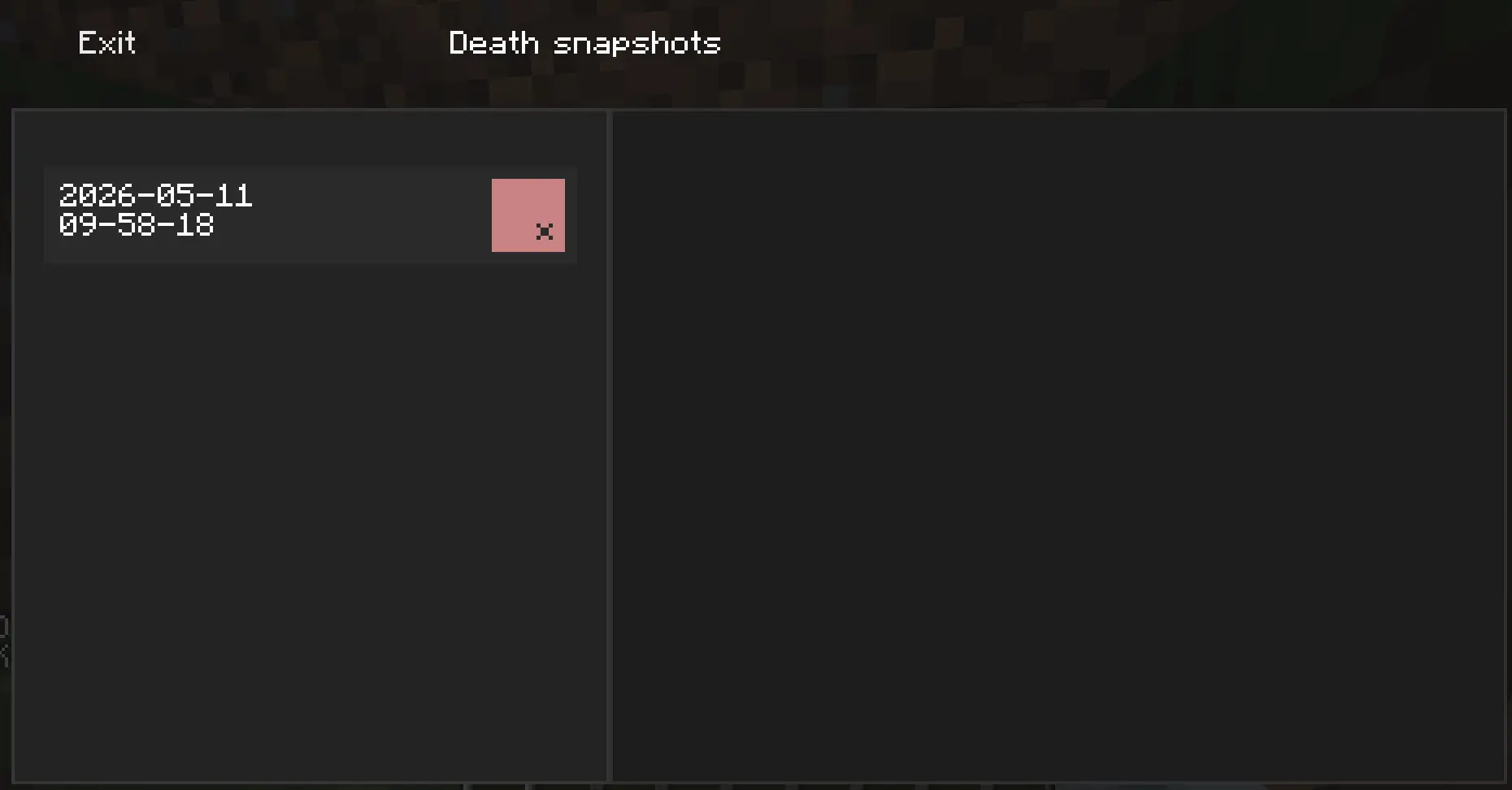
- Detailed view – Click on a date and time entry to see:
- Equipped armor, offhand item, and all 36 inventory slots
- Coordinates (X, Y, Z) and dimension
- Experience points at the moment of death
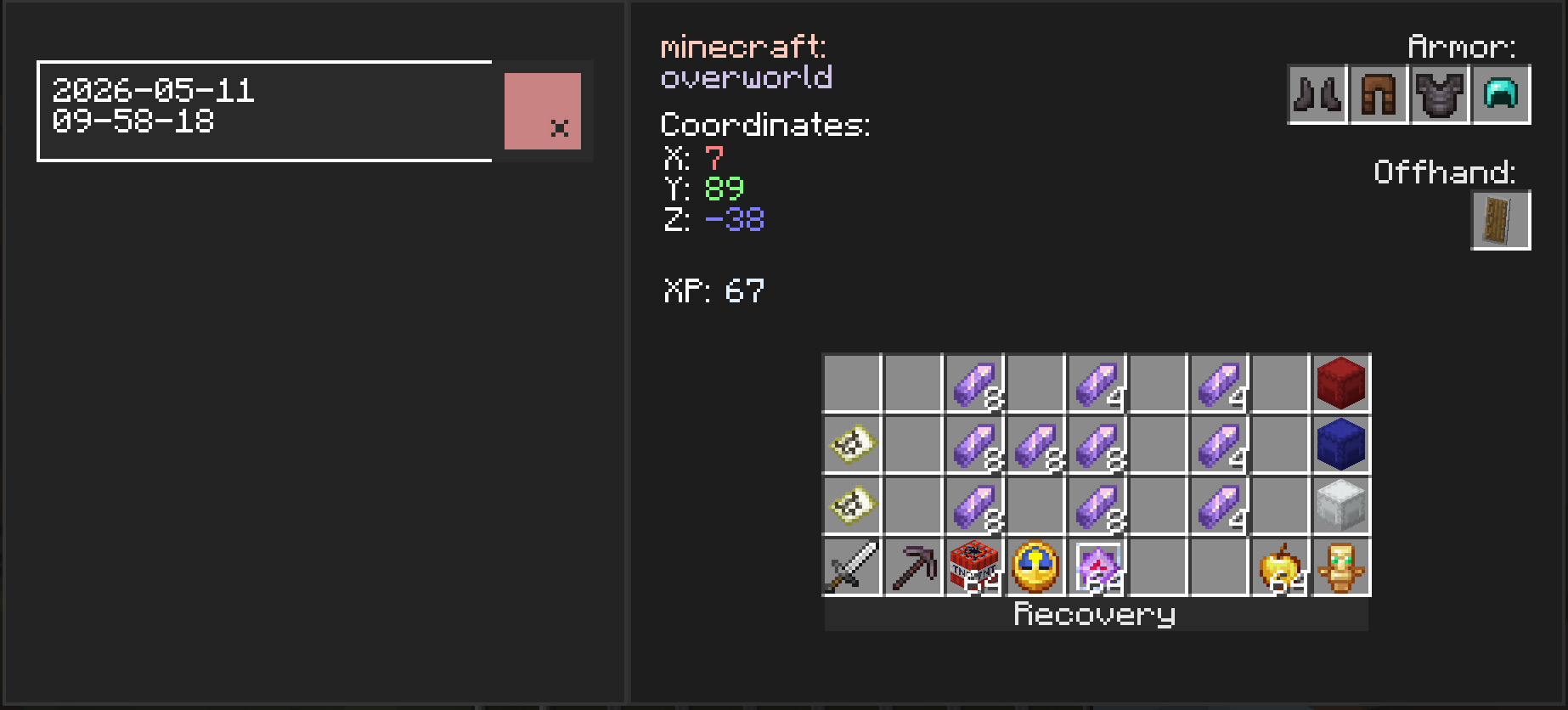
Operator recovery tools (requires permission level 2 or cheats enabled in singleplayer):
Recovery – request all items from the selected snapshot.
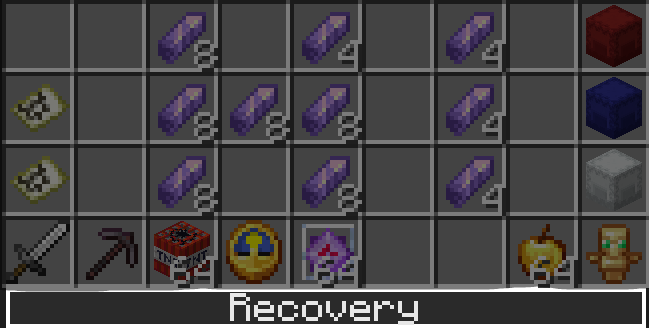
Teleportation – instantly teleport to the death location.
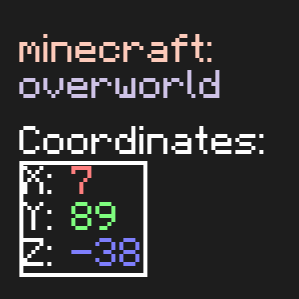
Experience restoration – restore lost experience points.
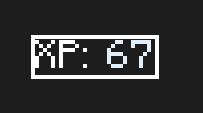
Request a specific item – click on any slot in the history to ask the server to give you that item (if permitted).
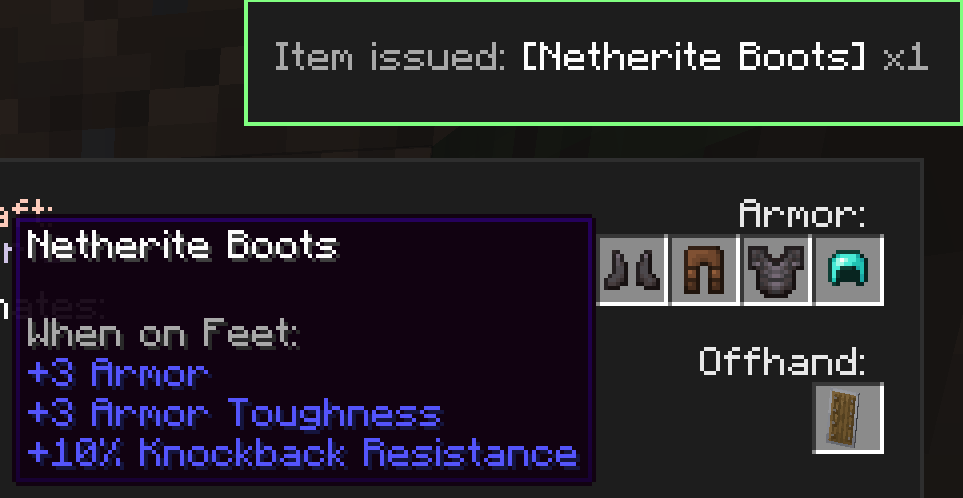
Visual feedback – custom colored toast notifications confirm whether your recovery request was approved or denied.
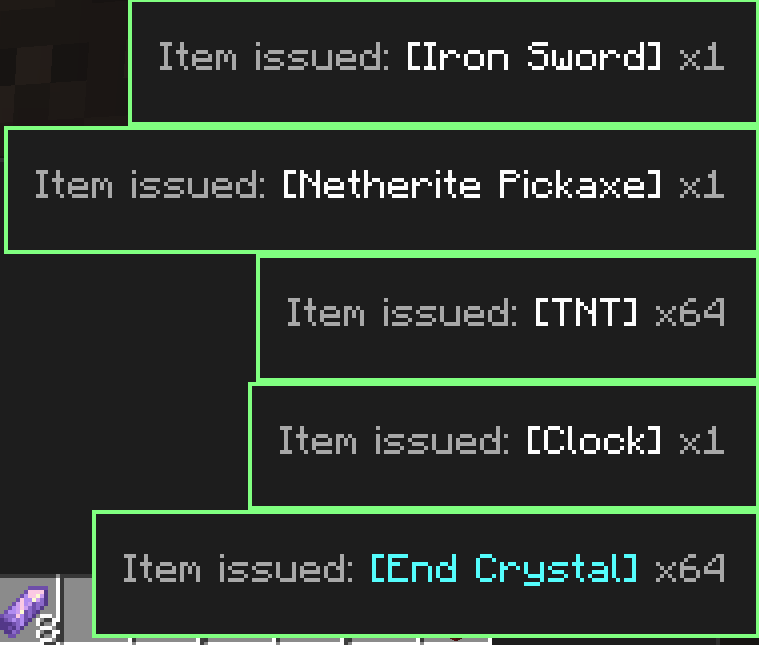
Flexible UI – snapshots can be safely deleted individually.
Client‑server interaction – uses custom packets for secure command execution and item recovery.
Requirements
- Minecraft 1.21 or newer (NeoForge)
- NeoForge (latest recommended version)
- owo-lib (required for the UI framework) – Modrinth / CurseForge
Installation
- Install NeoForge for your Minecraft version.
- Download the latest
deathmemo-*.jarfrom the Versions or Releases section at github or build from source. - Place the mod in your
mods/folder. - Make sure you also have owo-lib installed.
- (Optional) Place the same mod on a dedicated server if you want the recovery features to work in multiplayer.
How It Works
- Inventory snapshots are serialized to JSON using Minecraft’s built‑in
ItemStack.CODECand saved underdeathmemo/<place>/. - The “place” identifier is derived from the server IP (multiplayer) or the world save name (singleplayer), ensuring proper separation.
- The UI is built with owo-lib, leveraging an XML model (
snapshots_screen.xml) and custom components (HoverAwareFlowLayout,OneLineLabel). - Networking uses three custom payloads:
RequestItemPayload– the client requests an item.CommandRequestPayload– the client requests a command (teleport/XP).RequestResponsePayload– the server replies with success/failure and a message shown in a toast.
- The mod is primarily client‑side, but server‑side handlers are registered so that recovery features work in multiplayer.
Credits
- Developed by the indie team AronHuisIn, developer VPKesha (GitHub: MrDemogg).
- Uses the owo-lib library for the UI framework.
License
This project is distributed under the CC BY-NC 4.0 license.
You are free to use, modify, and distribute it in accordance with the license file.
However, when distributing this project or its derivatives, you must give appropriate credit to the original author (VPKesha a.k.a. MrDemogg).
Commercial use of the code from this project is prohibited without the author’s permission.
Read more
Found a bug or have a suggestion? Feel free to open an issue on the GitHub repository.
RU
Death Memo
Клиентский мод для NeoForge, который автоматически сохраняет снимки вашего инвентаря при смерти и позволяет просматривать их позже.
Для операторов серверов или одиночной игры с включёнными читами также доступно восстановление предметов, телепортация на место гибели и возврат опыта в один клик.
Возможности
- Автоматические снимки при смерти – Когда вы умираете, ваша броня, вторая рука, инвентарь, опыт, координаты и измерение сразу сохраняются.
- Локальное хранение – Снимки хранятся в папке
deathmemo/внутри игровой директории Minecraft отдельно для каждого мира/сервера. - Внутриигровой просмотр истории – Специальный экран, доступный из меню паузы (рядом с кнопкой «Статистика»), показывает все ваши записи о смертях.
- Детальный просмотр – Нажмите на запись с датой и временем, чтобы увидеть:
- Надетую броню, предмет во второй руке и все 36 ячеек инвентаря
- Координаты (X, Y, Z) и измерение
- Количество опыта на момент смерти
Инструменты восстановления для операторов (требуется уровень прав 2 или включённые читы):
- Восстановление – запрос всех предметов из выбранного снимка обратно.
- Телепортация – мгновенное перемещение на место смерти.
- Восстановление опыта – выдача потерянных очков опыта.
- Запрос отдельного предмета – клик по любому слоту в истории отправляет запрос серверу на выдачу конкретного предмета (при наличии прав).
- Визуальная обратная связь – кастомные цветные уведомления-тосты подтверждают, одобрен ли ваш запрос на восстановление, или отклонён.
Гибкий интерфейс – снимки можно безопасно удалять по одному.
Клиент-серверное взаимодействие – используются собственные пакеты для безопасного выполнения команд и восстановления предметов.
Требования
- Minecraft 1.21 или новее (NeoForge)
- NeoForge (последняя рекомендованная версия)
- owo-lib (необходима для UI-фреймворка) – Modrinth / CurseForge
Установка
- Установите NeoForge для вашей версии Minecraft.
- Скачайте последний файл
deathmemo-*.jarиз раздела Версии или Релизы на гитхабе или соберите из исходников. - Поместите мод в папку
mods/. - Убедитесь, что у вас также установлена библиотека owo-lib.
- (Опционально) Установите этот же мод на выделенный сервер, чтобы функции восстановления работали в многопользовательской игре.
Как это работает
- Снимки инвентаря сериализуются в JSON с использованием встроенного в Minecraft кодека
ItemStack.CODECи сохраняются вdeathmemo/<место>/. - Идентификатор «места» получается из IP сервера (для мультиплеера) или имени сохранения мира (для одиночной игры), обеспечивая разделение.
- Интерфейс построен на owo-lib, используя XML-модель (
snapshots_screen.xml) и собственные компоненты (HoverAwareFlowLayout,OneLineLabel). - Сетевое взаимодействие используют три кастомных пакета:
RequestItemPayload– клиент запрашивает предмет.CommandRequestPayload– клиент запрашивает выполнение команды (телепортация/опыт).RequestResponsePayload– сервер отвечает успехом/неудачей и сообщением, которое показывается в тосте.
- Мод в первую очередь клиентский, но регистрация серверных обработчиков позволяет функциям восстановления работать в мультиплеере.
Авторство
- Разработано инди-командой AronHuisIn, разработчик VPKesha (Github: MrDemogg).
- Использует библиотеку owo-lib для UI-фреймворка.
Лицензия
Проект распространяется под лицензией CC BY-NC 4.0
Вы можете свободно использовать, менять и распространять его в соответствии с файлом лицензии.
Однако при распространении этого проекта или его производных требуется указание оригинального автора (VPKesha ака MrDemogg)
Коммерческая деятельность с использованием кода из данного проекта запрещена без разрешения автора
Подробнее
Нашли ошибку или есть предложение? Создайте issue в репозитории на GitHub.
Available Versions
How to Install Death Memo on Your Server
Order Server
Order a Minecraft Java server with at least 3 GB RAM (4 GB recommended).
Set neoforge Loader
In the panel under "Egg", select the neoforge loader and matching Minecraft version (1.21.10).
Install Mod
Open the mod browser in the dashboard and search for "Death Memo". Click "Install" – done! Alternatively, upload the .jar via SFTP to the /mods folder.
Compatibility
Mod Loaders
Minecraft Versions
1.21.10, 1.21.9, 1.21.8 (+5 more)
Server-side
~ OptionalRecommended RAM
4 GB(min. 3 GB)Frequently Asked Questions
Death Memo server crashes on startup – what to do?
Most common cause: wrong neoforge version or insufficient RAM. Check the server log (latest.log) for "OutOfMemoryError" or "Mixin" errors. With Mado Hosting: ensure at least 3 GB RAM is allocated and the loader matches the mod version (1.21.10). You can switch loaders with one click in the panel.
Is Death Memo compatible with neoforge?
Death Memo officially supports neoforge for Minecraft 1.21.10, 1.21.9, 1.21.8. The Mado dashboard automatically detects incompatible loader combinations.
Server lagging with Death Memo – how to optimize performance?
Recommended RAM: 4 GB (per 8 players). Use /spark profiler to check if Death Memo consumes the most tick time. Common fixes: reduce server view-distance to 8-10, install "performant" or "starlight" as supplementary mods on Forge. With Mado Hosting, your server runs on NVMe SSDs with dedicated CPU cores for minimal latency.
Similar Mods




Rent Modded Server
Install Death Memo with just one click on your server.
Details
- License
- Creative Commons Attribution Non Commercial 4.0 International
- Server-side
- Optional