
DeathRollback
A Minecraft mod that backs up your world when your health is low and rolls it back upon death.
Screenshots
About this Mod
DeathRollback
DeathRollback is a Minecraft Survival/Hardcore utility mod that helps you create backups when your health is low and roll back your world upon death.
Note: Some text was translated from Simplified Chinese by AI and may contain grammatical errors.
 |
 |
Features
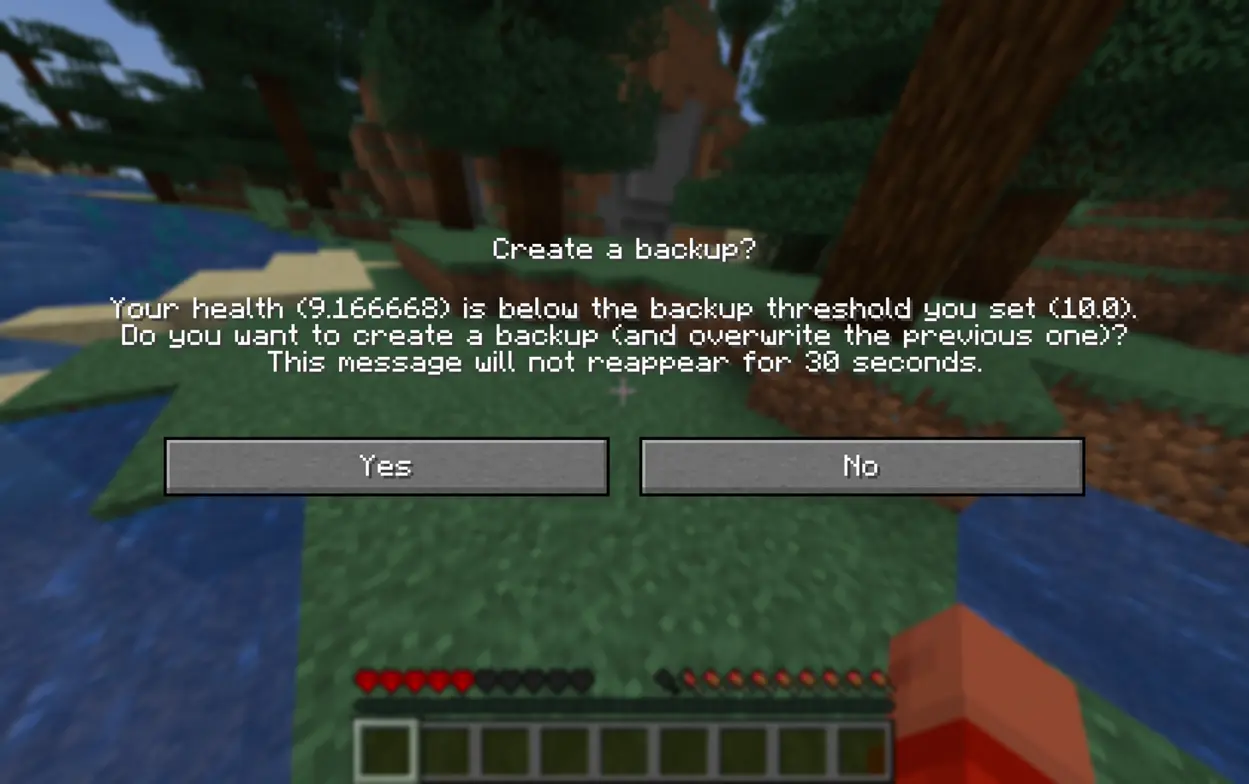
- In-Game Backup Reminders: Triggers a backup prompt when the player's health drops below a configured threshold, allowing players to create backups without leaving the world.
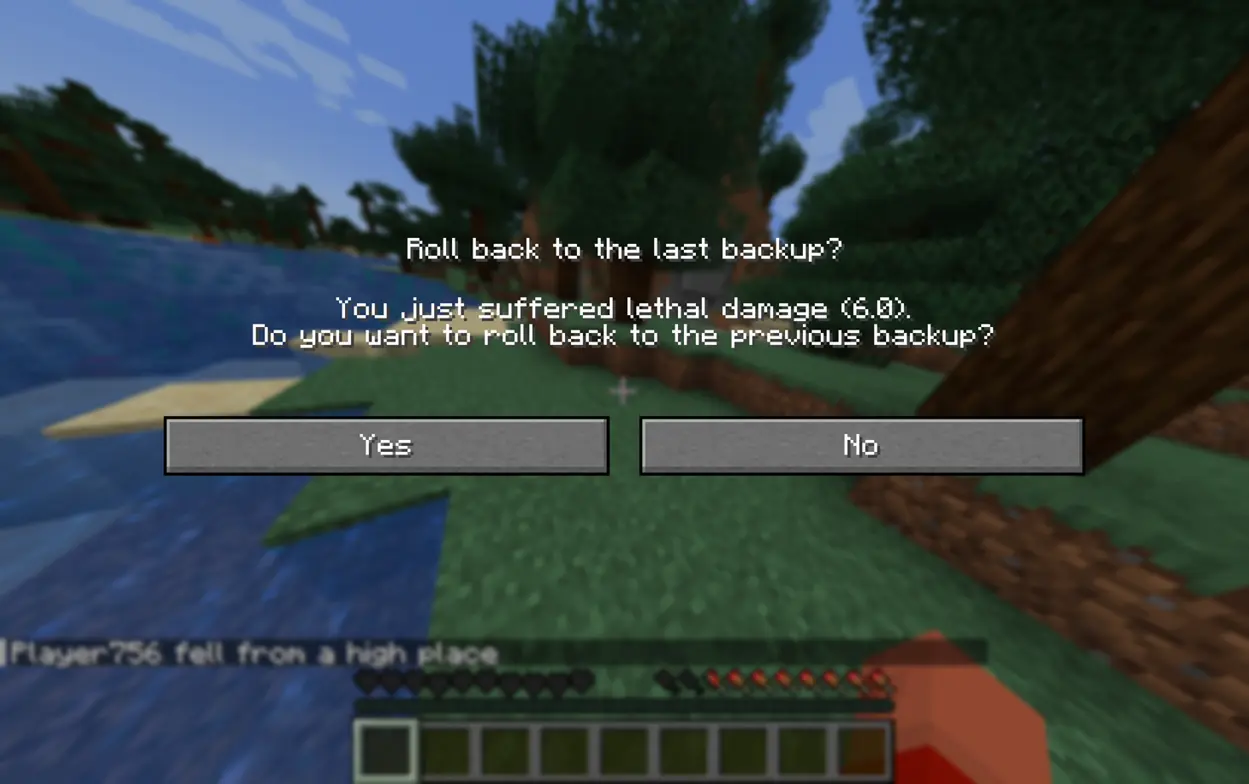
- Death Rollback: Pops up a rollback prompt upon death, allowing you to safely revert to the latest backup after confirmation.
- Highly Configurable: Supports custom health thresholds for backups, reminder cooldowns, and more.
⚠️ Warning: Due to backup mechanism limitations, this mod is Singleplayer only and will not work in Multiplayer or LAN worlds.
Client Commands
These commands allow you to manually manage backups and rollbacks for your current world:
/deathrollback backup— Creates a new backup./deathrollback rollback— Rolls back the world to the last backup./deathrollback delete— Deletes the backup for the current world.
Compatibility
- Mod Loader: Supports Fabric only.
- Game Versions: Currently guaranteed to be stable on 1.21 / 1.21.1, with support for more versions planned for future updates.
Dependencies
Required
- Fabric Loader:
0.16.0or higher - Fabric API: Any version
- Cloth Config API:
15.0or higher
Optional
- Mod Menu:
11.0or higher
Available Versions
How to Install DeathRollback on Your Server
Order Server
Order a Minecraft Java server with at least 3 GB RAM (4 GB recommended).
Set fabric Loader
In the panel under "Egg", select the fabric loader and matching Minecraft version (1.21.1).
Install Mod
Open the mod browser in the dashboard and search for "DeathRollback". Click "Install" – done! Alternatively, upload the .jar via SFTP to the /mods folder.
Compatibility
Mod Loaders
Minecraft Versions
1.21.1, 1.21
Server-side
✓ RequiredRecommended RAM
4 GB(min. 3 GB)Frequently Asked Questions
DeathRollback server crashes on startup – what to do?
Most common cause: wrong fabric version or insufficient RAM. Check the server log (latest.log) for "OutOfMemoryError" or "Mixin" errors. With Mado Hosting: ensure at least 3 GB RAM is allocated and the loader matches the mod version (1.21.1). You can switch loaders with one click in the panel.
Is DeathRollback compatible with fabric?
DeathRollback officially supports fabric for Minecraft 1.21.1, 1.21. The Mado dashboard automatically detects incompatible loader combinations.
Server lagging with DeathRollback – how to optimize performance?
Recommended RAM: 4 GB (per 8 players). Use /spark profiler to check if DeathRollback consumes the most tick time. Common fixes: reduce server view-distance to 8-10, install "performant" or "starlight" as supplementary mods on Forge. With Mado Hosting, your server runs on NVMe SSDs with dedicated CPU cores for minimal latency.
Similar Mods




![[ETF] Entity Texture Features](https://cdn.modrinth.com/data/BVzZfTc1/af683d206d50b05258d865b0d6e4aa2f2cee12f2_96.webp)
![[EMF] Entity Model Features](https://cdn.modrinth.com/data/4I1XuqiY/6e5bbd0d06b1741bfdab6c0cfab6de8fdaf0064c_96.webp)
Rent Modded Server
Install DeathRollback with just one click on your server.